Multi-Vendor & Complex SaaS Marketplaces
 Modern Headless & Jamstack Web Development
 High-End Corporate & Specialized Business Websites
 Advanced API, Checkout & Database Troubleshooting
WordPress Slow? It’s Your Linux Server — Fix It in Australia
Theme swaps won’t fix a starved Linux stack. Learn the server-side causes of a slow WordPress site, DIY diagnostics with real commands, and when Fixwebnode should take over remotely in Australia.
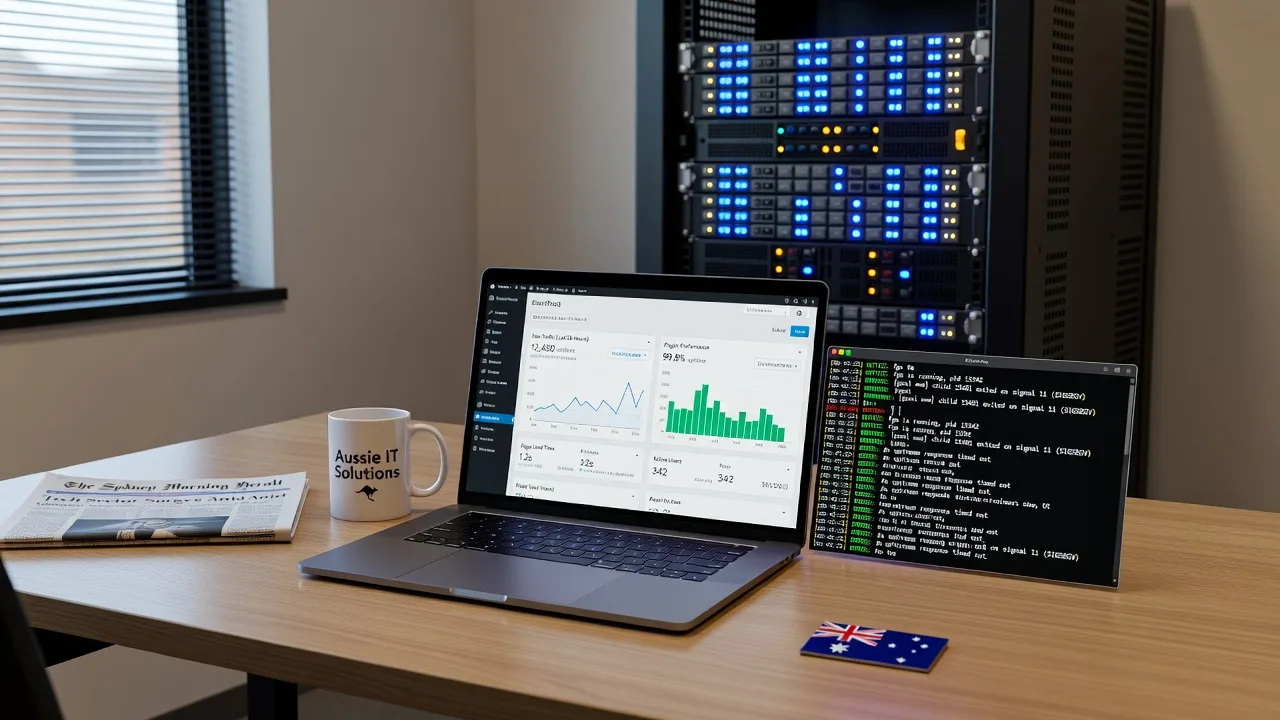
If your WordPress site crawls while the theme looks fine, the bottleneck is almost always the Linux server—not Elementor, not “too many plugins” alone. This guide is for Australian homeowners and small businesses who need practical, remote-friendly steps to find and fix server drag: PHP-FPM exhaustion, database stalls, disk pressure, and reverse-proxy misconfiguration. Fixwebnode provides direct website support for this exact problem—remote diagnostics and remediation for individuals, sole traders, and local operators via website repair across Australia—without marketplace bidding or freelancers.
We work remotely across Australia and list coverage on our service areas page. Below is a production-style runbook you can follow on a typical Ubuntu/Debian or RHEL-family VPS before you escalate.
Why a slow WordPress site is usually the Linux server
Page builders and heavy themes add weight, but they do not create 8-second Time to First Byte (TTFB) by themselves. TTFB that stays high after a cold cache almost always points at PHP workers waiting, MySQL under lock or missing indexes, saturated disk I/O, exhausted RAM, or a web server that is not caching static assets. In Australia, many small sites sit on under-provisioned VPS plans with default PHP-FPM pools, unattended MySQL, and no object cache—then the owner blames the theme. Fix the stack first; only then judge the front end.
Is my WordPress site slow because of the Linux server in Australia?
Yes—if TTFB is high, admin-ajax or checkout hangs under light traffic, or the server load average climbs while CPU wait (iowait) or PHP-FPM “max children” warnings appear in logs, the Linux host is the primary cause, not the theme skin. Confirm with server metrics and logs before rebuilding the design. A specialist remote pass from Fixwebnode is warranted when DIY pool and database tuning does not drop TTFB or when you lack safe SSH access.
| Symptom | Quick server check | When to call Fixwebnode |
|---|---|---|
| High TTFB, blank waits | PHP-FPM status + slow log | Pool tuning fails or OOM kills recur |
| Admin or checkout freezes | MySQL processlist + slow query log | Locks, corrupt tables, or unknown queries |
| Spiky load, site “pauses” | iowait, disk space, inode use | Disk full, failing volume, or no safe resize path |
Common Linux-server issues that make WordPress feel “broken slow”
1. PHP-FPM worker exhaustion
Symptoms: Intermittent 502/504 from nginx, “Resource temporarily unavailable,” long waits on every dynamic page, and pm.max_children warnings in the PHP-FPM log while CPU is not fully busy.
2. MySQL/MariaDB contention and missing indexes
Symptoms: wp-admin crawls, cart/checkout stalls, SHOW FULL PROCESSLIST shows many Waiting for table metadata lock or multi-second SELECTs on wp_options, wp_postmeta, or autoloaded options ballooning past tens of MB.
3. Disk I/O pressure, full volumes, or inode exhaustion
Symptoms: Load average high with elevated iowait, sudden freezes during uploads or backups, “No space left on device” even when df -h looks fine (inodes), or growing debug.log / session files filling /var.
4. Web server and TLS stack misconfiguration
Symptoms: Static CSS/JS re-downloaded every hit, no gzip/brotli, HTTP/2 unused, slow TLS handshakes, or PHP handled without fastcgi buffering—so every asset pays full origin cost.
Baseline diagnostics (do this once before changing anything)
SSH in as a sudo-capable user. Capture a snapshot so you can compare after each change.
Step 1 — Load, memory, and disk
uptime
free -h
df -h
df -i
iostat -xz 1 5
Note load vs CPU count, available RAM vs swap use, filesystem and inode free space, and whether %iowait stays elevated.
Step 2 — Who is listening and which PHP pool is live
sudo ss -tulpn | egrep ':(80|443|9000|3306)\b'
ps aux | egrep 'php-fpm|nginx|apache2|mysqld|mariadbd' | grep -v egrep
Step 3 — WordPress and web error signals
sudo tail -n 100 /var/log/nginx/error.log
sudo tail -n 100 /var/log/php*-fpm.log
sudo journalctl -u php*-fpm -n 80 --no-pager
# If the site path is known:
sudo tail -n 80 /var/www/*/wp-content/debug.log 2>/dev/null
Enable WP debugging only temporarily and never leave WP_DEBUG_DISPLAY on in production. For configuration lock-down after tests, Fixwebnode’s WP-Config & Server Config Security Locksmith service is the structured path when wp-config.php and pool files have been edited ad hoc.
Fix 1 — PHP-FPM pool sizing and slow-request logging
Default pools often set pm = dynamic with too few children for WordPress under WooCommerce or page builders, or too many children for the RAM you actually have—either starves requests or triggers the OOM killer.
Step 1 — Locate the pool and measure memory per worker
ls /etc/php/*/fpm/pool.d/
ps -o rss=,cmd -C php-fpm8.3 2>/dev/null || ps -o rss=,cmd -C php-fpm8.2 || ps -o rss=,cmd -C php-fpm
RSS is in KB. Average a few workers to estimate MB per child.
Step 2 — Safe starting formula
Reserve RAM for MySQL, nginx, OS, and headroom. Example: 2 GB free for PHP ÷ ~80 MB per worker ≈ 20 max children—not 50 on a 2 GB VPS.
sudo cp /etc/php/8.3/fpm/pool.d/www.conf /etc/php/8.3/fpm/pool.d/www.conf.bak
sudo nano /etc/php/8.3/fpm/pool.d/www.conf
Set values similar to (adjust version path and numbers to your host):
pm = dynamic
pm.max_children = 20
pm.start_servers = 4
pm.min_spare_servers = 2
pm.max_spare_servers = 6
pm.max_requests = 500
request_terminate_timeout = 60s
slowlog = /var/log/php8.3-fpm-slow.log
request_slowlog_timeout = 5s
Step 3 — Reload and verify
sudo php-fpm8.3 -t 2>/dev/null || sudo php-fpm8.2 -t 2>/dev/null || sudo php-fpm -t
sudo systemctl reload php8.3-fpm 2>/dev/null || sudo systemctl reload php8.2-fpm || sudo systemctl reload php-fpm
sudo systemctl status php8.3-fpm --no-pager
sudo tail -n 50 /var/log/php8.3-fpm-slow.log
Re-test TTFB on a logged-out URL. If 502s stop but RAM climbs into swap thrash, lower pm.max_children; if queues remain, raise carefully or add RAM—do not guess past physical memory.
When to call Fixwebnode: OOM kills in dmesg, multiple pools fighting one another, or PHP versions mismatched with the site’s required runtime.
Fix 2 — Database stalls, autoload bloat, and slow queries
WordPress is chatty. Autoloaded rows in wp_options, missing indexes on postmeta, and unlogged slow queries keep PHP workers blocked—the theme never gets a chance to “feel” fast.
Step 1 — Inspect live pressure
sudo mysql -e "SHOW FULL PROCESSLIST;"
sudo mysql -e "SHOW GLOBAL STATUS LIKE 'Threads_running'; SHOW GLOBAL STATUS LIKE 'Slow_queries';"
Step 2 — Turn on a temporary slow query log (MariaDB/MySQL)
sudo mysql -e "SET GLOBAL slow_query_log = ON; SET GLOBAL long_query_time = 1; SET GLOBAL slow_query_log_file = '/var/log/mysql/slow.log';"
sudo mkdir -p /var/log/mysql && sudo touch /var/log/mysql/slow.log
sudo chown mysql:mysql /var/log/mysql/slow.log
Generate a few page loads, then:
sudo tail -n 100 /var/log/mysql/slow.logStep 3 — Measure autoloaded options size
sudo mysql -e "SELECT ROUND(SUM(LENGTH(option_value))/1024/1024,2) AS autoload_mb FROM wp_options WHERE autoload IN ('yes','on','1');"Replace wp_ if you use a custom table prefix. Autoload well above ~1–2 MB often means stale plugin options. Clean only known junk (expired transients) with WP-CLI when available:
cd /var/www/html # adjust to your docroot
wp transient delete --all --allow-root
wp db optimize --allow-root
Step 4 — Persist sane InnoDB basics (review before applying)
sudo mysql -e "SHOW VARIABLES LIKE 'innodb_buffer_pool_size';"On a dedicated DB host, buffer pool often targets roughly half of RAM; on a single small VPS sharing PHP, keep it conservative so PHP-FPM still fits. Restart only during a window:
sudo systemctl restart mysql 2>/dev/null || sudo systemctl restart mariadbWhen to call Fixwebnode: metadata locks that never clear, suspect table corruption, or replication/hosting panels you cannot safely tune. Related delivery issues (forms timing out while the DB is fine) are handled under Fix Broken WordPress Contact Forms & Configure SMTP Delivery—separate from raw query performance but often misread as “the site is slow.”
Fix 3 — Disk, logs, and inode pressure
Backups, debug.log, nginx access logs, and session files silently fill disks. When the volume or inodes hit zero, MySQL and PHP fail in ways that look like random theme breakage.
Step 1 — Find the hog
sudo du -xhd1 /var 2>/dev/null | sort -h
sudo du -xhd1 /var/log 2>/dev/null | sort -h
sudo du -xhd1 /var/www 2>/dev/null | sort -h
sudo find /var/www -type f -name 'debug.log' -size +50M -ls 2>/dev/null
Step 2 — Rotate and truncate safely
sudo journalctl --vacuum-time=7d
sudo truncate -s 0 /var/www/html/wp-content/debug.log 2>/dev/null
sudo logrotate -f /etc/logrotate.conf
Disable permanent WP_DEBUG_LOG once you finish investigation. Do not delete raw database files to “free space.”
Step 3 — Confirm recovery
df -h
df -i
sudo systemctl restart php8.3-fpm 2>/dev/null || true
sudo systemctl reload nginx 2>/dev/null || sudo systemctl reload apache2
When to call Fixwebnode: the disk fills again within hours, the volume is read-only, or hosting snapshots leave you without a clean resize path.
Fix 4 — nginx fastcgi cache headers and compression
Even a healthy PHP pool feels slow if every CSS/JS file is uncached and uncompressed at the edge of your origin.
Step 1 — Confirm negotiation
curl -sI https://YOUR-DOMAIN.example | egrep -i 'HTTP/|content-encoding|cache-control|server|x-cache'Step 2 — Sensible static expiry (nginx site snippet)
# inside server { } for your vhost — test then reload
location ~* \.(css|js|jpg|jpeg|png|gif|ico|svg|woff2?)$ {
 expires 7d;
 add_header Cache-Control "public, max-age=604800";
 access_log off;
}
gzip on;
gzip_types text/plain text/css application/json application/javascript text/xml image/svg+xml;
Step 3 — Test config and reload
sudo nginx -t && sudo systemctl reload nginxFor PHP responses, prefer a proven page cache (nginx fastcgi_cache or a well-configured object cache with Redis) over stacking three WordPress “speed” plugins. Verify Redis only if it is installed:
redis-cli ping 2>/dev/null
sudo systemctl status redis 2>/dev/null || sudo systemctl status redis-server 2>/dev/null
When to call Fixwebnode: TLS cipher or certificate chain errors, conflicting cache layers, or reverse proxies (Cloudflare + origin) fighting each other so you see stale or uncached mixed results.
When DIY is enough vs when to book Fixwebnode
DIY is enough when you have SSH, can reload PHP-FPM/nginx without panic, TTFB drops after pool and DB hygiene, disk headroom stays stable, and error logs go quiet. Document every config change and keep the .bak files.
Book Fixwebnode when you hit recurring 502s after “correct” pool math, InnoDB needs schema-level repair, the host is a locked control panel without clean CLI access, security hardening must accompany performance work, or you simply need a remote specialist to finish without downtime theatre. Fixwebnode is a direct provider for website support—not a freelance marketplace—so you speak with the people doing the server work. Start from the Australia website repair landing page and outline symptoms, hosting panel type, and whether SSH is available.
Talk to Fixwebnode about your slow WordPress server
If this runbook confirmed the theme is innocent and the Linux stack is guilty, bring your metrics and logs to a direct remote session. Book a conversation through Fixwebnode website repair Australia for individuals, sole traders, and local operators who need the server fixed properly—so WordPress can finally feel as fast as the design promised.