Multi-Vendor & Complex SaaS Marketplaces
 Modern Headless & Jamstack Web Development
 High-End Corporate & Specialized Business Websites
 Advanced API, Checkout & Database Troubleshooting
WordPress for Tradies: High-Converting Sites in Melbourne’s West
Build a WordPress site that wins jobs for tradies across Melbourne’s western suburbs. Fix slow mobile pages, broken lead forms, and weak local SEO—with DIY steps and when to book Fixwebnode website support.
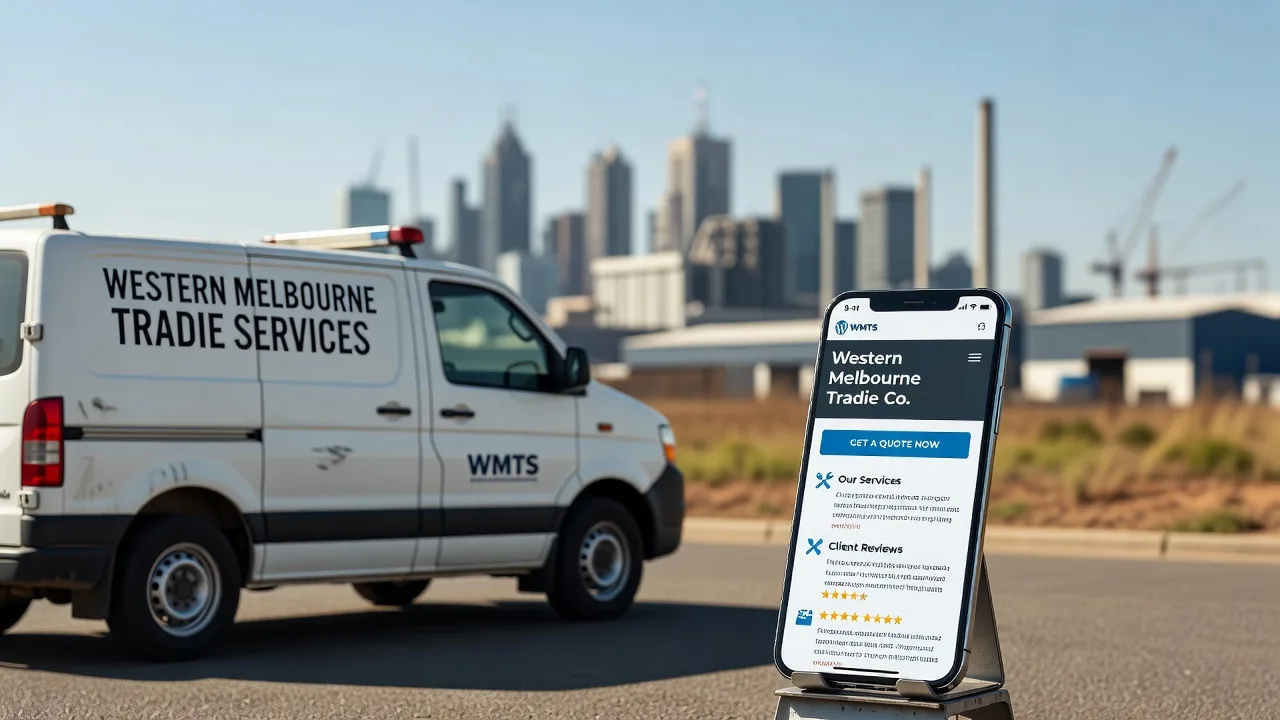
If you run a trade business in Melbourne’s west, your WordPress site should turn phone-in-hand searches into booked jobs—not bounce visitors to a competitor. Slow pages, buried call buttons, forms that never arrive, and thin local pages are the usual culprits. This guide walks through the problems we see most often on tradie WordPress sites, the fixes you can run yourself, and when remote website support from Fixwebnode is the safer path.
Fixwebnode is a direct specialist provider for WordPress build, support, and conversion work—not a freelance marketplace. We help homeowners’ go-to tradies and small trade businesses get a site that loads fast, ranks for local intent, and captures leads cleanly across your area and beyond. See where we work on our service areas page.
Why a high-converting WordPress site matters for western Melbourne tradies
Customers searching for plumbers, sparkies, builders, roofers, and landscapers almost always start on a phone. They compare two or three sites in minutes. The site that answers “who you are, what you do, where you work, and how to book” in under three seconds wins the call. WordPress can do that well—if themes, plugins, hosting, forms, and local content are set up for conversion, not just looks.
A high-converting tradie site typically needs: clear service pages, suburb-aware content without spam, click-to-call and quote CTAs above the fold, proof (licences, insurance notes you already hold—never invent them), fast mobile performance, and a lead path that actually delivers to your inbox or job board.
Why is my tradie WordPress site getting traffic but almost no job enquiries?
Most under-converting tradie sites fail on three fronts at once: mobile speed (visitors leave before the phone number loads), weak or broken lead capture (forms fail silently or bury the CTA), and thin local relevance (generic “Melbourne-wide” copy that does not match western-suburbs search intent). Fix the failure mode you can measure first—speed, form delivery, then local landing pages—before redesigning the whole theme.
| Symptom | Quick check / fix | When to call Fixwebnode |
|---|---|---|
| High bounce, low calls | Test mobile LCP; move click-to-call above the fold | Theme/builder bloat you cannot strip safely |
| Form submits, no email | Check spam, mail logs, SMTP plugin test | Server mail / webhook / CRM routing broken |
| Ranks poorly locally | One clear service page + NAP consistency | Technical SEO, schema, or migration needed |
| Mixed content / SSL warnings | Force HTTPS; fix http asset URLs | Certificate or reverse-proxy misconfig |
Common issues on WordPress sites for tradies
These problems show up repeatedly on trade business sites. Each has a different root cause—treat them separately.
1. Mobile pages crawl while the phone is ringing elsewhere
Symptoms: PageSpeed or Search Console flags poor LCP/INP on mobile; hero sliders and unoptimised gallery plugins; “Load more” scripts fighting the first paint; visitors never see your number.
2. Quote forms “work” on screen but leads never arrive
Symptoms: Thank-you message appears, inbox stays empty; leads land in spam; Contact Form 7 / WPForms / Gravity Forms show green ticks while mail() is blocked on the host; webhook to your job software fails after a plugin update.
3. Generic homepage, no western-suburbs service intent
Symptoms: One vague “We service all Melbourne” block; no dedicated pages for plumbing, electrical, carpentry, or emergency call-outs; Google Business Profile and site NAP (name, address, phone) disagree; you rank for brand only.
4. Mixed content, expired SSL, or intermittent 5xx errors
Symptoms: Browser padlock broken; “Not secure” on quote pages kills trust; checkout-style quote flows fail; PHP fatals after a host PHP upgrade; white screen of death on service pages.
How to fix each issue (DIY first)
Fix 1 — Speed and mobile conversion basics
Goal: first meaningful paint and a tappable call/quote button without waiting for a 4MB slider.
- Measure on a real phone viewport. In Chrome DevTools, use mobile throttling and note LCP element (often a full-width hero image).
- Replace auto-rotating sliders with one compressed hero image (WebP where possible), width capped to layout size, lazy-load below-fold galleries only.
- Put click-to-call and “Get a quote” in the header and first screen on mobile—sticky bar is fine if it does not cover content.
- Cull plugin weight. Disable unused page builders, dual cache plugins, and “mega” animation packs on service templates.
- Turn on server-side caching and PHP OPcache (hosting panel), and purge cache after changes.
If you have SSH and WP-CLI on the host, audit active plugins:
wp plugin list --status=active
wp theme list --status=active
wp cache flush
Check what the web server is actually serving and whether PHP is healthy:
sudo tail -n 80 /var/log/nginx/error.log
sudo systemctl status php8.2-fpm nginx
curl -sI https://YOUR-DOMAIN.COM | head -n 20
Expect HTTP/2 200 (or 301 to HTTPS) and no long series of upstream timeouts in the error log. Restart only if status shows failed workers:
sudo systemctl restart php8.2-fpm
sudo systemctl reload nginx
When to book Fixwebnode: if the theme is locked inside a heavy builder stack, Core Web Vitals stay red after image and plugin cuts, or you need a lean tradie-focused template without breaking live lead flow.
Fix 2 — Make lead forms deliver every time
Silent form failure is the most expensive “invisible” bug on a tradie site.
- Submit a test quote from your phone on mobile data (not only wifi), with a subject line you can search for.
- Check spam and filters on the receiving mailbox and any group inbox.
- Install and configure authenticated SMTP (host SMTP or a transactional provider) instead of raw PHP
mail(). - Send a plugin-native test email and confirm the From domain matches an SPF/DKIM-aligned domain.
- Log failures. Enable form logging if your plugin supports it; watch server mail logs after a test submit.
# Application / mail clues (paths vary by host)
sudo tail -n 100 /var/log/mail.log
# or
sudo journalctl -u postfix -n 50 --no-pager

# WordPress debug (enable temporarily in wp-config.php, then disable)
# define('WP_DEBUG', true);
# define('WP_DEBUG_LOG', true);
# define('WP_DEBUG_DISPLAY', false);
tail -n 80 wp-content/debug.log
Verify DNS mail auth from your laptop (replace domain):
dig +short TXT YOUR-DOMAIN.COM
dig +short TXT default._domainkey.YOUR-DOMAIN.COM
You want SPF including your sender, and a DKIM key present when you use SMTP signing. If tests still “succeed” in the UI with nothing in logs, disable conflicting captcha/firewall plugins briefly in a maintenance window and retest once.
When to book Fixwebnode: leads must fan out to multiple tradespeople, job software webhooks, or SMS; spam filters are aggressive; or you cannot access server mail logs safely.
Fix 3 — Local relevance for western suburbs work without stuffing
Conversion and SEO both improve when each main trade has a clear page and your footprint is honest.
- Create one focused page per core service (e.g. blocked drains, switchboard upgrades, decking)—not a dozen near-duplicate suburb clones.
- State service areas in plain language on a single “Areas we service” section; keep NAP identical to your Google Business Profile.
- Add real proof blocks: licence numbers you actually hold, insurance summary as you publish it elsewhere, project photos with consent, and a short process (“call → quote → schedule”).
- Internal links: homepage → service pages → contact/quote. Remove dead “Free quote” buttons that scroll nowhere.
- Request indexing for updated URLs in Search Console after publish.
Optional technical check that search engines see the right canonical and title:
curl -sL https://YOUR-DOMAIN.COM/your-service-page/ | tr '\n' ' ' | sed 's/></>\n</g' | grep -E 'rel="canonical"|<title>' | headWhen to book Fixwebnode: you need a full information architecture rebuild, migration from a brochure builder, or structured data implemented without breaking the theme. Related builds we support for trade niches include Adelaide bathroom renovation website experts and website solutions for Canberra builders and construction specialists—same conversion discipline, different regions.
Fix 4 — SSL, mixed content, and fatal errors
Trust dies the moment a quote page shows “Not secure.”
- Confirm certificate validity in the browser; note expiry and hostname mismatch.
- Force HTTPS in WordPress (Settings → General: both URLs https) and purge cache.
- Hunt mixed content: hard-coded
http://images, elementor/kit CSS, or old CDN URLs. - Renew or reissue the cert at the host or reverse proxy; reload the web server.
- If you get a white screen, check PHP error logs before reinstalling plugins blind.
sudo certbot certificates
sudo certbot renew --dry-run
sudo systemctl reload nginx

# Mixed content quick scan of homepage HTML
curl -sL https://YOUR-DOMAIN.COM | grep -oE 'http://[^"[:space:]]+' | head -n 30

# PHP fatals
sudo tail -n 100 /var/log/php8.2-fpm.log
# or site-specific
tail -n 100 ~/logs/error.log
On many panels, “Force HTTPS” plus a search-replace of old http asset URLs (with a backed-up database) clears padlock warnings. Always snapshot files and DB before bulk URL replace.
wp db export backup-$(date +%F).sql
wp search-replace 'http://YOUR-DOMAIN.COM' 'https://YOUR-DOMAIN.COM' --all-tables --dry-run
# re-run without --dry-run only when the preview looks correct
When to book Fixwebnode: certificate lives on a reverse proxy you do not control, renewals fail, or PHP upgrades broke a critical form/checkout-style quote plugin.
When DIY is enough vs when to book Fixwebnode
DIY is enough when you can change the theme header CTA, compress images, turn on SMTP with a clear test path, publish honest service pages, and read basic error logs without taking the site offline for hours.
Book Fixwebnode when leads are revenue-critical and failing silently, Core Web Vitals stay poor after sensible cuts, you need remote diagnosis across WordPress, PHP-FPM, Nginx, and DNS mail auth, or a redesign must preserve rankings and phone tracking. We work as your direct WordPress support partner—remote by default for digital delivery—so you are not posting jobs or collecting bids.
Geography: we support trade businesses in your area and list coverage on our all service areas hub. Western Melbourne tradies often need the same stack fixes as other regions; the content and CTAs simply match how locals search and call.
Talk to Fixwebnode about your tradie WordPress site
If your site looks fine but the phone stays quiet, start with speed, forms, SSL, and one strong service page—then get a specialist eyes-on review before you rebuild everything. Fixwebnode provides direct website support for WordPress tradie sites: conversion structure, remote troubleshooting, and practical fixes you can keep maintaining.
Ready to turn western-suburbs search traffic into booked jobs? Open a conversation through the website support page and tell us what fails today (slow mobile, missing leads, SSL, or local pages). We will help you prioritise the highest-value fix first—without marketplace runaround.