Multi-Vendor & Complex SaaS Marketplaces
 Modern Headless & Jamstack Web Development
 High-End Corporate & Specialized Business Websites
 Advanced API, Checkout & Database Troubleshooting
Secure Corporate Sites for Melbourne CBD Financial Firms
Build and harden a compliant corporate website for financial firms in Melbourne CBD. Diagnose SSL, disclosure, and header failures with DIY steps—then know when to book Fixwebnode remote website support.

If you run a financial services practice in Melbourne CBD, your corporate site is not just a brochure—it is a regulated channel that must stay encrypted, accurate, and available. Broken certificates, missing disclosures, weak security headers, and form failures create real compliance and trust risk. This guide walks through the unique problems financial firms hit on corporate websites, the remote checks you can run yourself, and when to book specialist website support from Fixwebnode.
Fixwebnode works as a direct specialist provider for remote website support across our service areas, including Melbourne CBD firms that need secure, compliant corporate sites without marketplace bidding or freelancers.
Why secure, compliant corporate sites matter for Melbourne CBD financial firms
Prospects, auditors, and counterparties judge your firm by HTTPS health, clear licence and disclosure language, privacy controls, and stable contact pathways. A site that mixed-loads scripts, drops HSTS, or serves stale AFSL-style footers can undermine onboarding and invite complaints. Remote diagnostics—logs, certificate chains, header scans, and CMS integrity checks—let you catch most failures before they become incidents.
What usually breaks on a financial firm’s corporate website?
Searchers often ask this when a homepage looks fine in the office but fails for clients on mobile or after a CMS update. In short: certificate chain and mixed-content errors, missing or outdated regulatory disclosures, weak or conflicting security headers, and contact forms that drop submissions or expose fields without TLS. Each has a different root cause and a different DIY path before you escalate.
| Symptom | Quick fix direction | When to call Fixwebnode |
| Browser padlock missing / mixed content | Force HTTPS, fix asset URLs, renew cert | Chain errors, CDN mismatch, or HSTS lock-out |
| Stale licence / disclosure footer | Update legal blocks and cache purge | Multi-template CMS or approval workflow needed |
| Forms fail or spam floods inbox | Check mail relay, CAPTCHA, rate limits | SMTP auth, WAF false positives, PCI-sensitive flows |
Common issues on corporate sites for financial firms
1. TLS padlock failures and mixed-content warnings
Symptoms: Chrome shows “Not secure”, some images or scripts load over http://, or mobile clients hit intermittent certificate name mismatch after a domain or CDN change.
2. Outdated regulatory disclosures and privacy blocks
Symptoms: Footer still shows old entity names, missing AFSL-style or credit-licence wording your compliance team requires, broken links to Financial Services Guide / Product Disclosure / privacy policy PDFs, or cookie banners that never record consent.
3. Missing security headers and open admin surfaces
Symptoms: Security scanners flag absent Content-Security-Policy, X-Frame-Options, or Referrer-Policy; /wp-admin or staging URLs remain public; outdated plugins show known CVEs in the dashboard.
4. Contact and onboarding forms that fail silently
Symptoms: “Thank you” page loads but no email arrives; spam floods the advice inbox; file uploads for KYC-style PDFs time out; or the form posts to HTTP after an SSL cutover.
How to fix TLS and mixed-content problems
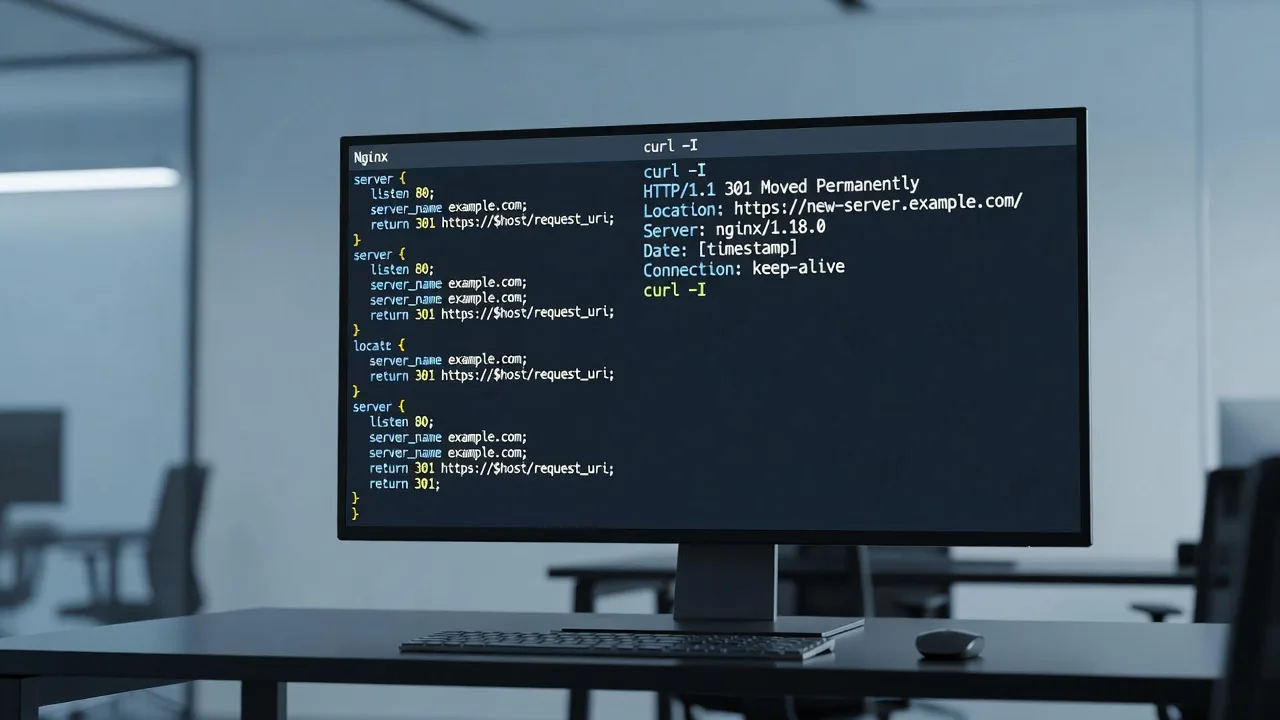
Start with remote certificate and redirect checks from any admin workstation. Confirm the live hostname, then inspect the chain and force HTTPS at the web server or reverse proxy.
Step 1 — Inspect the public certificate and redirects
echo | openssl s_client -servername yourfirm.com.au -connect yourfirm.com.au:443 2>/dev/null | openssl x509 -noout -dates -subject -issuer
curl -sI https://yourfirm.com.au | head -n 20
curl -sI http://yourfirm.com.au | head -n 20
Confirm NotBefore/NotAfter dates, that the subject matches your corporate domain, and that HTTP returns a 301/302 to HTTPS.
Step 2 — Find mixed-content assets
curl -sL https://yourfirm.com.au | grep -oE 'src=["'\'']http://[^"'\'']+' | head
curl -sL https://yourfirm.com.au | grep -oE 'href=["'\'']http://[^"'\'']+' | head
Replace any http:// script, stylesheet, or image URLs with https:// or protocol-relative paths in the CMS theme, page builder, or CDN settings.
Step 3 — Renew or reinstall the certificate if needed
# Example on a host using Certbot + nginx
sudo certbot certificates
sudo certbot renew --dry-run
sudo nginx -t && sudo systemctl reload nginx
After reload, re-run the openssl check. Purge CDN cache if you terminate TLS at Cloudflare or similar.
When to call Fixwebnode: incomplete intermediate chains, multi-domain SAN mismatches, HSTS preload lock-outs, or CDN origin SSL mode conflicts that keep flipping the padlock.
How to fix disclosure, privacy, and compliance content drift
Financial firm sites drift when marketing edits the footer without legal review, or when a theme update resets widgets. Treat disclosures as versioned content.
Step 1 — Inventory required blocks
- Legal entity name and ABN as your compliance team specifies
- Licence or authorisation wording (only what you are authorised to publish)
- Links to current FSG/PDS/privacy/complaints documents
- Cookie/consent notice if you run analytics or remarketing
Step 2 — Update once in the source of truth
Edit the global footer template or options panel—not a single page paste. Upload fresh PDFs with clear filenames and replace old media library items so deep links do not 404.
Step 3 — Verify every key template
for p in / /contact/ /privacy-policy/ /services/; do
 echo "=== $p"
 curl -sL "https://yourfirm.com.au$p" | grep -iE 'AFSL|ABN|privacy|complaints|FSG' | head -n 5
done
Confirm wording appears on home, contact, and service templates. Clear full-page cache and CDN after publish.
When to call Fixwebnode: multi-site WordPress or headless setups where footers differ by template, PDF link rot across dozens of landing pages, or consent tooling that must integrate with your analytics stack without breaking Core Web Vitals.
How to harden headers, admin access, and CMS integrity
Corporate financial sites should send baseline security headers and keep admin surfaces off the public internet where practical.
Step 1 — Measure current headers
curl -sI https://yourfirm.com.au | grep -iE 'strict-transport|content-security|x-frame|x-content-type|referrer-policy|permissions-policy'Step 2 — Add conservative headers at nginx (example)
# Inside the HTTPS server block, then test and reload
add_header Strict-Transport-Security "max-age=31536000; includeSubDomains" always;
add_header X-Frame-Options "SAMEORIGIN" always;
add_header X-Content-Type-Options "nosniff" always;
add_header Referrer-Policy "strict-origin-when-cross-origin" always;
# CSP should be drafted carefully so payment or chat widgets still load
sudo nginx -t && sudo systemctl reload nginx
Step 3 — Restrict admin and patch the CMS
# WordPress example: list outdated plugins via WP-CLI on the server
wp plugin list --update=available --path=/var/www/yourfirm
wp core verify-checksums --path=/var/www/yourfirm
# Review access logs for /wp-login.php or /xmlrpc.php abuse
sudo grep -E 'wp-login|xmlrpc' /var/log/nginx/access.log | tail -n 50
Enable MFA for all admin users, disable unused XML-RPC if you do not need it, and keep staging behind VPN or basic auth. Do not invent custom “security plugins” as a substitute for patching.
When to call Fixwebnode: CSP breaks essential scripts, you need IP allowlists on admin paths, malware cleanup after a plugin CVE, or coordinated hardening with your existing WAF.
How to fix failing contact and secure enquiry forms
Silent form failure is common after host mail changes or SSL cutovers. Diagnose delivery separately from front-end validation.
Step 1 — Confirm the form posts to HTTPS and returns 200
curl -sI https://yourfirm.com.au/contact/ | head -n 15
# After a test submit in the browser, check application and mail logs
sudo tail -n 100 /var/log/mail.log
# PHP-FPM / app error log paths vary by host
sudo tail -n 100 /var/log/nginx/error.log
Step 2 — Validate outbound mail
Prefer authenticated SMTP (transactional provider) over PHP mail(). Check SPF/DKIM on the sending domain. Restart PHP-FPM only after config changes:
sudo systemctl restart php8.2-fpm
sudo systemctl status php8.2-fpm --no-pager
Step 3 — Reduce spam without blocking genuine clients
- Add a reputable CAPTCHA or honeypot
- Rate-limit the form endpoint at the WAF or nginx
- Never ask for full card data on a standard corporate contact form
When to call Fixwebnode: SMTP credentials fail intermittently, WAF blocks legitimate CBD office IPs, file-upload forms need stricter validation, or you are wiring CRM/webhooks that must stay encrypted end to end.
When DIY is enough vs when to book Fixwebnode
DIY is enough when you can renew a straightforward Let’s Encrypt certificate, replace a handful of http:// assets, update footer copy your compliance team already approved, or apply routine CMS plugin updates on a staging clone first. Stop and book a specialist if you see incomplete certificate chains, HSTS or CDN misconfiguration, suspected malware, multi-template disclosure drift, form systems tied to client onboarding data, or any change that must be evidenced for an internal audit.
Fixwebnode provides direct remote website support—not a freelance marketplace. We work across listed service areas and can coordinate digital fixes for Melbourne CBD financial firms alongside related builds such as Adelaide Fresh Food Website Designers (Postcode 5000) and Melbourne Film & Celeb Merch Shopify Design (eCommerce) when your group needs adjacent site work under the same specialist relationship.
Book a secure-site conversation with Fixwebnode
If your corporate site for a financial firm is losing the padlock, serving stale disclosures, failing headers checks, or dropping enquiries, gather the openssl and curl outputs above and start a direct conversation. Book remote website support through the landing page: https://fixwebnode.com.au/website-support-geelong-geelong. We will review the failure mode, prioritise compliance-sensitive fixes, and keep the work on your live stack without marketplace hand-offs.