Multi-Vendor & Complex SaaS Marketplaces
 Modern Headless & Jamstack Web Development
 High-End Corporate & Specialized Business Websites
 Advanced API, Checkout & Database Troubleshooting
Real Estate IDX Sites in Mosman: Fix Live Property Search Issues
Mosman agents and property sites lose leads when live IDX search breaks. This guide covers feed failures, SSL mixed content, stale listings, and slow search—with DIY checks and when to book Fixwebnode remote website support.
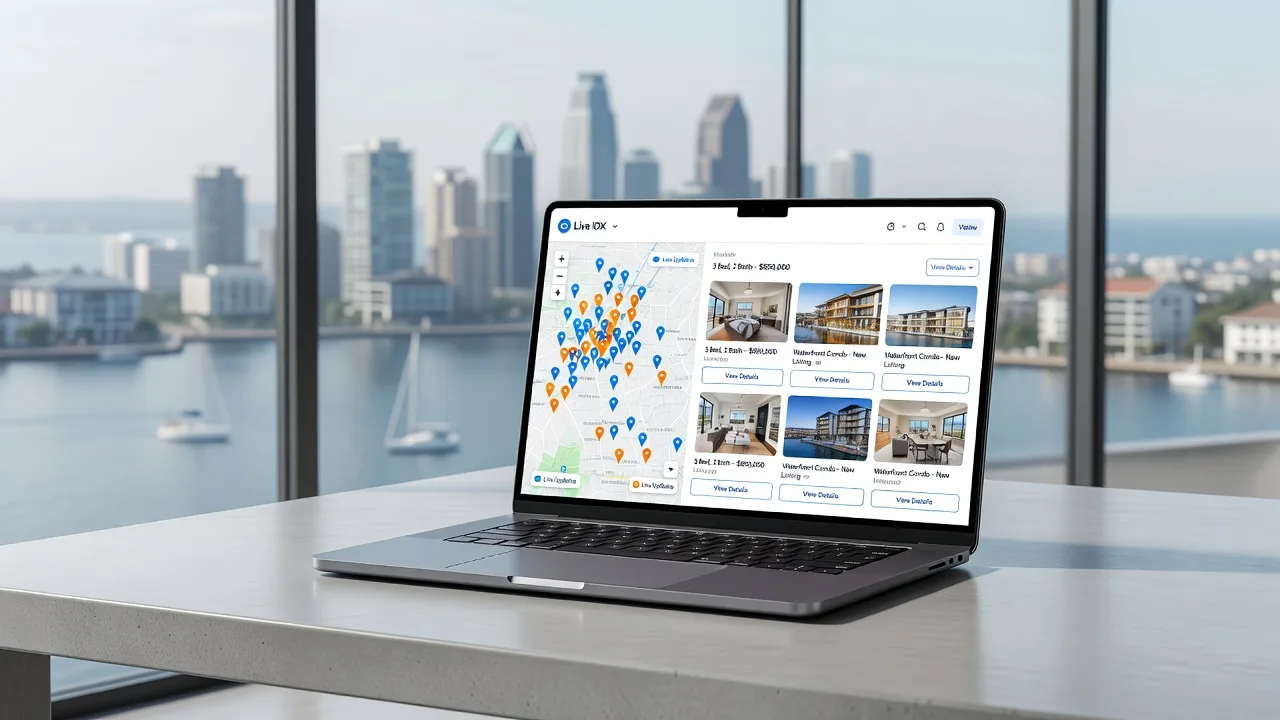
If your Mosman real estate site shows blank search results, outdated listings, or a broken map, live IDX is failing where buyers look first. This practical guide walks site owners and small agencies through the most common IDX failures on modern property websites, safe remote diagnostics you can run yourself, and when to hand the stack to a specialist.
Fixwebnode provides direct website support for real estate sites with live IDX property search—configuration, feed health, SSL, caching, and performance—without marketplace middlemen. Work is delivered remotely so your Mosman listings stay online while issues are fixed.
Why live IDX search matters on a Mosman real estate website
Buyers in and around Mosman expect instant filters for suburb, price, beds, and map pins. When the IDX feed, API keys, or front-end widgets fail, the site looks abandoned even if your branding is strong. A modern real estate website with live IDX property search depends on a clean chain: MLS/IDX provider → API or iframe → your CMS (often WordPress) → CDN/cache → HTTPS. Break any link and search dies.
Remote support is enough for most of these failures. You do not need someone on-site to read error logs, renew certificates, flush object cache, or re-authorise an IDX plugin. Fixwebnode works across all service areas with the same remote runbooks used for other specialist property and builder sites.
Why does my Mosman IDX property search show no results?
Blank or spinning IDX search almost always means the widget cannot reach the feed: expired API credentials, blocked outbound HTTPS, a PHP fatal in the IDX plugin, or aggressive page cache serving an empty shell. Confirm the provider status page, then check your server error log and whether the search endpoint returns JSON or a 401/403 before redesigning the page.
| Symptom | Quick check | Call Fixwebnode when |
|---|---|---|
| Search returns zero homes | Provider dashboard + API key expiry | Keys valid but widget still empty |
| Mixed-content / map broken | Padlock, console HTTP resources | SSL or CDN rewrite needs server work |
| Listings hours out of date | Purge cache; hit feed URL directly | Cron or object-cache conflict persists |
| Search painfully slow | TBT, uncached API calls | Need query, CDN, or PHP tuning |
Common IDX issues on modern real estate websites
These problems show up repeatedly on live property-search builds. Each has a different root cause—do not treat them as one “refresh the plugin” fix.
- IDX feed or API authentication failure — Search form submits but results stay empty; browser network tab shows 401, 403, or CORS errors to the IDX host.
- HTTPS mixed content breaking maps and filters — Padlock warns; map tiles or listing images load over HTTP and modern browsers block them.
- Stale or duplicated listings from cache and cron drift — Sold or withdrawn homes still appear; new Mosman listings take many hours to show.
- Slow live search and poor Core Web Vitals — Filters feel laggy; LCP and main-thread work spike when every keystroke hits an uncached remote API.
How to fix each IDX issue (DIY first)
1. IDX feed or API authentication failure
Symptoms: empty grid, “no properties found” on known active stock, or the IDX shortcode rendering a login/error strip. Root cause is usually expired tokens, wrong office ID, IP allowlisting, or a PHP error after a CMS update.
Step 1 — Confirm the provider side
- Log into your IDX/MLS vendor dashboard and verify the account is active and the approved domains list includes your live hostname (with and without www).
- Regenerate or copy the current API key / client ID and note any IP restriction requirements.
- Open the vendor status page; rule out a regional outage before changing your site.
Step 2 — Re-save credentials in the CMS
- In WordPress (typical stack), open the IDX plugin settings and paste the fresh key. Save twice so transients refresh.
- Disable any “staging mode” or demo feed flags left from launch.
- Clear the plugin’s own cache if it has a button, then hard-refresh the search page.
Step 3 — Server-side diagnostics (SSH or host terminal)
Check whether PHP is fatalling when the search page loads, and whether outbound HTTPS to the IDX host works from the server.
sudo tail -n 100 /var/log/nginx/error.log
sudo tail -n 100 /var/log/php8.2-fpm.log
curl -I https://YOUR-IDX-API-HOST.example/
curl -sS -o /dev/null -w "%{http_code}\n" https://YOUR-SITE/property-search/
Expected: recent logs without fatal IDX class errors; curl to the API host returns 200/301/401 (reachable), not connection timeout. A timeout often means firewall or missing CA bundle, not a theme issue.
Step 4 — Restart app services after config changes
sudo systemctl reload php8.2-fpm
sudo systemctl reload nginx
Verify the search page returns results for a broad Mosman query. If logs show repeated 401 after a new key, the vendor may still be binding the old office ID—stop rotating keys and contact them with a HAR export.
When to call Fixwebnode: credentials are confirmed live but the widget still fails, or fatals point at custom theme code wrapping the IDX shortcode. Remote repair can isolate the plugin, fix mu-plugins, and restore search without a full redesign.
2. HTTPS mixed content breaking maps and filters
Symptoms: browser console lists blocked HTTP scripts or map tiles; pins missing; filters half-working on Chrome/Safari while older browsers look fine. Root cause: hard-coded http:// asset URLs in theme options, old IDX embed code, or a reverse proxy not forwarding HTTPS correctly.
Step 1 — Confirm certificate and redirect chain
curl -I http://YOUR-SITE
curl -I https://YOUR-SITE
sudo certbot certificates
You want HTTP→HTTPS redirects and a certificate that is not expired. Renew if needed:
sudo certbot renew --dry-run
sudo systemctl reload nginx
Step 2 — Find mixed URLs
- Open DevTools → Console/Network on the property search page; note every http:// request.
- In the CMS, search theme options, widgets, and IDX embed fields for http:// and switch them to https:// or protocol-relative URLs only if the vendor still documents that pattern.
- If you use a CDN, enable “always HTTPS” / automatic HTTPS rewrites, then purge the CDN cache.
Step 3 — WordPress home/site URL sanity
wp option get home
wp option get siteurl
wp search-replace 'http://YOUR-SITE' 'https://YOUR-SITE' --all-tables --dry-run
Run the real search-replace only after the dry-run looks correct. Then purge page cache and retest map tiles on mobile.
When to call Fixwebnode: certificate auto-renew is broken, nginx SSL snippets are custom, or the IDX vendor still serves mixed assets that need a reverse-proxy rewrite. That is server work, not a DIY theme tweak.
3. Stale or duplicated listings (cache and cron drift)
Symptoms: sold homes still featured; new listings lag half a day; the same property appears twice with different prices. Root causes differ: full-page cache storing search HTML, object cache holding old API payloads, disabled WP-Cron, or two IDX modules both injecting results.
Step 1 — Bypass cache and hit the feed
- Load the search URL with a cache-buster query string and in a private window.
- In your cache plugin or host panel, exclude
/property-search,/listings, and any IDX AJAX paths from full-page cache. - Purge full-page, object, and CDN caches in that order.
Step 2 — Confirm WP-Cron and IDX sync jobs
wp cron event list
wp transient list --search=idx
# If system cron should drive WP-Cron:
crontab -l
Ensure an IDX sync or “update listings” event is scheduled and not stuck. Trigger once manually from the plugin UI if available, then re-check a known new listing.
Step 3 — Remove duplicate injectors
- Disable secondary “related homes” widgets that call a second IDX app.
- Keep one canonical search shortcode/block per template.
- Rebuild any saved IDX “showcase” that was generated months ago with static IDs.
When to call Fixwebnode: exclusions fight with a host-level cache (LiteSpeed, Nginx FastCGI, Cloudflare) or object cache still serves ghost payloads after purge. Specialists can map cache layers and lock a safe TTL policy for live search.
4. Slow live property search and weak Core Web Vitals
Symptoms: typing in price or suburb filters stutters; mobile LCP suffers; TBT climbs when the map and card grid initialise together. Root cause is usually uncached remote calls on every filter change, oversized map libraries, and unoptimised listing images.
Step 1 — Measure before changing code
- Run PageSpeed/Lighthouse on the search URL only (not just the homepage).
- In Network, note waterfall time to the IDX XHR endpoints.
- Check whether results HTML is assembled server-side or entirely in the browser.
Step 2 — Safe performance wins
- Lazy-load map tiles until the user opens the map tab.
- Serve listing card images via your CDN with sensible max widths; avoid full-resolution gallery files in the grid.
- Defer non-IDX scripts (chat, heatmaps) on search templates.
- Enable opcode cache and confirm PHP-FPM is not saturating:
php -i | grep opcache.enable
sudo systemctl status php8.2-fpm
ps aux | grep php-fpm | wc -l
Step 3 — Verify
Retest filter responsiveness and LCP on a mid-tier mobile profile. Search should feel snappy on broad queries; if every keystroke still waits on a cold vendor API, you need debouncing and result caching in the integration layer—not another general “speed plugin.”
When to call Fixwebnode: you need template-level debouncing, server-side result caching, or PHP/nginx tuning without breaking live IDX compliance rules. Related specialist builds we document for other trades—such as Perth kitchen renovation website specialists and Hobart website specialists for builders and luxury home developers—follow the same performance discipline: measure the money page, then fix the stack under it.
When DIY is enough vs when to book Fixwebnode
DIY is enough when you can refresh valid IDX keys, exclude search URLs from page cache, force HTTPS on embeds, and reload php-fpm/nginx after a clean log check. Document each change so the next outage is faster to reverse.
Book Fixwebnode when empty results continue with valid vendor credentials, SSL renewals fail, multiple cache layers disagree, custom theme wrappers throw fatals, or search performance needs integration-level work. Fixwebnode is a direct specialist provider for remote website support—not a freelance board—so you work with one technical team on the IDX path end to end.
Remote sessions typically cover log review, plugin isolation, certificate and reverse-proxy checks, cache policy, and verification against live Mosman-style suburb queries. Soft scheduling only: urgent feed outages are often picked up the same business day when booked early, depending on queue.
Get live IDX search working again
A modern real estate website with live IDX property search only converts when the feed, HTTPS, cache, and front-end filters agree. Use the steps above to clear authentication, mixed content, stale data, and obvious slowdowns yourself. When the failure sits deeper in server config or custom code, bring in specialist help before buyers bounce to another agency site.
Ready to stabilise property search on your Mosman-focused site? Start a conversation with Fixwebnode through our website support page and outline the symptoms, CMS, and IDX vendor. We will remote in, verify the stack, and restore live search without marketplace bidding or guesswork.