Multi-Vendor & Complex SaaS Marketplaces
 Modern Headless & Jamstack Web Development
 High-End Corporate & Specialized Business Websites
 Advanced API, Checkout & Database Troubleshooting
Shopify Domain & SSL Pending: Fix Guide for NSW Boutiques
Domain connected but SSL stuck on pending? Learn the DNS, CAA, and registrar checks Paddington boutiques use to clear Shopify domain connection and endless SSL pending—plus when remote help from Fixwebnode makes sense.
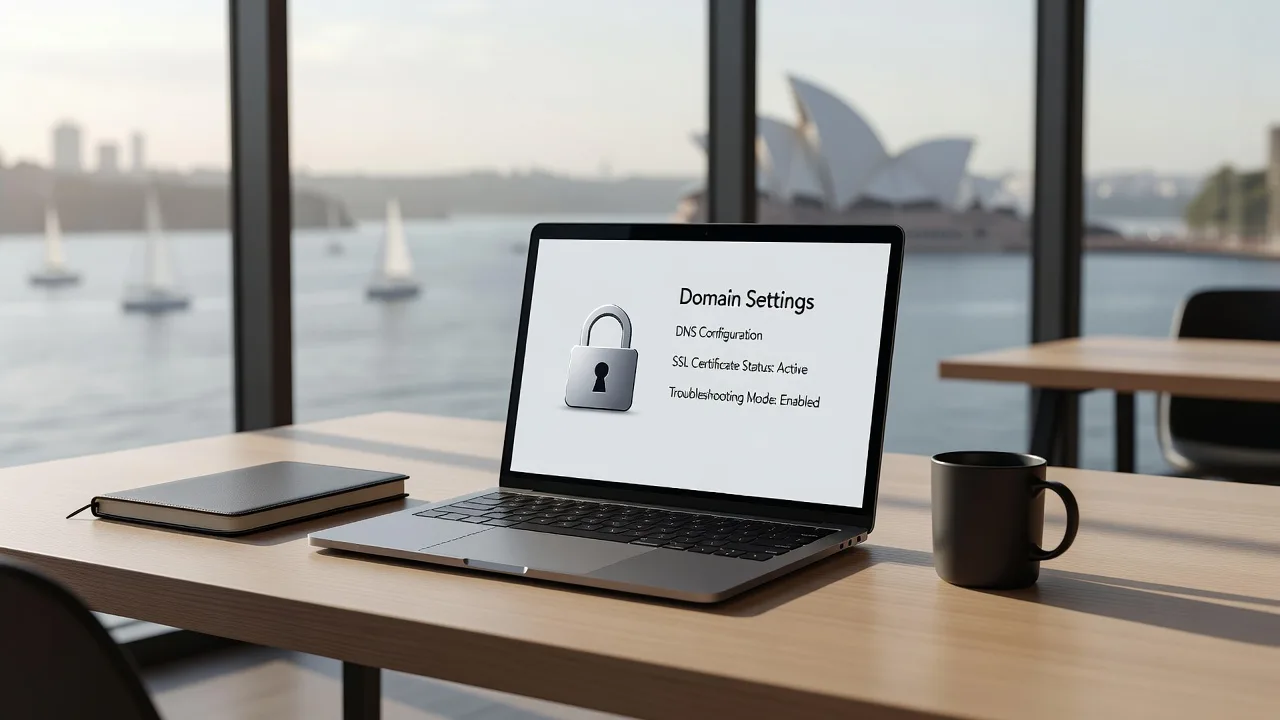
If your Shopify store shows “domain connection pending” or SSL that never leaves “pending,” checkout, customer trust, and Google ranking all stall until the certificate issues. This guide is for boutique owners and small retailers—especially in Paddington, NSW—who need clear DIY diagnostics and a clean path to remote specialist help when the admin panel will not budge.
Fixwebnode works as a direct Shopify support specialist (not a freelance marketplace). We troubleshoot domain connection, DNS, and SSL pending states remotely so your storefront can serve HTTPS without guesswork. Start with the steps below, or book focused help via the Shopify domain & SSL pending landing page.
Why Shopify domain connection and endless SSL pending matter
Shopify will not fully activate a custom domain until DNS answers correctly and Let’s Encrypt (or Shopify’s certificate pipeline) can complete domain control checks. A boutique can look “live” in the admin while browsers still warn visitors, payment redirects fail, or the primary domain never becomes the default. For fashion and lifestyle stores around Paddington, that often means abandoned carts at the exact moment a customer is ready to buy.
Most “stuck pending” cases are not mysterious Shopify bugs. They are mismatched A/CNAME records, leftover nameservers at the registrar, CAA records that block issuance, or a CDN/proxy sitting in front of the hostname Shopify expects to prove. The rest of this post walks through those failure modes with checks you can run from any laptop.
Why is my Shopify SSL stuck on pending after I connected the domain?
SSL stays pending when Shopify cannot prove control of the hostname—usually because DNS still points elsewhere, CAA forbids the issuer, or a proxy rewrites the challenge. Fix the public DNS answer first, wait for propagation, then reconnect or refresh the domain in Shopify admin; if it remains pending after clean DNS, a specialist should inspect registrar locks and edge proxies.
| Symptom | Quick fix | When to call Fixwebnode |
|---|---|---|
| Domain “connecting” for hours | Verify A/CNAME match Shopify’s targets | Records look right but status never flips |
| SSL pending / certificate error | Clear bad CAA; remove proxy on apex/www | CAA/DNSSEC/registrar blocks issuance |
| Works on myshopify.com only | Set primary domain; force HTTPS after cert | Mixed hostnames, email DNS, or multi-store mess |
Common Shopify domain and SSL pending issues
These problems show up repeatedly for boutique stores on custom domains. Each has a different root cause—treat them separately rather than repeatedly clicking “connect” in admin.
- Wrong or incomplete DNS at the registrar — Admin says connecting; dig/nslookup still returns the old host, parking page, or blank answers for the apex or www.
- CAA or DNSSEC blocking certificate issuance — Domain appears connected, but SSL remains pending for days with no browser padlock on the custom host.
- Proxy, CDN, or “orange cloud” in front of Shopify — Intermittent HTTPS errors, challenge failures, or Shopify never sees the expected IP/CNAME target.
- Primary domain and redirect loop confusion — Both apex and www are half-configured; customers bounce between insecure and secure URLs while SSL never fully activates on the hostname you want.
Issue 1 — DNS still not answering Shopify’s required targets
Shopify needs the apex (example.com) on their current A records and www (or your subdomain) as a CNAME to the shops hostname they show in admin. If the registrar still holds old A/AAAA records, URL forwarding, or different nameservers, connection stays pending indefinitely.
Step 1 — Read the exact targets from Shopify
- In Shopify admin go to Settings → Domains.
- Open the custom domain and note the A record value(s) and the CNAME target Shopify displays for that store (do not guess from an old blog post—targets can change).
- Confirm whether you are using Shopify nameservers or third-party DNS at your registrar.
Step 2 — Query public DNS from your machine
dig example.com A +short
dig www.example.com CNAME +short
dig example.com NS +short
nslookup example.com 8.8.8.8
nslookup www.example.com 1.1.1.1
You want the apex A answer to match Shopify’s documented IPs and www to CNAME to the shops host Shopify lists. If NS points at an old host or a parking provider, fix nameservers first—record edits on the wrong DNS panel do nothing.
Step 3 — Correct records at the live DNS host
- Remove conflicting A/AAAA, leftover www A records, and URL-redirect “DNS” features that replace real records.
- Add the apex A record(s) exactly as Shopify shows.
- Add www as CNAME to the Shopify shops target (no trailing http://).
- Save, then wait for TTL to expire (often 300–3600 seconds).
Step 4 — Re-check and refresh Shopify
dig example.com A +short
dig www.example.com CNAME +short
# Optional: watch propagation from multiple resolvers
dig example.com A @8.8.8.8 +short
dig example.com A @1.1.1.1 +short
When public answers match, return to Settings → Domains and use Connect / Verify / Refresh if offered. Set the correct hostname as primary only after connection succeeds.
When to call Fixwebnode: dig looks correct from your laptop but Shopify still shows connecting after full TTL, or you have email MX/TXT records you cannot risk breaking while chasing apex changes. Remote DNS reconciliation is a core part of our Shopify domain & SSL pending work.
Issue 2 — SSL endless pending because of CAA, old certificates, or verification failure
Even with the right A/CNAME, certificate issuance fails when CAA records disallow the CA Shopify uses, when DNSSEC is misconfigured, or when an old certificate/host still answers on another edge. Symptom: domain may show as connected while SSL stays “pending” and browsers complain on the custom URL.
Step 1 — Inspect CAA and related DNS
dig example.com CAA +short
dig www.example.com CAA +short
dig example.com DS +short
dig example.com DNSKEY +short
Empty CAA is usually fine (issuance allowed). If you see CAA tags that only allow a different CA, Shopify’s issuer may be refused until you update or remove the restrictive CAA set.
Step 2 — Confirm the hostname reaches Shopify, not a parking host
curl -sI http://example.com | head -n 20
curl -sI http://www.example.com | head -n 20
curl -sI https://example.com | head -n 20
Look for responses consistent with Shopify (or a clean redirect chain toward it). Parking pages, registrar “coming soon,” or a leftover WordPress/VPS A record mean the ACME-style checks never complete cleanly.
Step 3 — Clean CAA and retry issuance path
- At the DNS host, edit CAA so Shopify’s certificate authority is allowed—or temporarily remove overly strict CAA while testing (coordinate with whoever manages security policy).
- Ensure no stale HTTPS service still answers on a non-Shopify IP for the same name.
- In Shopify domains, remove and re-add the domain only if Shopify support docs for your plan recommend it—and only after DNS is clean—to force a fresh certificate attempt.
- Wait through another propagation window; SSL often flips after DNS has been stable, not instantly after the first correct dig.
Step 4 — Verify HTTPS end-to-end
curl -sI https://www.example.com | head -n 15
openssl s_client -connect www.example.com:443 -servername www.example.com </dev/null 2>/dev/null | openssl x509 -noout -subject -issuer -dates
You want a successful TLS handshake and a certificate covering the hostname shoppers type. Then enable “force HTTPS” / redirect HTTP to HTTPS in Shopify once the cert is active—not before.
When to call Fixwebnode: CAA/DNSSEC was set by a previous developer, corporate IT, or a security pack you do not control, or openssl still shows a foreign certificate after DNS is correct. That is specialist territory, not more blind reconnect clicks.
Issue 3 — CDN, Cloudflare-style proxy, or dual DNS breaking Shopify SSL
Many NSW boutiques enable a full proxy (orange-cloud style) or a marketing CDN on the apex before Shopify finishes domain setup. Proxies can hide origin IPs, alter HTTP challenges, and leave SSL pending or flapping between providers.
Step 1 — Detect proxy or unexpected anycast answers
dig example.com A +short
dig www.example.com A +short
whois $(dig example.com A +short | head -n 1) | head -n 40
If A answers are CDN anycast ranges instead of Shopify’s published targets—and you did not intentionally configure Shopify with that provider’s CNAME setup—pause the proxy.
Step 2 — DNS-only mode during connection
- In the CDN/DNS UI, set the Shopify hostname(s) to DNS-only (no proxy) while connecting.
- Align records to Shopify’s A/CNAME requirements again.
- Purge any cached redirects at the CDN if present.
- Re-run dig and curl checks until answers are stable and unproxied.
dig www.example.com CNAME +short
curl -sI http://www.example.com | head -n 20
Step 3 — Re-enable edge features only after Shopify SSL is green
Only after Shopify shows the domain connected with SSL active should you reintroduce a compatible proxy setup—if you need one at all. Many boutiques run successfully on Shopify’s own edge without a second proxy layer. If you must proxy, follow that provider’s current Shopify-specific record types; do not invent a generic A-record shortcut.
When to call Fixwebnode: You rely on the CDN for non-Shopify hostnames (blog, wholesale portal) on the same zone and cannot safely flip proxy modes without breaking other sites. We sort split-zone layouts remotely without turning your whole DNS into a science experiment.
Issue 4 — Apex vs www primary domain and half-finished redirects
SSL can appear “pending” on one hostname while the other works, or shoppers hit redirect loops between http://example.com and https://www.example.com. Root cause: only one hostname fully delegated, or primary domain set before both sides resolve.
Step 1 — Inventory both hostnames
dig example.com A +short
dig www.example.com CNAME +short
curl -sI http://example.com | head -n 15
curl -sI http://www.example.com | head -n 15
curl -sI https://example.com | head -n 15
curl -sI https://www.example.com | head -n 15
Step 2 — Make both sides valid in DNS, then choose one primary
- Configure apex and www exactly as Shopify instructs so both can receive certificates.
- In Settings → Domains, wait until each relevant hostname shows connected with SSL.
- Set the marketing hostname (often www or bare domain—pick one) as primary.
- Enable Shopify’s redirect from the non-primary host to the primary only after both resolve.
Step 3 — Confirm no registrar “masking” remains
Disable domain masking, frame forwarding, and email-only “website builder” forwards at the registrar. Those features frequently break TLS and leave SSL pending forever on the name customers type.
When to call Fixwebnode: You also host email, Substack, or a separate booking tool on subdomains and need a single coherent zone file. Remote change windows reduce the risk of cutting MX records while fixing shop HTTPS.
When DIY is enough vs when to book Fixwebnode
DIY is enough when you control the registrar login, dig shows obvious wrong IPs or missing CNAMEs, and you can edit DNS without touching complex DNSSEC or corporate CAA policy. Follow the numbered steps, allow TTL to pass, and verify with dig, curl, and openssl before you assume Shopify is “broken.”
Book Fixwebnode when pending persists after clean public DNS, when multiple services share one domain, when a proxy/CDN is mandatory, or when a previous agency left undocumented nameservers. We provide direct remote Shopify support for domain connection and SSL pending—screen-share friendly diagnostics, registrar-safe edits, and verification until the custom hostname serves a valid certificate.
We support store owners across our service areas, including boutiques operating from Paddington and greater Sydney who need digital delivery rather than an on-site visit. See all service areas for geography; the work itself is remote and focused on DNS, domain, and SSL outcomes.
Get your Shopify domain and SSL cleared
Endless “pending” is almost always a verifiable DNS, CAA, proxy, or primary-host problem—not a reason to abandon your custom domain. Run the dig and curl checks above, fix the mismatched records, and only then force HTTPS in Shopify.
If you want a specialist to take it from diagnosis through a green padlock on the hostname your Paddington customers actually type, start a conversation with Fixwebnode on the Shopify domain & SSL pending page. Tell us your apex domain, registrar, and whether a CDN is in play—we will map the shortest safe path to a connected domain and active SSL.