Multi-Vendor & Complex SaaS Marketplaces
 Modern Headless & Jamstack Web Development
 High-End Corporate & Specialized Business Websites
 Advanced API, Checkout & Database Troubleshooting
Fix Customer Account Login Loop on Your Online Store
Stuck in a customer login loop? Learn the distinct causes—session cookies, HTTPS redirects, cache corruption—and follow numbered DIY fixes before booking Fixwebnode.
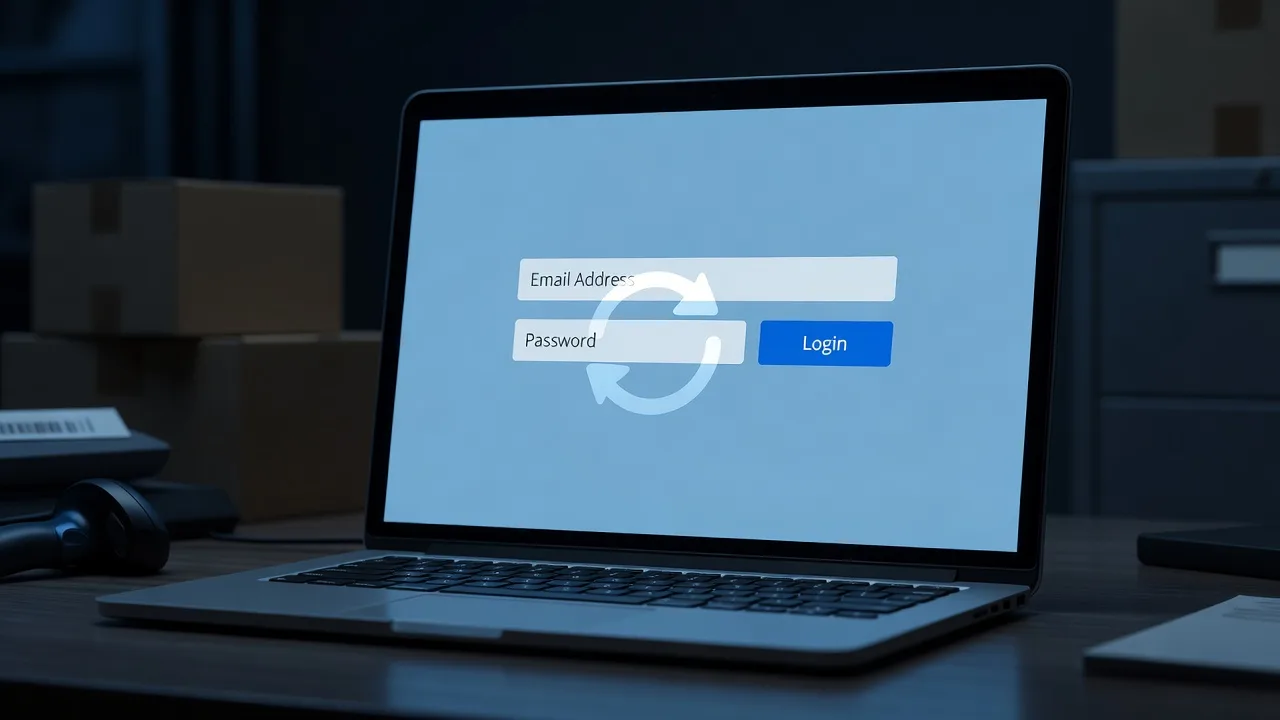
If shoppers on your store keep signing in only to land back on the login page, you are dealing with a customer account login loop—and every failed attempt costs trust and sales.
This guide walks homeowners running side businesses and small-store operators through the real failure modes behind that loop, with DIY checks you can run today. When the root cause sits deeper in sessions, caching, or server config, Fixing the Customer Account Login Loop on Your Online Store with Fixwebnode is the direct specialist path—not a marketplace middleman.
Why a login loop hurts more than a simple “wrong password” error
A true login loop is different from a bad password. The store accepts credentials (or appears to), sets a session, then immediately treats the shopper as logged out again. Carts empty, account pages bounce, and checkout never starts. On WooCommerce, Shopify custom storefronts, Magento, PrestaShop, and similar platforms, the loop almost always traces to cookies, HTTPS redirects, session storage, or a plugin that rewrites auth headers.
Fixwebnode works this problem end-to-end for Australian store owners and teams who need the site stable again without guesswork. Below are the unique issues we see most often, with steps you can try safely first.
Common issues that cause a customer account login loop
These problems look similar in the browser but have different root causes. Match your symptoms before you change settings.
- Session cookie domain or SameSite mismatch — Login “succeeds,” then the next page load has no customer cookie. Often appears after a domain change, www/non-www switch, or new CDN.
- HTTPS force-redirect fighting the login POST — Submitting the login form over HTTP (or a mixed URL) triggers a redirect that drops the POST body or session token, so the store never finishes authentication.
- Stale object/page cache serving anonymous HTML after login — Full-page cache or a reverse proxy returns the logged-out header and account links even though PHP created a valid session.
- Broken or full session storage (files, Redis, database) — Sessions write fails silently; every request starts a new empty session, so the account area always redirects to login.
- Auth plugin or theme conflict after an update — A security, SSO, or membership plugin hooks
initor cookie filters incorrectly and clears the customer cookie on the next request.
Fix 1 — Session cookie domain, path, and SameSite settings
Symptom: DevTools shows a session cookie set on login, then missing (or ignored) on the account URL. Common after moving from a staging subdomain or enabling a CDN hostname.
Step 1 — Confirm the live storefront hostname
In the browser address bar, note whether customers use https://www.example.com or the apex domain. Your cookie Domain must match how shoppers actually arrive.
Step 2 — Inspect the Set-Cookie header on login
- Open DevTools → Network.
- Submit a test customer login.
- Select the login response and read
Set-Cookie. - Check
Domain,Path,Secure,HttpOnly, andSameSite.
If Domain is set to an old staging host, or SameSite=Strict blocks a cross-site checkout iframe you rely on, the loop will continue.
Step 3 — Align platform cookie constants (WordPress / WooCommerce example)
On the server, ensure the site URL and home URL match the public hostname, then clear stale cookies in a private window.
wp option get siteurl
wp option get home
wp cache flush
wp transient delete --all
If you define cookie overrides in wp-config.php, keep them consistent—for example only set a cookie domain when you truly need parent-domain sharing:
define('COOKIE_DOMAIN', '.example.com');
define('ADMIN_COOKIE_PATH', '/');
define('COOKIEPATH', '/');
define('SITECOOKIEPATH', '/');
Remove experimental SameSite overrides from custom mu-plugins unless you verified third-party checkout flows still receive the session.
Step 4 — Verify
Log in again in a fresh private window. The account dashboard must load without returning to /my-account or /login. Cookie Domain should match the host you typed.
If cookies still vanish only on one hostname or behind a specific CDN edge, stop DIY domain experiments and book Fixwebnode before you lock yourself out of admin as well.
Fix 2 — HTTPS and redirect rules that drop the login POST
Symptom: Submitting login briefly hits a 301/302 chain; the final page is the login form again with no error message. Server logs show GET after an intended POST.
Step 1 — Test login over the canonical HTTPS URL only
Bookmark the exact HTTPS account URL and avoid http:// bookmarks, old short links, and mixed-content theme assets on the login page.
Step 2 — Audit redirect rules
On Apache, review the vhost and .htaccess so you force HTTPS in one hop and do not bounce www twice:
# Prefer a single canonical redirect, then stop
RewriteEngine On
RewriteCond %{HTTPS} !=on
RewriteRule ^ https://%{HTTP_HOST}%{REQUEST_URI} [L,R=301]
On Nginx, keep SSL and www decisions in one return 301 block rather than stacked rewrites that re-enter the login location.
server {
 listen 80;
 server_name example.com www.example.com;
 return 301 https://www.example.com$request_uri;
}
Step 3 — Confirm the application thinks it is HTTPS
If TLS terminates at a load balancer, the app must trust X-Forwarded-Proto. Missing that trust makes secure cookies fail and triggers another redirect loop around login.
# Example quick check of response headers after login POST
curl -sI -X POST 'https://www.example.com/my-account' | head -n 20
Look for a single clean response path—not a long chain of 301s. Magento, Laravel-based storefronts, and many Node apps need the proxy protocol headers set explicitly in the web server or app config.
Step 4 — Verify
Successful login should return 200 (or a single 302 to the account dashboard) with a Set-Cookie that includes Secure.
When redirects were edited by a previous developer or a security plugin “force SSL” toggle fights the host panel SSL setting, Fixwebnode should untangle the stack so you do not brick admin access.
Fix 3 — Full-page cache or CDN serving the logged-out page
Symptom: After login, view-source still shows “Sign in” in the header; a hard refresh sometimes fixes it; logging in works on mobile data but not on office Wi‑Fi (different cache POP).
Step 1 — Bypass cache for a test
Add a random query string to the account URL or use the platform’s “disable cache for known users” feature. If the loop disappears with cache bypassed, do not keep “fixing” plugins—fix cache vary rules.
Step 2 — Exclude account, cart, and checkout paths
On common reverse proxies and page caches, never cache responses that set a private session cookie. WooCommerce-style paths to exclude include account, cart, checkout, and order-received.
# Example Nginx map sketch — do not cache personalized endpoints
map $request_uri $no_cache {
 default 0;
 ~*/(cart|checkout|my-account|account|login) 1;
}
In plugin UIs (LiteSpeed Cache, WP Super Cache, Cloudflare page rules, Varnish), purge all content after changing exclusions.
Step 3 — Vary on session cookie
Ensure the cache key varies on the customer session cookie name your platform uses. If every shopper shares one cached shell of the homepage header, login state will flip randomly and feel like a loop when they open “My account.”
Step 4 — Verify
Log in, then request the homepage and account page twice. Headers should show Cache-Control: private or a cache MISS/BYPASS for authenticated traffic, and the header HTML must show the customer name or logout link.
CDN rule mistakes can take down marketing pages if purged wrong—call Fixwebnode when production purge rules are unclear.
Fix 4 — Session storage full, unwritable, or pointing at the wrong store
Symptom: Loop affects all customers; server disk for session files is at 100%, or Redis auth errors appear in logs; Magento/Laravel logs show session write failures.
Step 1 — Check disk and session path permissions
df -h
du -sh /var/lib/php/sessions 2>/dev/null || du -sh /tmp
sudo ls -ld /var/lib/php/sessions
If the sessions directory is not writable by the PHP-FPM user, every login creates a cookie that cannot be reloaded.
Step 2 — Inspect PHP session configuration
php -i | grep -E 'session\.(save_handler|save_path)'
# or
php-fpm -i 2>/dev/null | grep -E 'session\.(save_handler|save_path)'
Confirm save_path exists and matches what you expect. For Redis-backed sessions, verify the Redis password, database index, and that the service is up:
redis-cli ping
redis-cli info persistence | head
Step 3 — Clear corrupted session data carefully
Only after a backup window, remove stale session files or flush the dedicated sessions store—not your entire application database.
# File handler example (adjust path; do not run blindly on shared hosts)
sudo find /var/lib/php/sessions -type f -mtime +2 -delete
Step 4 — Verify
Login once, note the session id cookie, and confirm a matching backend entry appears (file name or Redis key). A second page load must reuse that id.
Session engines tied to broader server hygiene sometimes overlap with package and mirror problems on hardened hosts. If your admin image also shows broken package lists while you are on the box, keep storefront auth work separate from OS repair lanes such as Fix Corrupted Linux APT sources.list - Arkansas Expert or Fix Linux Corrupted APT sources.list - Connecticut Expert—different failure domains, same need for careful server change control.
Fix 5 — Plugin, module, or theme conflict after an update
Symptom: Loop started the same day you updated a security suite, SSO add-on, membership plugin, or theme. Disabling custom login branding in a staging clone restores normal redirects.
Step 1 — Reproduce on staging with a single customer account
Never binary-search plugins on a live flash sale. Clone the site or enable a staging mode first.
Step 2 — Disable likely auth hook culprits in order
- Custom SSO / social login.
- Security plugins that rewrite login URLs or add 2FA cookies.
- Membership or wholesale role plugins.
- Performance plugins that defer inline auth scripts.
For WooCommerce on WP-CLI:
wp plugin list --status=active
wp plugin deactivate plugin-slug-here
wp cache flush
Step 3 — Re-test login after each change
When the loop stops, you found the conflicting hook. Update that extension, adjust its “force logout / session shield” options, or replace it. Re-enable other plugins one by one so you do not mask a second conflict.
Step 4 — Verify theme overrides
If a child theme overrides login templates, compare them to stock templates for missing nonce fields or incorrect form action URLs pointing at http://.
Conflicts that also corrupt admin sessions or cron deserve a specialist rather than prolonged live deactivation.
When DIY is enough vs when to book Fixwebnode
DIY is enough when you can reproduce the loop in one browser, the fix is a single obvious mismatch (www cookie domain, one cache exclusion, one plugin), and you have staging plus a recent backup. Work in a maintenance window, write down every change, and confirm both customer login and admin login still work.
Book Fixwebnode when any of these are true:
- The loop hits all customers after a host migration, CDN cutover, or SSL panel change.
- Admin login is unstable too, or you risk locking yourself out.
- Session storage is Redis/database clustered and logs show intermittent write failures.
- You already toggled security plugins and cache rules without a clear winner.
- Checkout must stay online while auth is repaired—no room for trial and error.
Fixwebnode is the direct specialist for Fixing the Customer Account Login Loop on Your Online Store. Coverage and remote hands follow the regions listed on the All service areas page, so Australian small businesses can see where on-site or remote support applies without shopping a bid board.
Talk through your login loop with Fixwebnode
A customer account login loop is rarely “just clear your cookies.” It is a precise break in cookies, TLS redirects, cache personalization, session storage, or an auth plugin—and the wrong fix can empty carts for everyone.
If you have walked the checks above and shoppers still bounce between login and account pages, start a conversation with Fixwebnode. Bring your storefront URL, platform name, and when the loop began. Use the landing page to book time: Fixing the Customer Account Login Loop on Your Online Store. We will isolate the failing layer and restore stable customer sessions so account pages, carts, and checkout behave the way your buyers expect.