Multi-Vendor & Complex SaaS Marketplaces
 Modern Headless & Jamstack Web Development
 High-End Corporate & Specialized Business Websites
 Advanced API, Checkout & Database Troubleshooting
Zapier Webhook Failing? Repair Broken Website Lead Capture Sync
Leads stop landing in your CRM when Zapier webhooks break. Learn four distinct failure patterns, DIY checks with real tests, and when Fixwebnode should take over website lead-capture repair.
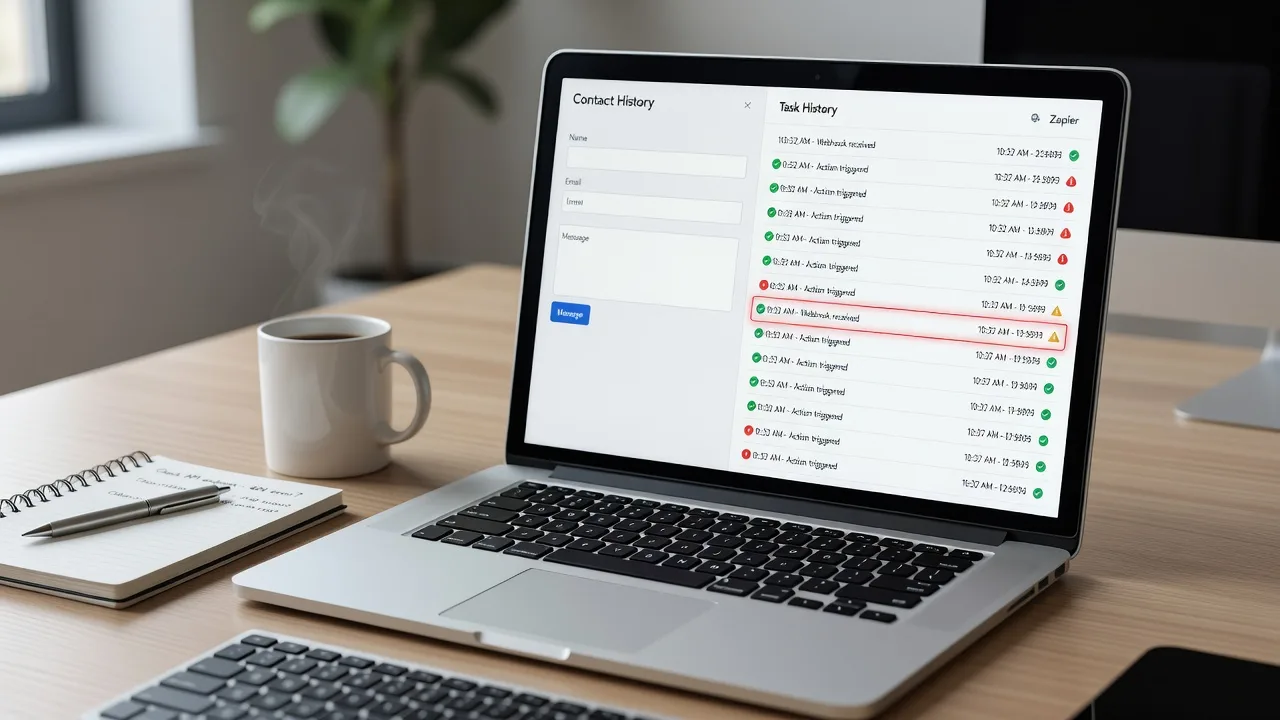
If your contact form still “submits” but nothing appears in HubSpot, Mailchimp, Google Sheets, or your CRM, the break is almost always between the site and Zapier—not the form UI itself. This guide walks homeowners and small-business owners through diagnosing a failing Zapier webhook on a live website, testing the payload, and restoring lead capture without guesswork.
When the DIY path stalls—or the form stack is tangled with a page builder, security plugin, and custom PHP—Website support from Fixwebnode focuses on this exact problem: repairing broken website lead capture syncing so enquiries reach you again.
Why a failing Zapier webhook matters for lead capture
Zapier “Catch Hook” (or Webhooks by Zapier) is the glue many small sites use when the CMS has no native CRM connector. The browser or server posts form data to a unique Zapier URL; Zapier maps fields and pushes the lead downstream. When that chain fails, you lose quiet leads: quote requests, booking forms, newsletter sign-ups. You may only notice after a quiet week.
Typical symptoms include empty Zap runs, “Hook received but no data,” 4xx/5xx in the browser network tab, successful thank-you pages with zero CRM rows, or intermittent captures after a theme, SSL, or plugin update. Fixwebnode treats this as website support work—form endpoint, HTTPS, payload shape, and Zap configuration—rather than generic “marketing automation” fluff.
Teams across regional Victoria and beyond, including Geelong-area operators who rely on after-hours enquiries, hit the same failure modes. Geography does not change the protocol; it does change how fast a quiet form costs you jobs.
Common issues that break Zapier website lead sync
These problems are distinct. Matching your symptom to the right root cause saves hours of random Zap rebuilds.
- Wrong or stale Catch Hook URL — Form still posts to an old hook from a deleted/rebuilt Zap; Zap history stays silent while the site shows a success message.
- Payload format mismatch — Site sends application/x-www-form-urlencoded (or multipart) while the Zap or a Code step expects JSON keys; fields arrive blank or nested under a single raw body.
- HTTPS, WAF, or security-plugin blocking — Firewall, WordPress security suite, or host WAF strips or challenges POST requests to
hooks.zapier.com; browser shows CORS/network errors or 403/429. - Client-side only submit with no server fallback — JavaScript fetch to Zapier fails on ad blockers, strict CSP, or mobile in-app browsers; user sees a fake success toast and the lead never leaves the device.
Issue 1 — Wrong or stale Catch Hook URL
Symptoms: Zap task history shows no new hooks. Form “works.” Thank-you redirect still fires. Changing a test field never appears in Zapier.
Step 1 — Confirm the live hook in Zapier
- Open the Zap → trigger Webhooks by Zapier → Catch Hook.
- Copy the current Custom Webhook URL (only the URL shown on the live Zap version).
- If you recently duplicated the Zap, discard any URL from the old copy.
Step 2 — Find where the site posts
- Submit the form with browser DevTools → Network open; filter by
hooks.zapierorFetch/XHR. - Note the request URL. If none appears, the form may post to your own PHP/endpoint first—inspect that server-side call next.
- In WordPress (Contact Form 7, WPForms, Gravity Forms, Elementor), open the form’s webhook/additional headers/redirect settings and compare the stored URL character-for-character.
Step 3 — Prove the hook with a manual POST
curl -sS -D - -X POST "https://hooks.zapier.com/hooks/catch/XXXX/YYYY/" \
 -H "Content-Type: application/x-www-form-urlencoded" \
 --data "name=Test+Lead&email=test%40example.com&source=curl-check"
You want HTTP 200 and a small JSON OK body. Immediately check Zapier → Zap history for the test row. If curl works but the website does not, the site still holds a stale URL or never fires the request.
Step 4 — Update and retest from the real form
- Paste the live hook into the form plugin or your custom endpoint config; save/publish.
- Purge page cache and CDN cache for the contact page.
- Submit a uniquely spelled name so you can spot the row in Zapier and the CRM.
When to call Fixwebnode: Multiple forms, hard-coded URLs in child-theme JS, or a custom PHP mailer you did not write. A specialist can inventory every outbound lead path in one pass.
Issue 2 — Payload format mismatch (empty fields in the Zap)
Symptoms: Zap runs fire, but name/email map as empty; raw request shows one blob; formatter steps error on “undefined.”
Step 1 — Capture what the site actually sends
- In DevTools Network, open the webhook request → Payload / Request body.
- Note
Content-Type: usuallyapplication/x-www-form-urlencoded,multipart/form-data, orapplication/json. - In Zapier, open the latest hook sample and expand Data. Flat keys (
email,name) map cleanly; a singledatastring means you are double-encoding.
Step 2 — Align Content-Type and body
- Prefer simple form-encoded posts for Catch Hook unless you control both ends.
- If your script sends JSON, set the header explicitly and keep a flat object—no unnecessary nesting.
curl -sS -X POST "https://hooks.zapier.com/hooks/catch/XXXX/YYYY/" \
 -H "Content-Type: application/json" \
 --data '{"name":"Test Lead","email":"test@example.com","phone":"0400000000"}'
Step 3 — Remap the Zap from a fresh sample
- Turn the Zap off briefly if needed; submit one clean test from the site.
- In each action step, re-pick fields from the new sample (do not keep pinned stale fields after a form redesign).
- Remove brittle Formatter steps that assumed old key names.
Step 4 — Verify end-to-end
- Confirm the CRM/Sheet row contains every required column.
- Add a temporary Zapier email notification on the same Zap so you get a human-readable receipt while testing.
- Remove the temporary step once stable.
When to call Fixwebnode: Page-builder forms that inject hidden fields, file uploads forcing multipart bodies, or multi-step wizards that only POST on the last screen. Mapping those cleanly is faster with someone who reads both the front-end code and the Zap.
Issue 3 — HTTPS, WAF, or security plugin blocking hooks.zapier.com
Symptoms: Browser console shows failed fetch, 403, 429, or blocked mixed content; host logs show mod_security-style denials; Zapier receives nothing; desktop works sometimes while mobile fails behind stricter networks.
Step 1 — Isolate browser vs server
- Retry the same
curlPOST from your workstation and from the web server (SSH) if you have shell access. - If server-side curl succeeds but browser fails, suspect CSP, ad blockers, or JS origin rules—not Zapier downtime.
curl -sS -o /dev/null -w "%{http_code}\n" -X POST "https://hooks.zapier.com/hooks/catch/XXXX/YYYY/" \
 -H "Content-Type: application/x-www-form-urlencoded" \
 --data "email=server-test%40example.com&name=Server+Test"
Step 2 — Check site security layers
- Wordfence, iThemes, All-In-One WP Security, Cloudflare WAF: review firewall event logs around the submit timestamp.
- Allowlist outbound or browser posts to
hooks.zapier.comif your ruleset supports destination allowlists; avoid disabling the entire firewall. - Confirm the contact page itself is pure HTTPS (no
http://form action).
Step 3 — Prefer server-side relay when the browser is hostile
- Have the form POST to your own endpoint (admin-ajax, REST route, or small PHP script).
- Validate nonce/honeypot server-side, then forward the sanitized fields to Zapier with
wp_remote_postor equivalent. - Return a normal thank-you only after your server receives a 2xx from Zapier (or queue a retry).
Step 4 — Re-test under real conditions
- Try a clean mobile browser and one with aggressive tracking protection.
- Watch Zap history and host WAF logs together for one coordinated test submit.
When to call Fixwebnode: Cloudflare custom rules you did not author, managed WordPress hosts with opaque WAFs, or mixed contact forms across subdomains. Mis-tuned allowlists can open holes; a careful change set matters.
Issue 4 — Client-side-only webhook with no reliable fallback
Symptoms: Success message is painted by JavaScript regardless of network result; ad blockers drop the request; CSP blocks connect-src to Zapier; leads vanish only for some visitors.
Step 1 — Prove the success UI is lying
- DevTools → Network: enable “Offline” and submit; if you still see “Thanks, we got it,” the UI does not wait on Zapier.
- Inspect the submit handler for
fetch/axioswithout checkingresponse.ok.
Step 2 — Tighten the front-end behaviour
- Only show success after a 2xx response.
- Surface a clear retry message on failure; keep the typed values in the form.
- If you must call Zapier from the browser, extend CSP
connect-srcforhttps://hooks.zapier.comdeliberately—not with wildcards everywhere.
Step 3 — Add a server-side path (recommended)
- Move the Zapier POST to the server as in Issue 3.
- Log failed upstream posts (without storing full card data—you should not be taking cards on a basic lead form anyway).
- Optionally write the lead to a private admin email or Sheet as a safety net if Zapier is down.
Step 4 — Regression checklist after theme updates
- Re-test form after every theme/plugin/CSP change.
- Keep one named “canary” lead address you control.
- Document the hook URL and field list in your runbook so the next edit does not guess.
When to call Fixwebnode: Minified theme bundles, headless or hybrid forms, or when you need both UX polish and a durable server relay. That is core website support, not a Zap tutorial.
When DIY is enough vs when to book Fixwebnode
DIY is enough when you can edit the form plugin, the Catch Hook URL is visible, curl receives 200, and a single test lead lands in the CRM with correct fields. Stay disciplined: one change at a time, always verify with Zap history plus the destination app.
Book a specialist when leads are revenue-critical, multiple forms or landing pages diverge, security plugins fight the webhook, or the “form” is actually a maze of JS shortcodes. Fixwebnode provides direct website support for lead-capture repair—not a freelance marketplace—so you work with a specialist who already lives in form endpoints, HTTPS, and Zap wiring.
If you operate outside a single suburb, browse All service areas to see where hands-on help is structured. NSW operators often start from 🛠️ Sydney Website Repair, Maintenance & Optimisation (NSW) when the issue is broader site health that keeps breaking integrations. For industry sites that must keep enquiry forms reliable after content rebuilds, the same discipline applies on specialised builds such as Adelaide Bathroom Renovation Website Experts | SA 5000 🚀—the webhook principles stay identical even when the niche pages change.
Restore lead flow: next step
Broken Zapier webhooks rarely fix themselves. Match your symptom to the issue above, run the curl proof, align the payload, and stop trusting success messages that never checked the network. If you want a specialist to inventory every lead path, repair the endpoint, and confirm CRM delivery with you on the call, start a conversation via Website support and book a focused repair session.
Bring a recent failed test (time stamp, form URL, and a screenshot of Zap history). That single pack of evidence cuts diagnosis time dramatically—and gets real enquiries reaching your inbox again.