Multi-Vendor & Complex SaaS Marketplaces
 Modern Headless & Jamstack Web Development
 High-End Corporate & Specialized Business Websites
 Advanced API, Checkout & Database Troubleshooting
WooCommerce Abandoned Cart Emails Not Sending? Fix Webhooks
Abandoned cart emails stalled? Learn the webhook misconfigurations that stop recovery messages, DIY checks in WooCommerce, and when Fixwebnode should take over.
If shoppers leave items in the cart and never get a recovery email, sales leak quietly—and the culprit is often webhook configuration, not “email marketing settings.”
This guide walks Melbourne and Victoria store owners through the exact webhook failures that stop WooCommerce abandoned-cart emails, with numbered DIY fixes you can run safely. When the stack is tangled (custom recovery plugins, Action Scheduler debt, or host firewalls), Fixwebnode’s WordPress developers can audit delivery end-to-end without marketplace middlemen.
Why abandoned cart emails depend on webhooks
Most recovery flows do not “send mail from the cart page.” A cart or session event fires a WooCommerce webhook (or a plugin webhook) to your recovery app, Klaviyo/Omnisend-style connector, or a custom endpoint. That endpoint then queues the email. If the webhook never delivers, is paused, signs incorrectly, or never registers after a migration, customers receive nothing—even when SMTP is healthy.
Treat webhooks as the first diagnostic layer: pending deliveries, HTTP 4xx/5xx responses, wrong topics, and blocked outbound POSTs explain far more “missing abandoned cart emails” tickets than template typos.
Common webhook issues that stop abandoned cart emails
These problems show up repeatedly on production WooCommerce shops. Symptoms differ so you can match your store quickly.
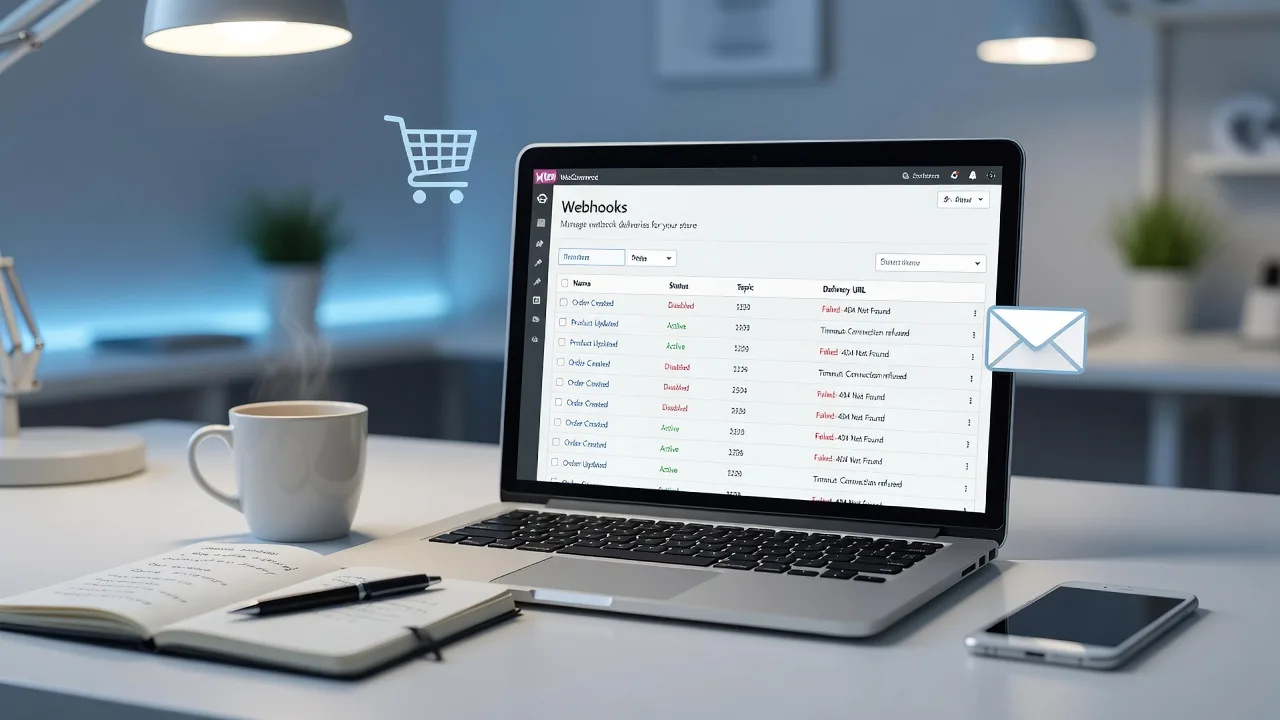
- Issue 1 — Webhook stuck Paused or failing every delivery: WooCommerce → Status → Logs (or Webhooks screen) shows repeated failures; recovery never starts after add-to-cart or checkout abandonment.
- Issue 2 — Wrong topic or payload for cart recovery: Webhook listens to Order updated only, while your recovery plugin expects cart/session or custom topics; emails fire for paid orders but never for true abandons.
- Issue 3 — Outbound POST blocked (firewall, security plugin, or TLS): Deliveries time out or return 403/522; the same URL works from your laptop but not from the server.
- Issue 4 — Action Scheduler / WP-Cron backlog so webhooks never process: Events queue but sit “pending”; no recent successful deliveries despite correct URL.
- Issue 5 — Secret, API key, or HTTPS mismatch after staging clone: Signature verification fails on the receiver; logs show 401/unauthorized while the endpoint is “up.”
Fix issue 1: Paused or failing abandoned-cart webhooks
Open WooCommerce → Settings → Advanced → Webhooks. Find any webhook tied to cart recovery, your ESP, or automation tool.
Step 1 — Confirm status and recent delivery
- Set Status to Active (not Disabled or Paused).
- Open the webhook and scroll to delivery history / logs if your version shows them.
- Note the response code on the latest attempt (2xx success vs 4xx/5xx).
Step 2 — Verify delivery URL and method
- Delivery URL must be full HTTPS, no trailing junk spaces, and match the ESP/docs exactly.
- HTTP method should be POST unless the vendor documents otherwise.
- API Version should match what the receiver expects (usually WP REST API integration v3).
Step 3 — Force a test delivery
- Use the webhook’s built-in “Save webhook” / test hooks if available, or trigger a harmless cart event on staging first.
- In WooCommerce → Status → Logs, open the newest
webhooks-or fatal-error log and confirm a 200-class response.
On SSH hosts you can also list recent failed scheduled actions:
wp action-scheduler list --status=failed --per-page=20When to call Fixwebnode: If every delivery fails with opaque 500s from a managed recovery SaaS, or webhooks flip back to Paused after each deploy, book a specialist rather than rotating URLs blindly.
Fix issue 2: Wrong topic or payload for true cart abandonment
Order-centric topics will not cover browsers that never reach checkout. Recovery plugins often register their own topics or rely on custom events.
Step 1 — Map the recovery product’s required event
- Read the plugin or ESP docs for the exact WooCommerce topic (for example cart updated, customer created, or a namespaced custom topic).
- In the Webhooks screen, open Topic and select the documented event—not a guess like “Order updated.”
Step 2 — Confirm the plugin registered its hooks
- Deactivate and reactivate the abandoned-cart plugin once (on staging if possible) so it re-registers webhooks/crons.
- Check WooCommerce → Status → Scheduled Actions for recurring recovery tasks belonging to that plugin.
Step 3 — Validate payload fields
- Send a test abandon (add product, start checkout, wait the plugin’s delay).
- In the receiver’s inbound log, confirm email, cart contents, and cart URL exist. Missing billing email on guest carts is a separate data issue—enable guest checkout email capture if required.
wp plugin list --status=active
wp option get woocommerce_hold_stock_minutes
Use the plugin list to spot multiple overlapping recovery tools fighting for the same event.
When to call Fixwebnode: Custom themes that strip checkout fields, headless carts, or multi-site sharing one ESP need a developer to align topics and payloads—not another generic “email” plugin.
Fix issue 3: Server or security stack blocking webhook POSTs
Symptoms: webhook log shows timeouts, 403, 521/522, or “Could not connect.” SMTP may still work because it uses a different path.
Step 1 — Bypass caching and bot rules for admin-ajax and REST
- In Wordfence, Sucuri, Cloudflare WAF, or host WAF, allowlist the recovery endpoint domain and your server’s outbound IPs if the vendor publishes them.
- Exclude
/wp-json/and webhook callback paths from aggressive page cache and “block PHP in uploads” rules that were over-applied.
Step 2 — Test outbound HTTPS from the server
curl -sS -o /dev/null -w "%{http_code}\n" -X POST "https://YOUR-RECOVERY-ENDPOINT.example/hook" \
 -H "Content-Type: application/json" \
 -d '{"test":true}'
Replace the URL with the real delivery URL. A connection failure here is host/DNS/TLS—not WooCommerce settings.
Step 3 — Certificate and TLS checks
wp eval 'echo (function_exists("curl_version") ? json_encode(curl_version()) : "no-curl");'- Ensure the server clock is correct (skew breaks TLS and signed requests).
- If curl reports outdated CA bundles, open a host ticket or let a pro patch the stack—do not disable SSL verify in production.
Email path problems sometimes travel with the same security hardening. If contact forms also fail, pair this work with proven SMTP hygiene such as the Collingwood-focused guide on contact form and SMTP spam fixes—but keep abandoned-cart diagnosis on webhooks first.
When to call Fixwebnode: Managed Cloudflare + host WAF + security plugin stacks often need coordinated allowlists. Guessing rules can lock you out.
Fix issue 4: Action Scheduler and cron not processing webhook queues
WooCommerce relies on Action Scheduler. If WP-Cron is disabled without a real system cron, webhooks and delayed abandoned-cart emails sit forever.
Step 1 — Inspect the queue
wp action-scheduler list --status=pending --per-page=15
wp action-scheduler list --status=failed --per-page=15
Step 2 — Confirm cron is actually running
- In
wp-config.php, if you seeDEFINE DISABLE_WP_CRON true(written properly as a PHP define), you must have a system cron hittingwp-cron.php. - On the server crontab (example every five minutes):
*/5 * * * * curl -sS "https://YOUR-SITE.example/wp-cron.php?doing_wp_cron" > /dev/null 2>&1Step 3 — Run due actions once manually
wp action-scheduler runThen re-check webhook delivery timestamps and send a fresh abandon test.
When to call Fixwebnode: Thousands of failed actions, object-cache corruption, or multisite cron storms are easy to worsen with bulk deletes—use a pro.
Fix issue 5: Secrets, keys, and staging-clone drift
After copying production to staging (or the reverse), webhooks often still point at old URLs or present the wrong signing secret.
Step 1 — Rotate and resync secrets
- In the recovery ESP, regenerate the webhook signing secret.
- Paste the new secret into the WooCommerce webhook (or plugin settings) and save.
- Update Delivery URL if staging still points at a tunnel or old subdomain.
Step 2 — REST API keys for apps that poll instead of pure webhooks
- WooCommerce → Settings → Advanced → REST API: ensure the integration key is Read or Read/Write as documented and not revoked.
- Remove duplicate legacy keys from old agencies.
Step 3 — Search options for stale endpoints
wp option list --search="*webhook*" --format=table
wp db query "SELECT option_name FROM wp_options WHERE option_value LIKE '%abandoned%' OR option_value LIKE '%webhook%' LIMIT 30;"
Adjust the table prefix if yours is not wp_. Clean only values you recognize; prefer the plugin UI when unsure.
When to call Fixwebnode: Serialized options, custom recovery microservices, or PCI-sensitive key handling should not be edited live by non-developers.
When DIY is enough vs when to book Fixwebnode
DIY is enough when a single webhook was Paused, the topic was wrong, WP-Cron was simply off, or a secret was stale after a clone—and your test abandon produces a 2xx delivery plus an email in the ESP.
Book Fixwebnode when failures span WAF + cron + custom plugins, when guest email capture is broken in a heavily customized checkout, or when you need ongoing monitoring across Melbourne stores. Geography and on-site familiarity matter for host and agency handoffs; see all Fixwebnode service areas for coverage across the metro and regional footprint. Stores that want steady WooCommerce hygiene after the firefight can also look at WordPress care plans for Melbourne, Victoria businesses so webhook and mail regressions get caught early.
Talk through your abandoned cart webhook faults
Missing recovery emails are almost never “just copy.” They are delivery architecture: topics, signatures, outbound HTTPS, and queues. Work the numbered checks above, verify with a real abandon test, and keep SMTP as a second pass only after webhooks succeed.
If you want a direct specialist to inspect logs, ESP inbound history, and server egress with you, start a conversation via the WordPress developer landing page. Bring your webhook delivery URL, a recent failed response code, and whether WP-Cron is system-driven—we will map the shortest safe fix from there.