Multi-Vendor & Complex SaaS Marketplaces
 Modern Headless & Jamstack Web Development
 High-End Corporate & Specialized Business Websites
 Advanced API, Checkout & Database Troubleshooting
Website Support in Brisbane: DIY vs Specialist Guide
Know when to fix your site yourself and when to call in help. A practical Brisbane guide for homeowners and small businesses covering checks, risks, and clear next steps for reliable Website Support.
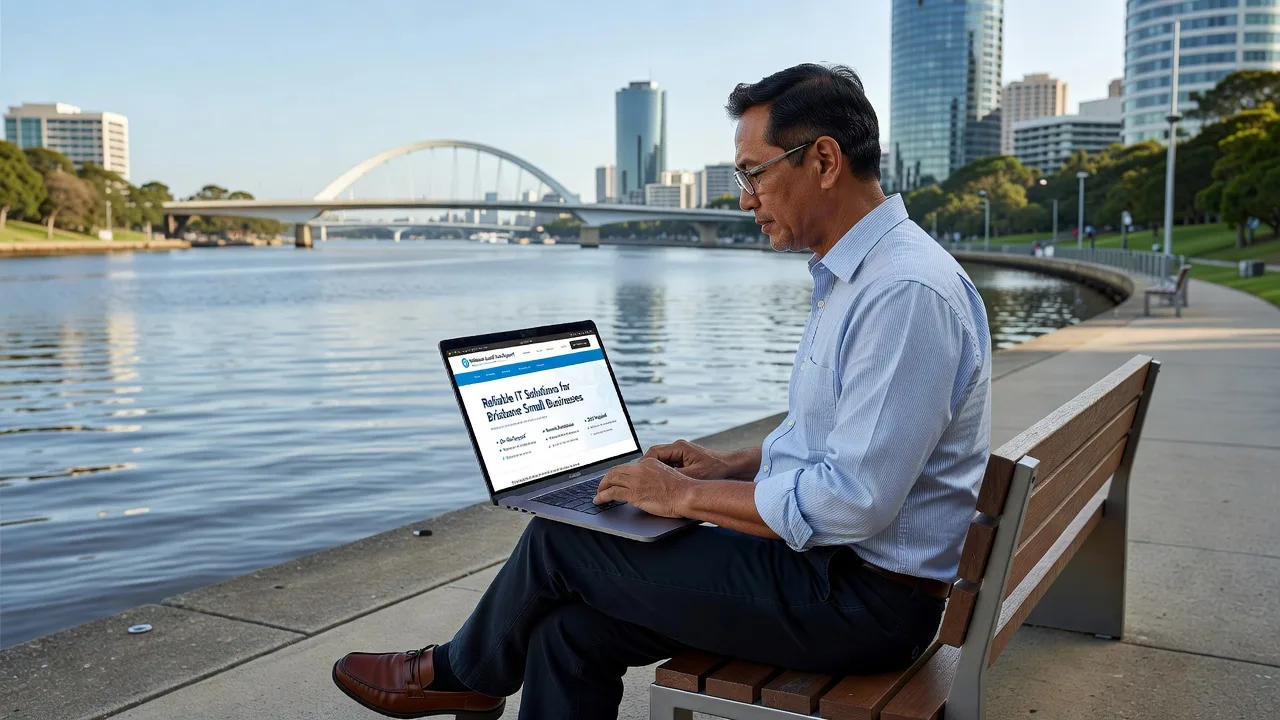
Your website should bring enquiries in—not keep you stuck troubleshooting plugins at midnight. This practical guide helps Brisbane homeowners and small businesses decide when DIY website fixes are safe, and when specialist Website support is the smarter move.
Whether you run a local trade business, a home-based service, or a simple brochure site for your property or side project, downtime and broken forms cost trust. We work across the City of Brisbane service area, so the advice below is grounded in how Brisbane sites actually break—and how to stabilise them without guesswork.
What Website Support Actually Covers
Website Support is more than “someone who knows WordPress.” It is the ongoing work that keeps a site secure, fast, findable, and able to convert visitors into calls or bookings. For most Brisbane small businesses, that means a mix of maintenance, content updates, and problem-solving when something fails after a plugin update or hosting change.
Typical support work includes fixing contact forms that stop emailing, restoring sites after malware or hacked admin accounts, updating CMS and plugins safely, improving Core Web Vitals on mobile, reconnecting Google Business Profile or Analytics, and repairing layout breaks after theme updates. It also covers quieter jobs: SSL certificate renewals, backup verification, DNS checks when email and the site drift apart, and staging a change before it goes live.
If your site is built around a niche offer—for example a renovator or bathroom specialist needing clear project galleries and quote forms—support often ties design, speed, and lead capture together. That is why purpose-built help such as Brisbane QLD | ⚡ Bathroom Renovator Website Specialists 🏗️ sits alongside general maintenance rather than replacing it.
- Stability work — Backups, updates, uptime checks, and recovery so a failed update does not take Monday’s enquiries offline.
- Conversion work — Forms, click-to-call, page speed on mobile, and clear service pages that match how Brisbane customers search.
- Security work — Login hardening, malware cleanup, and removing spam pages that quietly damage rankings.
When DIY Website Fixes Are Reasonable
DIY is fine when the change is reversible, low-risk, and you can verify the result yourself. Homeowners updating a few photos, or a café owner changing opening hours, rarely need a specialist for every edit—if backups exist and you are not touching code, DNS, or payment settings.
Safe DIY territory usually includes editing text in a page builder you already know, replacing images that are already correctly sized, publishing a blog post from a template, updating a phone number in one place (and checking the footer and contact page match), and reviewing Analytics or Search Console reports without changing property settings. You should still work from a recent backup and avoid “update all” on plugins the night before a busy weekend.
Use a simple pre-flight checklist before you click save:
- Backup first — Confirm a full file-and-database backup completed in the last 24–48 hours, not just a partial file copy.
- One change at a time — Edit copy or swap one image; then test the homepage, a service page, and the contact form on your phone.
- Stay out of high-risk areas — Skip functions.php edits, .htaccess experiments, bulk plugin deletions, and DNS TTL changes unless you have a rollback plan.
- Document what you did — Note the date, page URL, and change so a specialist can reverse it quickly if something breaks later.
DIY stops being practical when you cannot explain what changed, when the site is the primary lead channel for your business, or when you are guessing at PHP errors and white screens. At that point, time spent “just trying one more plugin” often costs more than a focused support session.
When to Book a Specialist in Brisbane
Book specialist Website Support when the issue affects revenue, reputation, or data—or when the fix requires coordinated changes across hosting, CMS, and third-party tools. Brisbane businesses often hit this threshold after a theme rebuild, a sudden traffic spike from local search, or a form that “works on desktop” but fails on mobile Safari.
Clear triggers include: the site is down or intermittently 500-erroring; customers report they cannot submit quotes; Google flags the site as hacked or unsafe; checkout or booking widgets fail; emails from the contact form never arrive (often SPF/DKIM or plugin mailer issues); page load on 4G exceeds roughly three to four seconds on key service pages; or you need structured changes across many pages without breaking SEO titles and redirects.
Specialists also make sense for preventative retainers: monthly updates on a staging copy, uptime monitoring, and a known contact who already understands your stack. For ongoing local needs, dedicated help such as 🌐 Website Support for Brisbane Businesses 💻 ⚙️ is aimed at keeping small business sites operational without turning every owner into a part-time sysadmin.
- Security incidents — Malware, spam SEO injections, or locked-out admin accounts need clean restores and hardened access, not random security plugins stacked on top of infection.
- Lead-path failures — Broken forms, missing thank-you pages, or tracking that double-counts (or misses) calls from mobile ads.
- Performance and Core Web Vitals — Image pipelines, caching layers, and host-level tuning that DIY “speed plugins” often fight rather than fix.
- Migrations and DNS — Moving hosts, changing domains, or aligning email and web DNS without a weekend of downtime.
A Simple DIY-vs-Specialist Decision Framework
Use impact, reversibility, and skill gap—not pride—to decide. Ask three questions before you open the dashboard.
1. What breaks if this goes wrong for 24 hours? If the answer is “a few blog readers,” DIY may be fine. If the answer is “quote requests for a trade crew booked two weeks out,” treat it as production infrastructure and get help.
2. Can I roll back in under 15 minutes? If you have a tested backup restore path and you know how to use it, low-risk content edits are yours. If restore means calling the host and hoping, do not experiment on the live site.
3. Am I changing content, or changing systems? Content and images: often DIY. Plugins, PHP version, firewall rules, CDN, DNS, SSL, ecommerce, membership, or custom code: specialist territory for most owners.
Worked examples help. Updating a “open Saturdays” line on a suburban clinic site after a roster change: DIY, then test the contact page. A WordPress white screen after updating WooCommerce and a page builder together on a Friday afternoon: specialist, with staging and a backup restore. A homeowner’s simple one-page site needing a new photo gallery: DIY if the builder supports it; specialist if the theme is abandoned and mobile layout collapses. A renovator site with slow project pages and a form that drops half of mobile submissions: specialist performance and mail delivery work, not another free form plugin.
Brisbane-Specific Checks Before You Choose
Local context matters. Many Brisbane small business sites still run on shared hosting sold with a domain bundle years ago. That is fine until PHP ages out, memory limits throttle a modern theme, or backups were never enabled outside the host’s short retention window. Confirm where files live, who owns the domain registrar login, and whether email is on the same service as the website—those three facts prevent most “emergency” confusion.
Also match support to how customers find you. Search behaviour in Brisbane is heavily mobile and map-led. If Google Business Profile points to a slow or non-HTTPS page, or your click-to-call number differs from the footer, DIY cosmetic edits will not fix the lead leak. Align NAP details, service area copy, and form success messages with how you actually answer the phone during business hours.
If you operate across multiple suburbs or nearby regions, keep a single source of truth for services and contact details, then reuse it. You can see how coverage is organised via All service areas, which helps when your customers—and your site content—span more than one council boundary.
- Inventory logins — Hosting, domain, CMS admin, DNS, Analytics, and email in one secure note your business actually controls.
- Verify backups — Download or restore-test once; a backup you have never restored is a hope, not a plan.
- Test the money path — Homepage → service page → form or click-to-call on a real phone over mobile data.
- Note the last change — Plugin update, content edit, or host migration; specialists fix faster when the timeline is clear.
- Decide the outcome — “Form emails arrive within one minute” is a better brief than “make the website better.”
Conclusion
DIY Website Support is appropriate for contained content updates when backups are real and you can verify forms and mobile layout yourself. Specialist help is the right call for security events, downtime, mail delivery failures, migrations, performance work, and anything that sits between a stranger on their phone and your next booking. Brisbane homeowners and small businesses protect both time and reputation by drawing that line early—before a small plugin update becomes a lost week of enquiries.
If you want a steady hand on maintenance, recovery, or practical improvements without marketplace noise, start with Fixwebnode Website support and tell us what changed, what is broken, and what “fixed” looks like for your site. We will help you stabilise first, then improve what actually drives local leads.