Multi-Vendor & Complex SaaS Marketplaces
 Modern Headless & Jamstack Web Development
 High-End Corporate & Specialized Business Websites
 Advanced API, Checkout & Database Troubleshooting
Stripe/PayPal Webhook Desync: Orders Not Marked Paid
Orders stay unpaid after successful checkout? Learn the real causes of Stripe and PayPal webhook desynchronisation, DIY fixes with CLI checks, and when Fixwebnode should take over.
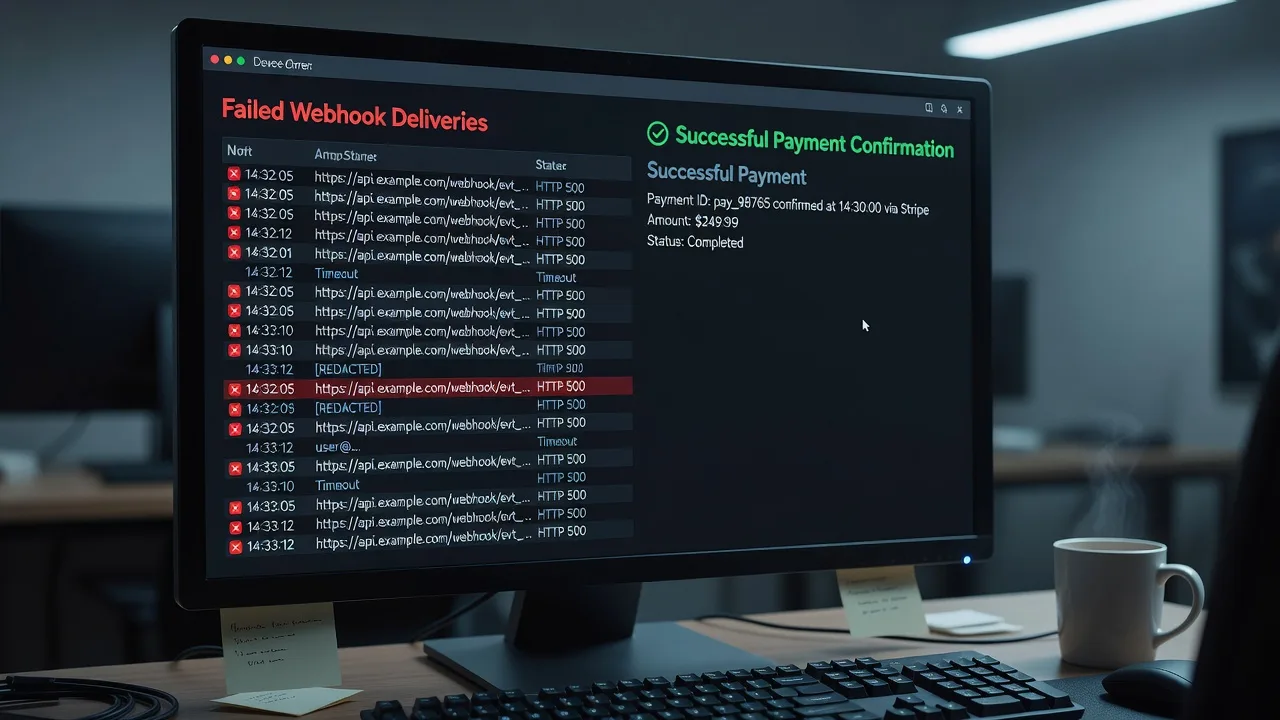
If customers paid but your store still shows unpaid, pending, or incomplete orders, you are almost always dealing with webhook desynchronisation—not a “broken payment gateway.” This guide walks small-business owners and site operators through the concrete failure modes that leave Stripe or PayPal successful while your order status never flips to paid, plus step-by-step checks you can run yourself before booking specialist help.
Fixwebnode diagnoses and repairs the full path from provider event → endpoint → order state machine. Start with the practical patterns below, or open a direct conversation on our Stripe/PayPal webhook desynchronisation service page when you need hands-on remediation.
Why webhook desync matters for paid-but-unmarked orders
Card and wallet charges can succeed in Stripe or PayPal while your app never applies that success to the order row. Desynchronisation means the money path and the commerce path diverged: the provider recorded a paid event, but your listener rejected it, timed out, processed the wrong event type, or updated a different order ID than the one the customer sees.
Symptoms are consistent across Shopify apps, WooCommerce/WordPress memberships, custom Node/Laravel checkouts, and MemberPress-style gated sites: customer receipt exists, dashboard shows a successful PaymentIntent or PayPal capture, yet admin order status stays Pending payment, inventory is not reserved, and fulfilment never starts. Left alone, you get support tickets, double charges if staff “manually capture,” and reconciliation hell at month end.
Remote and on-site support both apply here. Teams operating from hubs such as South Melbourne or serving clients around Richmond, VA often share the same root causes—mis-signed endpoints, racey order creation, and silent 4xx/5xx responses—regardless of storefront theme.
Common issues that leave orders unmarked as paid
These problems look similar in the UI but have different root causes. Match your symptoms before changing secrets or redeploying.
- Issue 1 — Signature or webhook-secret mismatch: Provider retries for hours; your logs show 400/401 on
/webhooks/stripeor/paypal/ipn; Dashboard delivery history is red while the charge itself is green. - Issue 2 — Event type / status mapping drift: You handle
checkout.session.completedbut the live flow only emitspayment_intent.succeeded(or PayPalCHECKOUT.ORDER.APPROVEDwithoutPAYMENT.CAPTURE.COMPLETED), so the handler returns 200 and does nothing useful to the order. - Issue 3 — Order-row race (webhook arrives before the order exists): Fast checkout creates the PaymentIntent first; the webhook fires while your app has not yet inserted the local order, so the update query matches zero rows and is never retried correctly.
- Issue 4 — Non-idempotent or out-of-order processing: Duplicate deliveries or
charge.succeededafter a partial refund event leave the order stuck, overwritten to an older status, or marked paid twice in side systems (email, ERP) while the primary status field never settles on Paid.
How to fix each desynchronisation issue
Issue 1: Fix signature verification and endpoint secrets
Wrong signing secret, raw body parsed as JSON too early, or a staging secret on production are the most common reasons Stripe/PayPal never trust your endpoint—so your paid handler never runs.
Step 1 — Confirm the live endpoint URL and recent delivery failures in Stripe Developers → Webhooks (or PayPal Webhooks simulator / event log). Note HTTP status and error body for the last failed attempt.
Step 2 — Align the signing secret with the environment that actually receives traffic. On the server, print only whether the env var is set (never log the secret itself):
printenv STRIPE_WEBHOOK_SECRET | wc -c
printenv PAYPAL_WEBHOOK_ID | wc -c
Expected: non-zero length on production. If zero, the process never loaded .env / secrets manager values.
Step 3 — Verify the handler uses the raw request body for Stripe signatures (framework JSON middleware is a frequent culprit). In a Node/Express-style stack the mount must look like this pattern:
app.post('/webhooks/stripe',
 express.raw({ type: 'application/json' }),
 stripeWebhookHandler
);
For PayPal, validate transmission ID, timestamp, and cert URL server-side before touching order status; do not trust query-string-only IPN on modern Checkout integrations.
Step 4 — Replay a single event safely with the official CLI (Stripe) against a tunnel or staging URL:
stripe login
stripe listen --forward-to localhost:3000/webhooks/stripe
stripe trigger payment_intent.succeeded
Watch for Webhook signature verification failed versus a clean 2xx. For PayPal, use the developer dashboard “Resend” on a known PAYMENT.CAPTURE.COMPLETED event after fixing verification.
Step 5 — Confirm application logs show the event ID processed and the order ID transitioned. If verification still fails after secret rotation, rotate the endpoint secret in the Dashboard, update env, restart the app process, and resend one event only.
When to call Fixwebnode: multi-app stacks (Shopify app + custom ERP listener), reverse proxies that alter bodies, or PayPal cert-chain validation failures that keep returning 400 after secret fixes.
Issue 2: Align subscribed events with the status you actually write
A 200 OK that never marks paid is often “success” on the wrong event. Checkout Session flows, PaymentElement + PaymentIntent, and PayPal Orders API each emit different terminal events.
Step 1 — List what you subscribe to versus what production emits. In Stripe:
stripe events list --limit 10
stripe webhook_endpoints list
Note event types on recent successful charges (payment_intent.succeeded, checkout.session.completed, invoice.paid) and compare to your endpoint’s enabled types.
Step 2 — Map one terminal event to one order transition. Example rules that avoid half-updates:
- Stripe Checkout: treat
checkout.session.completedas paid only whenpayment_status === 'paid'; still handlepayment_intent.payment_failedseparately. - PaymentIntent-only: mark paid on
payment_intent.succeeded; ignorepayment_intent.createdfor status flips. - PayPal: mark paid on
PAYMENT.CAPTURE.COMPLETED(or Orders capture response), not merelyCHECKOUT.ORDER.APPROVED.
Step 3 — Patch the handler to read provider status fields explicitly before writing local paid / processing. Reject or no-op when amount, currency, or metadata order_id is missing rather than marking a random open order.
Step 4 — Resend one historical event from the Dashboard after deploying the mapping fix and verify the specific order moves to Paid once.
When to call Fixwebnode: mixed legacy IPN + modern webhooks, subscription + one-off catalog on the same endpoint, or membership plugins (for example MemberPress-style Stripe hooks) fighting a custom listener. For membership-oriented WordPress builds we document a focused path under WordPress Membership Site Setup South Melbourne | MemberPress & Stripe.
Issue 3: Eliminate the order-row race
If webhooks fire in under a second and your “create local order” call is still in flight, updates match zero rows. The provider may stop retrying after a false 200, or retries hit after staff already marked the order manually—leaving desync in reports.
Step 1 — Prove the race in logs. Correlate timestamps: PaymentIntent/Checkout ID creation, first webhook receipt, and local INSERT into orders. A webhook timestamp earlier than the insert is definitive.
Step 2 — Always key off immutable provider IDs in metadata when creating the PaymentIntent/Session/Order:
# Example: ensure metadata is set at Intent creation time (pseudo-check)
stripe payment_intents retrieve pi_XXX --expand data | grep -i metadata
Your webhook should UPSERT by stripe_payment_intent_id / paypal_capture_id, not only by fragile cart session cookies.
Step 3 — Return non-2xx (or queue for retry) when the order row is missing so Stripe/PayPal retry with backoff—or write a durable outbox: store the event payload, acknowledge 2xx only after enqueue, and let a worker apply status when the order appears.
Step 4 — Add a reconciliation job that periodically lists recent succeeded intents and patches local orders still pending:
stripe payment_intents list --limit 50 --created $(date -u -d '24 hours ago' +%s)
# Compare IDs against orders WHERE status = 'pending_payment'
Run once manually after a bad spike, then schedule (cron/systemd timer) during business hours.
When to call Fixwebnode: serverless cold starts, multi-region queues, or Shopify plus external fulfilment where order IDs are rewritten after capture. Shopify-heavy catalogues in particular benefit from a structured review—see Shopify Website Expert | Richmond, VA (23219) & Remote Support.
Issue 4: Make handlers idempotent and order-safe
Providers at-least-once deliver. Without idempotency keys, duplicate payment_intent.succeeded or interleaved refund events can leave status oscillating or skip the paid write entirely if your code assumes “exactly one call.”
Step 1 — Persist every event ID before side effects. Use a unique constraint on provider_event_id. On conflict, return 200 immediately without re-sending email or re-stocking.
Step 2 — Apply status with monotonic rules (example): pending → paid allowed; paid → pending forbidden except explicit refund/chargeback handlers; refunds only from paid/partially_refunded.
Step 3 — Wrap DB updates and side effects in a transaction (or outbox pattern) so email/ERP cannot succeed while the order row rolls back—or the reverse.
Step 4 — Load-test with replay:
stripe events resend evt_XXX
stripe events resend evt_XXX
Second delivery must no-op cleanly; order remains Paid once; no duplicate invoices.
When to call Fixwebnode: distributed locks across multiple app instances, legacy dual IPN+webhook stacks, or accounting exports that double-post revenue.
When DIY is enough vs when to book Fixwebnode
DIY is enough when you control the endpoint code, can rotate one webhook secret, reproduce a single failed delivery, and a resend marks the order paid without side-effect storms. Use the CLI checks above, keep changes in staging first, and document the terminal event you trust.
Book Fixwebnode when failures span multiple systems (storefront + membership + ERP), when signature verification only fails behind a particular reverse proxy, when races appear under peak traffic only, or when PayPal and Stripe both feed one order table with conflicting status enums. We work across the regions listed on our all service areas page, including remote hardening for teams outside those metros.
A specialist pass typically includes endpoint audit, event-subscription matrix, idempotent handler patch, reconciliation of the last 24–72 hours of paid-but-pending orders, and monitored resends—not generic “check your settings” advice.
Talk through your unpaid-order backlog
If charges succeed but orders stay pending, treat it as webhook desynchronisation and fix the listener path—not the customer’s card. Use the numbered steps above for signature, event mapping, race, and idempotency issues; escalate when the blast radius includes live fulfilment or mixed gateways.
Ready for a direct specialist review? Start the conversation on the Stripe/PayPal Webhook Desynchronisation landing page and outline your stack (Stripe, PayPal, or both), platform, and how many orders are stuck. Fixwebnode will help you restore a single source of truth between provider events and paid order state.