




 Multi-Vendor & Complex SaaS Marketplaces
 Modern Headless & Jamstack Web Development
 High-End Corporate & Specialized Business Websites
 Advanced API, Checkout & Database Troubleshooting
Speed Up Shopify: WebP Heroes & Lazy-Load Under 0.8s
Paid ads waste money when your Shopify store crawls on mobile. Learn how Australian sellers compress hero images to WebP under 200KB, enable native lazy-loading, and decide when Fixwebnode should step in on-site.
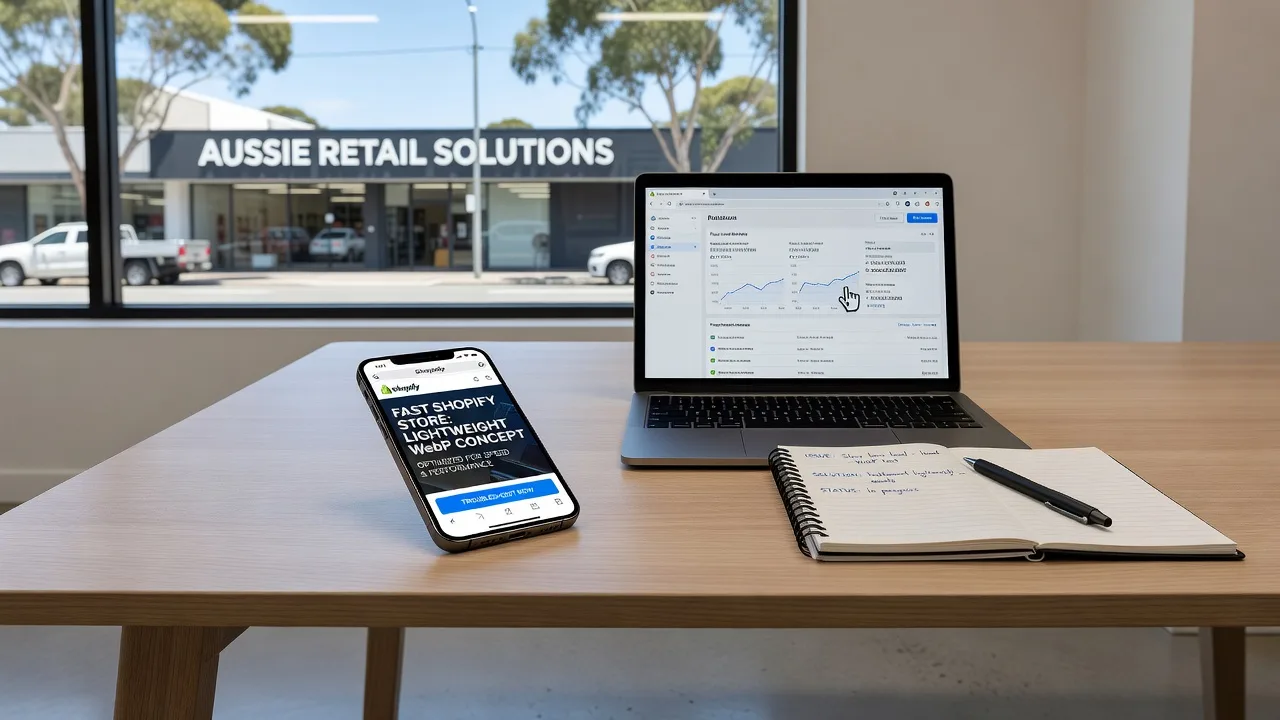
If your Shopify store still opens slowly on a phone, every paid click from Meta or Google Ads is leaking margin before the product page even paints. Australian shoppers on 4G and mid-range handsets bounce fast when the hero banner is a multi-megabyte JPEG and every product tile loads at once. This guide stays on that problem: compress hero images into modern WebP under 200KB, turn on native lazy-loading for product images below the fold, and aim for a store that snaps open around the 0.8-second mark on mobile. Fixwebnode works directly with individuals, sole traders, and local operators across Australia—on your device, at your desk—so you are not left guessing which theme file or app is blocking the first paint.
Why Shopify speed decides whether paid ad clicks convert
Ad platforms bill for the click whether or not your theme finishes loading. A heavy homepage hero, uncompressed product grids, and scripts that fight the main thread push Largest Contentful Paint and Interaction to Next Paint into the danger zone. On mobile networks common across Australia, that delay feels worse than on office Wi‑Fi. Fixing image weight and deferring off-screen product photos is the highest-leverage DIY path before you touch apps or custom Liquid.
Fixwebnode supports this work as a direct specialist provider for Australia service areas, including hands-on sessions where we inspect the store on your laptop or phone, not as a freelance marketplace. Geography and booking coverage also sit under the wider service areas hub.
Why is my Shopify store still slow on my phone in Australia after I “optimised” images?
Most stores still ship oversized JPEG or PNG heroes, skip WebP where the theme allows it, and load every product image immediately—so the phone’s browser and radio stay busy long after the first screen should have settled. Compress the above-the-fold hero to WebP under 200KB, enable native lazy-loading on below-the-fold product images, then re-test on a real handset on cellular data. If the theme or a stacked app still blocks first paint, book an on-site or drop-off session with Fixwebnode so the files and theme settings can be checked on your hardware.
| Symptom | Quick fix | When to call Fixwebnode |
|---|---|---|
| Hero banner takes seconds on 4G | Export WebP under 200KB; replace in theme/banner settings | Theme hard-codes PNG/JPEG or ignores WebP sources |
| Product grid feels sticky while scrolling | Native loading="lazy" on below-fold product images | App or section builder strips attributes on save |
| PageSpeed mobile still poor after image work | Retest on real device; disable one app at a time | Multiple apps + custom Liquid need structured cleanup |
Common issues that keep Shopify stores slow (and burn ad spend)
These problems show up repeatedly for Australian merchants who thought “Shopify hosts it, so it should be fast.”
- Hero still multi-megabyte JPEG/PNG — Homepage or collection banner looks sharp on a desktop export but weighs 800KB–3MB; mobile LCP stays stuck on that image.
- Product images below the fold load eagerly — Every tile in the featured collection or infinite grid starts downloading immediately, saturating the connection before the shopper scrolls.
- Theme or app rewrites wipe lazy-load and WebP — You set attributes once; a section save, page builder, or “image optimizer” app re-uploads originals or strips
loading="lazy". - Testing only on office Wi‑Fi — The store “feels fine” on fibre, then fails on the same phone using mobile data the customer actually uses.
Issue 1 — Hero image not in WebP (or still over 200KB)
Symptoms: Lighthouse or PageSpeed flags a huge LCP image; the first screen stays blank or blurry on a mid-range Android; paid traffic from Instagram lands on a spinner.
What to inspect on your own hardware: Open the live homepage on your phone, long-press or use browser dev tools on a laptop to note the hero URL and file size. If it is JPEG/PNG above roughly 200KB, treat it as the primary blocker.
DIY resolution steps
- Export a clean master of the hero at the exact pixel width your theme section uses (often 1600–2000px wide—check the theme customiser preview, do not guess a 4000px billboard).
- Convert to WebP with a quality setting that keeps the file under 200KB. On a Mac or Windows machine use a trusted local converter or your design tool’s WebP export; visually compare against the original for banding on gradients and text in the banner.
- In Shopify admin, open Online Store → Themes → Customise, select the hero/banner section, and upload the WebP. If the theme only accepts JPEG/PNG in that slot, upload the smallest acceptable JPEG under 200KB as a temporary control, then note that the theme needs a WebP-capable image tag (that is a specialist job).
- Purge any built-in theme cache if your theme documents it, then hard-refresh on the phone (close the tab fully, reopen on cellular).
- Confirm the network panel (laptop) or a field test (phone on 4G) shows the hero request under 200KB and that LCP is that asset—not a different hidden preload.
When to call Fixwebnode: The theme section hard-codes image format, ignores srcset, or a marketing app injects a second full-size hero. Bring the laptop you use for Shopify admin, note theme name/version, and keep a backup theme copy before anyone edits Liquid. On-site or scheduled desk-side work is appropriate when you cannot safely edit the section schema yourself.
Issue 2 — Product images below the fold load immediately
Symptoms: First screen eventually appears, but the browser keeps downloading dozens of product thumbnails; scrolling janks; mobile data usage spikes on a single visit.
DIY resolution steps
- Identify sections below the fold: featured collections, “you may also like,” blog rows, and Instagram-style grids.
- In the theme editor, open each product card or collection block. If the theme offers a “lazy load images” or “performance” toggle, enable it for non-hero images only—never lazy-load the LCP hero.
- For themes you can edit safely: in the product card snippet, ensure below-fold
imgtags include nativeloading="lazy"and appropriate width/height to limit layout shift. Do not lazy-load logos, cart icons, or the primary hero. - Remove duplicate image apps that rewrite every product image on the fly if they stack with Shopify’s own CDN transforms—one clear pipeline beats three competing optimisers.
- Retest on a real phone: load the homepage on cellular, watch whether product tile requests wait until you scroll near them.
When to call Fixwebnode: Page builders or locked marketplace themes strip attributes on every save, or Liquid snippets are minified and shared across sections you do not want to break. A specialist can patch the card snippet once, document it, and verify on your handset during the visit.
Issue 3 — Theme apps and leftover scripts undo image wins
Symptoms: Heroes are light and lazy-load works in a clean preview, but the live store still crawls; console shows third-party scripts; multiple “speed” or upsell apps overlap.
DIY resolution steps
- In Shopify admin → Apps, list everything that injects storefront scripts (upsell popups, reviews widgets, chat, pixel helpers beyond your core ads stack).
- Duplicate the live theme first (always keep a restore point).
- Disable non-essential apps one at a time, then retest mobile load on cellular after each change—do not batch-disable if you need to know the culprit.
- Check Settings → Customer events / pixels so marketing tags are not double-fired from both an app and a manual theme snippet.
- Re-measure: hero still under 200KB WebP, below-fold product images lazy, and no surprise full-size image injects from an app.
When to call Fixwebnode: You need a structured app audit, theme conflict cleanup, or a documented sub-2s path without breaking checkout. For deeper Shopify performance work in established retail corridors, see Shopify Speed Optimization Richmond | Sub-2s Load Times. If your stack also includes WordPress marketing sites beside Shopify, the related guide for Melbourne operators is WordPress Speed Optimization for Melbourne Businesses—keep scopes separate so Shopify image rules stay clean.
Issue 4 — You never validated on the device customers use
Symptoms: Desktop PageSpeed looks “acceptable,” management is happy, yet ad bounce rate on mobile stays high across Australia campaigns.
DIY resolution steps
- Test on at least one iOS and one Android handset you physically own; use cellular, not only café Wi‑Fi.
- Cold-load the homepage and a paid-ad landing collection URL with the cache cleared.
- Watch time-to-hero, whether product tiles below the fold wait, and whether the add-to-cart control is tappable without waiting for late scripts.
- Note theme name, app list, and hero file sizes in a simple checklist before changing anything else.
When to call Fixwebnode: You want a supervised on-device pass with theme fixes applied live, or you prefer a drop-off of the admin laptop with a written change log. Bring device chargers, Shopify staff access on a temporary collaborator account if you use one, and a reminder that you already duplicated the theme.
When DIY is enough vs when to book Fixwebnode
DIY is enough when you control the banner image, can upload WebP (or a tight JPEG under 200KB), the theme exposes lazy-load toggles, and a single retest on cellular shows the store snapping open near that 0.8-second first-screen feel with product images deferred.
Book Fixwebnode when Liquid is locked, apps re-inflate assets, LCP is not the hero you think it is, or paid campaigns cannot wait while you trial-and-error production. We work as a direct local/remote specialist for Australian operators—inspecting symptoms on your hardware, applying careful theme-side fixes, and leaving you with a restore path. Expect to show the devices you sell and advertise on, confirm a theme backup exists, and walk through the live admin together. Timing is scheduled around your storefront quiet hours when possible; soft same-day windows sometimes open when you book early, without hard travel promises.
Talk through your Shopify mobile speed next step
If paid clicks are landing on a heavy hero or an eager product grid, tighten WebP under 200KB and native lazy-loading first, then get a specialist eyes-on pass before you scale spend. Start a direct conversation with Fixwebnode for individuals, sole traders, and local operators via https://fixwebnode.com.au/website-repair-australia—bring the phone that fails, the admin laptop, and a short note of which ad URLs matter most. We will stay on the speed problem until the storefront opens cleanly on mobile for customers across Australia.