Multi-Vendor & Complex SaaS Marketplaces
 Modern Headless & Jamstack Web Development
 High-End Corporate & Specialized Business Websites
 Advanced API, Checkout & Database Troubleshooting
Shopify Functions in Rust/WASM: DIY Guide for Docklands Stores
Build custom discount, payment, and delivery logic with Shopify Functions in Rust or WebAssembly. A practical DIY-vs-pro guide for City of Melbourne and Docklands 3008 merchants working with Fixwebnode.
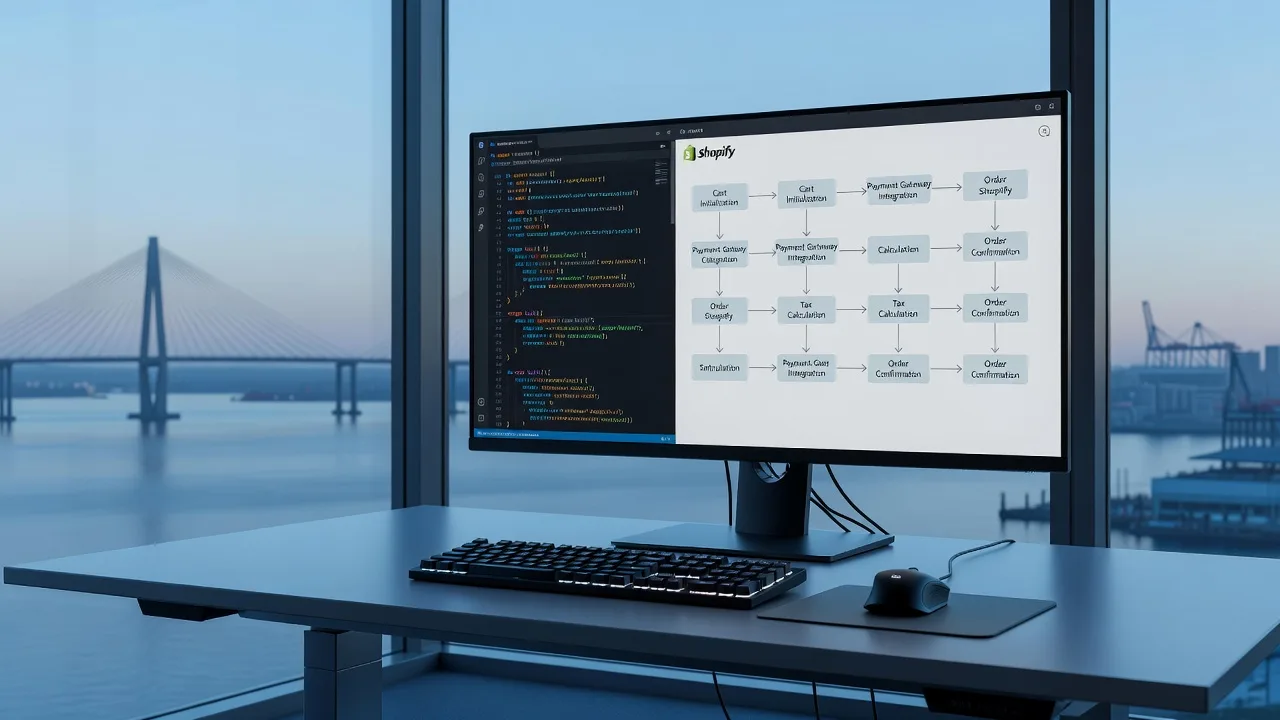
If your Docklands storefront needs cart rules Shopify’s admin cannot express—tiered B2B discounts, gated payment methods, or suburb-aware delivery—this guide walks you through Shopify Functions Engineering with Rust or WebAssembly, and when to book a specialist.
Standard discount codes, Scripts (deprecated on many plans), and basic shipping profiles hit a wall fast: multi-currency wholesale tiers, “hide Afterpay above $X for wholesale tags,” or free delivery only when Docklands postcode 3008 plus a minimum line-item mix. Shopify Functions let you run custom backend logic at checkout in a sandboxed WebAssembly module, commonly authored in Rust. For merchants in the City of Melbourne service area, Shopify Developer support from Fixwebnode means you can prototype safely, then hand off production hardening without marketplace noise.
Scope: Shopify CLI 3.x, a Partner development store, Rust toolchain with wasm32-wasip1 target, and Functions APIs for discounts, payment customization, and delivery customization. You will scaffold an app, generate function extensions, build WASM, run local fixtures, and know the exact point a pro save days of checkout regressions.
What’s going wrong with “admin-only” checkout rules
Admin discounts are percentage/fixed or BXGY with shallow conditions. They cannot read arbitrary cart attributes, combine product taxonomy with customer metafields, or fail closed when inventory tags conflict. Payment settings are binary enable/disable—not “show Shop Pay only if cart has no restricted SKUs.” Delivery profiles cannot encode “same-day Docklands van only if weight < 8 kg and no hazmat tag.”
- Stacking conflicts between automatic discounts and codes that Scripts used to resolve.
- Checkout Extensibility stores that must replace Scripts with Functions before deadlines.
- Performance or audit needs: logic must be deterministic WASM, not a remote HTTP call on every cart change.
Shopify Functions solve this by compiling your Rust (or other supported language) to WASM, deploying it with your app, and executing it in Shopify’s function runner against typed GraphQL input queries you declare.
What to try first: toolchain and app scaffold
Work on a Partner development store first. Never compile experimental discount math against a live Docklands production shop until fixtures pass.
Step 1 — Install Shopify CLI and log in
npm install -g @shopify/cli @shopify/theme
shopify version
shopify auth login --store your-dev-store.myshopify.com
Confirm CLI 3.x+ and that the store is a development store linked to your Partner org.
Step 2 — Rust and WASM target
curl --proto '=https' --tlsv1.2 -sSf https://sh.rustup.rs | sh
source "$HOME/.cargo/env"
rustup target add wasm32-wasip1
rustc --version
cargo install cargo-wasi || true
Shopify’s current Rust function templates target wasm32-wasip1 (WASI). If an older doc mentions wasm32-wasi, prefer the wasip1 target your template’s Cargo.toml declares.
Step 3 — Create the app and generate function extensions
shopify app init --name docklands-functions
cd docklands-functions
shopify app generate extension --type function --name volume-discount --template rust
shopify app generate extension --type function --name payment-customization --template rust
shopify app generate extension --type function --name delivery-customization --template rust
Each extension folder contains src/main.rs, schema.graphql / input query, and Cargo.toml wired to shopify_function crates. Keep one concern per extension: discounts, payment methods, delivery options.
Step 4 — Build and verify WASM output
cd extensions/volume-discount
cargo build --release --target wasm32-wasip1
shopify app function build
ls -la target/wasm32-wasip1/release/*.wasm 2>/dev/null || ls -la target/wasm32-wasi/release/*.wasm
From the app root you can also run:
shopify app build
shopify app function run --export run --input extensions/volume-discount/input.json
Expected: a compact .wasm binary and JSON stdout matching the FunctionResult shape (discount candidates, payment ops, or delivery ops). If build fails on linker or target, re-check rustup target list --installed and the template’s edition.
Writing unique discount rules in Rust
Discount Functions receive a cart snapshot via your input query (lines, quantities, merchandise IDs, buyer identity, cost). Your run export returns operations: apply percentage/fixed discounts to lines or the order, with messages checkout can show.
Step 1 — Shape the input query
In the extension’s GraphQL input file, request only fields you need (performance and reviewability). Typical fields: cart.lines, quantity, merchandise, product tags/metafields, buyerIdentity.customer.metafields.
Step 2 — Implement deterministic logic
In main.rs, parse input, aggregate quantities by collection or tag, then emit discount operations. Example patterns merchants in Docklands wholesale ask for:
- 5% off when total qty ≥ 10; 12% when ≥ 25; exclude gift cards.
- Stack a vendor-specific fixed amount only if customer has
wholesale=truemetafield. - Cap combined discounts so margin never drops below a floor you encode as constants.
Step 3 — Local fixtures before deploy
cat > extensions/volume-discount/tests/cart-wholesale.json <<'EOF'
{
  "cart": {
    "lines": [
      {
        "quantity": 12,
        "cost": { "subtotalAmount": { "amount": "480.0" } },
        "merchandise": { "product": { "vendor": "Local Mill" } }
      }
    ]
  }
}
EOF
shopify app function run --path extensions/volume-discount --input extensions/volume-discount/tests/cart-wholesale.json
Assert the JSON result contains the expected discounts group and value. Add a second fixture with qty 2 and confirm zero discount operations.
Step 4 — Deploy the app extension
cd ../..
shopify app deploy
In the store admin, create a discount that uses your Function (Automatic or code-based, depending on API), then place a test order on the development checkout. Watch Partner Dashboard logs for function execution errors.
Payment options and delivery logic with Functions
Payment customization Functions hide, rename, or move payment methods based on cart and customer. Delivery customization Functions hide, rename, or reorder shipping rates—or move rates between groups—without rewriting carrier services.
Payment customization — practical cases
- Hide BNPL when any line has tag
no-bnplor subtotal exceeds a risk threshold. - Rename “Cash on Delivery” to “Docklands desk pickup COD” only when shipping address postal code is 3008.
- Keep manual payment visible solely for customers with tag
net30.
shopify app function build --path extensions/payment-customization
shopify app function run --path extensions/payment-customization --input extensions/payment-customization/tests/hide-bnpl.json
Verify operations use the payment method IDs from input; wrong IDs silently no-op in production.
Delivery customization — practical cases
- Hide “Express” if total weight metafield sum exceeds van capacity.
- Rename standard rate to “Docklands same-day cut-off 2pm” when province code and postal code match your metro rules.
- Reorder so local courier appears above national post for 3008 addresses.
shopify app function build --path extensions/delivery-customization
shopify app function run --path extensions/delivery-customization --input extensions/delivery-customization/tests/docklands-postcode.json
shopify app deploy
After deploy, enable the customization in Settings → Shipping and delivery (and Payments for payment functions). Place checkouts with and without 3008 to confirm rate lists. Keep logic pure: no network calls inside the function; bake tables or simple rules into the binary or config metafields read via input.
DIY checklist vs when to call a pro
Stay DIY when you have one development store, a single discount curve, and fixtures that cover happy path plus two edge carts. Call a specialist when any of the following is true:
- Multiple Functions must not double-discount or hide the last valid payment method (checkout dead-ends).
- You need coordinated metafield definitions, Plus checkout branding, and Function deploys across staging and production.
- Rust ownership/borrow issues or WASM size limits are blocking release; or Scripts migration must preserve historical discount semantics.
- PCI-adjacent payment messaging and delivery SLAs for a live City of Melbourne retail calendar (markets, peak tourism weeks) leave no room for trial-and-error on production.
Fixwebnode is a direct Shopify Functions specialist—not a bid board. If you are comparing effort for a Docklands 3008 storefront, review the local specialist page for Shopify developer in Docklands 3008 and the broader All service areas map. Community-oriented operators sometimes also align store ops with nearby support listings when fulfilment is tied to on-the-ground schedules—but the engineering work itself stays on Functions, Rust, and WASM.
What working with Fixwebnode looks like
A typical engagement stays on this stack end to end:
- Audit existing discounts, payment methods, and delivery profiles against checkout extensibility requirements.
- Scaffold or take over the app repo; lock Rust toolchain and CI to
shopify app function build. - Author input queries, fixtures for Docklands postcodes and wholesale tags, and release notes for each operation type.
- Deploy to staging, run scripted checkout scenarios, then production deploy with rollback plan.
- Hand you runbooks: how to re-run
shopify app function run, where logs appear, and how to disable a Function discount without code freeze.
You keep ownership of the Partner app and store; Fixwebnode focuses on correct Function semantics so cart math, payment visibility, and delivery labels behave under real traffic.
Troubleshooting
Symptom: shopify app function build fails on target not installed.
Fix: rustup target add wasm32-wasip1 and retry; align with template Cargo.toml.
Symptom: Function deploys but discount never appears.
Fix: Confirm the discount is active and bound to your Function; re-check input query fields actually return data (empty merchandise selections yield empty operations). Run fixtures with production-like JSON.
Symptom: Payment method not hidden.
Fix: Log the payment method id values from a real input dump; hide operations must reference exact IDs. Ensure the customization is enabled in admin.
Symptom: Delivery rename works in dev, not production.
Fix: Confirm app scopes, deploy version on the production store, and that carrier-calculated rates still exist to rename—Functions cannot invent a rate that carriers did not return.
shopify app function run --path extensions/delivery-customization --input /tmp/prod-shaped-input.json
shopify app logs --source extensions
Conclusion
Shopify Functions Engineering replaces brittle admin-only rules with Rust-compiled WebAssembly that owns discount math, payment visibility, and delivery presentation at checkout. You scaffold with Shopify CLI, target WASM, fixture every edge cart, and deploy only when operations are deterministic. For stores in City of Melbourne and Docklands 3008, DIY is realistic for a single well-tested rule set; multi-function checkout risk is where a direct specialist shortens the path.
Ready to validate your discount, payment, or delivery Function—or to book a structured build? Start a conversation with Fixwebnode via the Shopify Developer landing page for City of Melbourne and get a clear DIY-vs-pro plan for your storefront.