Multi-Vendor & Complex SaaS Marketplaces
 Modern Headless & Jamstack Web Development
 High-End Corporate & Specialized Business Websites
 Advanced API, Checkout & Database Troubleshooting
Quarantining a Live Ransomware Attack on Your Server
Encryption is spreading on a production host. Learn how to isolate the network tier, cut lateral movement, and protect the main database—plus when Australian teams should bring in Fixwebnode for remote containment.
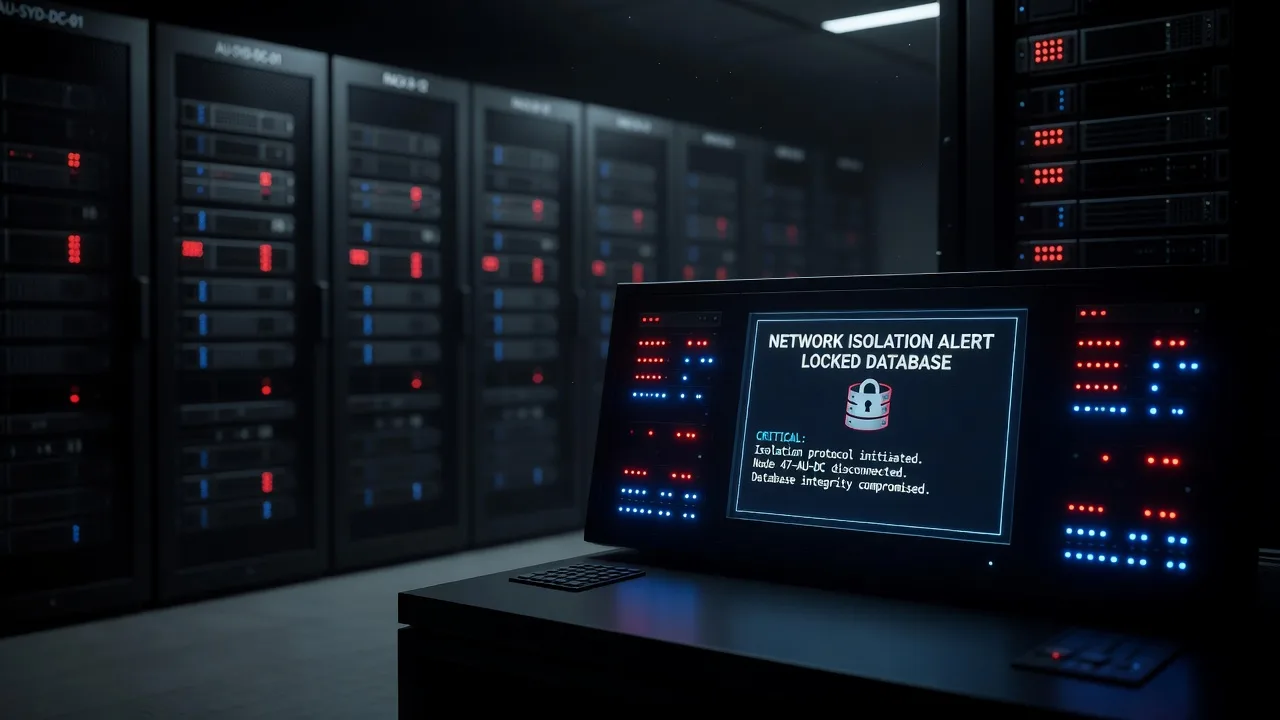
If a production server is encrypting files right now, every minute of open network access risks the main database and peer hosts. This guide is for Australian small businesses and site owners who need a clear remote runbook to quarantine a live ransomware attack before it jumps tiers—without guessing, and without waiting for a full rebuild.
Fixwebnode provides direct remote Linux and server support for active isolation work across Australia. If you need hands-on containment while you stay on the line with your team, start here: Ubuntu Linux server support and emergency fixing. We work as a specialist provider, not a marketplace.
Scope assumes a Linux production host (Ubuntu/Debian-style or RHEL-like) with SSH or console access, a separate database tier, and the ability to change host firewall rules or cloud security groups. Do not power-cycle blindly if you still need volatile evidence or open file handles for forensics—isolate first, then plan recovery.
Why active ransomware isolation matters
Active ransomware does not wait for a ticket queue. Once a payload has write access to shared mounts, application data paths, or credentials that reach the database tier, encryption can fan out over SMB/NFS, application connectors, or stolen SSH keys. The goal of quarantine is simple and ordered: stop outbound and lateral traffic from the infected host, freeze further write damage where safe, preserve logs, and keep the database tier reachable only from known-clean paths.
For teams in Australia running e-commerce, booking, or internal apps on VPS or dedicated Linux boxes, the same pattern applies whether the host sits in a local rack or a cloud region: cut the network tier of the compromised machine before the blast radius includes backups that are still mounted or replicas that still accept writes.
How do you isolate a live ransomware attack on a Linux server in Australia?
Immediately remove the infected host from production paths: drop its routes and peer access with host firewall rules, disable non-essential interfaces or bonds used for east-west traffic, stop file-sharing and remote-shell services that enable lateral movement, and verify the database tier only accepts connections from clean application hosts. Do not delete the malware binary yet if you need hashes for incident notes—contain first, then collect, then rebuild from known-good media.
| Symptom | Quick containment | When to call Fixwebnode |
|---|---|---|
Files renaming or growing .locked / ransom notes on disk | Block egress + LAN; unmount writable shares | Encryption still spreads after local firewall changes |
| DB latency spikes; app still talks to infected app server | Revoke infected host in DB pg_hba / user host rules | Unsure which app nodes are clean |
| SSH or SMB sessions to other servers from the victim | Kill sessions; deny outbound 22/445/2049 | Keys or service accounts may be stolen |
Common issues during live ransomware quarantine
These failure modes show up repeatedly when people try to “just pull the cable” without a sequence.
1. Encryption keeps spreading over mounted shares
Symptom: ransom notes appear on NFS/SMB paths even after you closed the public website. Root cause: the payload still has write access to network mounts or backup volumes still attached to the infected host.
2. Database tier still accepts the compromised app server
Symptom: table files or binary logs change while you thought the app was “offline.” Root cause: PostgreSQL/MySQL host-based auth or security groups still allow the victim’s IP or service account.
3. Lateral movement over SSH or management ports
Symptom: new login events on sibling servers; last / auth logs show the victim as source. Root cause: agent or operator keys left agent-forwarded, or outbound SSH was never blocked on the infected box.
4. Cloud floating IP or load balancer still routes users to the sick node
Symptom: customers hit intermittent 5xx or half-encrypted static assets. Root cause: the instance was firewalled locally but not removed from the target group or public address association.
Issue 1 — Stop share-based encryption spread
Unmount or remount read-only every network filesystem the victim can write, then block the protocols at the host firewall so remounts fail closed.
Step 1 — List mounts and open network filesystems
findmnt -t nfs,nfs4,cifs,smb3
mount | grep -E 'nfs|cifs|smb'
ss -tnp | grep -E ':2049|:445'
Note every remote path under application data, /var/www, backup staging, or shared media.
Step 2 — Remount read-only or unmount immediately
sudo mount -o remount,ro /path/to/share
# If remount fails and nothing critical is mid-transaction on that share only:
sudo umount -f /path/to/share 2>/dev/null || sudo umount -l /path/to/share
Prefer remount ro first when you must preserve evidence paths; use lazy unmount only if the share is wedged.
Step 3 — Block NFS/SMB at the host
sudo iptables -I OUTPUT 1 -p tcp --dport 445 -j DROP
sudo iptables -I OUTPUT 1 -p tcp --dport 2049 -j DROP
sudo iptables -I OUTPUT 1 -p tcp --dport 139 -j DROP
# nftables equivalent sketch:
# sudo nft insert rule inet filter output tcp dport { 445, 2049, 139 } drop
Step 4 — Verify
findmnt -t nfs,nfs4,cifs
sudo iptables -L OUTPUT -n -v | head
ls /path/to/share 2>&1 | head
You want no writable network mounts left and dropped counters incrementing on deny rules. If notes still appear on a SAN volume presented as local block storage, treat that LUN as compromised storage and detach it from the hypervisor or cloud console next—not only inside the guest.
When DIY is not enough: call Fixwebnode if unmounts hang on busy write locks, if the same share is attached to multiple uncertain hosts, or if backup appliances are still writable from the victim.
Issue 2 — Isolate the network tier before the main database is hit
This is the core of active ransomware isolation: the infected app or web node must lose paths to PostgreSQL/MySQL and to peer app nodes, while clean nodes keep serving if your design allows.
Step 1 — Snapshot identity of the victim
hostname -f
ip -br a
ip route
cat /etc/os-release | head -5
Record primary IPs and any secondary interfaces used for replication or backend VLANs.
Step 2 — Drop lateral and DB egress from the victim (host firewall)
# Replace 10.0.0.0/24 with your real backend subnet; replace 5432/3306 as needed
sudo iptables -P FORWARD DROP
sudo iptables -I OUTPUT 1 -p tcp --dport 5432 -j DROP
sudo iptables -I OUTPUT 1 -p tcp --dport 3306 -j DROP
sudo iptables -I OUTPUT 1 -p tcp --dport 22 -j DROP
sudo iptables -I OUTPUT 1 -d 10.0.0.0/24 -j DROP
# Keep a narrow path for your admin IP only if you still need SSH:
# sudo iptables -I INPUT 1 -p tcp -s YOUR.ADMIN.IP --dport 22 -j ACCEPT
# sudo iptables -A INPUT -p tcp --dport 22 -j DROP
On systems using ufw:
sudo ufw default deny outgoing
sudo ufw default deny incoming
sudo ufw allow from YOUR.ADMIN.IP to any port 22 proto tcp
sudo ufw deny out 5432/tcp
sudo ufw deny out 3306/tcp
sudo ufw deny out 445/tcp
sudo ufw deny out 2049/tcp
sudo ufw status verbose
Step 3 — Revoke the victim on the database host (run on the DB tier)
# PostgreSQL: reject the infected app IP (example)
sudo -u postgres psql -c "SELECT pid, usename, client_addr, state FROM pg_stat_activity WHERE client_addr = 'VICTIM.IP';"
sudo -u postgres psql -c "SELECT pg_terminate_backend(pid) FROM pg_stat_activity WHERE client_addr = 'VICTIM.IP';"
# Then add a reject rule at the top of pg_hba.conf and reload
# host all all VICTIM.IP/32 reject
sudo systemctl reload postgresql
# MySQL/MariaDB: kill sessions from victim and drop host grants if present
sudo mysql -e "SELECT id,user,host,db,command FROM information_schema.processlist WHERE host LIKE 'VICTIM.IP%';"
sudo mysql -e "KILL <id>;"
# REVOKE or DROP USER 'app'@'VICTIM.IP'; FLUSH PRIVILEGES;Step 4 — Confirm the database no longer sees the victim
# On DB host
ss -tnp | grep -E '5432|3306'
# On victim — should fail
nc -vz DB.IP.ADDRESS 5432
nc -vz DB.IP.ADDRESS 3306
Step 5 — Pull the victim from load balancers / public routing
In your cloud or reverse-proxy panel, drain the instance from the target group, remove upstream entries in nginx/haproxy on the edge, and disassociate any floating IP so customers never land on a half-encrypted node. Example edge nginx peer removal is an edit to the upstream block followed by:
sudo nginx -t && sudo systemctl reload nginxWhen to book a specialist: if you cannot tell which app nodes already ran the payload, if DB grants are wide (% hosts), or if security groups are shared across mixed trust tiers—Fixwebnode can take remote console and impose a clean allow-list under change control.
Issue 3 — Cut SSH and management lateral movement
Ransomware operators and some automated loaders reuse keys. Assume outbound admin protocols are hostile until proven otherwise.
Step 1 — Inspect active sessions and auth sources
who
w
ss -tnp | grep ':22'
sudo journalctl -u ssh -n 100 --no-pager
sudo grep -E 'Accepted|Failed' /var/log/auth.log | tail -n 50
Step 2 — Kill unexpected sessions; disable outbound SSH from the victim
sudo pkill -9 sshd
# Restart sshd only if you still need a controlled admin channel from a known IP
sudo systemctl restart ssh
sudo iptables -I OUTPUT 1 -p tcp --dport 22 -j DROP
Step 3 — Rotate trust on peer hosts
# On each potentially exposed peer (clean maintenance host):
sudo sed -n '1,200p' ~/.ssh/authorized_keys
# Remove victim-issued keys; then:
sudo systemctl reload ssh
# Invalidate old agent keys by rotating application deploy keys in your secret store
Step 4 — Verify
# From victim, outbound SSH must fail
ssh -o ConnectTimeout=5 -o BatchMode=yes peer.internal 'echo should-not-run'
echo $?
Non-zero failure is expected and desired. If peers still show new logins, isolate those peers with the same OUTPUT DROP pattern and treat them as suspected compromise.
Book Fixwebnode when keys were shared via CI, configuration management, or jump hosts and you need a coordinated key rotation plus session review across the estate.
Issue 4 — Freeze local write damage without destroying evidence
After network quarantine, reduce local encryption speed carefully. Do not run random “unlocker” tools from untrusted sites.
Step 1 — Identify runaway encryptor processes
ps auxf | head -n 50
sudo top -b -n 1 | head -n 30
sudo lsof +L1 2>/dev/null | head
sudo lsof /var/www /home /var/lib 2>/dev/null | head -n 40
Step 2 — Stop application writers that feed the payload
# Examples — only stop what you recognise on this host
sudo systemctl stop nginx php8.2-fpm php8.3-fpm
sudo systemctl stop apache2
sudo systemctl stop supervisor
sudo systemctl stop cron
Step 3 — Optional: kill a confirmed malicious PID after noting the path
ls -l /proc/<PID>/exe
sudo sha256sum $(sudo readlink -f /proc/<PID>/exe)
sudo kill -STOP <PID>
# freeze first; kill -9 only after hash + path recorded
Step 4 — Preserve logs
sudo tar -C /var/log -czf /root/incident-logs-$(date +%Y%m%d%H%M).tar.gz auth.log syslog nginx postgresql 2>/dev/null
sudo chmod 600 /root/incident-logs-*.tar.gz
sudo ls -lh /root/incident-logs-*.tar.gz
Copy that archive off-box via your still-allowed admin path. Then plan rebuild from clean images and known-good backups that were not mounted read-write on the victim.
When DIY is enough vs when to book Fixwebnode
DIY containment is enough when you have console access, a clear single victim IP, database host rules you can edit, and confirmation that backups are offline and immutable. Stay in DIY only through isolation, process freeze, and evidence packaging—then rebuild rather than “cleaning in place.”
Book Fixwebnode when encryption continues after OUTPUT drops, when multiple app nodes show ransom notes, when the database already accepted destructive sessions, when shared storage is involved, or when you need remote guided isolation during business hours in Australia without handing the job to an anonymous marketplace. Geography and remote coverage are listed on our service areas page; containment itself is delivered as direct specialist work over secure remote channels.
Skip DIY kill-chains if you lack any admin path, if the host is domain-joined to a wider Windows estate with uncertain trust, or if legal preservation requirements demand a full disk image before process changes—get a specialist on the session first.
Practical verification checklist
- Victim cannot open TCP to DB ports or backend subnets.
- DB
processlist/pg_stat_activityshows no victim IP. - No writable NFS/CIFS mounts remain on the victim.
- Edge load balancer no longer selects the victim.
- Outbound SSH/SMB from the victim fails.
- Incident logs archived off-box; host scheduled for rebuild from clean media.
# Compact victim-side confirmation
ip -br a
sudo iptables -L OUTPUT -n -v | head -n 20
findmnt -t nfs,nfs4,cifs
nc -vz DB.IP.ADDRESS 5432 || echo 'db path blocked (expected)'
nc -vz DB.IP.ADDRESS 3306 || echo 'db path blocked (expected)'
Closing: contain first, then recover with a specialist
A live ransomware event is a network-tier race: isolate the infected production server, revoke its database path, cut share and SSH lateral movement, and only then plan restore. Trying to negotiate with the payload or scrub binaries in place while the host still routes east-west is how main databases get encrypted.
If you need guided remote quarantine now—firewall sequencing, DB revocation, and clean cutover planning—talk with Fixwebnode directly via Linux server support and bug fixing in Australia. Tell us the OS, whether the database is on a separate host, and what still has write access; we will work the isolation steps with your team as a direct provider.