Multi-Vendor & Complex SaaS Marketplaces
 Modern Headless & Jamstack Web Development
 High-End Corporate & Specialized Business Websites
 Advanced API, Checkout & Database Troubleshooting
Infinite Loading Spinner: Fix a Frozen AJAX Script on Your Site
Stuck on a spinning loader? Learn the real causes of frozen AJAX requests, DIY DevTools checks, and when Fixwebnode should take over before visitors bounce.
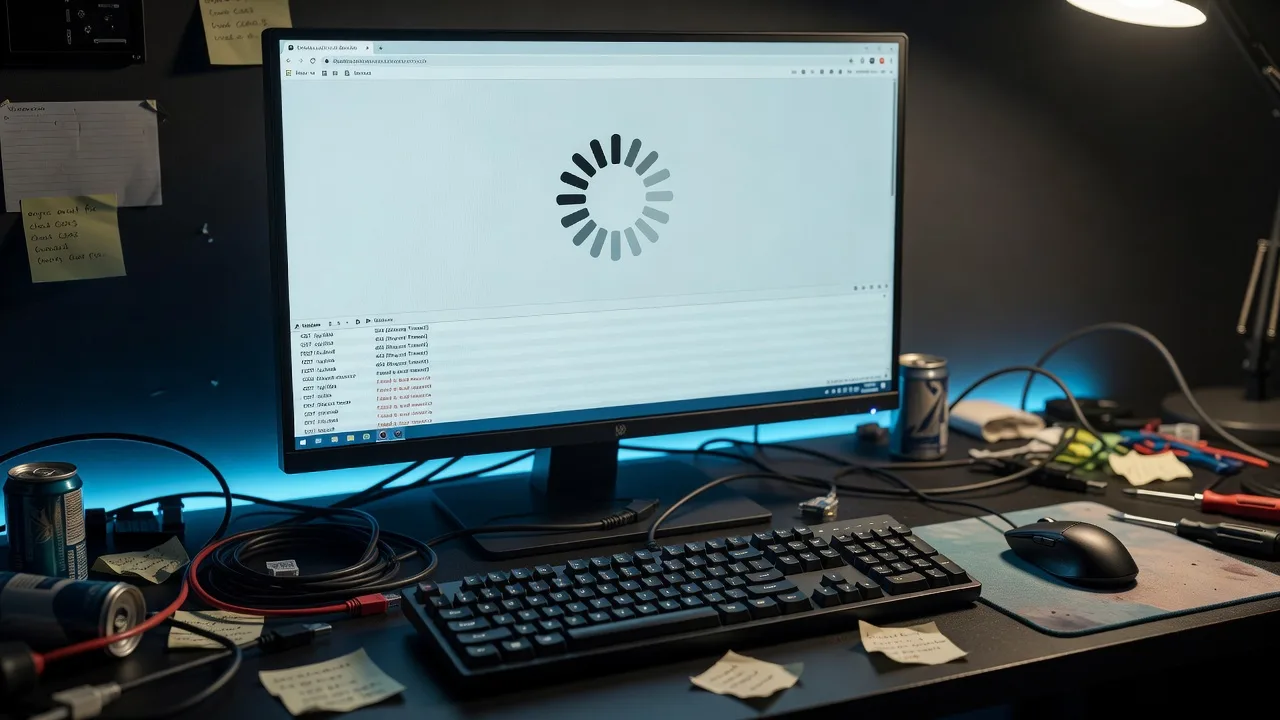
Homeowners and small-business owners: if a button, form, cart, or booking widget never finishes loading, you are not dealing with a “slow site”—you are dealing with a frozen AJAX script that never closes its loading state.
An infinite spinner usually means the browser fired an asynchronous request, showed a loader, and never received a clean success or error path to hide it. That single stuck call can block checkout, contact forms, live search, and admin screens. This guide walks through the most common root causes, the exact checks you can run yourself, and when to book Fixwebnode’s frozen AJAX troubleshooting service so the spinner stops and the workflow works again.
Why a frozen AJAX spinner matters more than a cosmetic glitch
AJAX (and modern fetch / XHR wrappers) keeps the page open while the server works. The UI pattern is simple: show spinner → wait for response → hide spinner → update the DOM. When any link in that chain breaks—network failure, CORS block, 500 error, JSON parse crash, or a callback that never runs—the spinner stays forever.
Visitors rarely open DevTools. They assume your site is broken, refresh, abandon the cart, or call you instead of completing the task online. For local businesses serving Australian metros such as Canberra and Melbourne, that friction shows up as missed leads and support noise, not just a red console line.
Fixwebnode works as a direct specialist on this exact failure mode: tracing the request, the response, and the front-end state machine until the loader has a guaranteed exit path.
Common issues behind an infinite loading spinner
These problems look identical on the page (endless spinner) but have different causes. Treat them as separate diagnostics.
- Silent network / CORS / mixed-content failure — The request never completes successfully; no
successhandler runs, and noerrorhandler hides the loader. - Server returns HTML or an error page instead of JSON — Your script expects JSON,
JSON.parsethrows, and the spinner never clears. - Promise or callback never settles — Missing
finally, swallowed exceptions, or a second AJAX call that never returns. - Auth, nonce, or CSRF rejection with no UI fallback — WordPress admin-ajax, Laravel, or custom APIs return 401/403/419 while the front end keeps waiting.
- UI state bug: loader shown twice or never unbound — The request actually finished, but the spinner element or CSS class was never removed.
Issue 1 — Silent network, CORS, or mixed-content blocks
Symptoms: Spinner never ends. In DevTools → Network the call is red, stalled, blocked, or shows CORS errors. Console may log Access-Control-Allow-Origin or mixed active content (HTTPS page calling HTTP API).
DIY resolution steps:
- Open the broken page in Chrome or Firefox. Press F12 → Network. Check Disable cache, then reproduce the action that starts the spinner.
- Find the pending or failed XHR/
fetchrow. Note Status, Type, and the Request URL (http vs https, correct host, typos). - Open Console. Copy any CORS or mixed-content messages exactly—they name the blocked origin or insecure URL.
- Verify the endpoint from your machine with a plain request (replace the URL with yours):
curl -sS -D - -o /tmp/ajax-body.txt \
 -H "Accept: application/json" \
 "https://your-domain.example/api/endpoint"

head -n 20 /tmp/ajax-body.txt
wc -c /tmp/ajax-body.txt
A connection error, TLS problem, or non-200 status here means the front end is not “stuck”—the backend or URL is wrong.
- If the site is HTTPS and the API is HTTP, force HTTPS on the API URL in your theme/plugin settings or JS config. Mixed content is blocked by modern browsers and will freeze loaders that only hide on success.
- For true CORS failures on APIs you control, ensure the API sends an allowed origin for your front-end host and handles
OPTIONSpreflight. Do not “fix” CORS by disabling browser security. - Confirm the JS error path hides the spinner. In jQuery terms you need both success and error (or
complete). Withfetch, usetry/catchplusfinallyso the loader always stops.
// Pattern: always clear the spinner
async function loadData() {
 showSpinner();
 try {
 const res = await fetch("/api/endpoint", { headers: { "Accept": "application/json" } });
 if (!res.ok) throw new Error("HTTP " + res.status);
 const data = await res.json();
 render(data);
 } catch (err) {
 console.error(err);
 showUserError("Something went wrong. Please try again.");
 } finally {
 hideSpinner();
 }
}
When to call Fixwebnode: If the failure only happens on production, behind a CDN/WAF, or on one corporate network—or you do not control the API headers—book a specialist trace rather than guessing CORS rules live.
Issue 2 — Server returns HTML or a 500 page instead of JSON
Symptoms: Network tab shows 200 with text/html, or 500/502/504. Console shows Unexpected token < in JSON or similar. Spinner remains because parse/render never finishes cleanly.
DIY resolution steps:
- In Network, click the AJAX request → Response (or Preview). If you see a full HTML error page, login page, or theme output, the client script is not receiving JSON.
- Check Response Headers for
Content-Type. APIs used by spinners should returnapplication/json(or a documented type your code handles). - Reproduce the same call with headers your app sends (cookies/nonce if needed):
curl -sS -D - \
 -H "Accept: application/json" \
 -H "X-Requested-With: XMLHttpRequest" \
 "https://your-domain.example/wp-admin/admin-ajax.php?action=your_action" \
 -o /tmp/ajax-out.txt

file /tmp/ajax-out.txt
head -c 400 /tmp/ajax-out.txt; echo
file reporting HTML, or a body starting with <!DOCTYPE / <html, confirms a server-side crash, plugin conflict, or redirect to a login/HTML page.
- On WordPress, enable a temporary log and reproduce once (remove after debugging):
# wp-config.php (local/staging first)
# define('WP_DEBUG', true);
# define('WP_DEBUG_LOG', true);
# define('WP_DEBUG_DISPLAY', false);

tail -n 80 wp-content/debug.log- On PHP hosts, confirm execution limits are not killing long handlers mid-flight (symptoms: empty body, 500, or gateway timeout while spinner spins):
php -i | grep -E "max_execution_time|memory_limit"
# or inspect the pool/ini used by the site’s PHP-FPM- Fix the server error (fatal PHP, missing dependency, bad SQL, wrong
admin-ajaxaction name), then make the client defensive: checkContent-Type, wrapres.json()in try/catch, and alwayshideSpinner()infinally. - Add a visible user message on non-JSON responses so staff are not staring at a blank spinner during the next outage.
When to call Fixwebnode: Fatals inside custom plugins, page builders, or checkout stacks—especially when logs are empty on managed hosting—are faster with a specialist who can bisect plugins and PHP workers safely. Construction and trade sites in Canberra often hit this after a plugin update; see also website solutions for Canberra builders & construction specialists if your stack is industry-specific.
Issue 3 — Auth, nonce, CSRF, or session expiry with no error UI
Symptoms: Works while you are logged in; fails for customers or after the tab sits idle. Status 401, 403, 419, or a JSON body like {"-1"} / "nonce expired". Spinner never ends because only the happy path clears it.
DIY resolution steps:
- Reproduce in a private window (logged out) and again after leaving the form open 30–60 minutes.
- In Network → the failing call, inspect Request Headers for cookies,
X-WP-Nonce,X-CSRF-TOKEN, or form fields like_wpnonce. - Compare a working vs failing call. Expired nonce/session is a classic “infinite loader on submit” pattern on WordPress and Laravel-style apps.
- For WordPress front-end AJAX, confirm localized script data still prints a fresh nonce on the page and that the JS sends it on every write request.
- Ensure failure branches update the UI:
fetch(url, { method: "POST", credentials: "same-origin", headers, body })
 .then(async (res) => {
 if (res.status === 401 || res.status === 403 || res.status === 419) {
 throw new Error("Session expired — refresh and try again.");
 }
 if (!res.ok) throw new Error("HTTP " + res.status);
 return res.json();
 })
 .then(render)
 .catch((e) => showUserError(e.message))
.finally(hideSpinner);- If a CDN or security plugin strips cookies on AJAX paths, whitelist your admin-ajax or API routes per the plugin docs, then retest logged-out behavior.
When to call Fixwebnode: When nonce refresh, multi-tab checkout, or membership plugins interact in ways that only fail for some roles, a direct specialist should map the auth flow end-to-end instead of turning off security plugins wholesale.
Issue 4 — Request finished, but the spinner UI never unbinds
Symptoms: Network shows 200 JSON and the data sometimes appears behind the overlay; or multiple spinners stack after repeated clicks. Root cause is front-end state, not the API.
DIY resolution steps:
- Confirm in Network that the call completed (status 200/201/204) with the expected body.
- In Elements/Inspector, find the spinner node (often
.loading,.spinner,aria-busy, or a full-page overlay). See whether a class likeis-loadingremains onbodyor the button. - Search your theme/app JS for the show/hide pair. Guarantees: every exit path calls hide once; hide is idempotent; buttons use
disabledduring the request to prevent double submits. - Watch for race conditions: two rapid clicks fire two requests; the first hide runs, the second response never triggers hide, or a success handler re-shows the loader.
- Minimal guard pattern:
let inFlight = null;

function onSubmit() {
 if (inFlight) return;
 showSpinner();
 inFlight = fetch("/api/save", { method: "POST", body })
 .then(handle)
 .catch(showUserError)
 .finally(() => {
 hideSpinner();
 inFlight = null;
 });
}- If you use React/Next or a headless WordPress front end, confirm loading state lives in one place (component state or global store) and that unmounting does not leave a portal overlay open. Teams modernising that stack can review Headless WordPress + React/Next.js setup in Melbourne when the spinner bug is really a state-architecture problem.
When to call Fixwebnode: Minified bundles, multiple competing libraries (jQuery + React + page-builder JS), or overlays injected by third-party widgets need a structured front-end pass.
Quick verification checklist after any fix
- Hard-refresh with cache disabled; test logged-in and logged-out.
- Throttle Network to “Slow 3G” once—timeouts should show an error, not spin forever.
- Confirm Console is free of uncaught promise rejections during the flow.
- Confirm the spinner node is gone from the DOM or not visible (
display:none/ removed class) after success and after forced failure (wrong URL test on staging). - Repeat on mobile; touch handlers and sticky overlays hide different bugs than desktop.
When DIY is enough vs when to book Fixwebnode
DIY is enough when you can see a clear failed request, fix a wrong URL, add a finally hide, or correct a staging-only misconfiguration you fully control.
Book Fixwebnode when any of these apply:
- The spinner only appears in production or for some ISPs/devices.
- Checkout, booking, or lead forms lose money while you experiment.
- Logs are empty, the stack is heavily customised, or multiple plugins touch admin-ajax.
- You need a durable fix: correct API contracts, auth refresh, and loader state—not a one-line hide that masks outages.
Fixwebnode is a direct specialist practice (not a bid board). Coverage and on-site/remote service geography are listed on the Fixwebnode service areas page—handy if you run a local business site and want to confirm how support is delivered in your region.
Stop the spinner—get the request path fixed properly
An infinite loading spinner is a broken contract between UI state and the AJAX response. Work through network failures, non-JSON errors, auth/nonce rejects, and loader unbind bugs in that order; keep a finally-style exit on every path; verify with DevTools and simple curl checks before changing production themes.
If you would rather hand the trace to someone who does this daily, start a conversation with Fixwebnode via the landing page: Infinite Loading Spinner? How to Troubleshoot a Frozen AJAX Script on Your Site. Describe what the user clicks, what never appears, and whether the issue is public-facing or admin-only—we will take it from the first stuck request to a loader that always resolves.