Multi-Vendor & Complex SaaS Marketplaces
 Modern Headless & Jamstack Web Development
 High-End Corporate & Specialized Business Websites
 Advanced API, Checkout & Database Troubleshooting
Contact Form Not Sending Emails? Fix Website Mail Failures
Contact form submissions vanishing? Learn the real causes—SMTP blocks, DNS auth failures, and handler bugs—plus numbered DIY fixes before you book specialist website support.
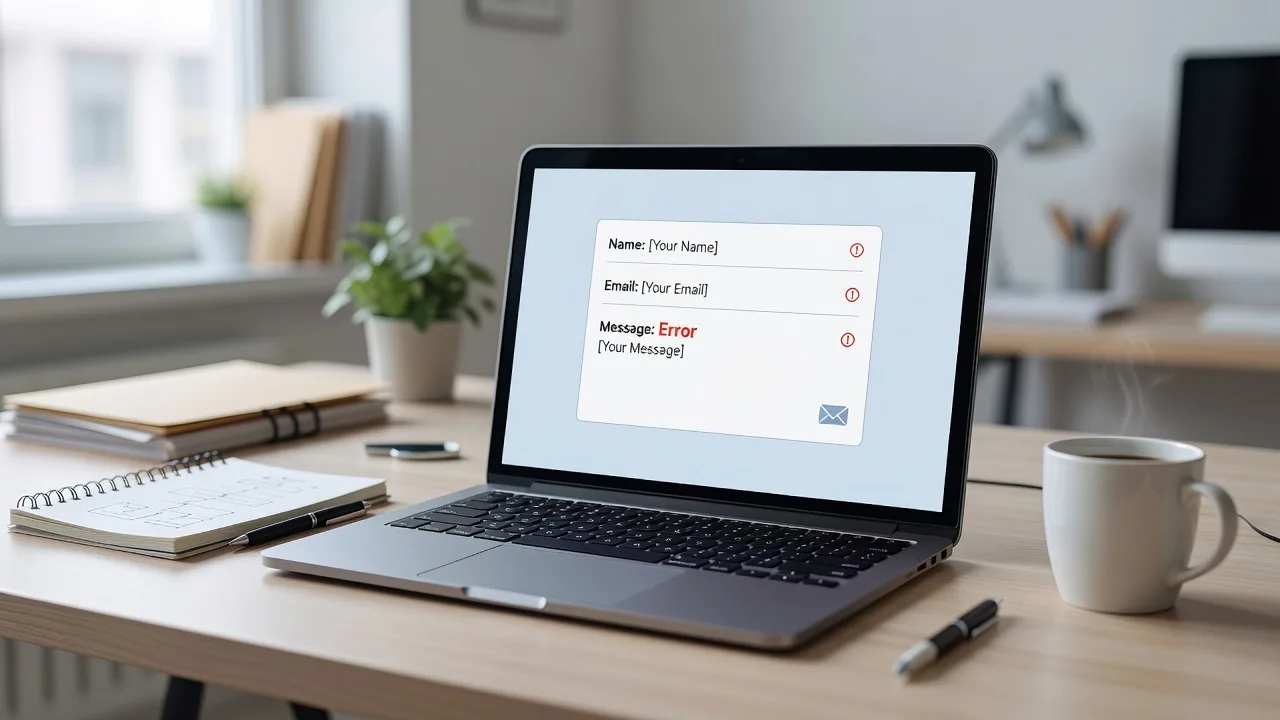
If your website contact form looks fine but never delivers the message, you are not alone—and you do not have to guess your way through mail server logs.
Homeowners and small businesses rely on that form for quotes, bookings, and support. When submissions fail, leads disappear and trust erodes fast. This guide stays on one problem: contact form not sending emails and how to fix website mail submission failures. You will get distinct root causes, copy-pasteable checks, and clear DIY steps. When the stack is beyond a safe self-fix, website support from Fixwebnode can take over the mail path, DNS, and form handler without marketplace noise.
We work with sites across regional Victoria including Geelong and nearby metros; if you need broader coverage, see all service areas.
Why contact form mail failures matter
A broken form is silent. Visitors click Send, see a thank-you page (or nothing), and you never get the email. Hosts often disable raw PHP mail(), spam filters reject unsigned mail, and modern themes stack JavaScript validators that abort the POST. Treating “email not working” as one generic issue wastes hours. Split the failure into mail transport, authentication, application logic, and hosting policy—then fix each layer in order.
Below are unique failure modes we see on production WordPress, static-plus-backend, and custom PHP sites. Each includes symptoms, numbered DIY steps, and when to stop and book a specialist.
Common issues that stop contact forms from sending
1. Host blocks PHP mail() or port 25 — SMTP never leaves the server
Symptoms: Form “succeeds” in the browser, no message in inbox or spam, server logs show mail() returned false, connection timed out to port 25, or “Relay access denied.” Shared hosting panels often disable local sendmail for abuse control.
2. SPF, DKIM, or DMARC reject or quarantine the message
Symptoms: Occasional delivery to Gmail/Outlook spam, bounces mentioning “SPF fail,” “DMARC policy reject,” or “unauthenticated sender.” The form uses a From address on your domain while the message actually leaves from the host’s shared IP.
3. Form handler, plugin, or theme JS aborts the submit
Symptoms: Button does nothing, spinner never ends, console shows 400/403/500 on admin-ajax.php or a custom endpoint, nonce/CSRF errors, or CAPTCHA token invalid. Mail never starts because the request never reaches the mailer.
4. Wrong recipient, From spoofing, or missing Reply-To headers
Symptoms: Test mail arrives only when you send to the same domain, external addresses bounce, or replies go to a no-reply mailbox you do not monitor. Some providers reject messages where From is not an authorized mailbox on that server.
5. Firewall, ModSecurity, or rate limits drop POSTs with email fields
Symptoms: Submissions with links or certain words fail; short tests work; security logs show rule IDs on /contact or wp-json; Cloudflare or host WAF returns 403/406 intermittently.
How to fix each mail submission failure
Fix 1 — Restore outbound mail with real SMTP (not bare mail())
Prefer authenticated SMTP (provider API or mailbox) over PHP mail(). On Linux hosts you control, verify the transport first.
Step 1 — Confirm whether local mail works at all
which sendmail; which postfix; which ssmtp
php -r 'var_export(function_exists("mail")); echo "\n";'
echo "Subject: cli-test" | sendmail -v you@yourdomain.com 2>&1 | tail -n 40
If mail is false or sendmail hangs on port 25, local delivery is not viable for production forms.
Step 2 — Test TCP reachability to your SMTP endpoint
nc -vz smtp.your-provider.com 587
nc -vz smtp.your-provider.com 465
# or
timeout 5 bash -c 'echo >/dev/tcp/smtp.your-provider.com/587' && echo open || echo blocked
Blocked 25/465/587 means you need the host to open outbound SMTP or switch to an HTTPS mail API (Resend, Mailgun, Postmark, SES).
Step 3 — Configure the site to use SMTP with app credentials
WordPress: install a maintained SMTP plugin (e.g. WP Mail SMTP or FluentSMTP), set host, port 587 with STARTTLS (or 465 SSL), username = full mailbox, and an app password—not your login password if 2FA is on. Custom PHP: use PHPMailer or Symfony Mailer with the same settings; never hard-code secrets in the theme—use environment variables.
Step 4 — Send a controlled test and read the log
# WordPress debug log (enable WP_DEBUG_LOG first)
tail -n 100 wp-content/debug.log
# System mail log examples
sudo tail -n 80 /var/log/mail.log
sudo tail -n 80 /var/log/maillog
Expect SMTP AUTH success and a provider message ID. If AUTH fails, rotate the app password and confirm the From address matches an allowed identity.
When to call Fixwebnode: Host denies outbound SMTP, you need an API-based relay wired into a custom form, or mail works in CLI but not under the web user (open_basedir, disabled functions, SELinux). That is standard website support work—not a DIY panel toggle.
Fix 2 — Align DNS authentication (SPF, DKIM, DMARC)
Even perfect SMTP fails if receivers reject the domain alignment.
Step 1 — Inventory every sender that uses your domain
List form SMTP, newsletter tools, Google Workspace/Microsoft 365, and billing systems. One missing include breaks SPF.
Step 2 — Publish or correct SPF (TXT on the apex)
dig +short TXT yourdomain.com
# Example shape (edit includes to match YOUR providers only):
# v=spf1 include:_spf.google.com include:spf.protection.outlook.com include:mail.yourhost.com -all
Keep a single SPF record. Use ~all only while testing; move to -all once paths are known. Do not paste multiple v=spf1 strings.
Step 3 — Enable DKIM at the SMTP provider and add the CNAMEs/TXT keys they give you
dig +short TXT default._domainkey.yourdomain.com
dig +short CNAME s1._domainkey.yourdomain.com
Wait for TTL propagation, then send a fresh form test to Gmail and open “Show original” to confirm DKIM=pass and SPF=pass.
Step 4 — Add a starter DMARC record
# Monitor first
# v=DMARC1; p=none; rua=mailto:dmarc@yourdomain.com; fo=1
dig +short TXT _dmarc.yourdomain.com
After a week of clean reports, tighten to p=quarantine then p=reject if you control all senders.
When to call Fixwebnode: Multiple brands on one domain, partial Google Workspace cutovers, or legacy bulk senders fighting DMARC. Wrong SPF edits can break every mailbox overnight—have a specialist apply and monitor changes.
Fix 3 — Repair the form handler and front-end submit path
If the browser never completes a clean POST, SMTP never runs.
Step 1 — Reproduce with DevTools open
Submit the form while watching Network and Console. Note the request URL, status code, and response body. A 200 HTML thank-you with empty mail logs still points upstream; a 403/500 is application or WAF.
Step 2 — Disable conflicting layers briefly on a staging copy
On WordPress: switch to a default theme temporarily, disable one plugin group at a time (security, cache, optimization, form plugins), purge cache, retest. Do not debug only on live if the site takes payments.
Step 3 — Verify nonces, CAPTCHA secrets, and REST routes
# Example: confirm REST is reachable
curl -sI https://yourdomain.com/wp-json/ | head -n 15
# POST smoke test against a known form endpoint (adjust URL/fields)
curl -s -o /tmp/form-out.txt -w "%{http_code}\n" -X POST 'https://yourdomain.com/wp-admin/admin-ajax.php' \
 -d 'action=your_form_action&name=Test&email=you@example.com'
Mismatched reCAPTCHA v3 site/secret keys, expired Cloudflare Turnstile keys, or cached old nonces are frequent after migrations.
Step 4 — Confirm the handler actually calls the mailer
Add temporary server-side logging at the start of the submit callback (remove after). Ensure required fields validate server-side, not only in JavaScript. Fix any wp_mail filters that rewrite headers incorrectly.
When to call Fixwebnode: Custom builders, headless forms, or minified theme JS you did not write. Construction and trade sites with heavy page builders often need structured rebuilds—see related work like website solutions for Canberra builders & construction specialists when the form is part of a larger site refresh.
Fix 4 — Correct From, To, and Reply-To so providers accept the message
Step 1 — Use an authorized From mailbox
Set From to something like forms@yourdomain.com that exists (or is allowed) at the SMTP provider. Put the visitor address in Reply-To, not From. Spoofing the visitor as From triggers spam filters and DMARC fails.
Step 2 — Double-check recipient fields in the CMS
Typos, old staff addresses, and distribution lists that reject external mail are common after staff changes. Send tests to an external Gmail and to your primary business domain.
Step 3 — Normalize headers in code or plugin settings
# Conceptual PHPMailer-style checks (adapt to your stack)
# setFrom('forms@yourdomain.com', 'Site Contact');
# addReplyTo($_POST['email'], $_POST['name']);
# addAddress('owner@yourdomain.com');
Strip newlines from user input before headers to avoid injection. Validate email format server-side.
When to call Fixwebnode: Shared inboxes, CRM forwarding rules, or multi-brand sites where each form must route differently under one SMTP identity.
Fix 5 — Unblock POSTs stopped by WAF, ModSecurity, or bot rules
Step 1 — Correlate timestamps
sudo grep -iE 'modsec|access denied|403' /var/log/apache2/error.log | tail -n 50
sudo grep -iE 'modsec|403' /var/log/nginx/error.log | tail -n 50
# Cloudflare: check Firewall Events for the contact URI around the test time
Step 2 — Whitelist the form path carefully
Allow POST to the specific contact endpoint; do not disable the whole WAF. If a rule trips on email body content (URLs in messages), tune that rule or present a friendlier error so users retry without links.
Step 3 — Rate limits and bot scores
Lower sensitivity on the contact URI or add a proper CAPTCHA instead of silent drops. Retest from a clean browser and from mobile data to rule out IP reputation.
When to call Fixwebnode: Legacy PHP apps with brittle ModSecurity profiles, or hardening after an incident. Deep code and firewall work overlaps with engagements such as Melbourne CBD legacy code refactoring & security audits when the form failure is a symptom of older stack debt.
When DIY is enough vs when to book Fixwebnode
DIY is enough when you can enable SMTP with valid credentials, fix an obvious plugin conflict on staging, correct a single SPF/DKIM record you control, or adjust a form recipient typo—and you can prove delivery with “Show original” passes.
Book a specialist when outbound ports are locked, DMARC must be enforced across many tools, the handler is custom or partially broken after a migration, WAF false positives need rule-level fixes, or you cannot afford missed enquiries while experimenting on live DNS. Fixwebnode provides direct website support for Geelong and surrounding regions: mail transport, DNS auth, form logic, and verification—not a bid board.
Bring what you already captured: failing request status, a redacted mail log snippet, DNS TXT outputs, and whether tests reach spam. That shortens diagnosis to the failing layer.
Talk through your form mail failure
Silent contact forms cost real jobs and customer trust. Work through the SMTP, DNS, handler, header, and WAF checks above in order; stop when the next change risks mail for the whole domain. When you want a specialist to own the fix and confirm end-to-end delivery, start a conversation with Fixwebnode via website support in Geelong and outline your CMS, host, and what happens when you hit Send.