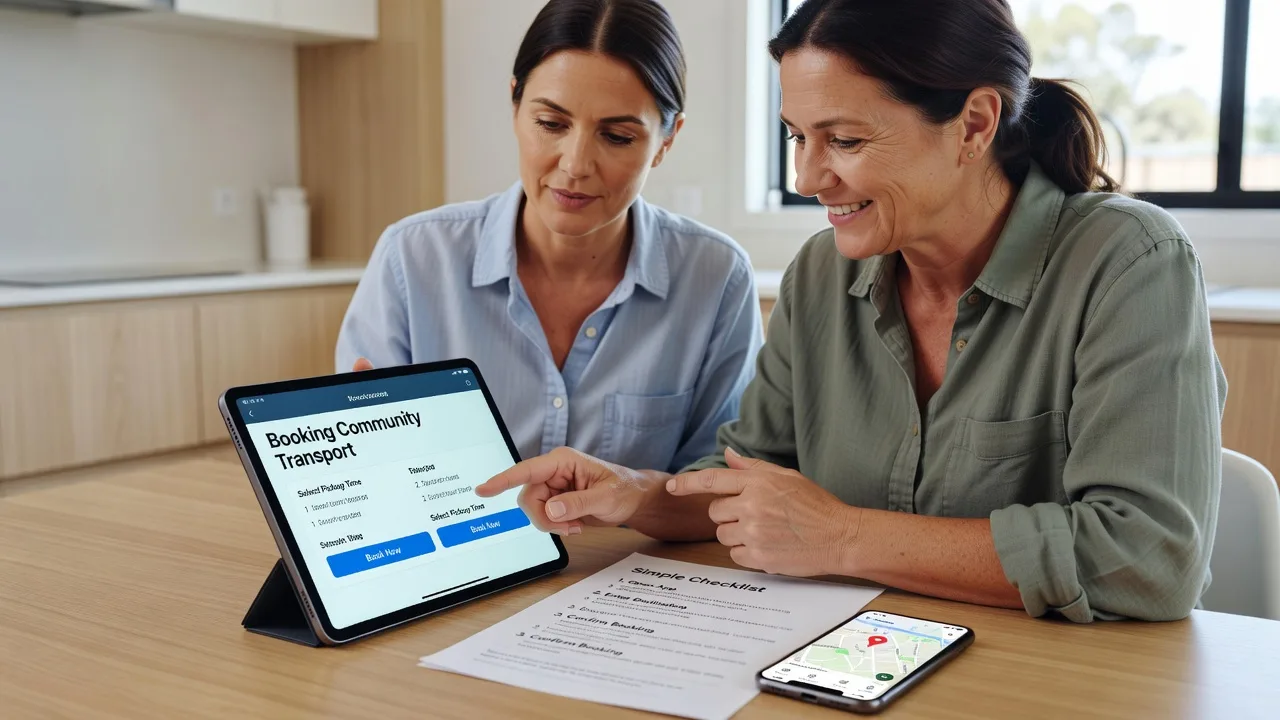
Multi-Vendor & Complex SaaS Marketplaces
 Modern Headless & Jamstack Web Development
 High-End Corporate & Specialized Business Websites
 Advanced API, Checkout & Database Troubleshooting
Remote AT Software Configurator for Melbourne Clients
Remote assistive technology software set up so Melbourne participants, families, and clinics can use devices with confidence.
We configure screen readers, switch access, AAC apps, magnification, and OS accessibility so the tech matches real daily routines—from apartment living to community clinics and telehealth days. Fixed scopes, plain-English guidance, no marketplace runaround.
Need hands-on help now? Call 0421498927 or book via fixwebnode.com.au/contact-support.
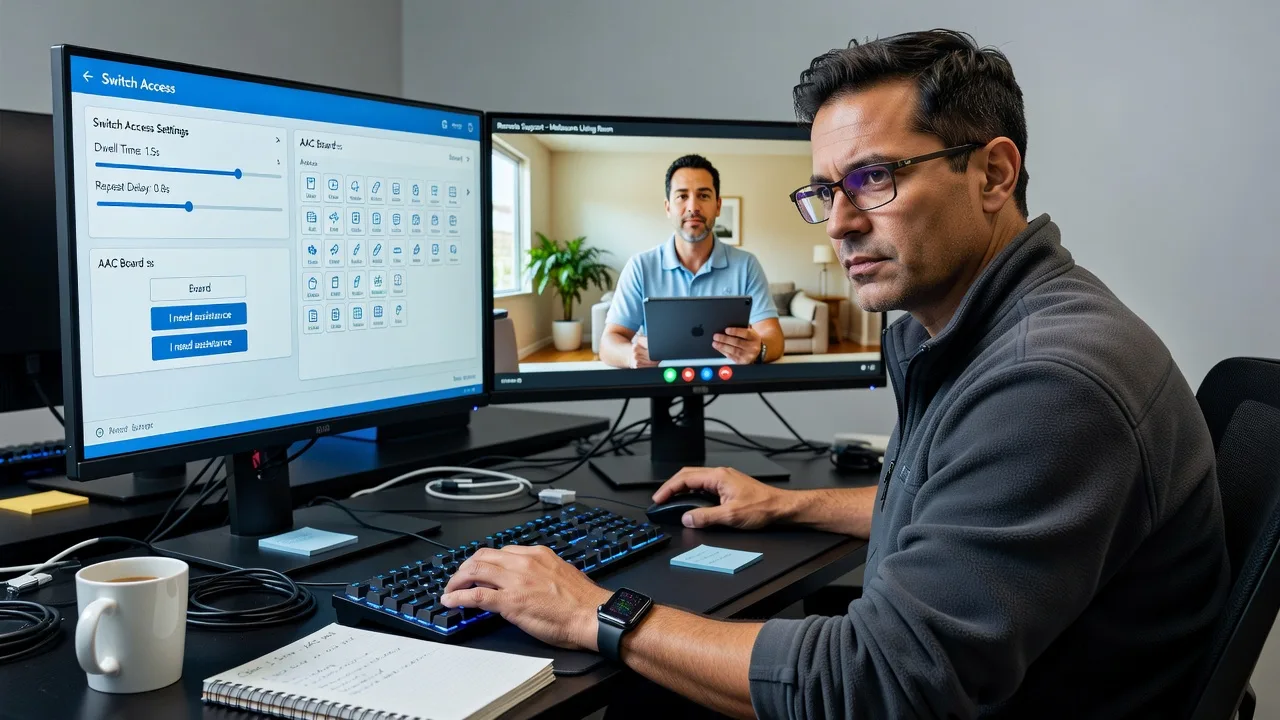
About this service
Get assistive technology software configured remotely so Melbourne NDIS participants, aged-care clients, clinics, and support teams can rely on devices that actually work in everyday life—not just in a demo.
What You'll Get
- Device & OS accessibility baseline - Screen reader, magnification, keyboard, pointer, and contrast settings tuned to the user, not left on factory defaults.
- AT app configuration - AAC, switch control, eye-gaze companion software, reading supports, and voice access aligned to goals in the plan or therapy brief.
- Profile & permission hygiene - Clean user accounts, update channels, and safe admin boundaries so settings survive restarts and carer handovers.
- Plain-English walkthrough - Patient remote session so the participant, parent, or support worker can repeat key tasks without jargon.
- Handover notes - What changed, why, and how to undo or escalate—useful for support coordinators and clinic records.
- Optional follow-up slot - Short check-in after real-world use so timing, vocabulary, or switch dwell can be refined.
Serving Melbourne & surrounds
Melbourne’s AT demand is not one-size-fits-all: CBD and inner-metro clinics juggle telehealth rooms and shared devices, while family homes in denser apartment blocks need quiet, stable remote sessions that fit school and shift rosters. We work across metro Victoria with a practical feel for how equipment is actually used between therapy visits.
- Clinic and allied-health rooms near the CBD that need consistent accessibility profiles on shared Windows or iPad carts
- NDIS and aged-care households in mixed residential pockets—including support networks around Box Hill—where carers rotate and settings get overwritten
- Fully remote delivery with optional guided on-site liaison when a local support worker must hold a switch, mount, or tablet during setup
How We Work
- Step 1: Reach Out - Tell us the device, AT goals, NDIS/aged-care context, and what is failing today; we listen before touching settings.
- Step 2: Tailored Plan - Fixed-scope quote for configuration depth, training path, and whether one device or a small ecosystem is in play.
- Step 3: We Deliver - Secure remote session: baseline OS access, app install/config, switch or AAC tuning, and calm coaching for the end user or carer.
- Step 4: Confirm & Follow-up - Verify success criteria together, leave written notes, and schedule an optional refinement after real use.
Common Issues & How to Fix Them
These are problems we see repeatedly on Melbourne remote AT jobs—specific symptoms, safe first checks, and when to stop DIY.
Screen reader skips form labels or reads controls out of order
Often the app was installed before the browser/OS accessibility API was enabled, or a second reader (Narrator plus NVDA/VoiceOver habits) is fighting focus.
- Step 1: Confirm only one primary screen reader is running; quit Narrator if NVDA/JAWS is the daily tool (or vice versa on Mac/iOS equivalents).
- Step 2: In the browser, enable accessibility support / force accessibility mode if present, then reload the form page and tab once through every field.
- Step 3: Verify each control announces a meaningful name and state; if labels stay blank, the page needs an AT-aware browser profile or app update—not louder speech rate.
Switch access activates too early, double-fires, or never accepts a long hold
Dwell, acceptance time, and debounce were left at defaults while the user’s motor pattern or switch hardware needs slower timing—common after a rushed clinic handoff.
- Step 1: Note whether the miss is early press, bounce (double select), or failure on intentional long hold; write the symptom before changing numbers.
- Step 2: Increase acceptance/debounce slightly in small steps (for example 50–100 ms at a time) and test the same three target buttons the user actually uses daily.
- Step 3: Confirm ten clean activations without accidental scan jumps; if timing only works when you hold the switch for them, hardware seating or a different switch type is the next check—not endless software tweaks.
AAC vocabulary or voice looks fine on one device but vanishes or desyncs on the spare tablet
Cloud backup was never signed in on the second device, or a carer restored an old local copy after an OS update—frequent when families rotate iPads between school and home.
- Step 1: On the working device, open the AAC app’s backup/export or account screen and confirm the last successful sync timestamp.
- Step 2: On the spare device, sign into the same vendor account (or import the latest board file) and refuse older local snapshots if the date is wrong.
- Step 3: Add one test button on device A, sync, and prove it appears on device B; if it does not, stop restoring random files and book a controlled merge so vocabulary is not overwritten.
Expert insight (Melbourne scenario): When a support coordinator in metro Melbourne asks for a quick AAC fix before a plan review, the failure mode is usually not the symbol set—it is two carers each restoring different board backups after school term starts. Good looks like one named source-of-truth profile, a dated export in a shared folder the coordinator can open, and switch/OS settings documented in one paragraph. Bad looks like three iPads each with a slightly different home board, speech rate changed by whoever last had the tablet, and no note of which switch debounce was working last Thursday. After years of these handovers, we lock the source profile first, then clone outward—never the other way around.
When DIY is not enough (urgent, unsafe, recurring, or burning time), book Fixwebnode for direct professional support—no freelancers, bidding, or marketplace noise.
Why Choose Fixwebnode
We deliver assistive technology configuration ourselves as a direct provider: technical depth on accessibility stacks plus patient, jargon-free coaching for participants, families, and clinic staff. Melbourne clients get remote sessions scheduled around real routines—therapy days, school hours, and carer changeovers—not generic ticket queues.
- ✓ Direct AT software configuration and accessibility tuning—no multi-seller bidding layer
- ✓ Dual focus: enterprise-clean remote setup plus calm human guidance for NDIS, aged care, and education contexts
- ✓ Written handover notes support coordinators and clinics can actually file
Tools & Technologies
Windows Accessibility / Narrator coexistence checks, NVDA and JAWS profile hygiene, macOS VoiceOver and Zoom, iOS/iPadOS Accessibility and Guided Access, Android TalkBack basics, common AAC platforms and board backup/export flows, Switch Control and third-party switch interfaces, magnification and colour-filter stacks, remote support via secure screen-share, browser accessibility flags, and plain-English setup checklists for carers.
Perfect For
Melbourne NDIS participants and families, aged-care clients, support coordinators, allied-health clinics running telehealth, education supports, and small providers who need AT software that survives real homes and shared devices. Ideal when equipment arrived but settings still block independence—or when two devices disagree and nobody is sure which profile is current.
Ready to stabilise your AT setup? Call 0421498927 or continue at fixwebnode.com.au/contact-support.
Choose a package
Single-device remote AT baseline: OS accessibility plus one primary app tuned and verified.
Multi-app AT configuration with carer coaching and a practical handover pack for Melbourne support teams.
Full AT software ecosystem setup, dual-device sync discipline, extended training, and priority follow-up.
FAQ
Most Melbourne AT software configuration is completed remotely with secure screen-share and clear coaching. If a local support worker must physically hold a switch, mount, or tablet, we guide them step-by-step on the call. Travel on-site is not the default for this service; we design the session so metro and outer-metro households can finish without a site visit whenever the hardware is already with the user.
Have device model and OS version, list of AT apps already installed, NDIS or therapy goals in plain language, and who will be present (participant, parent, support worker). Note exact symptoms—for example switch double-firing or AAC boards missing on the spare iPad. Admin passwords and any vendor account emails for AAC backups save significant time.
Yes. We deliver the technical configuration and training path ourselves and can supply clear notes your coordinator or clinic can attach to records. We do not replace clinical prescription of AT; we implement and stabilise the software side so prescribed tools become usable day to day.
That is common. Basic and Standard include defined revision or refinement scope; Premium adds a priority follow-up window. We also leave a short restore checklist so carers know which profile is the source of truth before anyone reinstalls from an old backup.