Multi-Vendor & Complex SaaS Marketplaces
 Modern Headless & Jamstack Web Development
 High-End Corporate & Specialized Business Websites
 Advanced API, Checkout & Database Troubleshooting
Patient Data Encrypted Email System Admin — Melbourne
Secure encrypted email for patient data across Melbourne clinics and care teams—administered by us, end to end.
We design, lock down, and run encrypted mail paths so clinical notes, referrals, and discharge packs stay protected in CBD consulting rooms, suburban practices, and multi-site groups. Clear handovers, no marketplace bidding.
Need help fast? Call 0421498927 or book at fixwebnode.com.au/contact-support.
- Policy-aligned encryption & key handling
- Staff-friendly setup with plain-English guides
- Remote admin with optional on-site Melbourne visits
About this service
We administer encrypted email systems built for patient data so Melbourne clinics, telehealth teams, and care providers can send sensitive records without leaking PHI or burning hours on broken mail flows. You get direct system administration from Fixwebnode—technical lock-down plus patient, jargon-free support for the people who actually click Send.
What You'll Get
- Encrypted mail architecture review - Map how patient messages, attachments, and referrals move today, then harden transport and at-rest handling.
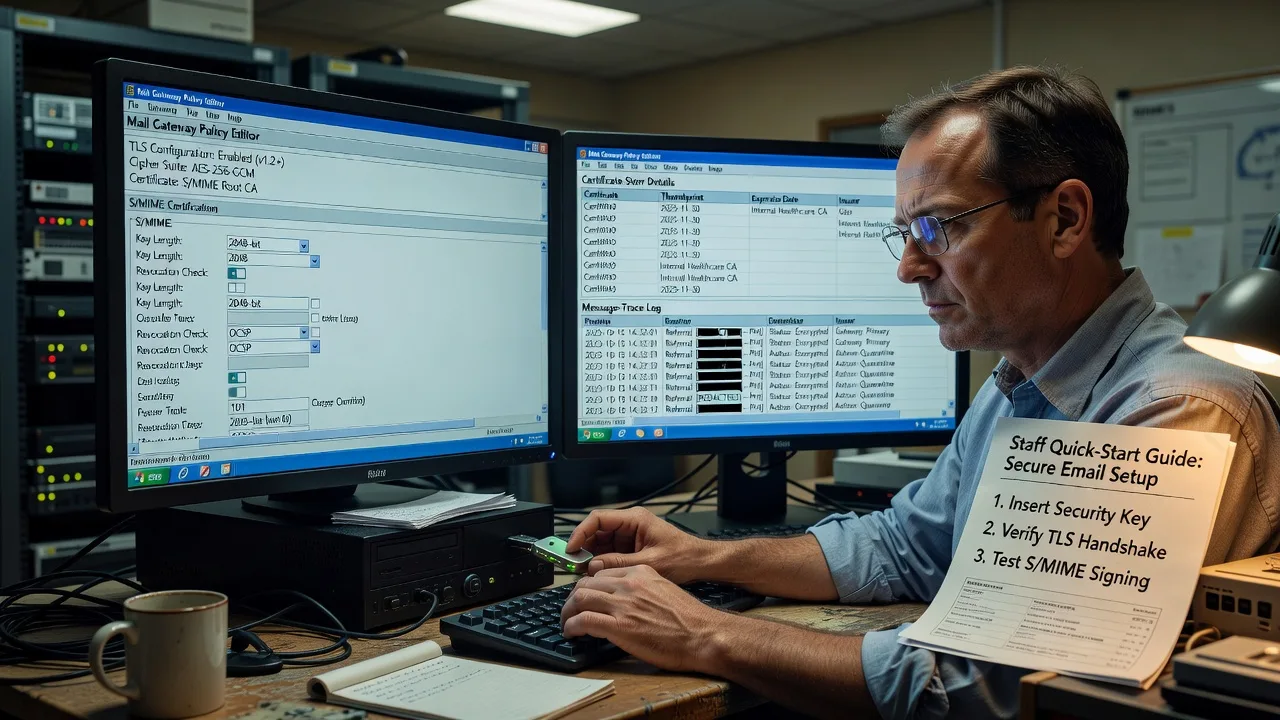
- Policy-aligned encryption setup - S/MIME, PGP, or gateway-level encryption configured to match your clinical workflow—not a one-size template.
- Key & certificate lifecycle admin - Issuance, renewal, revocation, and staff onboarding so keys do not expire mid-referral week.
- Staff playbooks in plain English - Short how-to sheets and walkthroughs so reception, nurses, and GPs encrypt correctly without IT panic.
- Audit-ready logging & access controls - Who sent what, when, and under which role—useful when privacy questions land.
- Ongoing remote administration - Monitoring, patch windows, and incident response for the mail stack you rely on daily.
Serving Melbourne & surrounds
Melbourne healthcare is a mix of CBD multi-floor clinics, high-street GP suites, hospital-adjacent specialists, and aged-care or NDIS offices that share referral traffic all week. We build encrypted email admin around those rhythms—peak Monday referral dumps, after-hours telehealth, and shared inboxes that must stay private when locums rotate through.
- CBD and inner-metro consulting suites where multiple practitioners share devices and need clean role-based mail encryption
- Suburban practice clusters (including areas such as Box Hill and Footscray) juggling pathology results, imaging links, and discharge summaries under tight privacy expectations
- Remote-first admin with scheduled on-site Melbourne visits when certificate installs, gateway appliances, or staff coaching need hands-on time
How We Work
- Step 1: Reach Out - Tell us your mail platform, who handles patient data, and where encryption already fails or frets staff. We listen before we touch configs.
- Step 2: Tailored Plan - Fixed-scope quote for technical build/admin plus a clear support path for training reception and clinical users.
- Step 3: We Deliver - Remote hardening of servers, gateways, clients, and keys; patient video or on-site coaching where teams need calm walkthroughs.
- Step 4: Confirm & Follow-up - Plain-English handoff, test sends with dummy PHI-shaped data, optional maintenance windows and renewal calendar.
Common Issues & How to Fix Them
These are the encrypted-mail failures we see repeatedly in clinical settings—symptoms first, then safe checks you can try before calling us in.
Outbound patient emails leave the clinic unencrypted despite “secure send” habits
Often the client only encrypts when a button is remembered, or the gateway rule never matched the domain—so attachments still leave in clear text on busy referral days.
- Step 1: Send a test message to a controlled external address you own and inspect headers (or the provider’s message trace) for TLS-only vs true content encryption (S/MIME/PGP/gateway envelope).
- Step 2: Confirm the intended encryption method is enforced by policy (mandatory encrypt for patient domains or keyword/classification tags), not optional UI only.
- Step 3: Verify by opening the received item on a device without your private key or portal login—if body/attachments are readable in the clear, encryption did not apply; fix the rule and retest.
Staff cannot open encrypted mail after a laptop rebuild or new hire week
Private keys or certificates lived only on the old machine, or the new profile never imported the identity—classic after hardware refresh or locum onboarding.
- Step 1: Check whether the user certificate/private key appears in the OS or mail-client certificate store and whether it shows a private key present.
- Step 2: Restore from your documented backup (exported PFX/P12 with password held separately) or re-issue via your CA/internal PKI; never email private keys in the clear.
- Step 3: Decrypt a known-good encrypted test message and confirm signing works outbound; document the profile path so the next rebuild is repeatable.
Encryption works internally but external specialists bounce or quarantine the message
Gateway wrapping, unusual MIME, or missing intermediate certificates trigger spam filters—especially when referring across different practice software stacks.
- Step 1: Capture the bounce/DSN code and the external party’s accepted secure methods (portal link, specific S/MIME, TLS-plus-password PDF, etc.).
- Step 2: Align outbound format: complete cert chain, supported cipher suite, and attachment size limits; prefer an agreed secure channel rather than fighting every filter.
- Step 3: Complete a supervised test referral with non-real data, confirm receipt and decrypt/access on their side, then lock the working pattern into your staff playbook.
When DIY is not enough (urgent, unsafe, recurring, or burning time), book Fixwebnode for direct professional support—no freelancers, bidding, or marketplace noise.
Expert Insights
After years hardening clinical mail paths, the failure mode we still catch in Melbourne multi-practitioner rooms is false confidence from opportunistic TLS. A practice manager sees a padlock on the transport hop to Microsoft 365 or Google and assumes patient PDFs are protected if the laptop is stolen from a shared hot desk near Southern Cross or a suburban waiting room. TLS protects the pipe between servers; it does not encrypt the message at rest in the recipient mailbox or on a synced phone. Our analysis method: pull a week of message traces, classify threads that contain Medicare numbers, imaging links, or care-plan language, then score each path as transport-only, portal-retrieved, or true end-to-end/content encryption. We visualise that as a simple swimlane—author → gateway → recipient store → mobile sync—and mark every lane that remains readable offline. Insight that changes decisions: if more than ~30% of PHI-shaped mail is transport-only and lands in mailboxes without forced MFA plus device encryption, you do not have a patient-data email system yet—you have ordinary email with better marketing. We then pick one enforced pattern (gateway encryption with identity-aware release, or S/MIME with central key escrow for the clinic entity) and retire optional “remember to encrypt” buttons that collapse under Monday referral volume.
Why Choose Fixwebnode
We are the direct provider: enterprise-grade remote administration for the mail and crypto stack, paired with calm coaching for non-technical clinical staff. Melbourne clinics get someone who understands both certificate chains and the reality of a full waiting room.
- ✓ Hands-on encrypted mail administration—not a ticket ping-pong desk
- ✓ Dual-tier delivery: infrastructure lock-down plus human digital support for NDIS, aged care, and practice teams
- ✓ Local-aware scheduling for metro Melbourne remote work and on-site when keys or gateways need physical presence
Tools & Technologies
Microsoft 365 / Exchange Online message encryption and sensitivity labels; Google Workspace S/MIME; postfix/OpenSSL and mail gateway appliances; S/MIME and OpenPGP key management; certificate authorities and internal PKI; TLS inspection reviews; DLP and journaling alignment; PowerShell and audit log analysis; secure patient portals as complementary channels; MDM basics for mail-enabled clinical devices.
Perfect For
Melbourne GPs, allied health, specialist rooms, telehealth operators, NDIS and aged-care coordinators, and small clinic groups that must move patient data by email without gambling on goodwill and transport TLS alone. Ideal when you want one accountable administrator for the crypto path and patient training for the people sending the mail—not a chain of vendors.
Ready to lock down patient email properly? Call 0421498927 or reach us via fixwebnode.com.au/contact-support and we will map your current path before changing a single setting.
Choose a package
Remote review of your patient-email path plus a written hardening plan and one guided test encrypt/decrypt cycle.
Full configuration of enforced encrypted email for one clinic tenant, staff playbook, and key/cert onboarding for core users.
Multi-site or complex gateway/S/MIME administration, full lifecycle key management, on-site Melbourne option, and ongoing admin window.
FAQ
Most encrypted email administration is completed remotely across metro Melbourne with secure access to your tenant or gateway. When certificate installs, appliance work, or group training needs a room full of staff, we schedule an on-site visit in the Melbourne service area and confirm parking or building access ahead of time.
Yes. We assess what your platform already offers—message encryption, S/MIME, sensitivity labels, DLP—and enforce a pattern that matches how your team actually refers patients. We do not rip out working mail; we close the gaps where PHI still leaves in the clear.
That is half the job. Alongside the technical build we deliver short playbooks and calm walkthroughs so people know when encryption is automatic, when a portal link is required, and what to do if a specialist cannot open a file—without dumping crypto jargon on a busy front desk.
We treat that as an incident-informed design input: review what left, tighten enforced rules, improve logging, and retrain the exact step that failed. You get a direct administrator accountable for the fix path, not a generic advice PDF.