Multi-Vendor & Complex SaaS Marketplaces
 Modern Headless & Jamstack Web Development
 High-End Corporate & Specialized Business Websites
 Advanced API, Checkout & Database Troubleshooting
NDIS Audit Tech-Readiness Preparedness – Melbourne
Get Melbourne NDIS audit-ready with calm, jargon-free tech preparedness support.
We help Plan-Managed and Self-Managed participants and small providers tidy portals, evidence folders, MFA, and screen-share setups before audit week—especially when CBD clinics and outer-metro support offices juggle busy schedules. Unregistered provider pathways welcome where your plan allows.
Power up your support: call 0421498927 or book via fixwebnode.com.au/contact-support.
- Patient walkthroughs, not tech lectures
- Clear readiness checklist you can keep
- Remote-first with Melbourne-aware scheduling
About this service
Walk into your next NDIS audit or quality check knowing your tech, evidence folders, and login pathways actually work—without drowning in jargon. We deliver direct NDIS auditing tech-readiness preparedness for Melbourne participants, support coordinators, and small providers who need human-paced digital support.
What You'll Get
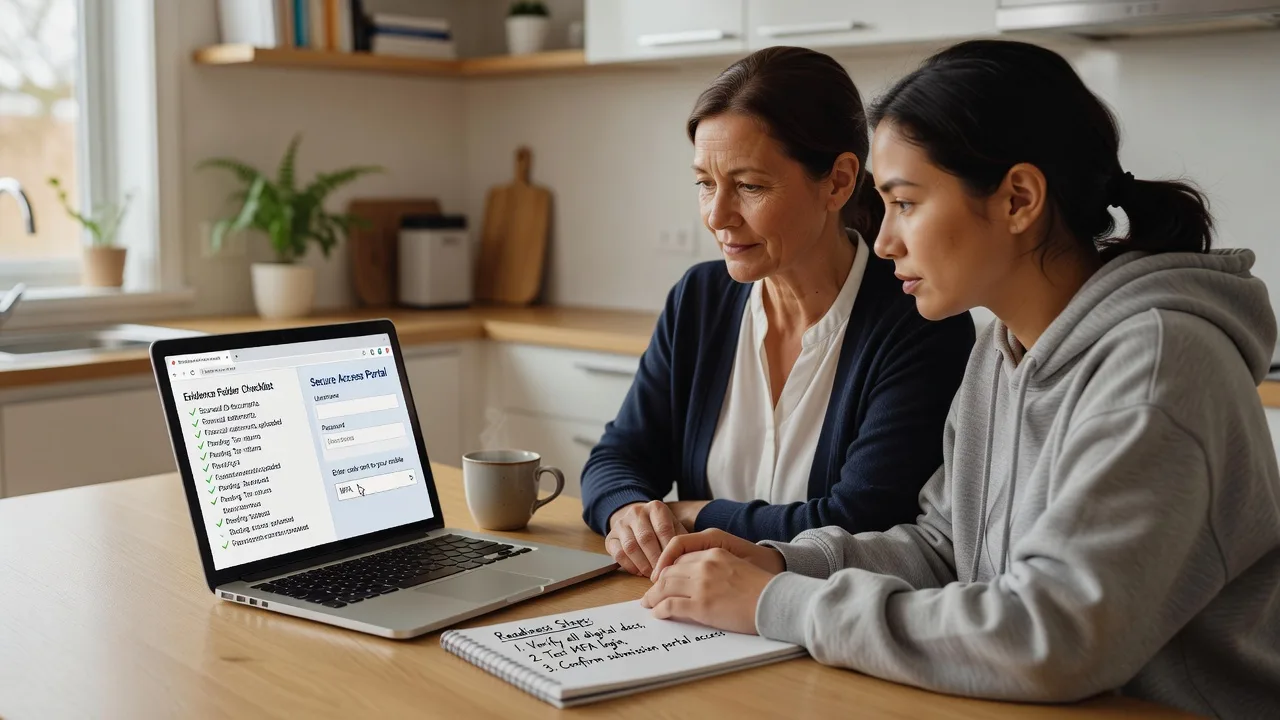
- Tech-readiness snapshot - Plain-English review of portals, devices, browsers, MFA, and file storage against what auditors typically ask to see on screen.
- Evidence folder structure - Simple naming and folder map so support notes, invoices, and consent records are findable in minutes, not hours.
- Audit-day screen-share dry run - Practice joining a secure call, sharing the right window only, and switching apps without freezing or exposing private tabs.
- Access & backup logins plan - Who holds which credentials, recovery codes location, and what to do if a portal locks mid-session.
- Participant-friendly handout - One-page steps in everyday language for Plan-Managed or Self-Managed participants (we support as an unregistered provider for those plan types where appropriate).
- Follow-up tweak session - Short check after you try the checklist live, so gaps get closed before the real date.
Serving Melbourne & surrounds
Melbourne’s NDIS mix runs from dense inner-metro apartment support and CBD allied-health suites through to warehouse-fringe sole traders and family homes across the metro fringe. Audit stress spikes when staff rotate across sites, when school-term calendars collide with plan reviews, and when home Wi-Fi is shared with streaming and study. We centre remote sessions on Melbourne business hours and can align on-site coaching when a calm table setup matters more than another Zoom tab.
- Clinic and office teams near commercial strips who need shared-device hygiene before an auditor screen-share
- Home-based support workers juggling tablet evidence capture between community access runs
- Remote-first prep with optional Melbourne metro on-site when multi-person walkthroughs work better face-to-face (e.g. Preston-area home offices or similar metro pockets—scheduled case by case)
How We Work
- Step 1: Reach Out - Tell us your audit or mid-term check date, plan type (Plan-Managed / Self-Managed), and what already feels shaky—we listen before we touch settings.
- Step 2: Tailored Plan - You receive a clear support path and fixed-scope quote: readiness snapshot, dry run, folder map, and handout—no vague hourly drift.
- Step 3: We Deliver - Patient video (or agreed on-site) sessions: we coach at your pace, label what matters for evidence, and leave infrastructure noise in the background unless a quiet server or backup fix is truly needed.
- Step 4: Confirm & Follow-up - Plain-English summary, checklist you own, and optional short follow-up after you rehearse alone.
Common Issues & How to Fix Them
These are the readiness gaps we see repeatedly before NDIS quality and audit conversations—not generic “update your browser” advice.
Portal MFA loop that eats the first 20 minutes of an audit call
It shows up when the authenticator app is on a phone left in another room, recovery codes were never saved, or a second staff member never completed enrol—common in small Melbourne provider teams sharing a front-desk laptop.
- Step 1: On a calm day (not audit morning), sign in and note exactly which phone or hardware key completes MFA; photograph recovery codes into an offline sealed note only you control.
- Step 2: Enrol a second approved factor for the backup person named in your continuity plan; remove old phones from the MFA device list.
- Step 3: Time a full login-to-dashboard run; if it takes more than two minutes or needs a colleague’s phone, fix ownership before the real call.
Evidence exists but the folder tree makes you look unprepared
Supports were delivered, yet PDFs sit in Downloads, email attachments, and three differently named “NDIS stuff” folders—auditors ask for a date range and the room goes quiet.
- Step 1: Create one root folder for the current plan period only; subfolders by month or by support category—pick one rule and stick to it.
- Step 2: Rename files with date-first names (YYYY-MM-DD_type_participantInitials); move duplicates to an Archive subfolder rather than deleting in a panic.
- Step 3: Practice retrieving one invoice, one progress note, and one consent record in under sixty seconds each; if you cannot, simplify names again.
Screen-share shows the wrong window or freezes on shared Wi-Fi
Apartment and café-adjacent home offices across Melbourne often share congested Wi-Fi; people share the entire desktop and accidentally flash unrelated chats or banking tabs.
- Step 1: Close slack/mail/banking; open only the portal and the evidence folder; in your meeting app choose Share window (not entire screen).
- Step 2: Plug in Ethernet or move closer to the router; pause cloud backups and large downloads for the rehearsal hour.
- Step 3: Record a two-minute rehearsal (or have a colleague watch); confirm only the intended window is visible and audio stays clear.
When DIY is not enough (urgent, unsafe, recurring, or burning time), book Fixwebnode for direct professional support—no freelancers, bidding, or marketplace noise.
Expert Insights
After years of pre-audit digital coaching with Melbourne sole traders and small teams, the pattern that predicts a calm session is not “more software”—it is a 15-minute ownership map: who can unlock MFA, where the plan-period root folder lives, and which single laptop is the audit device. Teams that skip the ownership map often pass day-to-day work yet stall when an auditor asks for a mid-year sample under time pressure. Build the map first; tools second. If two people can retrieve the same three artefacts without calling each other, your tech-readiness score jumps more than any new app install.
Why Choose Fixwebnode
We are a direct provider: Tier-2 human digital support with quiet Tier-1 technical depth if a login, backup, or device issue truly blocks you. You work with us—patient, plain language, NDIS-aware—not a bid board. Melbourne scheduling respects clinic blocks, community-access runs, and plan-review season crunch.
- ✓ Unregistered provider support oriented to Plan-Managed and Self-Managed participants where your plan allows
- ✓ Readiness checklists and dry runs designed for real audit-call behaviour, not brochure theory
- ✓ Local awareness of metro clinic, home-office, and shared-device realities without suburb keyword stuffing
Tools & Technologies
NDIS participant and provider portals (as applicable to your access), secure video (Zoom/Teams/Google Meet window-share discipline), browser hygiene (Chrome/Edge profiles), authenticator apps and backup codes, structured cloud folders (OneDrive/Google Drive/Dropbox) with date-first naming, basic PDF merge/rename, simple checklist docs, and optional lightweight password-manager coaching for recovery hygiene—always at a pace that respects cognitive load.
Perfect For
Melbourne NDIS participants (Plan-Managed or Self-Managed), family members helping with digital prep, support coordinators, and small unregistered or lean provider offices who want audit-week tech calm without enterprise jargon. Ideal when a review date is fixed, evidence is “somewhere,” and you need a human guide to make portals, MFA, and folders behave under pressure.
Ready to steady the tech side of audit prep? Call 0421498927 or continue at fixwebnode.com.au/contact-support.
Choose a package
Remote tech-readiness snapshot plus plain-English checklist for one upcoming NDIS audit or quality check.
Snapshot, evidence-folder map, MFA ownership plan, and live screen-share dry run with follow-up notes.
Full preparedness path for small Melbourne teams or complex Plan-Managed setups including second rehearsal and on-site option.
FAQ
Most NDIS audit tech-readiness sessions are remote across Melbourne so we can work around community access and clinic blocks. When a shared office laptop, multi-person walkthrough, or home setup needs hands-on coaching, we can arrange Melbourne metro on-site by agreement. Travel and timing are confirmed up front in your plan—no surprise marketplace fees.
We operate as an unregistered provider supporting Plan-Managed and Self-Managed participants where those plan arrangements allow purchasing this kind of digital readiness help. Bring your plan management contact details if invoices need to go a certain way; we keep explanations plain and paperwork tidy.
Your approximate audit or check-in date, the device you will use on the day, access to the portals you normally open, and a rough idea of where invoices and notes currently live. You do not need perfect folders first—that is part of what we build together at a calm pace.
No. We provide practical tech-readiness and digital organisation coaching so you can present information smoothly. Quality auditor judgements and formal compliance findings remain with the relevant NDIS processes and your professional advisors; we make the technology side less stressful.