Multi-Vendor & Complex SaaS Marketplaces
 Modern Headless & Jamstack Web Development
 High-End Corporate & Specialized Business Websites
 Advanced API, Checkout & Database Troubleshooting
Allied Health Halaxy & Splose CRM Booking Integrator Melbourne
Connect Halaxy or Splose booking, claims, and patient flow for Melbourne allied health clinics—without marketplace noise.
We configure calendars, online booking rules, practitioner rosters, and claim pathways so multi-room CBD suites and suburban practices stop double-booking and chasing invoices. Remote setup with plain-English handoff for your admin team.
Power up support: call 0421498927 or book via fixwebnode.com.au/contact-support.
- Halaxy & Splose workflows mapped to your rooms
- Booking, SMS, and invoice checks included
- Direct provider—fixed scopes, no bids
About this service
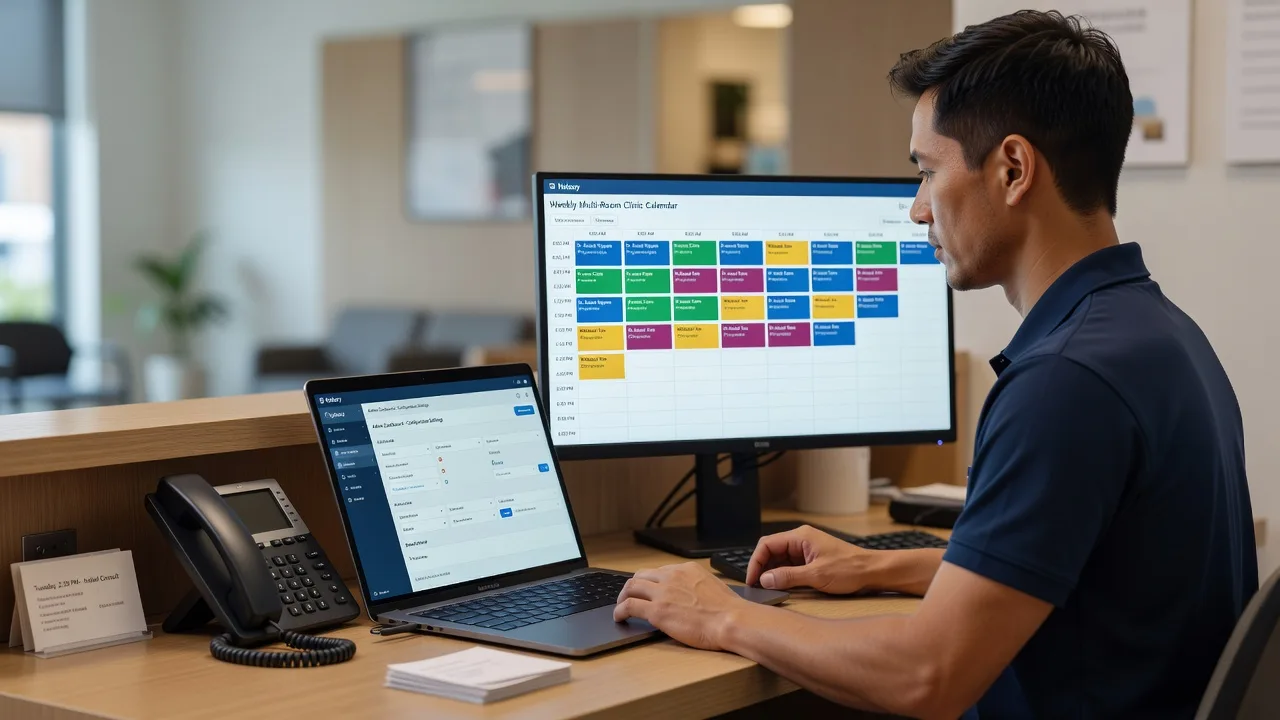
Get Halaxy or Splose working as one reliable booking, clinical, and billing spine for your Melbourne allied health practice—so reception stops firefighting calendars and claims. We integrate and tune CRM, online booking, practitioner availability, and invoice pathways as a direct provider, with clear technical setup plus patient admin coaching where your team needs it.
What You'll Get
- Platform audit & gap map - Current Halaxy or Splose setup reviewed against rooms, modalities, and claim types you actually run.
- Booking rules that match real capacity - Online booking, buffers, and practitioner calendars aligned so peak hours do not oversell.
- CRM fields & referral pathways - Referral sources, GP notes, and episode status structured for clean handoffs between admin and clinicians.
- Claims & invoice pathway checks - Item codes, funder settings, and export habits tightened so billing does not stall after sessions.
- Staff walkthrough (jargon-free) - Short recorded or live handoff so reception can book, reschedule, and chase no-shows without guesswork.
- Optional patient-facing polish - Confirmation SMS/email wording and portal steps that reduce missed appointments.
Serving Melbourne & surrounds
Melbourne allied health is dense with multi-disciplinary suites, hospital-adjacent rooms, and high-street practices juggling private, DVA, NDIS, and workcover traffic in the same week. We design booking and CRM flow around that mix—not a generic national template—whether you run a compact CBD consulting floor or a multi-room clinic in the suburbs.
- CBD and inner-metro suites where shared rooms and rotating contractors need hard booking buffers and clear ownership of the diary.
- Suburban high-street clinics (including pockets such as Footscray and Box Hill catchments) balancing school-hour paediatric load with after-work adult caseloads.
- Remote-first configuration with optional on-site or video coaching for reception; travel discussed when a walk-through of rooms and Wi-Fi/printer realities helps.
How We Work
- Step 1: Reach Out - Tell us which system (Halaxy, Splose, or both), your modalities, room count, and the pain (double books, claim errors, portal confusion). We listen first.
- Step 2: Tailored Plan - Fixed-scope quote for configuration and integrations, plus a clear support path if your admin team needs patient digital coaching.
- Step 3: We Deliver - We implement rules, fields, calendars, and claim checks remotely; optional live session to train reception on the new flow.
- Step 4: Confirm & Follow-up - Plain-English checklist, verification of a full booking-to-invoice path, and optional follow-up after your first busy clinic week.
Common Issues & How to Fix Them
These are the failure patterns we see repeatedly in Melbourne multi-room practices—symptoms first, then safe checks you can try before escalating.
Online booking still offers slots when the room or contractor is already full
Usually the public diary is linked to a practitioner calendar but not to room resources, shared equipment, or contractor blackout windows—so the portal sells phantom capacity on busy weekdays.
- Step 1: Pull one high-demand day and list every booking source (portal, phone, waitlist, contractor self-book) against the actual room used.
- Step 2: In Halaxy or Splose, open availability rules and confirm buffers, concurrent appointment limits, and whether rooms/resources are required objects—not only practitioner hours.
- Step 3: Place a test online booking for that day from a private browser; verify the slot disappears for the room and that SMS/email confirmation names the correct location and clinician.
Session complete but invoice or claim sits in draft with mismatched item codes
Common when templates were copied across modalities, or when NDIS/private mix shares a service without funder-specific defaults—admin re-keys under pressure and error rates climb after school-holiday peaks.
- Step 1: Export last week’s completed appointments and filter any still in draft/unsubmitted claim status; note the modality and funder for each.
- Step 2: Open the service template for that modality and check default item codes, duration, and funder mapping; correct the template rather than only the single invoice.
- Step 3: Re-open one corrected appointment, regenerate the invoice/claim preview, and confirm totals and codes match your fee schedule before bulk-applying the template fix.
Patient portal shows the wrong practitioner or stale availability after roster changes
Roster edits often update the internal calendar while the public booking product still caches old practitioner–location links—especially after maternity cover or locum weeks.
- Step 1: Compare the live internal roster for next fortnight with what the public booking page offers for the same clinicians and sites.
- Step 2: Re-save practitioner location links, public-facing services, and any location filters; clear or republish the booking widget if your stack uses an embed.
- Step 3: Book and cancel a dummy portal appointment for the locum/cover clinician; confirm only current locations appear and confirmation details match the roster.
Expert insight (Melbourne multi-room reality): Before you add another SMS reminder vendor, fix the resource model. Practices that only constrain practitioner hours still oversell when two physios share one treatment plinth or when a dietitian and psychologist rotate the same consult room on alternate half-days. Map rooms and shared gear as first-class limits in Halaxy/Splose, then layer practitioner hours—good looks like zero double-booked rooms in a Monday 4–6pm surge; bad looks like three portal bookings for one bed while reception manually cancels by phone. That sequencing saves more no-show cost than any reminder copy tweak.
When DIY is not enough (urgent, unsafe, recurring, or burning time), book Fixwebnode for direct professional support—no freelancers, bidding, or marketplace noise.
Why Choose Fixwebnode
We deliver the integration ourselves: enterprise-grade configuration discipline with patient, jargon-free coaching for clinic admin. Melbourne clinic rhythms—school zones, CBD contractor churn, mixed funders—shape the build, not a generic checklist.
- ✓ Direct Halaxy/Splose configuration and booking logic—fixed scopes, not bid boards
- ✓ Balance of technical CRM competence and clear reception handoff
- ✓ Remote-first delivery with optional live training timed to your clinic day
Tools & Technologies
Halaxy; Splose; Google Calendar / Microsoft 365 calendar sync patterns; online booking widgets and embed checks; SMS/email confirmation templates; CSV/export review for claims and attendance; secure remote access for configuration; optional Zoom/Meet staff walkthroughs; documentation in plain English for reception SOPs.
Perfect For
Melbourne allied health owners, practice managers, and reception leads running physio, OT, speech, psychology, dietetics, or multi-d suites who need Halaxy or Splose booking and CRM to match real rooms and funders. Ideal when you are expanding rooms, onboarding locums, or cleaning up after a rushed go-live—and you want one accountable provider, not a stack of freelancers.
Ready to stabilise booking and billing? Call 0421498927 or continue at fixwebnode.com.au/contact-support.
Choose a package
Focused Halaxy or Splose audit plus one critical booking or template fix with a written checklist.
End-to-end booking rules, CRM field tidy-up, and claims pathway check with reception walkthrough.
Multi-room or multi-site Halaxy/Splose integration, staff training, and follow-up after your first peak week.
FAQ
Yes. Most Halaxy and Splose configuration is delivered remotely across Melbourne with secure access and scheduled video sessions for reception. If a room walk-through or network/printer reality check will prevent booking errors, we can discuss on-site time for metro locations after the remote plan is clear—we deliver the work ourselves, not through a freelancer board.
We plan changes in off-peak windows, use test bookings to verify rules, and avoid wholesale wipes of historical clinical data. You keep ownership of the account; we document every rule change so your team can reverse or adjust with confidence.
We map where the system of record should sit, reduce double entry, and align public booking with internal diaries. If a full cutover is risky mid-term, we stage the switch so phone bookings and portal bookings stay consistent during the transition.
Standard and Premium include a jargon-free walkthrough for reception or practice managers. Basic focuses on a single technical fix plus a checklist; you can add a training session if your team needs hands-on practice with the new flow.