Multi-Vendor & Complex SaaS Marketplaces
 Modern Headless & Jamstack Web Development
 High-End Corporate & Specialized Business Websites
 Advanced API, Checkout & Database Troubleshooting
Fix WordPress Custom Post Type & 404 Permalink Errors Remote
Restore clean CPT URLs and kill stubborn 404s on your WordPress site—delivered remotely worldwide.
We diagnose rewrite rules, register_post_type args, and permalink flush failures that break custom archives, single templates, and REST routes for publishers, SaaS blogs, and membership platforms. Fixed-scope remote work with plain-English handoff—no marketplace bidding.
Need a faster path? Chat with us or go to fixwebnode.com.au/contact-support to power up your support experience.
- CPT rewrite & slug repair
- 404 permalink & flush fixes
- Remote delivery with clear quotes
About this service
Get broken Custom Post Type singles, archives, and pretty permalinks working again with direct remote WordPress infrastructure support—built for teams who cannot afford silent 404s on product, case-study, or member content.
What You'll Get
- CPT registration audit - We review rewrite, has_archive, public, publicly_queryable, and with_front settings against how your theme and plugins actually route requests.
- Permalink & rewrite repair - Flush strategy,.htaccess / nginx map checks, and conflict resolution so CPT URLs stop colliding with pages and taxonomies.
- 404 root-cause fix - Trace query vars, template hierarchy, and canonical redirects until single-{post_type} and archive loads are stable.
- Staging-safe validation - Test sample CPT posts, category-like taxonomies, and pagination before anything hits production.
- Plain-English change log - What broke, what we changed, and what to avoid next time you add a CPT or migrate hosts.
- Optional hardening notes - Caching, SEO plugin rewrite toggles, and REST/base slug pitfalls that reintroduce 404s after deploys.
Serving Remote & surrounds
This service is built for worldwide remote delivery: publishers, vertical SaaS content hubs, clinic knowledge bases, and education platforms that ship Custom Post Types for resources, events, or listings. Seasonal traffic spikes—product launches, enrollment windows, grant rounds—make silent CPT 404s expensive fast. We work over secure remote access; on-site only where practical for your stack.
- Content teams shipping case studies, glossaries, or course libraries on CPT-driven WordPress
- Membership and directory sites where archive pagination and filter URLs suddenly 404 after a theme or SEO plugin update
- Fully remote diagnostics with optional scheduled handoff calls across time zones
How We Work
- Step 1: Reach Out - Tell us which post types 404, recent plugin/theme/host changes, and whether staging exists. We listen first and map the failure mode.
- Step 2: Tailored Plan - You get a fixed quote for the CPT/permalink scope (not open-ended marketplace bids)—clear inclusions for rewrite audit, flush, and verification.
- Step 3: We Deliver - Remote infrastructure fix: registration args, rewrite rules, server rewrite layer, cache purge paths, and template checks.
- Step 4: Confirm & Follow-up - You verify live URLs with us; we leave a short runbook and optional maintenance window if you keep shipping new CPTs.
Common Issues & How to Fix Them
These are patterns we see repeatedly on production WordPress stacks—not generic "resave permalinks" advice.
CPT singles return 404 while pages still work
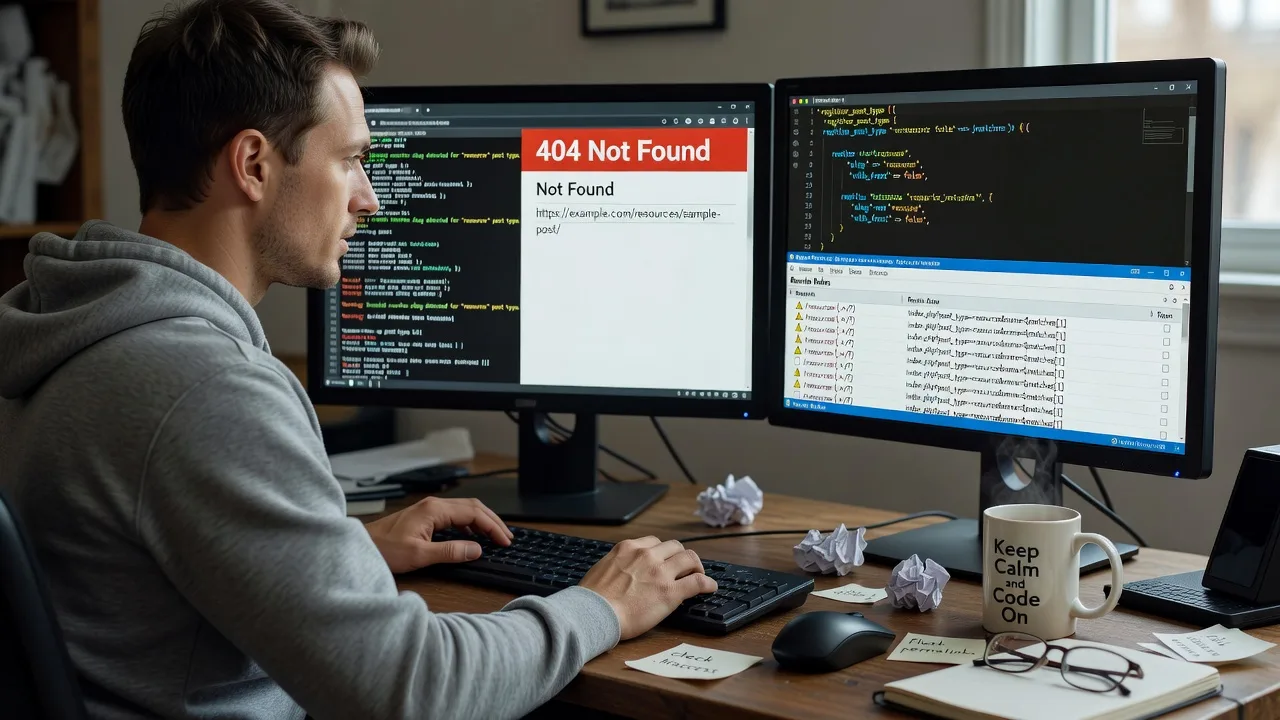
Usually the post type was registered too late, rewrite is false/empty, or a plugin re-registered the same slug after init without flushing in the right order.
- Step 1: Confirm the CPT appears under the correct menu and a sample post has publish status; note the intended slug (e.g. /resources/sample/).
- Step 2: In a child theme or must-use plugin, ensure register_post_type runs on init priority ≤ 10 with rewrite => array('slug' => 'resources', 'with_front' => false) (adjust slug), public and publicly_queryable true if front-end should resolve.
- Step 3: Visit Settings → Permalinks and Save once (flush), then load the sample URL in a private window; if still 404, check Query Monitor for matched rewrite rules vs. page collisions.
Archive URL works once, then 404s after cache or SEO plugin toggle
has_archive is true, but a caching layer or Yoast/Rank Math "remove category base"-style rewrite change regenerated rules without your CPT slug present.
- Step 1: Disable page cache briefly and request /your-cpt-archive/ with a cache-buster query string; note whether nginx/Apache still serves a cached 404 body.
- Step 2: Re-save permalinks, then purge full-page and object cache; if using nginx try_files, confirm index.php fallback is present for pretty URLs.
- Step 3: Re-enable SEO plugin rewrite features one at a time; verify archive, page 2 (/page/2/), and a single CPT URL still resolve—good means 200 + correct template, bad means intermittent 404 only on cached edges.
Taxonomy filters or custom rewrite endpoints 404 after migration
Host moved from Apache to nginx (or vice versa),.htaccess rules never translated, or register_taxonomy rewrite slug collides with a Page of the same path.
- Step 1: List conflicting Paths: any Page/Post whose slug equals the CPT or taxonomy base must be renamed or the rewrite slug changed—WordPress will prefer the Page.
- Step 2: On nginx, ensure a proper WordPress location block passes unknown URIs to index.php; on Apache, confirm AllowOverride and the standard WordPress rewrite block exist.
- Step 3: Flush permalinks again post-migration, crawl 10–20 critical CPT and term URLs, and compare status codes before vs. after in your uptime or Screaming Frog export.
When DIY is not enough (urgent, unsafe, recurring, or burning time), book Fixwebnode for direct professional support—no freelancers, bidding, or marketplace noise.
Why Choose Fixwebnode
We fix WordPress routing as infrastructure work: registration order, server rewrites, cache invalidation, and template resolution—not trial-and-error plugin toggles. You deal with one accountable provider who has untangled CPT 404s across membership, directory, and content-hub builds many times over.
- ✓ Direct remote delivery with fixed-scope packages for CPT and permalink failures
- ✓ Deep stack checks (PHP registration, rewrite rules, Apache/nginx, cache, SEO plugins)
- ✓ Clear handoff notes so your next CPT launch does not repeat the same 404 cycle
Tools & Technologies
WordPress register_post_type / register_taxonomy, rewrite API, WP-CLI rewrite flush, Query Monitor,.htaccess and nginx try_files maps, Redis/object cache purge paths, Yoast and Rank Math rewrite settings, staging clones, and browser private-window verification with status-code checks.
Perfect For
Product marketers, education platforms, clinic resource libraries, and small SaaS teams running Custom Post Types for docs, events, listings, or case studies—especially after a host move, theme swap, or SEO plugin change. If your archive looked fine yesterday and 404s today, this remote service is scoped for that exact failure mode.
Choose a package
Single CPT or permalink 404 diagnosis and fix on one WordPress site with rewrite flush and verification.
Full CPT registration + rewrite audit for up to three post types, archive/pagination checks, and cache/SEO conflict cleanup.
Complete routing recovery: multiple CPTs/taxonomies, server rewrite layer, migration aftermath, and follow-up validation window.
FAQ
Delivery is remote worldwide by default—secure access to wp-admin, staging, and server config is enough for almost all CPT and permalink repairs. On-site is available only where practical if your security policy blocks remote admin; otherwise we complete the full fix online with a live verification call.
A flush is step one, not the whole job. We inspect register_post_type arguments, rewrite collisions with pages and taxonomies, theme template hierarchy, caching layers, and Apache or nginx rewrite behaviour so the 404 does not return after the next deploy.
Typically a staging clone (preferred), wp-admin with enough capability to manage plugins and settings, and—when server rewrites are involved—SFTP or panel access to.htaccess or nginx maps. We document every change and avoid unsupervised production edits when staging exists.