Multi-Vendor & Complex SaaS Marketplaces
 Modern Headless & Jamstack Web Development
 High-End Corporate & Specialized Business Websites
 Advanced API, Checkout & Database Troubleshooting
WordPress Core Web Vitals Fix — Southbank, Victoria
Lift LCP, INP, and CLS on your WordPress site for Southbank, Victoria businesses that need speed visitors notice.
We audit, fix, and re-test Core Web Vitals on live WordPress stacks used by riverside hospitality venues, apartment-tower operators, and professional suites—so mobile rankings and conversion hold up during peak tourist and event traffic. Direct Fixwebnode engineers, not a bidding board.
Power up your support: call 0421498927 or book via fixwebnode.com.au/contact-support. Smart Solutions. Human Support.
- Field data + lab diagnostics
- Theme, plugin, and host-level fixes
- Clear before/after reports
About this service
Get measurable Core Web Vitals improvements on your WordPress site—built for Southbank, Victoria operators who cannot afford slow mobile pages when riverside foot traffic and event crowds hit. Fixwebnode delivers the full technical fix path ourselves: diagnose, remediate, verify, and hand back a faster stack with plain-English notes.
What You'll Get
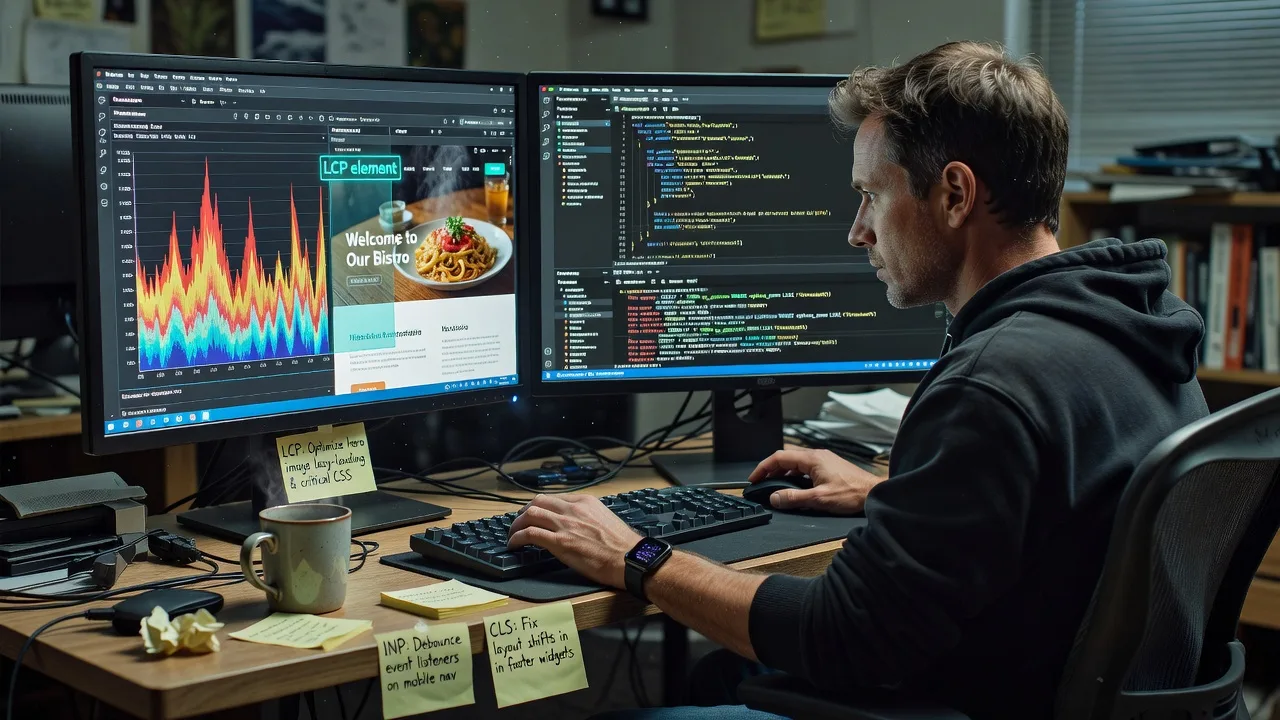
- Full CWV baseline audit - CrUX/field signals where available, lab Lighthouse/WebPageTest runs, and a prioritised fix list for LCP, INP, and CLS.
- Theme & plugin performance pass - Remove render-blocking bloat, defer non-critical scripts, fix oversized hero media, and stop layout shifts from late-loading assets.
- Caching & delivery tuning - Object/page cache sanity, critical CSS strategy, image formats (WebP/AVIF where safe), and CDN/edge headers aligned to your host.
- Database & backend hygiene - Autoload bloat, slow queries, and unnecessary admin-ajax chatter that quietly destroy INP on WooCommerce and booking flows.
- Before/after evidence pack - Screenshots, metric deltas, and a short runbook so your team knows what changed and how to keep scores stable.
- Optional monitoring window - Post-fix checks so regressions from new plugins or marketing tags get caught early.
Serving Southbank, Victoria & surrounds
Southbank’s mix of high-rise strata offices, arts and hospitality strips, and apartment-dense living means WordPress sites often serve image-heavy menus, booking widgets, and multi-language landing pages on congested mobile networks. We tune for that reality—not a generic national template. Work is primarily remote with secure access; on-site coordination can be arranged when hardware or venue Wi-Fi is part of the bottleneck. We also support nearby operators around South Melbourne when the same stack serves both precincts.
- Riverside restaurants and bars whose mobile menus stall during Friday peaks and festival nights
- Professional suites and clinic-style tenancies in tower floors needing fast booking and forms without heavy page builders fighting each other
- Secure remote remediation first; staged on-site visits when building network or POS-adjacent devices affect the public site experience
How We Work
- Step 1: Reach Out - Tell us the site URL, host, and which pages matter most (home, menu, booking, checkout). We listen for business impact first, then technical symptoms.
- Step 2: Tailored Plan - You receive a fixed-scope quote tied to Basic, Standard, or Premium—clear deliverables, no hourly surprise creep for the agreed CWV work.
- Step 3: We Deliver - Staging where possible, then production fixes: assets, theme hooks, plugins, cache layers, and server-side constraints under our direct engineering control.
- Step 4: Confirm & Follow-up - Plain-English handoff, metric proof, and optional maintenance so a new slider or tag manager container does not undo the gains.
Expert Insights: What Most People Get Wrong
Based on 12+ years of WordPress performance work, here are the critical mistakes I see clients make—and how I fix them:
- Chasing a green Lighthouse score while ignoring field INP - Lab scores can look fine after you strip animations, yet real Southbank mobile users still wait on third-party booking scripts and chat widgets. I map long tasks and interaction delays on the actual conversion templates, then isolate the worst main-thread offenders instead of celebrating a synthetic 95 that never matches Search Console.
- Compressing the hero but leaving CLS landmines in the template - A common failure: WebP hero is fast, but the reservation bar, cookie banner, and webfont swap all shove content after first paint. Good looks like reserved space, font-display strategy, and banners that do not inject height late. Bad looks like a perfect LCP image sitting above a layout that jumps 120px when the consent layer finally loads.
- Stacking three cache plugins and calling it optimisation - Competing page caches, object caches, and host-level rules often serve stale HTML with uncached cart fragments or double-minify broken JS. I collapse to one coherent caching path, exclude dynamic endpoints correctly, and verify TTFB under logged-out and soft-logged-in states before declaring victory.
- Leaving page-builder CSS as a full-site payload on every URL - Builders often dump megabytes of unused rules site-wide. Actionable fix: critical CSS for key templates, dequeue unused kits on non-landing routes, and replace auto-loading carousels on interior pages with static media. On a typical hospitality site, that single change often moves LCP more than another CDN trial.
When you book Fixwebnode, you get direct professional support—infrastructure expertise and patient human help—without freelancers, bidding, or marketplace noise.
Why Choose Fixwebnode
We are a direct provider focused on enterprise-grade remote WordPress and server work, with human support when your team needs the changes explained without jargon. For Southbank operators, that means faster public pages and a stable path after marketing adds the next pixel or promo landing page. Brand promise: Smart Solutions. Human Support.
- ✓ Direct engineers who own the fix end-to-end—no multi-vendor handoffs
- ✓ Local market awareness of high-traffic hospitality and tower-based service businesses
- ✓ Fixed package scopes with evidence packs, not vague “we’ll optimise it” retainers
Tools & Technologies
Google CrUX & Search Console CWV reports, Lighthouse, WebPageTest, Chrome Performance panel, Query Monitor, New Relic or host APM where available, WP-CLI, Redis/object cache, Nginx/Apache tuning, Cloudflare or host CDN rules, ShortPixel/Imagify-class image pipelines, critical CSS tooling, and careful theme/child-theme hooks for Elementor, Divi, Bricks, and classic PHP themes.
Perfect For
Southbank restaurants, venues, professional practices, and small corporate sites on WordPress that need Core Web Vitals fixed properly—especially teams tired of plugin stacks that promised speed and delivered layout shift. Ideal when rankings, ads landing pages, or mobile bookings are the pressure point and you want one accountable provider to remediate the stack.
Choose a package
Focused CWV audit plus targeted fixes on one priority template with a before/after lab report.
Multi-template WordPress CWV remediation including media, cache path, and plugin conflict cleanup.
Full-site CWV programme with staging workflow, deeper backend tuning, and a post-fix monitoring window.
FAQ
Most Core Web Vitals work is completed remotely with secure access to hosting, DNS, and WordPress admin, which is ideal for Southbank tower tenancies and venue networks. If the bottleneck involves on-premise Wi-Fi, a local server, or a device we must inspect in person, we can schedule a coordinated visit after the remote diagnosis. Either way, Fixwebnode delivers the engineering directly—you work with our team, not a chain of separate sellers.
We treat booking engines, menus, and forms as protected paths. Changes are staged when your host allows, scripts are deferred or isolated rather than deleted blindly, and we re-test interactions after each pass. If a plugin must stay for operations, we optimise around it and document residual risk instead of removing revenue-critical features.
Lab metrics improve as soon as fixes go live; field data in Search Console typically lags days to several weeks depending on traffic volume. We provide immediate before/after lab proof and guide you on what to watch in CrUX so you are not guessing. Ongoing plugin or marketing-tag changes can reverse gains, which is why Premium includes a short monitoring window.