Multi-Vendor & Complex SaaS Marketplaces
 Modern Headless & Jamstack Web Development
 High-End Corporate & Specialized Business Websites
 Advanced API, Checkout & Database Troubleshooting
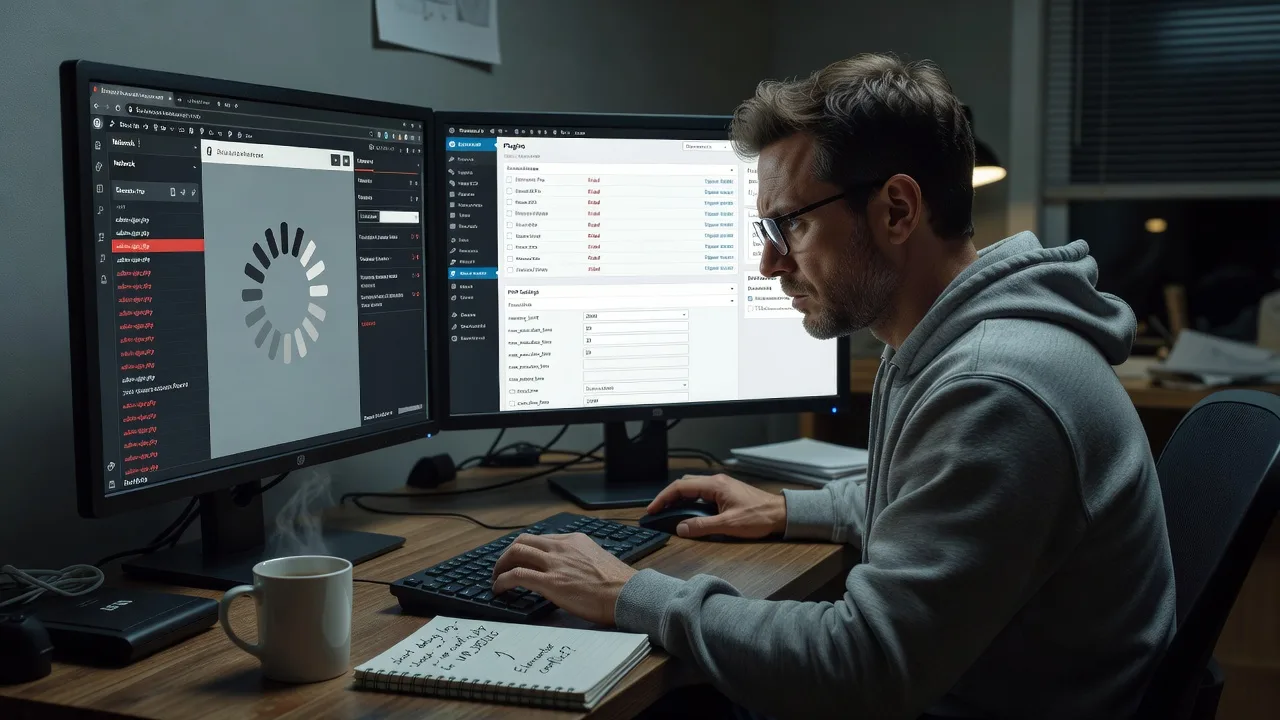
Fix Elementor & Divi Loading Loops and Editor Crashes | Remote
Stop endless Elementor and Divi spinner loops—remote WordPress builder repair for agencies, coaches, and online stores worldwide.
We diagnose plugin conflicts, memory ceilings, and theme clashes that freeze the visual editor, then restore a stable editing session so campaigns and product pages ship on time. Clear technical fixes paired with plain-English walkthroughs keep your team confident after handoff.
Need faster help? Chat with us or visit fixwebnode.com.au/contact-support to power up your support experience and book a fixed-scope remote session.
- Editor load-loop isolation
- Safe rollback & staging checks
- Worldwide remote delivery
About this service
Get your Elementor or Divi editor loading again—remote diagnosis and repair for marketing sites, membership portals, and e-commerce stores that cannot afford a frozen builder mid-campaign.
What You'll Get
- Root-cause diagnosis - We isolate whether the spinner loop stems from PHP memory, AJAX timeouts, conflicting widgets, or a corrupted builder cache—not guesswork.
- Safe recovery path - Staging or temporary safe-mode checks so live traffic keeps converting while we fix the editor.
- Conflict cleanup - Plugin, theme, and custom CSS/JS collisions resolved with a documented change log.
- Performance baseline - Memory, max execution time, and object-cache settings tuned for builder stability.
- Plain-English handoff - What broke, what we changed, and how your team avoids the same crash next launch week.
- Optional hardening - Staging workflow tips and update-order guidance for Elementor, Divi, WooCommerce, and page-builder add-ons.
Serving Remote & surrounds
Available remotely worldwide, with on-site support where practical. We specialise in WordPress-heavy businesses that launch seasonal offers, course enrolments, and product drops—teams for whom a blank Divi canvas or endless Elementor loader is revenue risk, not a minor annoyance. Time-zone flexible sessions suit distributed agencies and solo operators alike.
- Digital agencies freezing mid-client revision because Elementor never finishes loading
- Online educators and coaches whose Divi course landing pages crash before enrolment peaks
- Remote-first e-commerce brands needing after-hours builder recovery without waiting for a local shop
How We Work
- Step 1: Reach Out - Tell us which builder freezes, what changed recently (plugin update, theme switch, hosting move), and whether the front end still loads. We listen first.
- Step 2: Tailored Plan - Fixed-scope quote for diagnosis and repair; clear notes if human walkthrough support is needed for non-technical editors.
- Step 3: We Deliver - Secure remote access, controlled tests, conflict isolation, and editor recovery—technical fix plus calm explanation.
- Step 4: Confirm & Follow-up - You verify edit mode works; we leave a short stability checklist and optional maintenance path.
Common Issues & How to Fix Them
These are patterns we see repeatedly on Elementor and Divi sites—try the safe steps below before a full rebuild panic.
Elementor editor stuck on endless grey spinner after a plugin bulk-update
Usually an AJAX heartbeat failure or a single add-on hooking elementor/editor scripts with a fatal error that only appears inside the builder, not on the public page.
- Step 1: Open the site in a private window, append ?elementor-mode=safe or use Elementor > Tools > Safe Mode if available, and note whether the canvas appears.
- Step 2: Via wp-admin or host file manager, rename the newest non-Elementor plugin folder under wp-content/plugins (add a trailing .off), then reload the editor; re-enable one by one until the spinner returns—that plugin is the culprit.
- Step 3: Confirm success when a blank or existing section loads and the left panel widgets render without console 500s on admin-ajax.php calls.
Divi Visual Builder white screen or crash when editing long landing pages
Classic symptom of PHP memory exhaustion or max_input_vars too low for Divi’s nested shortcode tree—worse on pages packed with modules from seasonal campaign clones.
- Step 1: Check hosting error logs or enable WP_DEBUG_LOG briefly; look for Allowed memory size exhausted or max_input_vars warnings timed to builder saves.
- Step 2: Raise memory_limit to at least 256M (512M preferred for heavy Divi) and max_input_vars to 3000+ via hosting panel or a careful php.ini / user ini change; clear Divi static CSS file generation afterward.
- Step 3: Re-open Visual Builder on the long page, save a minor text tweak, and hard-refresh the front end—if the module tree stays intact and no white screen returns, the ceiling was the issue.
Builder loads once, then crashes on second edit session (cache / object-cache desync)
Object cache or aggressive page-cache plugins serve stale builder assets; common after Redis/Memcached was enabled without excluding logged-in editor routes.
- Step 1: Purge all layers—plugin cache, host cache, CDN—then test the editor while logged in; if it works only after purge, cache rules are wrong.
- Step 2: Exclude wp-admin, elementor, et_fb, and logged-in cookies from full-page cache; flush object cache and regenerate Elementor/Divi CSS.
- Step 3: Open the builder twice in a row on two different pages without manual purge—if both sessions stay stable, the desync is resolved.
When DIY is not enough (urgent, unsafe, recurring, or burning time), book Fixwebnode for direct professional support—no freelancers, bidding, or marketplace noise.
Why Choose Fixwebnode
We fix WordPress builders as a direct provider—enterprise-grade remote IT discipline with patient, jargon-free explanations for the people who actually edit the pages. You get one accountable team, fixed scopes, and recovery focused on shipping your next campaign, not a ticket ping-pong.
- ✓ Hands-on Elementor, Divi, WooCommerce, and hosting-stack conflict experience across agency and SMB stacks
- ✓ Change logs and rollback-minded work so marketing never loses a half-built landing page
- ✓ Remote worldwide delivery with clear support paths for both technical leads and non-technical editors
Tools & Technologies
WordPress admin diagnostics, Elementor Safe Mode and Regenerator tools, Divi Visual Builder and static CSS controls, Query Monitor, browser DevTools Network/Console, staging clones, PHP memory and opcache tuning, Redis/object-cache exclusion rules, WP-CLI where appropriate, host error logs, and controlled plugin isolation—not shotgun deactivation on production without a plan.
Perfect For
Marketing agencies, course creators, clinics with booking funnels, and small e-commerce brands running Elementor or Divi who hit load loops right before a launch window. Ideal when the front end still works but the editor is unusable, and you need a direct remote specialist who explains the fix so your team can edit confidently again.
Choose a package
Remote triage and fix for a single Elementor or Divi loading-loop or crash on one site.
Full conflict cleanup, performance ceilings tuned, and verified dual-session editor stability.
Multi-page builder recovery, hardening, and walkthrough support for teams before a major launch.
FAQ
Most builder freezes are resolved fully remote with secure access worldwide. If you are nearby and on-site is practical for a complex hosting environment, we can discuss that after the initial remote diagnosis—we deliver the work directly as Fixwebnode, not through third-party sellers.
We prioritise controlled tests: staging when available, safe-mode paths, and one-change-at-a-time isolation. Public pages usually keep running while we restore edit mode. You approve access scope before we touch production.
Typically a temporary WordPress admin account, hosting panel or SFTP if PHP limits must change, and a short note on recent updates. We remove or downgrade access after handoff and document every change so your team retains control.