Multi-Vendor & Complex SaaS Marketplaces
 Modern Headless & Jamstack Web Development
 High-End Corporate & Specialized Business Websites
 Advanced API, Checkout & Database Troubleshooting
Stop Overpaying AWS: Host 50 Sites on One VPS with Plesk/CyberPanel
Cut cloud bloat without cutting reliability. Practical CyberPanel and Plesk steps to pack dozens of client sites on one lean VPS—plus Australian remote help from Fixwebnode when DIY stalls.
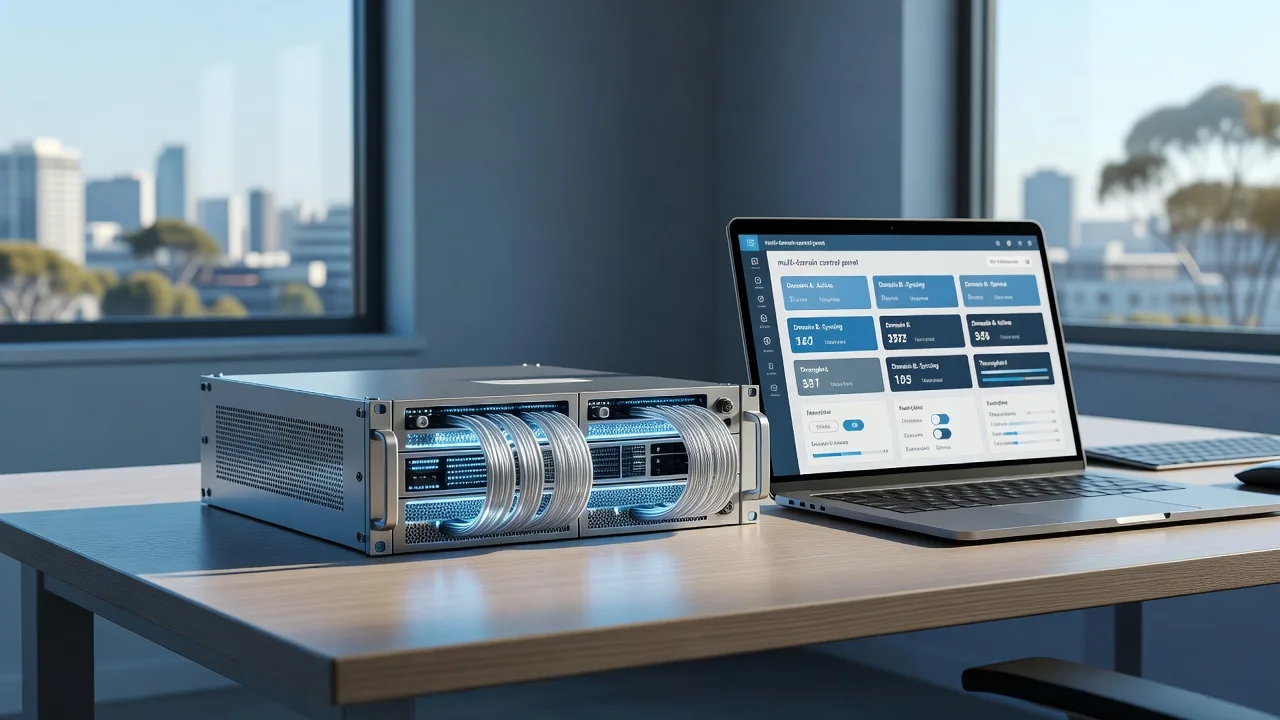
If you are a sole trader, agency, or small web shop in Australia still parking every client site on separate AWS instances, you are almost certainly overpaying for idle CPU and managed markup. One well-tuned VPS running CyberPanel (OpenLiteSpeed) or Plesk can host dozens of WordPress and static sites for a fraction of the cost—if you size PHP workers, SSL automation, and disk hygiene correctly. This guide walks through the real failure modes that appear once you consolidate, with copy-paste diagnostics and fixes. When you need hands-on remote help, Fixwebnode website repair for Australia works directly with individuals and local operators—no marketplace middle layer.
Why consolidating off AWS onto one VPS matters
AWS is excellent for bursty, auto-scaling products. For fifty brochure sites, membership blogs, and small WooCommerce shops with predictable traffic, it is often expensive overkill. A single modern VPS in an Australian or nearby region, paired with CyberPanel or Plesk, gives you one control plane, shared caching, and predictable monthly spend. The catch is operational: one mis-tuned PHP-FPM pool, one runaway backup job, or one expired wildcard can take many clients offline at once. The rest of this post is the runbook I use so that does not happen.
Why do my client sites crash together after moving off AWS onto CyberPanel or Plesk?
When many sites share one VPS, a single site that spikes PHP workers or fills the disk can starve every other vhost. The fix is not “buy a bigger box first”—it is isolating PHP pools, capping memory, watching OpenLiteSpeed or nginx error logs, and automating SSL and log rotation before you migrate the fiftieth domain.
| Symptom | Quick check | When to call Fixwebnode |
|---|---|---|
| All sites 502/503 at once | free -h; lsphp / php-fpm status; error.log | OOM repeats after pool limits |
| Random SSL warnings on some domains | certbot certificates / panel SSL queue | Mixed panels, wildcards, or mail SANs |
| Disk 100% overnight | du -xh / ; journal and backup paths | Backups or logs refill after cleanup |
Common issues when packing ~50 sites on one cheap VPS
These problems show up specifically after you leave per-site AWS boxes and land on shared Plesk or CyberPanel. Each has a different root cause.
- Collective 502/503 and PHP worker exhaustion — One heavy WooCommerce or page-builder site spawns enough lsphp/php-fpm children to exhaust RAM; every other site starts failing even though their traffic is quiet.
- SSL certificates expire or fail renewal on a subset of domains — HTTP-01 challenges fail because of wrong document roots, conflicting .htaccess, or rate limits after bulk adds; browsers show intermittent padlock errors only on some client brands.
- Disk fills from logs, backups, and old releases — CyberPanel/Plesk backup jobs, OpenLiteSpeed access logs, and leftover wp-content/updraft folders push root or /home to 100%; new deploys and Let’s Encrypt writes then fail.
- Uneven performance: some sites fast, others crawl — Missing per-site cache (LSCache/Redis), oversized upload_max_filesize, or a single site without opcode cache while others are tuned.
Fix 1 — Stop multi-site 502s from PHP/OpenLiteSpeed worker exhaustion
Symptom: dashboards and front ends return 502 Bad Gateway or 503 across unrelated domains within minutes. free -h shows RAM near zero and swap thrashing.
Step 1 — Confirm memory and process pressure
free -h
ps aux --sort=-%mem | head -n 20
ss -lptn | grep -E '80|443|7080'
Look for many lsphp (CyberPanel/OpenLiteSpeed) or php-fpm workers owned by different site users.
Step 2 — Cap PHP for CyberPanel / OpenLiteSpeed
In CyberPanel → PHP → Edit PHP Configs, lower memory_limit per version (e.g. 256M for brochure sites, 512M only where needed). Then tighten external app max connections in OpenLiteSpeed admin (often port 7080) or via config:
sudo grep -R "maxConns" /usr/local/lsws/conf/ 2>/dev/null | head
sudo /usr/local/lsws/bin/lswsctrl restart
Step 3 — Cap PHP-FPM on Plesk
sudo plesk bin php_handler --list
# Per-domain: Plesk UI → PHP Settings → max_children via dedicated FPM pool
sudo grep -R "pm.max_children" /var/www/vhosts/system/*/conf/php-fpm.conf 2>/dev/null | head
sudo systemctl reload plesk-php*-fpm 2>/dev/null || sudo service php-fpm reload
Step 4 — Verify recovery
free -h
curl -I https://one-of-your-domains.example
Expect HTTP/2 200 and stable free RAM under load. If OOM killers still fire after sane pm.max_children and memory_limit, the box is undersized for the heaviest sites—not a reason to jump back to AWS without measuring.
When to call Fixwebnode: repeated OOM after pool limits, mixed PHP versions fighting one another, or you cannot safely restart LiteSpeed during business hours. Remote session via Fixwebnode can isolate noisy tenants without a full outage window.
Fix 2 — Repair partial SSL failures across many vhosts
Symptom: most sites show valid HTTPS; a handful show NET::ERR_CERT_DATE_INVALID or serve the wrong certificate after bulk migration from AWS Certificate Manager.
Step 1 — Inventory certificates
# CyberPanel / certbot-style hosts
sudo certbot certificates 2>/dev/null || true
ls -la /etc/letsencrypt/live/ 2>/dev/null | head
# Plesk
sudo plesk bin certificate --list
sudo ls /usr/local/psa/var/certificates/ 2>/dev/null | head
Step 2 — Test HTTP-01 reachability for a failing domain
curl -sI http://failing-client.example/.well-known/acme-challenge/test
# Should not 301-loop into HTTPS in a way that blocks challenge paths
grep -R "RewriteRule" /home/*/public_html/.htaccess 2>/dev/null | head
Disable aggressive force-HTTPS rewrite only for the challenge path, or use the panel’s “Force HTTPS after issue” option.
Step 3 — Re-issue cleanly
# CyberPanel UI: SSL → Manage → Issue/Renew for the domain
# CLI fallback where certbot is wired:
sudo certbot certonly --webroot -w /home/failing-client.example/public_html -d failing-client.example -d www.failing-client.example
# Plesk:
sudo plesk bin extension --exec letsencrypt cli.php -d failing-client.example -d www.failing-client.example
Step 4 — Reload the web server and verify
sudo /usr/local/lsws/bin/lswsctrl reload 2>/dev/null || sudo systemctl reload nginx
echo | openssl s_client -servername failing-client.example -connect failing-client.example:443 2>/dev/null | openssl x509 -noout -dates -subject
When to call Fixwebnode: wildcard mail SANs, panels fighting each other after a partial Plesk↔CyberPanel move, or Let’s Encrypt rate limits after a messy bulk import.
Fix 3 — Reclaim disk before backups and SSL writes fail
Symptom: panel shows “No space left on device”, new sites cannot be created, or cron mail floods with backup failures. This is common once fifty sites each keep weekly full backups plus debug logs.
Step 1 — Find what ate the disk
df -h
sudo du -xh / --max-depth=2 2>/dev/null | sort -h | tail -n 30
sudo du -xh /home /var /usr/local/lsws/logs /var/lib/psa 2>/dev/null | sort -h | tail -n 40
Step 2 — Rotate web and panel logs safely
sudo find /usr/local/lsws/logs -type f -name "*.log" -size +200M -exec ls -lh {} \;
sudo truncate -s 0 /usr/local/lsws/logs/error.log 2>/dev/null || true
# journald if systemd is filling /
sudo journalctl --disk-usage
sudo journalctl --vacuum-size=200M
Step 3 — Prune old site backups (keep last N off-box)
# Inspect before delete
sudo find /home -type d -iname "*backup*" 2>/dev/null | head
sudo find /var/lib/psa/dumps -type f -mtime +14 -ls 2>/dev/null | head
# Example: remove local full backups older than 14 days AFTER confirming off-server copies
# sudo find /home/*/backup -type f -mtime +14 -delete
Prefer panel backup schedules that push to S3-compatible or another region object storage, then keep only one rolling local copy.
Step 4 — Verify free space and panel health
df -h
# CyberPanel
sudo cyberpanel listWebsites 2>/dev/null | head
# Plesk
sudo plesk bin domain --list | head
When to call Fixwebnode: you cannot tell which client backup set is safe to drop, or / refills within hours (often a runaway access_log or misconfigured staging copy).
Fix 4 — Even out speed with cache and PHP version hygiene
Symptom: static marketing sites feel instant; two or three WordPress clients feel “stuck on AWS cold start” even on the new VPS.
Step 1 — Confirm PHP version and modules per site
# CyberPanel: PHP version is per domain in the UI; CLI check:
/usr/local/lsws/lsphp81/bin/php -v 2>/dev/null
/usr/local/lsws/lsphp82/bin/php -m 2>/dev/null | grep -iE 'redis|opcache'
# Plesk:
sudo plesk bin domain --show example.com | grep -i php
Step 2 — Enable opcode cache and object cache where appropriate
# Verify OPcache on the handler the site actually uses
php -i 2>/dev/null | grep -i opcache.enable
# Redis (if installed for object cache)
redis-cli ping 2>/dev/null || echo "Redis not running"
On CyberPanel, turn on LSCache for WordPress via the official plugin and exclude cart/checkout. On Plesk, use nginx caching only for fully static sections or a tested WordPress cache plugin—do not double-cache HTML in conflicting layers.
Step 3 — Quick front-end check
curl -sI https://slow-client.example | grep -iE 'HTTP/|x-litespeed|cache|age'
curl -o /dev/null -s -w '%{time_total}\n' https://slow-client.example/
When to call Fixwebnode: Core Web Vitals still fail after cache, or a WooCommerce site cannot use full-page cache without breaking carts—needs careful rule design, not another plugin pile-on.
When DIY is enough vs when to book Fixwebnode
DIY is enough when you still have SSH, free disk above ~15%, a working panel login, and the issue is one domain’s certificate, a single oversized PHP limit, or obvious log bloat. Follow the numbered steps above, change one variable at a time, and keep an off-box backup before mass deletes.
Book a specialist when multiple client brands are down together, you are mid-migration from AWS with half the DNS cut over, mail and web certificates are entangled, or you do not want to restart OpenLiteSpeed/Plesk services during Australian business hours without a rollback plan. Fixwebnode is a direct remote specialist for website support—not a freelance board—so you speak with the person doing the work. Coverage and remote support options across regions are listed on the Fixwebnode service areas page.
Get the consolidation done without the AWS bill shock
Moving fifty client websites onto one carefully limited CyberPanel or Plesk VPS is absolutely doable from Australia if you treat PHP workers, SSL automation, and disk as first-class citizens—not afterthoughts. Use the diagnostics above to stop the classic shared-hosting failure modes before they cascade. If you want a second pair of eyes on panel choice, pool sizing, or a safe cutover plan, start a conversation through Fixwebnode’s website repair page for Australia and outline how many sites, which CMS stack, and whether you are on CyberPanel, Plesk, or still on AWS today.