Multi-Vendor & Complex SaaS Marketplaces
 Modern Headless & Jamstack Web Development
 High-End Corporate & Specialized Business Websites
 Advanced API, Checkout & Database Troubleshooting
Set Up SSL on Every Domain Automatically with Certbot
Automate Let’s Encrypt SSL across every domain on your Australian server with Certbot. Learn install steps, renewal traps, and when Fixwebnode should take over remotely.
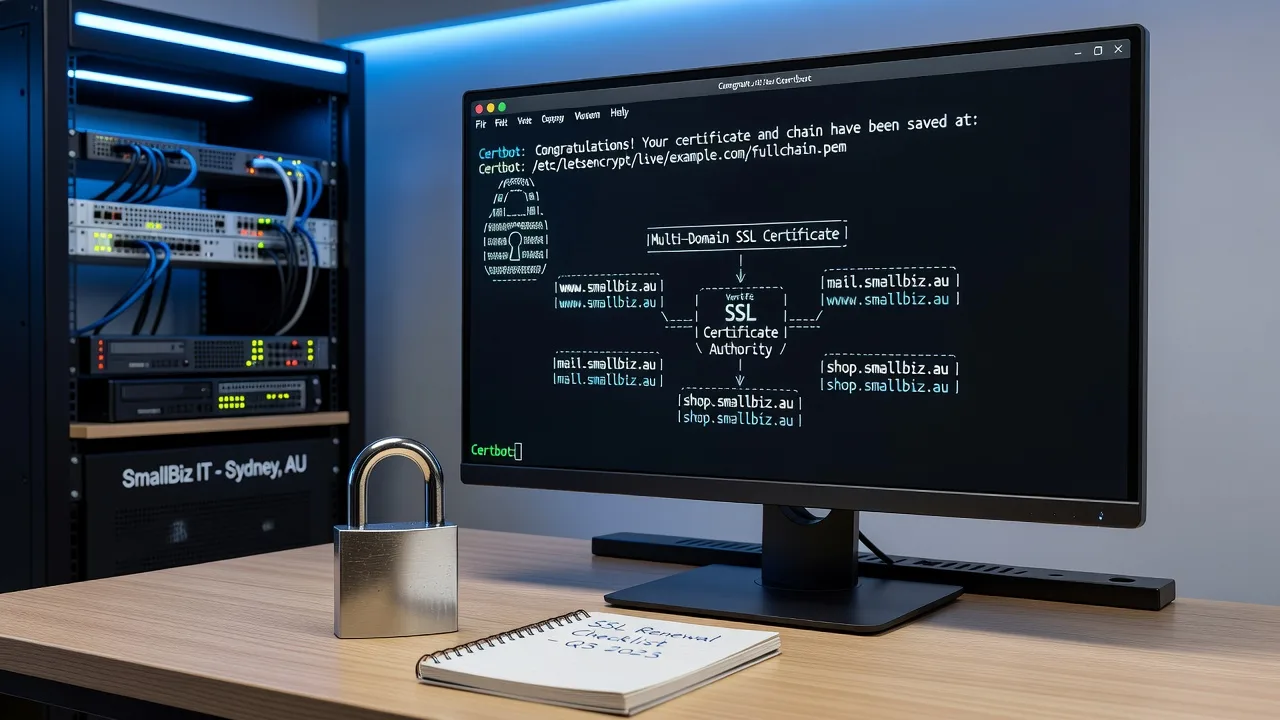
If you run multiple sites on one VPS or shared stack in Australia and HTTPS still fails on some hostnames, this guide walks you through automatic SSL with Certbot end to end.
Site owners and small businesses often add domains faster than they secure them. Manual certificate installs break on renewals, miss www/non-www pairs, or leave Nginx/Apache pointing at expired files. Fixwebnode helps remotely with website repair across Australia when Certbot, web-server config, or DNS validation will not cooperate—so you get every domain on valid HTTPS without flying a tech on site.
Why automatic SSL with Certbot matters
Let’s Encrypt certificates expire every 90 days. Without a working renew timer and correct virtual-host hooks, browsers show warnings, payment gateways refuse connections, and search rankings suffer. Certbot can issue and renew certificates for every domain (and subdomain) on the box, then reload Nginx or Apache so the new chain is live. Done once correctly, the same flow covers new domains you add later.
How do you fix Certbot SSL that fails on some domains in Australia?
Most multi-domain failures come from incomplete server blocks, DNS not pointing at the server before HTTP-01 validation, or a broken renew timer—not from “SSL being hard.” Point every hostname at the correct public IP, install Certbot for your web server, request a certificate that lists all names, then verify certbot renew --dry-run succeeds before you walk away.
| Symptom | Quick fix | Call Fixwebnode when |
|---|---|---|
| Only the primary domain gets HTTPS | Re-run Certbot with every -d name and fix missing server_name / ServerName lines | vhosts are fragmented across panels and manual edits keep breaking |
| Renewal dry-run fails | Check port 80 reachability, timer unit, and auth hooks | Firewall, CDN, or reverse proxy blocks ACME every time |
| Browser shows wrong cert or mixed content | Confirm fullchain path and force HTTPS redirects | Legacy apps hard-code HTTP or multi-site paths conflict |
Common issues when securing every domain with Certbot
These problems show up repeatedly on Australian VPS, cloud, and small-business stacks. Each has a different root cause.
- ACME challenge fails for secondary domains — Certbot reports unauthorized or timeout only for some -d names while the apex works.
- Certificates issue once but never auto-renew — Sites go HTTP-warning after ~90 days;
certbot renewerrors or the systemd timer is inactive. - Web server still serves the old or default certificate — openssl and browsers show a different CN/SAN than the new Let’s Encrypt leaf.
- New domains added later stay on HTTP — Panel or deploy scripts create vhosts without running Certbot expand or deploy hooks.
Issue 1 — ACME HTTP-01 fails on some hostnames
Symptom: Could not complete challenge or Invalid response from http://secondary.example/... while the main domain succeeds. Cause is almost always DNS lag, a missing server block, or something else answering on port 80 for that name.
Step 1 — Confirm public DNS from outside your network
dig +short yourdomain.com A
dig +short www.yourdomain.com A
dig +short otherdomain.com.au A
Every name you pass to Certbot must resolve to this server’s public IPv4 (and IPv6 if you advertise AAAA). Wait for TTL if you just changed records.
Step 2 — Prove port 80 reaches the correct vhost
sudo ss -tlnp | grep -E ':80|:443'
curl -sI http://otherdomain.com.au/ | head -n 15
You want your Nginx/Apache process listening, not another container. The HTTP response should come from this host, not a parking page or CDN origin error.
Step 3 — Align server_name / ServerName with every hostname
Nginx example check:
sudo nginx -T 2>/dev/null | grep -E 'server_name|listen'
sudo apachectl -S 2>/dev/null
Each domain needs a server block (or a shared block listing all names) that can serve /.well-known/acme-challenge/. Reload after edits:
sudo nginx -t && sudo systemctl reload nginx
# or
sudo apachectl configtest && sudo systemctl reload apache2
Step 4 — Request or expand the certificate with every name
sudo certbot --nginx -d example.com.au -d www.example.com.au -d shop.example.com.au
# Apache:
sudo certbot --apache -d example.com.au -d www.example.com.au
# Expand an existing line without dropping names:
sudo certbot --nginx --expand -d example.com.au -d www.example.com.au -d newdomain.com.au
Prefer one cert with all related SANs when sites share a server, unless isolation policy says otherwise.
When to call Fixwebnode: DNS is correct but challenges still fail behind Cloudflare proxy modes, odd reverse proxies, or multiple panels fighting for port 80. Remote diagnosis is faster than guessing firewall rules alone.
Issue 2 — Auto-renewal broken so certs expire
Symptom: email from Let’s Encrypt about expiry, or browsers flag the site near day 90. Root cause is usually a dead timer, a renew hook that fails, or HTTP-01 blocked only during non-interactive renew.
Step 1 — See what Certbot thinks it will renew
sudo certbot certificates
sudo certbot renew --dry-run
Read the dry-run output carefully. A failure here means production renew will fail too.
Step 2 — Verify the renew scheduler
systemctl list-timers | grep -i certbot
sudo systemctl status certbot.timer
# On some images the cron path is used instead:
ls -la /etc/cron.d/certbot 2>/dev/null
cat /etc/cron.d/certbot 2>/dev/null
If the timer is missing or inactive:
sudo systemctl enable --now certbot.timer
sudo systemctl start certbot.timer
Step 3 — Fix deploy hooks so Nginx/Apache reload after renew
sudo sh -c 'printf "%s\n" "#!/bin/sh" "systemctl reload nginx" > /etc/letsencrypt/renewal-hooks/deploy/reload-nginx.sh'
sudo chmod +x /etc/letsencrypt/renewal-hooks/deploy/reload-nginx.sh
# Apache variant: systemctl reload apache2
Re-test:
sudo certbot renew --dry-runStep 4 — Check logs if dry-run still fails
sudo tail -n 80 /var/log/letsencrypt/letsencrypt.log
sudo journalctl -u certbot.service -n 50 --no-pager
Common fixes: open TCP 80 from the internet for renewals, temporarily set CDN to DNS-only for the challenge host, or switch stubborn names to DNS-01 with a supported plugin if HTTP-01 cannot be exposed.
When to call Fixwebnode: dry-run fails only in automation, rate limits keep tripping, or renew works on one cert line and not others across a multi-tenant box.
Issue 3 — Live site still presents the wrong certificate
Symptom: certbot certificates shows a fresh leaf, but browsers or openssl s_client show an old default_server cert, a sibling domain’s cert, or a self-signed panel cert.
Step 1 — Inspect what the client actually receives
echo | openssl s_client -connect yourdomain.com.au:443 -servername yourdomain.com.au 2>/dev/null | openssl x509 -noout -subject -dates -ext subjectAltNameCompare SANs to the names you expect. Repeat for www and any shop/app hostnames.
Step 2 — Point the vhost at fullchain and privkey
Nginx should use the Let’s Encrypt live paths, not a copied file that never updates:
ssl_certificate /etc/letsencrypt/live/yourdomain.com.au/fullchain.pem;
ssl_certificate_key /etc/letsencrypt/live/yourdomain.com.au/privkey.pem;
Then:
sudo nginx -t && sudo systemctl reload nginxApache equivalent uses SSLCertificateFile and SSLCertificateKeyFile under the right VirtualHost *:443.
Step 3 — Ensure the matching vhost is the one that wins
sudo nginx -T 2>/dev/null | grep -E 'default_server|server_name|ssl_certificate'
sudo apachectl -S
A catch-all default_server with an old cert will steal unknown Host headers. Give each hostname an explicit block or include it in the correct SAN list.
Step 4 — Force HTTPS and re-check mixed content
After TLS is correct, redirect HTTP to HTTPS in the same server blocks Certbot managed (or your panel equivalent), purge CDN cache if used, and hard-refresh. Mixed content is an app/URL problem once the cert SANs are right.
When to call Fixwebnode: control panels rewrite SSL paths on every save, or several reverse proxies terminate TLS in front of the origin and Certbot only fixed the backend.
Issue 4 — Domains added later never get certificates
Symptom: the original site is fine; brand-new addon domains stay on HTTP or show the default cert. Cause: create-site automation never called Certbot expand / never created a port 80 vhost first.
Step 1 — Create a working HTTP vhost first so ACME can answer, then expand:
sudo certbot --nginx --expand -d existing.com.au -d www.existing.com.au -d brandnew.com.au -d www.brandnew.com.au
sudo certbot renew --dry-run
Step 2 — Document the names on the cert
sudo certbot certificatesKeep a simple checklist: DNS A/AAAA → HTTP vhost → Certbot expand → reload → dry-run. For many unrelated clients on one server, prefer separate certs per customer instead of one giant SAN list.
When to call Fixwebnode: you need a repeatable remote harden for every new domain (hooks, panel integration, monitoring) rather than one-off shell work.
Baseline install if Certbot is not on the server yet
On Debian/Ubuntu with Nginx (adjust package names for your image):
sudo apt update
sudo apt install -y certbot python3-certbot-nginx
# Apache:
sudo apt install -y certbot python3-certbot-apache
sudo certbot --nginx -d example.com.au -d www.example.com.au
sudo certbot renew --dry-run
sudo systemctl enable --now certbot.timer
On RHEL-like systems use dnf install certbot python3-certbot-nginx (or the Apache plugin) then the same certbot invocation. Always run a dry-run before you consider the job finished.
When DIY is enough vs when to book Fixwebnode
DIY is enough when you have SSH, DNS already on the correct IP, a single Nginx or Apache stack, and certbot renew --dry-run exits clean. Stop and book a specialist if any of these apply: you cannot open or hold port 80 for challenges; a panel, CDN, or reverse proxy keeps overwriting vhosts; multiple expired lines and rate-limit lockouts; or the business cannot risk downtime while you trial-and-error production hosts.
Fixwebnode works as a direct remote specialist for individuals, sole traders, and local operators across Australia—not a freelance marketplace. Geography and remote coverage are summarised under all service areas. Engagements stay on the actual failure: Certbot, TLS vhosts, renew timers, and safe reloads.
Get every domain on automatic HTTPS
Automatic SSL only sticks when DNS, vhosts, Certbot line names, and renew timers agree. Use the checks above to clear failed challenges, repair renewal, and stop serving the wrong leaf. If you want that verified remotely on your live stack, start a conversation with Fixwebnode via the website repair Australia landing page and outline which domains fail issuance or renewal.