Multi-Vendor & Complex SaaS Marketplaces
 Modern Headless & Jamstack Web Development
 High-End Corporate & Specialized Business Websites
 Advanced API, Checkout & Database Troubleshooting
Fix WooCommerce Stripe, PayPal & Afterpay Timeouts in Collingwood
Gateway timeouts and Afterpay errors kill Collingwood checkouts. Learn the common Stripe, PayPal, and Afterpay failure modes, DIY log checks, and when remote Fixwebnode support is the faster path.
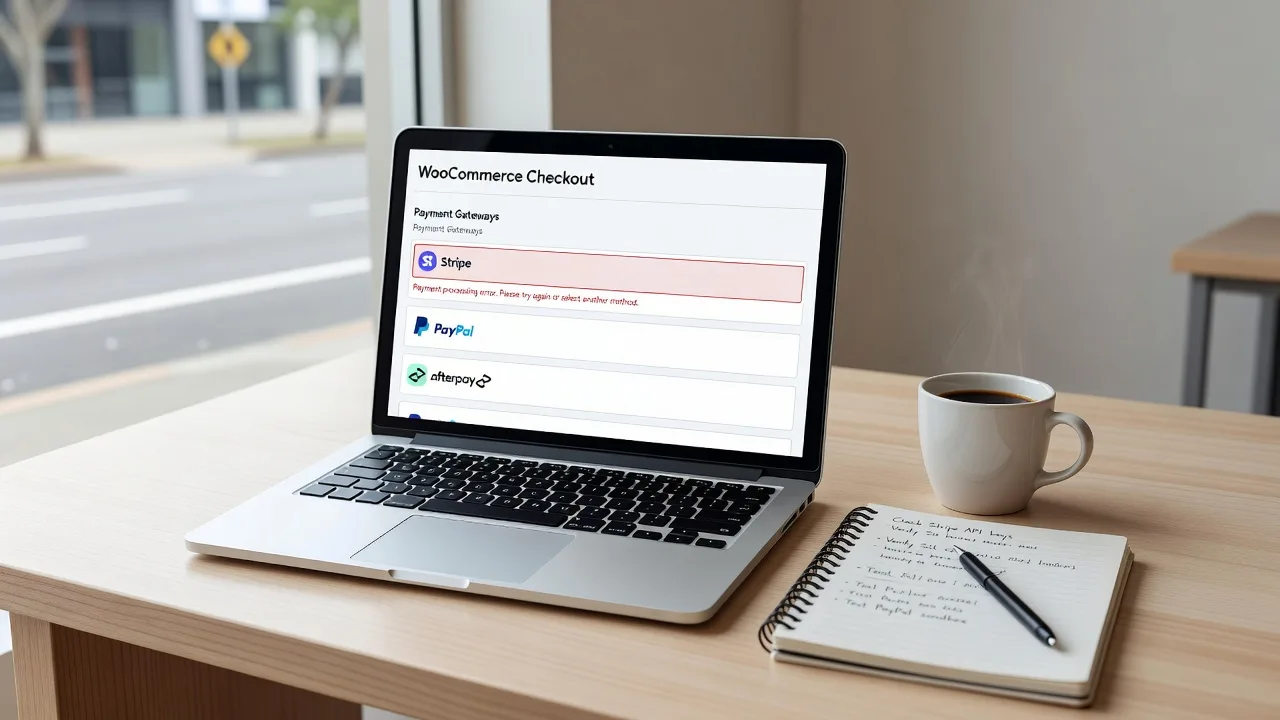
If your Collingwood store drops carts at payment, or Afterpay fails with vague “something went wrong” messages, this guide walks through real gateway timeout and integration fixes you can run yourself—then when to bring in Fixwebnode remotely.
WooCommerce shops across Collingwood and greater Melbourne often stack Stripe, PayPal, and Afterpay on the same checkout. When one gateway times out, PHP hits a limit, or Afterpay’s webhooks miss the site, orders stall and revenue stops. Fixwebnode works as a direct specialist on WooCommerce payment gateways—remote diagnostics, plugin and server fixes, and stable Afterpay wiring—not a freelance marketplace.
Why gateway timeouts matter for Collingwood WooCommerce shops
Payment failures rarely look like a clean error page. Customers see a spinning place-order button, a blank thank-you page, or Afterpay returning them without an order. Behind that sit API latency, webhook TLS problems, exhausted PHP workers, mis-matched API keys, and plugin conflicts. For local retailers selling fashion, homewares, and food online, even a short payment outage means abandoned carts and support tickets the same afternoon.
This post stays on fixing WooCommerce Stripe, PayPal, and Afterpay timeouts and integration errors: symptoms, DIY steps, verification, and clear points to book remote help from Fixwebnode when the stack is deeper than a settings tweak.
Why does WooCommerce checkout time out with Stripe, PayPal, or Afterpay?
Most checkout timeouts happen when the server cannot finish the gateway API call or webhook callback before PHP or the reverse proxy gives up—often from low max_execution_time, blocked outbound HTTPS, stale API credentials, or Afterpay webhooks failing TLS. Fix the slow path and the keys first; if orders still hang after log-backed checks, escalate to a specialist who can trace the full request chain.
| Symptom | Quick fix | When to call Fixwebnode |
|---|---|---|
| Place order spins, then fails | Raise PHP time limits; check gateway error logs | Timeouts persist after PHP and DNS checks |
| Afterpay “payment incomplete” | Re-save API keys; verify webhook URL over HTTPS | Webhooks 4xx/5xx or region/currency mismatch |
| Stripe/PayPal paid but order pending | Replay webhooks; confirm WP-Cron and SSL | Orders desync across multiple gateways |
Common issues with Stripe, PayPal, and Afterpay on WooCommerce
These problems show up repeatedly on production stores. Each has a different root cause.
- Checkout gateway timeout (Stripe or PayPal) — The place-order request hangs 30–60+ seconds, then shows a generic failure. Payment may or may not have captured on the processor side.
- Afterpay integration / “Unable to process” errors — Afterpay modal opens then closes, or returns with an incomplete payment and no WooCommerce order update.
- Paid on gateway, order stuck “Pending payment” — Stripe or PayPal shows success; WooCommerce never flips to Processing because webhooks or IPN callbacks never land cleanly.
- Intermittent failures only at peak traffic — Gateways work off-peak; under load, PHP-FPM queue fills and outbound API calls time out.
Fix 1 — Stripe or PayPal checkout timeouts
When the browser waits on /?wc-ajax=checkout until it dies, treat it as a server-to-gateway time budget problem first, then credentials and DNS.
Step 1 — Capture the real error
Enable logging in WooCommerce → Settings → Payments → Stripe (or PayPal) → enable debug/logging. Reproduce one failed checkout, then inspect logs.
sudo tail -n 100 /var/log/nginx/error.log
sudo tail -n 100 /var/www/html/wp-content/uploads/wc-logs/*.log
# or via WP-CLI from the site root:
wp wc tool list
ls -lt wp-content/uploads/wc-logs/ | head
Look for cURL error 28 (timeout), TLS handshake failures, or HTTP 401/403 from the gateway API.
Step 2 — Confirm outbound HTTPS from the server
curl -I https://api.stripe.com
curl -I https://api-m.paypal.com
curl -v https://api.afterpay.com 2>&1 | head -n 40
If these hang or fail certificate checks, fix firewall, DNS, or CA bundles before touching plugin settings.
Step 3 — Raise PHP execution and input time safely
Gateway round-trips need headroom. On PHP-FPM pools or php.ini:
; example php.ini / pool overrides
max_execution_time = 120
max_input_time = 120
default_socket_timeout = 60
memory_limit = 256M
sudo systemctl reload php8.2-fpm
# adjust version to match your host
wp eval 'echo "max_execution_time=" . ini_get("max_execution_time");'Step 4 — Re-save live API keys and webhook secrets
In Stripe/PayPal plugin settings, switch off test mode if you are live, paste live keys again, save, and clear object/page cache. Confirm the site URL is HTTPS with a valid certificate (no mixed content on checkout).
Step 5 — Verify
Run a low-value live or sandbox order. Confirm the order moves to Processing and the gateway dashboard shows a matching charge with the same order ID/metadata.
If cURL timeouts continue after outbound checks and PHP limits, book Fixwebnode for remote tracing of proxy timeouts, IPv6 issues, and plugin conflict isolation.
Fix 2 — Afterpay integration errors on Australian stores
Afterpay failures for VIC retailers often come from wrong environment keys, currency not AUD, incomplete merchant config, or webhook endpoints that do not answer 200 on HTTPS.
Step 1 — Confirm currency, country, and plugin version
WooCommerce → Settings → General: currency AUD, currency position sensible for AU. Afterpay only offers where the merchant and consumer setup allow it—mismatched store base country or multi-currency plugins frequently break the session create call.
wp plugin list | grep -i afterpay
wp option get woocommerce_currency
wp option get woocommerce_default_country
Step 2 — Re-enter Merchant ID and Secret Key
In the Afterpay gateway settings, set production vs sandbox deliberately. Paste credentials with no trailing spaces, save, then purge cache (plugin cache, CDN, and server full-page cache).
Step 3 — Validate the callback / webhook URL
Afterpay must reach your site over valid TLS. Check certificate expiry and that checkout and REST routes are not blocked by basic auth, geo-IP, or a WAF rule.
sudo certbot certificates
curl -I https://YOURDOMAIN.com.au/
# confirm WordPress REST is reachable
curl -I https://YOURDOMAIN.com.au/wp-json/
Step 4 — Read Afterpay-specific log lines
grep -i afterpay wp-content/uploads/wc-logs/* | tail -n 50
grep -iE 'webhook|callback|401|403|timeout' wp-content/uploads/wc-logs/* | tail -n 50
401/403 points at keys or IP allowlists; timeouts point back at PHP or outbound network; 422-style validation errors often mean order totals, shipping, or excluded categories.
Step 5 — Test one product path end-to-end
Use a simple in-stock product under Afterpay’s min/max limits, standard shipping, no conflicting “buy now pay later” plugin. Complete sandbox checkout and confirm order status plus Afterpay merchant portal entry.
When Afterpay still returns generic failures after keys, AUD, and TLS checks, Fixwebnode can remotely align webhook routes, WAF exceptions, and multi-gateway checkout scripts.
Fix 3 — Gateway paid but WooCommerce order still pending
This desync is a webhook/IPN problem more than a “slow server” problem. Money moved; WordPress never got the signed callback.
Step 1 — Confirm WP-Cron and loopback
wp cron event list
wp eval 'var_export(wp_remote_get(home_url()));'
# loopback failures often break async payment finalisation
If loopback is blocked, enable a real system cron hitting wp-cron.php and disable spurious blocking of local requests.
Step 2 — Re-send webhooks from the processor
In Stripe Dashboard → Developers → Webhooks, open the endpoint for your domain and replay recent payment_intent.succeeded (or equivalent) events. In PayPal, resend IPN/webhook notifications for the transaction. Watch WooCommerce order notes update live.
Step 3 — Confirm endpoint URL and secret
Webhook URL must be the HTTPS site URL WooCommerce expects (www vs non-www mismatch is a classic break). Update signing secrets in the plugin if you rotated them in the dashboard.
# nginx: ensure POST to wc-api or stripe webhook path is not rate-limited to death
sudo tail -n 200 /var/log/nginx/access.log | grep -iE 'wc-api|webhook|stripe|paypal|afterpay'
Step 4 — Clear stuck orders carefully
After a successful replay, mark the order Processing only when the gateway payment ID is verified. Do not bulk-complete unmatched orders.
If webhooks return 301/302 chains, 401 from security plugins, or never appear in access logs, that is a strong signal to book Fixwebnode for remote WAF, REST, and gateway endpoint repair.
Fix 4 — Timeouts only under load (PHP-FPM / workers)
Peak-hour failures with healthy off-peak checkouts usually mean exhausted PHP workers or upstream proxy timeouts while Stripe/PayPal/Afterpay calls wait.
Step 1 — Check PHP-FPM status and pool size
sudo systemctl status php8.2-fpm
# inspect pool (path varies)
sudo grep -E 'pm\.|max_children|request_terminate' /etc/php/8.2/fpm/pool.d/www.conf
Raise pm.max_children only within RAM limits; pair with a sensible request_terminate_timeout.
Step 2 — Align nginx/proxy timeouts
# inside relevant server/location for PHP
fastcgi_read_timeout 120s;
proxy_read_timeout 120s;
sudo nginx -t && sudo systemctl reload nginxStep 3 — Reduce checkout plugin noise
Temporarily disable non-essential checkout scripts (upsells, heavy tag managers on payment pages) and conflicting payment plugins. Retest under two concurrent checkouts.
Step 4 — Verify under light concurrency
Two browsers, two payment methods (e.g. Stripe card + Afterpay sandbox). Both should complete without 504/502 from the edge.
Chronic 502/504 on wc-ajax=checkout after pool and timeout tuning is specialist territory—Fixwebnode can profile the full stack remotely.
When DIY is enough vs when to book Fixwebnode
DIY is enough when logs clearly show a wrong key, test mode left on, currency not AUD for Afterpay, an expired certificate, or PHP max_execution_time that is obviously too low—and a single test order passes after your change.
Book Fixwebnode when any of these hold: timeouts continue after outbound curl and PHP reloads; Afterpay webhooks never hit access logs; Stripe/PayPal capture money while WooCommerce stays pending across many orders; failures appear only at peak; or multiple BNPL/card plugins fight on the same checkout. Remote sessions suit Collingwood and wider VIC stores that need production-safe fixes without on-site visits. See where support is offered on the service areas page. Related store build work is documented under custom WooCommerce setup if your checkout needs structural work beyond gateway repair.
Get checkout stable—talk to Fixwebnode
Gateway timeouts and Afterpay integration errors are solvable when you work from logs, TLS, API keys, webhooks, and PHP worker limits—not from random plugin reinstalls. If you have already tried the steps above and Collingwood customers still cannot complete Stripe, PayPal, or Afterpay payments, start a direct conversation with Fixwebnode for remote diagnosis and repair.
Next step: open the specialist landing page and outline your symptoms (exact error text, which gateway, and whether money captured): WooCommerce Stripe / PayPal / Afterpay help from Fixwebnode. Bring a recent failed order number and whether you use nginx/Apache and which PHP version—that short brief speeds up a production-safe fix.