Multi-Vendor & Complex SaaS Marketplaces
 Modern Headless & Jamstack Web Development
 High-End Corporate & Specialized Business Websites
 Advanced API, Checkout & Database Troubleshooting
Automate GitHub Deploys to CyberPanel with Actions
Stop uploading ZIP files by hand. Build a GitHub Actions CI/CD pipeline that deploys straight to your CyberPanel server—plus the three failures Australian site owners hit most, with fix steps.
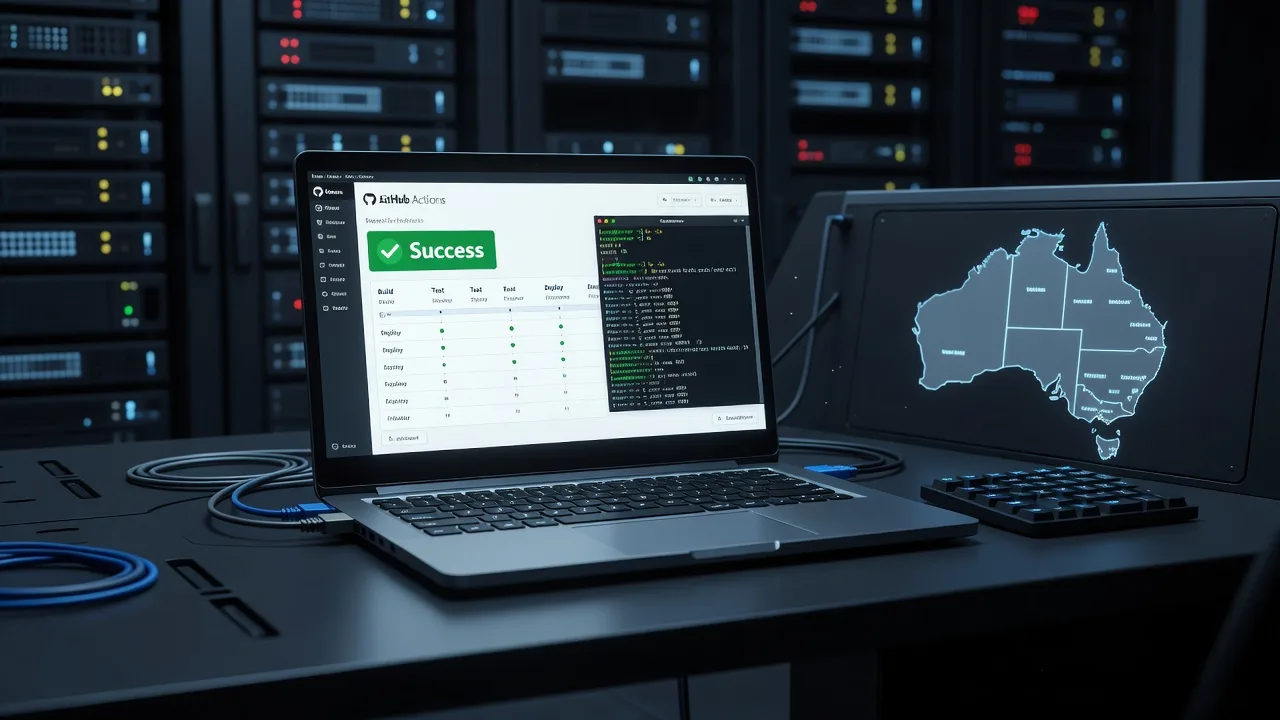
If you run a site on CyberPanel and still push code with SFTP or zip uploads, you can replace that with a repeatable GitHub Actions pipeline. This guide is for Australian small businesses and site owners who want remote, production-safe deploys from GitHub into CyberPanel (OpenLiteSpeed), including the commands, secrets, and checks that actually work.
Fixwebnode provides direct remote server support for this exact workflow—SSH keys, runner jobs, path ownership, and LiteSpeed reloads—without marketplace middlemen. Start from our Linux server support page if you need a specialist on the box while you wire the pipeline.
Can we automate web deploys from GitHub into CyberPanel in Australia?
Yes. Use GitHub Actions with an SSH deploy key (or a restricted deploy user), rsync or git pull on the CyberPanel document root, then reload OpenLiteSpeed or PHP as needed. Most Australian VPS and dedicated hosts running CyberPanel on Ubuntu support this over standard outbound SSH from GitHub-hosted runners.
The usual blockers are bad SSH auth, wrong file ownership after sync, and the panel path not matching what the workflow writes—not “GitHub itself.”
| Symptom | Quick fix | Call Fixwebnode when |
|---|---|---|
| Workflow fails on SSH | Fix deploy key, known_hosts, and port | Key works locally but Actions still fails |
| Deploy OK, site unchanged | Confirm path, purge cache, restart OLS | Multiple vhosts or reverse proxies involved |
| 500s after deploy | Fix ownership and PHP-FPM user | Permissions keep flipping on every push |
Why automated GitHub → CyberPanel deploys matter
Manual uploads break version history, skip tests, and leave production half-updated. A custom CI/CD job on every push to main (or a release tag) gives you a single source of truth: GitHub holds the code; CyberPanel only receives a controlled sync.
For teams across Australia working remote-first, Actions also removes the need for a developer laptop to stay online during go-live. The runner connects to your server, deploys, and exits.
Common issues when wiring GitHub Actions to CyberPanel
These are the distinct failure modes we see when clients ask to automate deployment straight from GitHub into CyberPanel.
- SSH authentication fails in the workflow — Job dies at “Permission denied (publickey)” even though you can SSH from your laptop.
- Deploy succeeds but the live site still shows old code — Wrong document root, OLS cache, or CDN still serving the previous build.
- HTTP 500 or permission errors after a green workflow — rsync left files as root or the wrong panel user; PHP-FPM cannot read the tree.
- Secrets or .env never update on the server — Workflow overwrites the app but skips environment files, or CyberPanel open_basedir blocks the new path.
Build the pipeline: working step-by-step process
Assumptions: CyberPanel on Ubuntu, site document root under something like /home/USER/public_html, GitHub repo already holds the web app, and you have sudo/SSH to the server. Adjust user and path to match your CyberPanel website user.
Prerequisites on the CyberPanel server
Step 1 — Create a restricted deploy user (recommended) or reuse the site user
sudo adduser --disabled-password deploy
sudo mkdir -p /home/deploy/.ssh
sudo chmod 700 /home/deploy/.ssh
Grant the deploy user write access only to the site tree (example for site user mysite):
sudo usermod -aG mysite deploy
sudo chown -R mysite:mysite /home/mysite/public_html
sudo chmod -R g+rwX /home/mysite/public_html
sudo find /home/mysite/public_html -type d -exec chmod g+s {} \;
Step 2 — Generate an ed25519 deploy key pair on a secure machine (not committed to git)
ssh-keygen -t ed25519 -f ./cyberpanel_deploy -C "github-actions-cyberpanel" -N ""Install the public key on the server:
sudo tee -a /home/deploy/.ssh/authorized_keys < ./cyberpanel_deploy.pub
sudo chown -R deploy:deploy /home/deploy/.ssh
sudo chmod 600 /home/deploy/.ssh/authorized_keys
Step 3 — Lock SSH if you use a non-default port and confirm login
ssh -i ./cyberpanel_deploy -p 22 deploy@YOUR_SERVER_IP "whoami && ls -la /home/mysite/public_html"Expected: prints deploy and lists the document root. Fix firewall (UFW/CSF) and CyberPanel firewall rules if this hangs.
Step 4 — Capture host key for Actions known_hosts
ssh-keyscan -p 22 YOUR_SERVER_IPCopy the full line output; you will paste it into a GitHub secret.
GitHub repository secrets
Step 5 — Add repository secrets (Settings → Secrets and variables → Actions):
SSH_PRIVATE_KEY— full contents ofcyberpanel_deploy(private key)SSH_KNOWN_HOSTS— output of ssh-keyscanSSH_HOST— server IP or hostnameSSH_PORT— e.g.22SSH_USER—deployDEPLOY_PATH— e.g./home/mysite/public_html
Never commit the private key to the repo.
Workflow file
Step 6 — Create .github/workflows/deploy-cyberpanel.yml
name: Deploy to CyberPanel

on:
 push:
 branches: [ "main" ]
 workflow_dispatch:

jobs:
 deploy:
 runs-on: ubuntu-latest
 steps:
 - name: Checkout
 uses: actions/checkout@v4

 - name: Start ssh-agent
 uses: webfactory/ssh-agent@v0.9.0
 with:
 ssh-private-key: ${{ secrets.SSH_PRIVATE_KEY }}

 - name: Trust host key
 run: |
 mkdir -p ~/.ssh
 echo "${{ secrets.SSH_KNOWN_HOSTS }}" >> ~/.ssh/known_hosts
 chmod 600 ~/.ssh/known_hosts

 - name: Rsync application
 env:
 HOST: ${{ secrets.SSH_HOST }}
 PORT: ${{ secrets.SSH_PORT }}
 USER: ${{ secrets.SSH_USER }}
 DEST: ${{ secrets.DEPLOY_PATH }}
 run: |
 rsync -az --delete \
 --exclude '.git' \
 --exclude '.github' \
 --exclude 'node_modules' \
 --exclude '.env' \
 -e "ssh -p ${PORT}" \
 ./ ${USER}@${HOST}:${DEST}/

 - name: Fix ownership and reload OpenLiteSpeed
 env:
 HOST: ${{ secrets.SSH_HOST }}
 PORT: ${{ secrets.SSH_PORT }}
 USER: ${{ secrets.SSH_USER }}
 DEST: ${{ secrets.DEPLOY_PATH }}
 run: |
 ssh -p "${PORT}" "${USER}@${HOST}" bash -s <<EOF
 set -e
 # Match CyberPanel site user — change mysite if needed
 sudo chown -R mysite:mysite "${DEST}"
 # OpenLiteSpeed graceful restart (CyberPanel)
 if command -v openlitespeed >/dev/null 2>&1; then
 sudo /usr/local/lsws/bin/lswsctrl restart || sudo systemctl restart lsws
 else
 sudo systemctl restart lsws || true
 fi
 # Optional PHP-FPM bounce if you use external PHP
 if systemctl list-units --type=service | grep -q php; then
 sudo systemctl reload php8.2-fpm 2>/dev/null || sudo systemctl reload php-fpm 2>/dev/null || true
 fi
 EOF
Commit and push to main, or run the workflow manually under the Actions tab.
Step 7 — Verify on the server after the first green run
ssh deploy@YOUR_SERVER_IP "ls -la /home/mysite/public_html | head"
curl -I https://YOUR_DOMAIN
# CyberPanel / OLS error log (path may vary)
sudo tail -n 50 /usr/local/lsws/logs/error.log
sudo tail -n 50 /home/mysite/logs/error.log 2>/dev/null || true
Confirm the new file timestamps match the deploy time and the HTTP response is 200 (or your expected code).
Issue 1 — SSH “Permission denied” from GitHub Actions
Symptoms: Local SSH works; the Actions log fails at rsync/ssh with publickey errors or “Host key verification failed.”
DIY resolution
- Confirm the secret
SSH_PRIVATE_KEYincludes the full PEM block with newlines (paste exactly from the private key file). - Rebuild known_hosts with the same port you use in production:
ssh-keyscan -p 22 YOUR_SERVER_IP- On the server, check authorized_keys ownership and mode:
sudo ls -la /home/deploy/.ssh
sudo grep -n "github-actions" /home/deploy/.ssh/authorized_keys || sudo cat /home/deploy/.ssh/authorized_keys- Watch auth live while re-running the workflow:
sudo tail -f /var/log/auth.log- If CyberPanel or CSF blocks GitHub runner IPs intermittently, allow SSH from the internet only for the deploy user key (key-only, no password) and keep fail2ban tuned rather than opening password auth.
When to call Fixwebnode: Auth still fails after key and known_hosts are correct, or your host uses non-standard SSH hardening, jump hosts, or panel firewall rules you do not want to loosen yourself.
Issue 2 — Workflow green, website still shows old code
Symptoms: Actions completes; GitHub shows success; browser and curl still return previous HTML/assets.
DIY resolution
- Compare what the runner wrote versus the vhost path CyberPanel lists for the domain (Websites → Manage → document root).
- On the server, find the newest files:
sudo find /home/mysite/public_html -type f -mmin -30 | head
# If empty, DEPLOY_PATH is wrong or rsync excluded too much- Purge application and server caches (example for common stacks):
# If you use a build folder, ensure rsync targets the public dir, not the monorepo root
sudo /usr/local/lsws/bin/lswsctrl restart
# WordPress example cache drop (only if WP-CLI exists)
sudo -u mysite wp cache flush --path=/home/mysite/public_html 2>/dev/null || true- Bypass CDN/browser cache:
curl -sI "https://YOUR_DOMAIN/?deploycheck=$(date +%s)" | head -n 20- If you deploy a Node/Vite/React build, add a build step before rsync so
dist/exists on the runner, and rsyncdist/intopublic_html(or your public subdirectory)—not the raw source tree.
When to call Fixwebnode: Multiple domains share roots, reverse proxies sit in front of OLS, or you are unsure which CyberPanel vhost path is live in production.
Issue 3 — HTTP 500 and ownership fights after every push
Symptoms: Site breaks only after Actions runs; logs show permission denied; fixing chown by hand works until the next deploy.
DIY resolution
- Identify the PHP/LiteSpeed external app user CyberPanel assigned (often the site user):
sudo ls -la /home/mysite/public_html | head
ps aux | egrep 'lsphp|php-fpm' | head- Make the workflow always normalize ownership after rsync (see Step 6). Prefer deploying as a user in the site group rather than as root.
- Protect writable app directories without opening the whole tree:
sudo chown -R mysite:mysite /home/mysite/public_html
sudo find /home/mysite/public_html -type d -exec chmod 755 {} \;
sudo find /home/mysite/public_html -type f -exec chmod 644 {} \;
# Example writable paths only — adjust to your app
sudo chmod -R ug+rwX /home/mysite/public_html/storage /home/mysite/public_html/bootstrap/cache 2>/dev/null || true- Read the error that matches the 500:
sudo tail -n 100 /usr/local/lsws/logs/error.log
sudo tail -n 100 /home/mysite/logs/error.log 2>/dev/null || true- Exclude secrets from rsync (
.env) so production credentials stay on the server; update env via SSH once, not from the public repo.
When to call Fixwebnode: Ownership resets conflict with CyberPanel’s own file manager, cageFS-like isolation, or imunify/antivirus rewrites, or 500s persist after correct user:group.
Issue 4 — Environment and config drift
Symptoms: Code is new; app still points at staging DB, missing API keys, or blank config after deploy.
DIY resolution
- Keep
.env/ production config out of git and out of rsync deletes. - After deploy, run framework-specific cache rebuilds as the site user, for example:
ssh deploy@YOUR_SERVER_IP 'cd /home/mysite/public_html && sudo -u mysite php artisan config:cache 2>/dev/null || true'
ssh deploy@YOUR_SERVER_IP 'cd /home/mysite/public_html && sudo -u mysite php artisan migrate --force 2>/dev/null || true'- Confirm the live env file exists and is not world-readable:
sudo ls -la /home/mysite/public_html/.env
sudo chmod 640 /home/mysite/public_html/.env
sudo chown mysite:mysite /home/mysite/public_html/.env
When to call Fixwebnode: You need zero-downtime releases, shared env across multiple nodes, or database migrate gates inside CI with rollbacks.
When DIY is enough vs when to book Fixwebnode
DIY is enough when you control SSH, the document root is clear, and you can complete one green deploy with correct ownership and a clean HTTP check.
Book Fixwebnode when production is already live to customers, SSH hardening or CyberPanel firewall rules are non-trivial, deploys must avoid downtime, or failures span OLS, PHP, and DNS/CDN together. We work as a direct remote specialist for server support across Australia—see all regions on our service areas page—and we stay on the GitHub Actions plus CyberPanel path rather than generic “upload your files” advice.
Talk to Fixwebnode about your GitHub → CyberPanel pipeline
If you want this pipeline locked down on your server—deploy keys, workflow file, path mapping, and post-deploy reloads—start a conversation with Fixwebnode. Bring your domain, CyberPanel access method, and GitHub repo visibility; we will remote in and finish the working path.
Book remote help via the landing page: Ubuntu Linux server support and bug fixing. We will focus on automating web code deployment from GitHub into your CyberPanel server so pushes replace manual uploads for good.