







 Multi-Vendor & Complex SaaS Marketplaces
 Modern Headless & Jamstack Web Development
 High-End Corporate & Specialized Business Websites
 Advanced API, Checkout & Database Troubleshooting
WordPress Medical & Dental Clinic Booking Website | Remote
Get a secure, patient-ready WordPress booking website for medical, dental, and allied-health clinics—built and delivered remotely worldwide.
We design appointment flows that cut no-shows, protect patient details, and work cleanly with your existing practice software. Ideal for multi-room clinics facing peak booking seasons or telehealth expansion.
Need a scoped quote or a walkthrough? Contact support at fixwebnode.com.au/contact-support or chat with us for a direct build path—no marketplace middle steps.
- Clinic-grade booking, forms, and reminders
- Remote delivery with plain-English handoff
- Fixed package scopes you can approve once
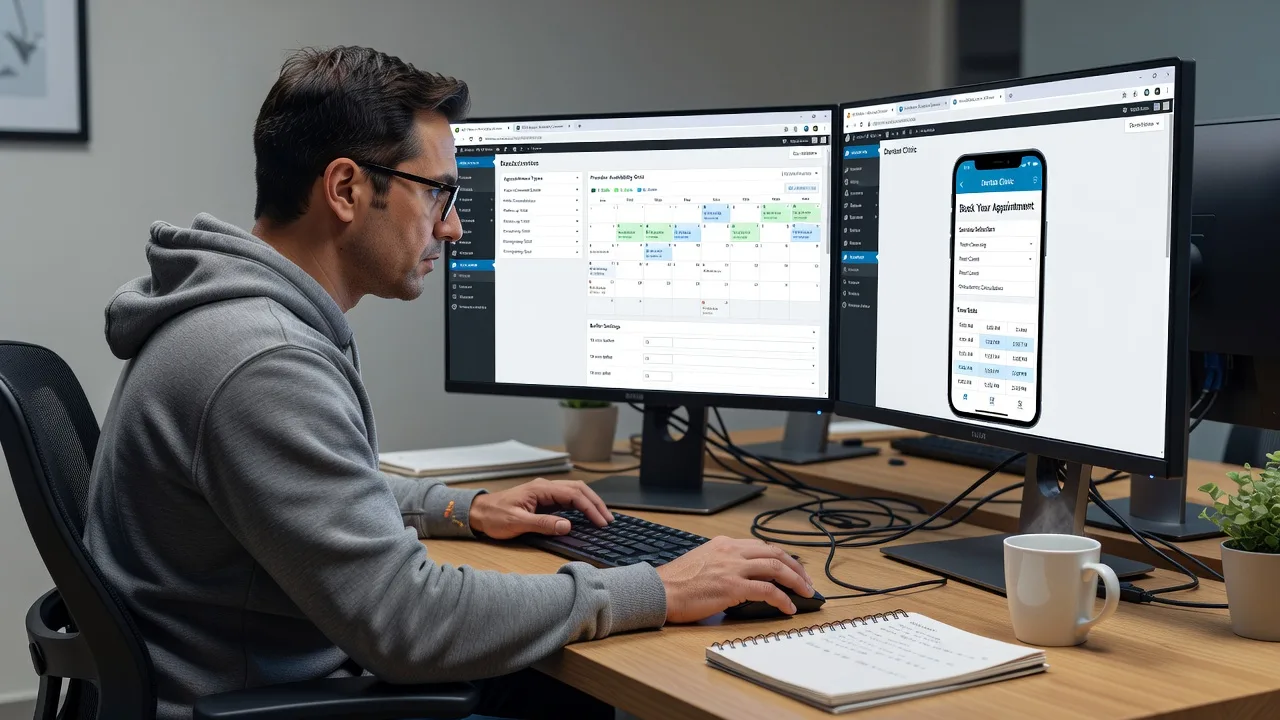
About this service
We build WordPress booking websites purpose-built for medical, dental, and health clinics that need reliable online appointments without the double-book chaos—available remotely worldwide, with on-site help where practical.
What You'll Get
- Clinic booking core on WordPress - Appointment types, durations, buffers, and provider calendars configured for real chair time—not generic “event” slots.
- Patient-facing intake forms - Reason for visit, insurance/Medicare fields where relevant, consent checkboxes, and file upload paths that stay organised for front desk.
- Reminder & confirmation workflow - Email (and optional SMS gateway hooks) timed to reduce no-shows without flooding patients.
- Mobile-first booking UX - Fast flows for patients booking from phones and for reception tablets used at the desk.
- Privacy-minded setup - HTTPS, role-limited staff access, form retention notes, and plugin choices that avoid leaking PHI into marketing tools.
- Handoff pack - Admin walkthrough, how to add clinicians/rooms, and a short checklist for go-live day.
Serving Remote & surrounds
Delivery is remote-first for clinics and practice groups anywhere, with video sessions for stakeholders who cannot leave the floor. We work around clinical hours so after-hours builds do not interrupt morning lists. Seasonal demand—flu clinics, school-holiday ortho checks, end-of-year dental catch-ups—shapes how we set capacity rules and waitlists.
- Single-site GP or dental practices needing a clean public booking page that matches their brand
- Allied-health and multi-provider rooms juggling shared diaries and different appointment lengths
- Telehealth-ready teams who need hybrid in-clinic / video appointment types without two separate systems
How We Work
- Step 1: Reach Out - You outline specialty, number of providers, current diary tool, and must-have booking rules; we listen first and flag compliance-sensitive gaps early.
- Step 2: Tailored Plan - Fixed-scope quote for the WordPress build (theme/base, booking engine, forms, integrations)—no open-ended freelancing bids.
- Step 3: We Deliver - Staging site, booking logic, content blocks for services/fees, testing across devices, and remote configuration of staff roles.
- Step 4: Confirm & Follow-up - Live cutover checklist, plain-English admin session, and optional care plan for plugin updates and seasonal tweaks.
Common Issues & How to Fix Them
These are patterns we see repeatedly on clinic WordPress stacks—symptoms first, then safe checks you can run before escalating.
Double-bookings when two staff open the same diary
Happens when the booking plugin treats “resources” as optional or when Google/Outlook sync is one-way and stale buffers are ignored.
- Step 1: In the booking admin, open a single provider calendar and confirm each service has an exclusive resource (room or clinician) and a post-appointment buffer of at least 5–10 minutes.
- Step 2: Disable parallel bookings for that resource; if calendar sync is on, force a full re-sync and remove any “allow overbooking” or soft-hold settings left from a demo.
- Step 3: Book two test appointments from different browsers one minute apart for the same slot—only one should succeed; the other must show unavailable immediately.
Confirmation emails land in spam or never send
Clinic domains often lack proper SPF/DKIM, or the plugin still sends via PHP mail() while the host rate-limits transactional mail.
- Step 1: Send a test confirmation to a Gmail and a clinic inbox; check headers for “via server hostname” instead of your domain.
- Step 2: Point WordPress transactional mail through an authenticated SMTP or API provider, then add SPF and DKIM records for that sender at your DNS host.
- Step 3: Re-test; confirm the From address matches your clinic domain and that spam folders stay empty for three consecutive live bookings.
Mobile booking drops on the payment or details step
Heavy page builders, unoptimised map embeds, or third-party chat widgets fight the booking form on smaller viewports—patients abandon mid-flow.
- Step 1: On a phone, open the booking URL in a private window and note the exact step where scroll jank or a stuck button appears.
- Step 2: Temporarily disable non-essential scripts (chat, popups, auto-play video) on booking pages only; switch the form to a single-column layout and reduce map iframes to a static link.
- Step 3: Complete a full dummy booking on iOS and Android; success is a confirmation page under three seconds of feel and no horizontal scroll.
When DIY is not enough (urgent, unsafe, recurring, or burning time), book Fixwebnode for direct professional support—no freelancers, bidding, or marketplace noise.
Why Choose Fixwebnode
We deliver the WordPress clinic build ourselves as a direct provider—infrastructure-grade configuration with calm, jargon-light handoffs for practice managers. Remote worldwide delivery means your clinical day is not interrupted by on-site noise unless you specifically need a walkthrough on the floor.
- ✓ Fixed package scopes for booking logic, forms, and go-live—not open bids
- ✓ Experience with multi-provider diaries, buffers, and telehealth hybrid types
- ✓ Post-launch support path via fixwebnode.com.au/contact-support and live chat
Tools & Technologies
WordPress (current stable), clinic-oriented booking plugins and custom post types for services, WooCommerce or gateway hooks only when deposits are required, SMTP/API mail (e.g. authenticated transactional providers), form builders with conditional logic, caching compatible with dynamic booking pages, SSL/HTTPS, role/capability hardening, Google/Outlook calendar sync where appropriate, Elementor or block themes kept lean on booking routes, staging + backup before cutover.
Perfect For
Medical, dental, physio, psychology, and mixed allied-health clinics that need patients to book the right appointment type the first time. Especially strong for remote practice groups standardising one WordPress front door across rooms, or clinics preparing for flu-season and telehealth load without rebuilding the entire PMS. If you want a direct build with clear ownership—not a board of competing proposals—this service is scoped for you.
Choose a package
Starter WordPress clinic booking page with one provider calendar, core services, and confirmation emails.
Multi-provider clinic booking site with intake forms, buffers, reminders, and staging-to-live cutover.
Full clinic WordPress booking build with hybrid telehealth types, deposits if needed, calendar sync, and extended care.
FAQ
We build and configure everything on a staging environment, then run video sessions with your practice manager or front-desk lead. You receive a go-live checklist and we schedule cutover outside peak clinical hours. On-site visits are available only where practical and agreed in advance—most clinics complete the full project remotely.
No. The WordPress site is the patient-facing booking and information layer. We design appointment types and exports or calendar sync to work alongside your existing PMS or diary. If you need a deeper integration later, we scope that as a separate fixed quote rather than forcing a risky all-in-one swap.
Yes. Standard and Premium packages support multiple providers and rooms; Premium is the better fit when locations share branding but need separate calendars, buffers, and staff roles. We map each site’s hours and services before build so patients never book the wrong clinic by mistake.
A list of providers, appointment lengths, buffer rules, brand assets, preferred domain/hosting access, and any non-negotiable consent wording. If mail or SMS is required, we also need DNS access to set authenticated sending. Clear inputs keep the fixed quote accurate and the timeline tight.



