Multi-Vendor & Complex SaaS Marketplaces
 Modern Headless & Jamstack Web Development
 High-End Corporate & Specialized Business Websites
 Advanced API, Checkout & Database Troubleshooting
Shopify Liquid Code Bug Fix Specialist — St Kilda, Victoria
Broken Shopify Liquid holding back sales on the St Kilda strip? We diagnose and repair themes fast.
Fixwebnode delivers direct Liquid debugging for beachside retailers, hospitality brands, and e‑commerce teams across St Kilda—cart glitches, section render failures, and checkout snippets that fail under weekend tourist load. Smart Solutions. Human Support.
Power up your store support—call 0421498927 or book at fixwebnode.com.au/contact-support.
- Root-cause Liquid fixes, not guesswork patches
- Fixed-scope quotes with plain-English handoff
- Remote-first with optional local walkthrough
About this service
Get reliable Shopify Liquid bug fixes for St Kilda, Victoria stores that cannot afford broken product pages, dead CTAs, or checkout surprises during peak foot-traffic weekends. Fixwebnode is your direct provider—enterprise-grade theme engineering with patient human support, not a freelancer marketplace.
What You'll Get
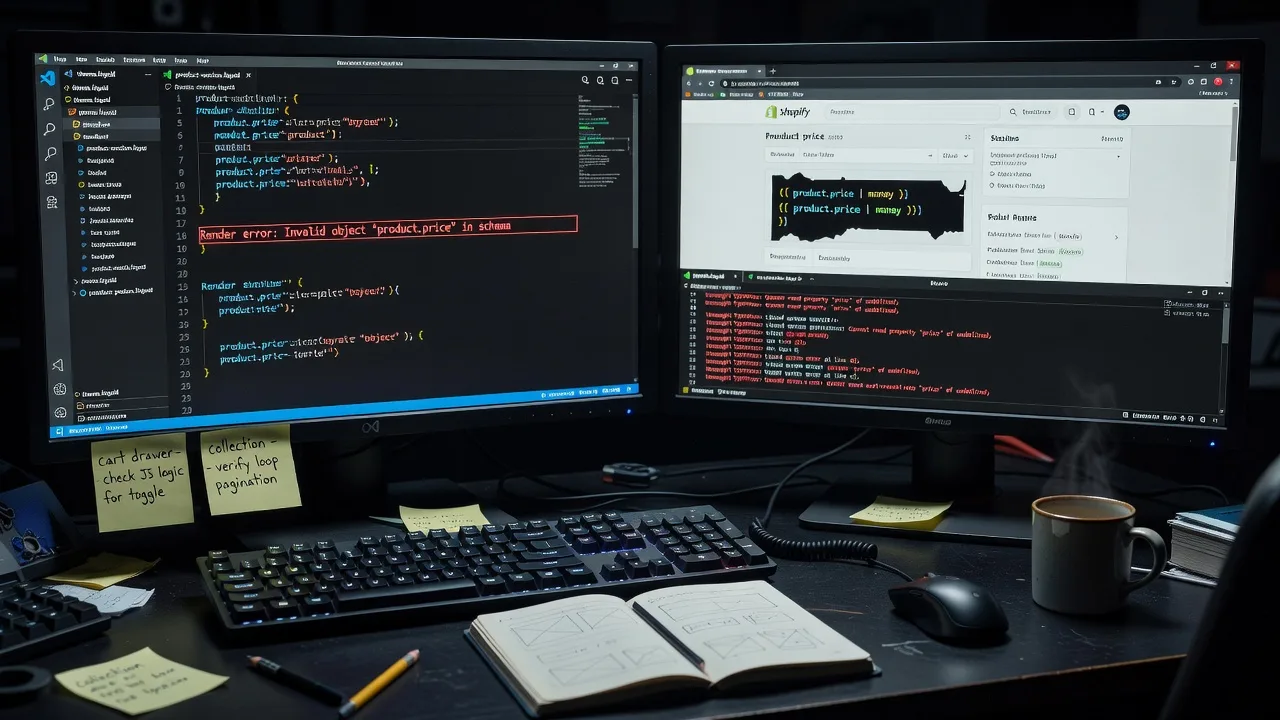
- Root-cause Liquid diagnosis - We trace render errors, null filters, and section schema conflicts instead of masking symptoms with temporary CSS.
- Theme section & snippet repair - Product cards, collection grids, cart drawers, and custom blocks restored to stable behaviour across desktop and mobile.
- Checkout & cart logic cleanup - Line-item properties, discount display, and dynamic pricing snippets fixed so peak tourist weekends do not break conversion.
- Performance-safe edits - Lean Liquid, fewer nested loops, and careful asset hooks so page speed does not collapse after the fix.
- Staging-first workflow - Changes validated on a duplicate theme before anything touches your live storefront.
- Plain-English handoff - What broke, why it broke, and how to avoid the same pattern next campaign.
Serving St Kilda, Victoria & surrounds
St Kilda’s mix of high-street fashion, café merchandise, wellness retail, and visitor-driven gift shops means storefronts spike hard around weekends, festivals, and beach season. A Liquid bug that only appears under sale collections or multi-variant bundles can quietly erase revenue when St Kilda, Victoria Street and Acland Street foot traffic peaks. We also support nearby operators in Elwood when the same brand runs multi-location inventory on one Shopify store.
- Independent fashion and lifestyle retailers needing stable collection filters during weekend markets and pop-up rushes
- Hospitality and tourism-adjacent shops whose gift and merch themes break when staff push last-minute promo banners
- Remote-first fixes with optional on-site or video walkthrough when strata access, café Wi‑Fi limits, or shared devices make admin hard—travel arranged for the St Kilda / Port Phillip pocket when hands-on review helps
How We Work
- Step 1: Reach Out - Tell us the symptom (blank section, wrong price, cart error, mobile-only break). We listen first—infrastructure detail or patient walkthrough of your admin—then request theme access or a Collaborator invite.
- Step 2: Tailored Plan - You receive a fixed-scope quote for the Liquid repair path, plus a clear support option if your team needs training on safe theme edits afterward.
- Step 3: We Deliver - We reproduce the bug, patch Liquid/JSON templates on staging, regression-check key templates, and publish only when stable.
- Step 4: Confirm & Follow-up - Plain-English summary, optional maintenance window, or a short coaching session so non-technical staff know what not to overwrite in the theme editor.
Expert Insights: What Most People Get Wrong
Based on 8+ years of Shopify theme and Liquid work, here are the critical mistakes I see clients make—and how I fix them:
- Patching the symptom in CSS instead of the Liquid data path - Hiding a broken price with display:none leaves the wrong compare-at value in the DOM and in analytics. Good fix: correct the money filter chain and the variant object reference so the right price renders once; bad fix: layering more CSS that fails on the next theme update.
- Editing live theme files during trading hours without a duplicate - One unmatched endif or a schema comma error takes the entire section offline mid-Saturday rush on the Esplanade tourist corridor. Always duplicate the theme, lock a preview password, and ship only after product, collection, cart, and search templates pass a checklist.
- Nested loops over all_products or unbounded collections inside section files - Works in a 12-product demo store, then times out when a St Kilda retailer grows to hundreds of SKUs for seasonal merch. Cap iteration, use collection handles deliberately, and move heavy logic into section settings or metafields rather than scanning the whole catalogue on every page view.
- Mixing Online Store 2.0 app blocks with hard-coded snippets that expect old section IDs - After a theme upgrade, blocks render empty because render tags still point at removed snippets. Map every {% render %} dependency before migration; if an app injects Liquid, test the cart drawer and product media gallery together—those two break together more often than merchants expect.
When you book Fixwebnode, you get direct professional support—infrastructure expertise and patient human help—without freelancers, bidding, or marketplace noise.
Why Choose Fixwebnode
We blend Tier 1 technical depth (Liquid, theme architecture, remote store hygiene) with Tier 2 human digital support so owners and staff actually understand what changed. Smart Solutions. Human Support. Local awareness of visitor-driven retail rhythms in St Kilda means we prioritise stability when your traffic is least forgiving.
- ✓ Direct provider model—one accountable team, fixed quotes, no bid wars
- ✓ Staging-first Liquid repairs with conversion-critical templates in the test path
- ✓ Phone and web support via 0421498927 and fixwebnode.com.au for fast escalation
Tools & Technologies
Shopify Admin & Collaborator access, Theme Editor (OS 2.0), Liquid, JSON templates & section groups, Shopify CLI, theme check, Chrome DevTools network/console, Git-based theme backup where appropriate, metafields & metaobjects, Checkout extensibility awareness (where applicable), performance checks on critical templates, and secure remote support sessions.
Perfect For
St Kilda and greater Port Phillip retailers, hospitality merch brands, wellness clinics selling online, and small ecommerce teams who need a broken theme fixed properly—not another temporary app band-aid. Ideal when your store is live, staff are non-technical, and you want infrastructure-grade repair with calm, jargon-free explanation afterward.
Choose a package
Single Liquid bug or section failure diagnosed and fixed on one theme with staging check.
Multi-template Liquid repair across product, collection, and cart paths with regression pass.
Full theme Liquid health pass, priority fixes, and staff handoff coaching for ongoing stability.
FAQ
Most Shopify Liquid repairs are completed remotely with Collaborator or staff access, which is fastest for live stores. For St Kilda and nearby Port Phillip businesses, we can arrange a video walkthrough or on-site session when device access, shared iPads, or café-network limits make admin awkward—travel is scheduled after scope is confirmed.
Ideally a Shopify Collaborator invite with Themes permission, plus a short note on which pages fail and on which devices. We duplicate the live theme before editing, so your customers keep shopping while we reproduce and repair the issue on staging.
Yes. Many Liquid breaks appear right after OS 2.0 upgrades, app block installs, or banner campaigns. We isolate whether the fault is custom code, an app snippet, or a schema mismatch, then repair the storefront path without blindly removing apps your operations still need.