







 Multi-Vendor & Complex SaaS Marketplaces
 Modern Headless & Jamstack Web Development
 High-End Corporate & Specialized Business Websites
 Advanced API, Checkout & Database Troubleshooting
Shopify Speed Fix: Remove Unused App Scripts & Code | Remote
Cut Shopify load time by stripping leftover app scripts—delivered remotely worldwide.
We audit theme liquid, checkout scripts, and third-party pixels that keep firing after apps are uninstalled, then remove dead code so product pages feel snappy for DTC and seasonal store owners. Technical clean-up with plain-English reporting so your team knows what changed.
Need a hand? Contact support at fixwebnode.com.au/contact-support or chat with us to lock in a fixed-scope speed cleanse.
- Script & app residue audit
- Before/after performance notes
- Remote delivery with clear handoff
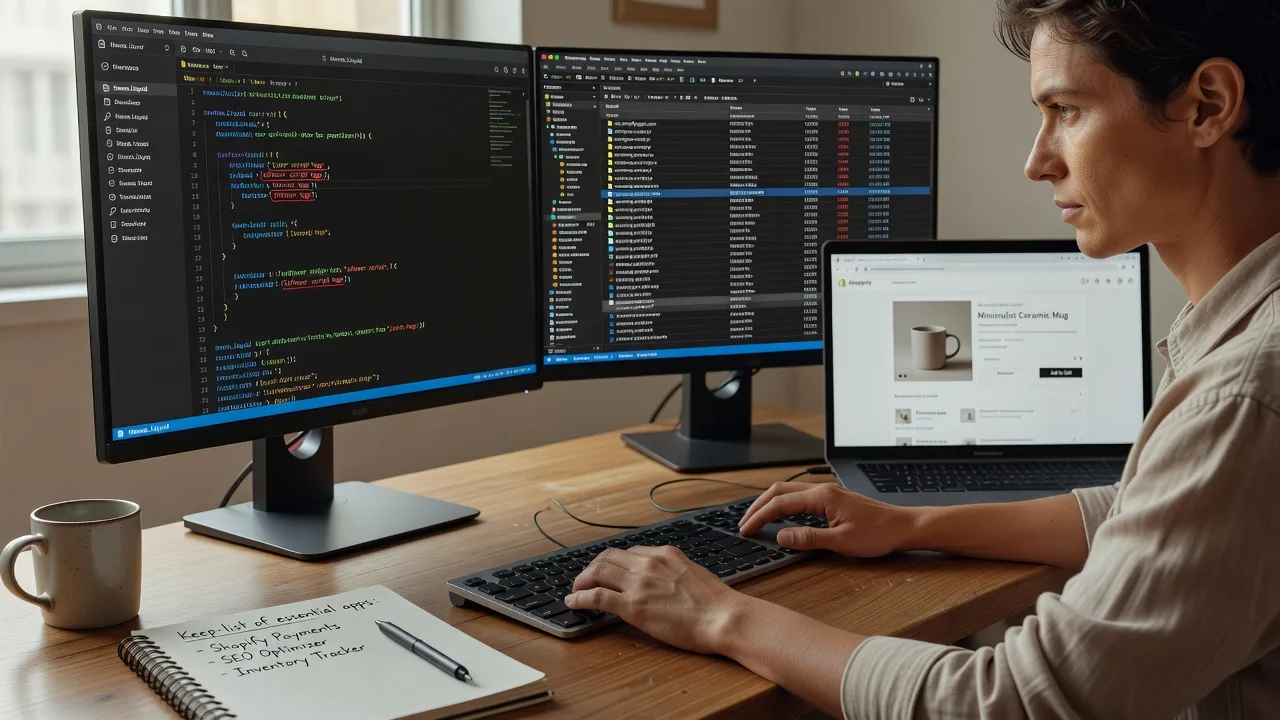
About this service
We strip unused Shopify app scripts and orphaned theme code so your storefront loads faster for shoppers anywhere—remote delivery worldwide for growing DTC and multi-SKU catalogues. Bloated third-party JS is one of the most common reasons product pages stall on mobile; we treat it as a precision infrastructure job, not a theme redesign.
What You'll Get
- Full app & script inventory - Map every installed app, residual snippet, and global script tag still injecting on storefront and cart.
- Safe removal of dead code - Delete or disable orphaned Liquid includes, asset files, and network calls left after uninstalls.
- Theme.liquid & layout hygiene - Clean head/body injection points without breaking checkout or essential tracking you still need.
- Before/after timing notes - Practical load observations (key pages) so you can see what improved.
- Keep-list for critical apps - Document which scripts stay (payments, fulfilment, compliance) so nothing vital is cut.
- Plain-English change log - Handoff your team can follow when installing future apps.
Serving Remote & surrounds
This service is built for online merchants who sell across regions and peak seasons—fashion drops, wellness subscription boxes, education retailers, and clinic-adjacent product shops that cannot afford sluggish mobile PDPs. Work is done securely over remote access; on-site pairing is available only where practical for your ops team.
- Seasonal catalogue brands prepping BFCM or end-of-financial-year campaigns who need leaner storefront JS
- Multi-location retail brands consolidating apps after a rebrand or migration
- Remote collaboration via staged theme preview so merchandising can approve without downtime surprises
How We Work
- Step 1: Reach Out - Tell us your Shopify plan, theme, recent app uninstalls, and which pages feel slow; we listen before touching code.
- Step 2: Tailored Plan - Fixed-scope quote for audit depth (Basic cleanse through Premium full residual sweep plus monitoring notes).
- Step 3: We Deliver - Remote theme duplicate, script removal, and verification on key templates—patient updates if your ops lead needs walkthroughs.
- Step 4: Confirm & Follow-up - Publish checklist, change log, and optional follow-up window if a new app reintroduces bloat.
Common Issues & How to Fix Them
These are patterns we see repeatedly on live Shopify stores after app churn—not generic speed tips.
Ghost app scripts still loading after uninstall
You removed the app in Admin, yet Network tab still shows calls to the vendor CDN on every product page—classic leftover embed in theme.liquid or a section snippet.
- Step 1: Open a product page in an incognito window, DevTools → Network, filter by JS, reload, and note third-party hosts that are not Shopify CDN or your known analytics.
- Step 2: In Online Store → Themes → Edit code, search the theme for the vendor domain or app name string; comment out or remove matching script tags and {% render %} calls only in a duplicate theme.
- Step 3: Preview the duplicate, hard-refresh, confirm the host no longer appears and cart/add-to-cart still works; then publish only after that check.
Duplicate pixel / tag managers firing twice
Checkout or thank-you pages report inflated sessions because an old GTM snippet sits in theme.liquid while Customer Events or an app also injects the same tag.
- Step 1: View page source on home and checkout-related templates (where accessible) and search for gtm.js, fbq(, ttq., or your pixel ID—count occurrences.
- Step 2: Keep a single authoritative injection path (preferably modern Customer Events or one carefully placed snippet); remove the older hard-coded copy from layout files.
- Step 3: Use the tag assistant or pixel helper on a test purchase path to confirm one fire per event, not doubles.
App CSS/JS assets left in Assets folder bloating every request path
Uninstalled upsell or review apps often leave.js/.css files that a remaining {% stylesheet %} or asset_url reference still pulls sitewide, hurting LCP on collection grids.
- Step 1: In theme Assets, sort by name/date and list files clearly tied to removed apps; cross-check theme search for those filenames.
- Step 2: Remove references first, save, then delete orphan asset files from the duplicate theme—never delete from live without a backup theme.
- Step 3: Re-test collection and PDP templates; confirm fewer asset requests and that review/upsell UI you still want (if any native replacement) still renders.
When DIY is not enough (urgent, unsafe, recurring, or burning time), book Fixwebnode for direct professional support—no freelancers, bidding, or marketplace noise.
Why Choose Fixwebnode
We are a direct provider: enterprise-minded Shopify/theme hygiene with human-clear explanations for founders and ops teams who are not full-time developers. You work with us end-to-end—fixed scopes, remote worldwide delivery, and documentation you can keep.
- ✓ Hands-on experience cleaning residual app stacks after migrations and “app hopping” growth phases
- ✓ Duplicate-theme safety workflow so live sales traffic is protected during edits
- ✓ Balance of technical depth and jargon-free handoff for non-technical store owners
Tools & Technologies
Shopify Admin & theme editor, Liquid/JSON templates, Chrome DevTools Network & Coverage, Lighthouse-style checks on key URLs, theme duplicate/preview workflow, selective app embed review, Customer Events awareness, and structured change logs. We do not sell marketplace bidding—we perform the clean-up ourselves.
Perfect For
DTC brands, subscription and wellness merchants, education product shops, and small multi-SKU retailers whose storefronts slowed after installing then removing apps. Ideal when mobile conversion dipped and your team suspects leftover scripts more than hosting. Remote-first; we coordinate with your marketing calendar so peak campaigns launch on a leaner stack.
Ready to proceed? Reach us via fixwebnode.com.au/contact-support or chat—tell us your theme and recent app list and we will outline the cleanest fixed path.
Choose a package
Focused audit and removal of obvious unused app scripts on one live theme duplicate for key templates.
Deeper theme-wide residual sweep including assets, duplicates pixels, and documented keep-list for active apps.
Comprehensive speed hygiene: full residual removal, priority templates, ops walkthrough, and short post-clean follow-up window.
FAQ
Yes. We deliver worldwide over secure remote collaboration using a theme duplicate and preview links. You stay in control of publish timing. On-site pairing is only arranged where practical and never required for a standard script cleanse.
We work on a duplicate theme first, maintain a keep-list for payments, fulfilment, and compliance tools, and verify cart and key events before any publish. Critical scripts stay; only confirmed residuals and duplicates are removed.
Speed apps often add more JavaScript. We reduce what the browser must download by deleting orphaned embeds and assets left behind by apps you already removed. It is direct specialist work on your theme, not another layer of scripts.



