Multi-Vendor & Complex SaaS Marketplaces
 Modern Headless & Jamstack Web Development
 High-End Corporate & Specialized Business Websites
 Advanced API, Checkout & Database Troubleshooting
Shopify Domain Mapping & Custom DNS Records — Remote
Get your custom domain live on Shopify cleanly—mapped, verified, and free of DNS dead-ends—delivered remotely worldwide.
We connect root and www hostnames, set A/CNAME/AAAA and email-safe TXT records, and confirm SSL so checkout and brand URLs resolve without loops or mixed-content warnings. Ideal for DTC stores, seasonal catalogue launches, and multi-brand retailers consolidating domains before peak traffic.
Need a clear path forward? Chat with us or visit fixwebnode.com.au/contact-support to power up your support experience and lock in a fixed-scope remote session.
- Root + www mapping with correct Shopify targets
- Custom DNS (A, CNAME, MX, SPF/DKIM-ready TXT)
- SSL and redirect checks before you go live
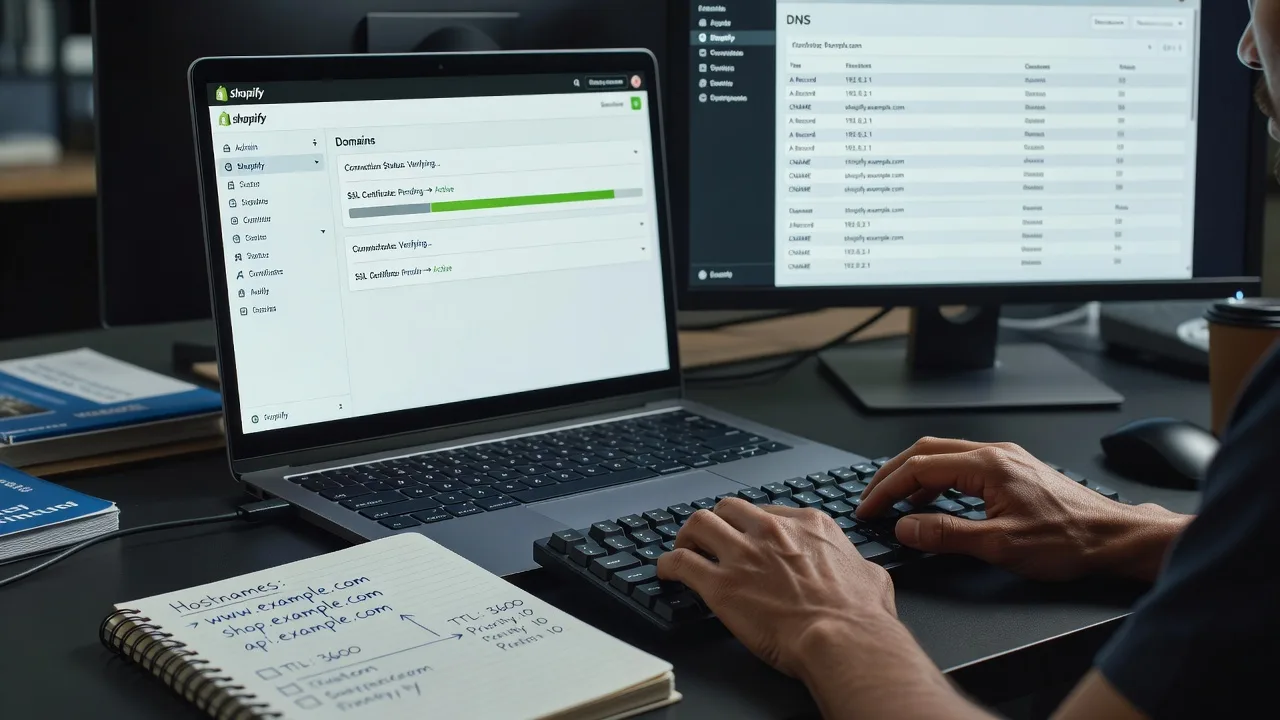
About this service
We configure Shopify domain mapping and custom DNS records remotely so your storefront opens on your brand domain—not a myshopify.com URL—with SSL green and email deliverability intact for worldwide ecommerce teams.
What You'll Get
- Primary domain connection - Root and www hostnames mapped to Shopify with the correct target values for your store plan.
- Custom DNS record set - A, AAAA (where needed), CNAME, and TXT records documented and applied at your registrar or DNS host.
- SSL and redirect verification - Force HTTPS, fix www↔apex preferences, and catch redirect loops before customers hit them.
- Email-safe DNS hygiene - Preserve or stage MX/SPF/DKIM/DMARC so order and support mail still delivers after the cutover.
- Handoff notes - Plain-English record inventory, TTL guidance, and what to change only if you migrate hosts later.
- Optional multi-domain add-ons - Extra brand or regional storefronts mapped under the same disciplined process.
Serving Remote & surrounds
This is a fully remote service for store owners, agencies, and ops teams anywhere with registrar and Shopify admin access. We work across time zones with shared screens, staged TTL changes, and after-hours cutovers when your traffic pattern demands it. No fake local shopfront—just direct specialist delivery where your DNS and Shopify live.
- DTC fashion and beauty brands flipping seasonal campaign domains before drop day
- Subscription-box and meal-kit operators consolidating apex + shop subdomains under one DNS host
- Multi-market retailers needing remote cutover windows aligned to regional peak hours, with rollback notes ready
How We Work
- Step 1: Reach Out - Tell us your Shopify store URL, intended primary domain, registrar/DNS host, and whether email (Google Workspace, Microsoft 365, or transactional ESP) must stay live through the change.
- Step 2: Tailored Plan - Fixed-scope quote covering which records change, TTL strategy, SSL timing, and whether we only map or also clean legacy CNAMEs and parking pages.
- Step 3: We Deliver - We apply Shopify domain settings, publish DNS, monitor propagation, and validate checkout, admin, and key landing paths over remote session.
- Step 4: Confirm & Follow-up - You receive a verified checklist, record snapshot, and optional follow-up window if a secondary host or email provider still needs a TXT tweak.
Common Issues & How to Fix Them
These are the failure patterns we see constantly on Shopify domain projects—symptoms first, then safe checks you can try before booking us.
Apex domain shows Shopify’s generic page or “domain not connected” while www works
Usually the root (@) still points at an old A record or a parking IP, while only the www CNAME was updated to shops.myshopify.com (or the current Shopify target).
- Step 1: In Shopify Admin → Settings → Domains, note the exact connection status and the host values Shopify currently asks for (do not guess from a blog post written years ago).
- Step 2: At your DNS host, set the apex per Shopify’s current guidance (often an A to Shopify’s published IPs or their ALIAS/ANAME equivalent) and keep www as a CNAME to the Shopify hostname—remove competing A/AAAA on www.
- Step 3: Wait for TTL expiry, then open an incognito window to https://yourdomain and https://www.yourdomain; both should show Connected in Shopify and load the same theme without certificate warnings.
Site loads on the custom domain but checkout or assets throw mixed-content / SSL pending forever
Common when DNS still has dual stacks, a leftover Cloudflare “Flexible” SSL mode, or the primary domain was never set so Shopify keeps issuing for the wrong hostname.
- Step 1: Confirm only one primary domain is selected in Shopify and that “Enable automatic SSL” is on; remove unused domains that still show “SSL pending.”
- Step 2: If you use a proxy (Cloudflare etc.), set SSL/TLS to Full (strict) only after origin certs are valid—never leave Flexible on a Shopify storefront—and pause proxy briefly if the cert will not issue.
- Step 3: Hard-refresh checkout and product pages; view certificate details for the leaf CN/SAN matching your brand domain. If SSL stays pending after clean DNS + Full strict, escalate—do not keep flipping proxy modes hourly.
Orders and support email bounce or land in spam right after the domain cutover
Someone deleted MX or overwrote a single TXT that held SPF (and sometimes DKIM) while “cleaning DNS for Shopify,” so mail auth breaks even though the shop looks fine.
- Step 1: Export or screenshot every existing MX and TXT record before any edit; search for v=spf1, google-site-verification, and selector._domainkey entries.
- Step 2: Re-apply MX exactly as the mail host requires; merge SPF into one TXT (Shopify verification strings belong in separate TXT records—never stuff them inside SPF).
- Step 3: Send a test order confirmation and a manual message to an external inbox; check headers for SPF/DKIM pass. If fail persists, stop further DNS thrash and book a controlled repair.
When DIY is not enough (urgent, unsafe, recurring, or burning time), book Fixwebnode for direct professional support—no freelancers, bidding, or marketplace noise.
Why Choose Fixwebnode
We handle Shopify domain mapping as infrastructure work with human-clear explanations: what changed, why each record exists, and how to avoid breaking mail or analytics tags. You deal with us directly—fixed scopes, remote sessions, and follow-through until the green padlock and brand URL both behave.
- ✓ Direct provider delivery for DNS + Shopify admin changes (not a bid board)
- ✓ Cutover habits built for live stores: TTL planning, email preservation, rollback notes
- ✓ Plain-language handoff so your team can re-check records without relearning DNS folklore
Tools & Technologies
Shopify Admin Domains, registrar panels (GoDaddy, Namecheap, Google Domains/Squarespace, Route 53, Cloudflare DNS, Azure DNS), dig/nslookup and DNS propagation checkers, SSL certificate inspection, SPF/DKIM/DMARC review, optional Cloudflare proxy modes, Google Workspace and Microsoft 365 DNS templates, transactional ESP CNAMEs (Klaviyo, Omnisend, etc.) where they coexist with storefront records.
Perfect For
Ecommerce founders, in-house marketers, and small ops teams who need the brand domain on Shopify before a launch, sale, or agency handoff—and want DNS done once without mystery records. Also a fit for multi-store groups adding regional domains remotely, and for non-technical owners who need patient screen-share guidance while we apply the technical steps. Available remotely worldwide; on-site only where practical for adjacent hardware needs.
Ready when you are—describe your domain and DNS host, and we will map a clean path. Chat with us or go to fixwebnode.com.au/contact-support.
Choose a package
Single Shopify primary domain mapping with core A/CNAME records and SSL status check.
Domain mapping plus full custom DNS tidy—including email-safe TXT/MX review and dual-host verification.
Multi-domain or complex DNS host cutover with staged TTL plan, proxy/SSL hardening, and extended follow-up.
FAQ
All critical work happens in Shopify Admin and your DNS host over a secure remote session. You grant temporary access or share screen while we apply records; we monitor propagation from our side and confirm SSL and storefront paths with you before closing the job. On-site is only considered if you have a separate hardware need—it is not required for domain mapping.
Not if MX and existing SPF/DKIM TXT records are preserved or carefully merged. We inventory mail-related records before edits and keep Shopify verification strings separate from SPF. Standard and Premium packages include this email-safe review so order mail and ESP domains keep authenticating.
Often minutes to a few hours once TTLs drop, but global caches can take up to 24–48 hours in stubborn cases. We lower TTLs when possible before the cutover, then verify both apex and www plus SSL status. You get clear go/no-go criteria instead of guessing from a single device cache.