







 Multi-Vendor & Complex SaaS Marketplaces
 Modern Headless & Jamstack Web Development
 High-End Corporate & Specialized Business Websites
 Advanced API, Checkout & Database Troubleshooting
Node.js & PM2 Process Manager Install on Debian | Remote
Production-ready Node.js and PM2 on your Debian server—delivered remotely worldwide.
We install a supported Node LTS release, wire PM2 for zero-downtime restarts, and lock in boot persistence so SaaS APIs and agency backends survive reboots without silent crashes. Fixed-scope remote work for VPS and bare-metal Debian hosts.
Power up support when you need it — Chat with us or book via fixwebnode.com.au/contact-support.
- Debian 11/12 verified install path
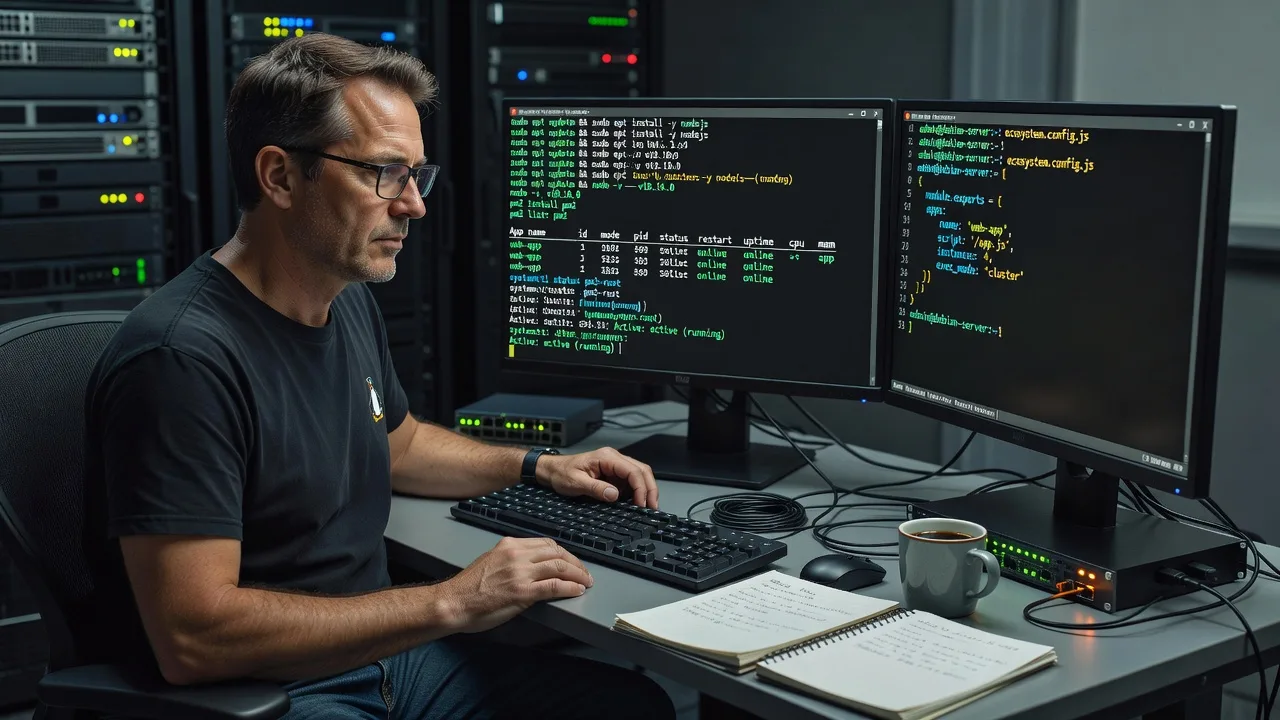
- PM2 startup, logs & ecosystem file
- Direct provider quote—no marketplace bids
About this service
Get a clean, production-grade Node.js runtime and PM2 process manager on your Debian server—configured remotely so apps stay online through deploys, crashes, and full host reboots. Ideal for SaaS founders, fintech API teams, and digital agencies running Node workloads on Debian VPS or dedicated hosts who need predictable process supervision without guesswork.
What You'll Get
- Supported Node.js LTS install - Correct major/minor from NodeSource or official tarball path matched to your Debian release, with PATH and npm verified.
- PM2 global install & app registration - Your service(s) registered under PM2 with restart policy, max memory restart, and sensible instance mode.
- Boot persistence - systemd startup unit generated so PM2 resurrects processes after kernel updates and power events.
- Ecosystem file & log rotation - ecosystem.config.cjs (or.js) with env blocks, plus logrotate-friendly output paths so disks do not fill overnight.
- Health smoke tests - Process list, port bind check, and sample restart cycle documented in plain English for your team.
- Optional reverse-proxy handoff notes - Clear upstream settings when Nginx or Caddy already fronts the app (Premium).
Serving Remote & surrounds
This is a fully remote infrastructure service available worldwide. We work over secure SSH on Debian 11 and 12 hosts in any region—cloud VPS, colo, or on-prem—so teams shipping Node APIs for e-commerce peaks, fintech settlement windows, or agency multi-tenant backends get the same disciplined install path regardless of data-centre location. On-site is available where practical for hybrid environments.
- SaaS and marketplace backends that must recover cleanly after nightly deploys
- Agencies standardising Debian images for client Node microservices before go-live
- SSH-first delivery worldwide; optional on-site where your rack or office access allows
How We Work
- Step 1: Reach Out - Share Debian version, access method (SSH key preferred), target Node major, and whether apps already run under systemd, forever, or no supervisor at all. We listen first.
- Step 2: Tailored Plan - Fixed quote for the install scope: single app Basic, multi-app Standard, or hardened Premium with proxy notes and monitoring hooks.
- Step 3: We Deliver - We connect remotely, apply updates only where agreed, install Node and PM2, register processes, enable startup, and capture before/after evidence.
- Step 4: Confirm & Follow-up - Plain-English handoff with commands you can re-run, optional maintenance window, and a short follow-up to confirm stability under real traffic.
Common Issues & How to Fix Them
These are failure patterns we see repeatedly on Debian Node hosts—use the DIY steps only on non-production or after a snapshot.
PM2 list is empty after a reboot even though the app ran fine yesterday
Usually the startup hook was never saved, or it was generated as the wrong user so systemd resurrects nothing under your deploy account.
- Step 1: Run pm2 list and systemctl status pm2-YOURUSER (or pm2-root). Note whether the unit exists and is enabled.
- Step 2: As the same user that owns the app, run pm2 save then pm2 startup systemd -u YOURUSER --hp /home/YOURUSER, execute the printed command with sudo, then pm2 save again.
- Step 3: Reboot in a maintenance window or systemctl restart pm2-YOURUSER and confirm pm2 list shows online status with the expected uptime reset.
Node installs but npm global binaries are "not found" in non-interactive SSH or cron
Debian shells often skip nvm/profile fragments for non-login sessions, so PATH resolves system node only—or nothing—during deploys.
- Step 1: Compare which node, node -v, and npm -v in an interactive SSH session versus ssh host 'node -v' non-interactively.
- Step 2: Prefer a system-wide LTS install under /usr/bin (NodeSource or nodesource-equivalent package path) for production supervisors; if you must keep nvm, export PATH in the PM2 ecosystem env block, not only in.bashrc.
- Step 3: Restart the PM2 process and confirm pm2 show appname reports the intended exec interpreter path and version.
App thrash-restarts: PM2 status flips online/errored and CPU spikes
Classic uncaught exception loop, missing.env, or binding to a port already held by an old systemd unit—PM2 keeps respawning until the host melts.
- Step 1: Run pm2 logs appname --lines 200 and ss -tlnp | grep PORT to spot EADDRINUSE, missing module, or permission errors on uploads/tmp.
- Step 2: Stop conflicting units (systemctl stop old-app.service), fix env in ecosystem.config, set max_restarts and min_uptime, then pm2 reload ecosystem.config.cjs --update-env.
- Step 3: Watch pm2 monit for five minutes; stable memory and a single online instance with error rate near zero means the loop is broken.
When DIY is not enough (urgent, unsafe, recurring, or burning time), book Fixwebnode for direct professional support—no freelancers, bidding, or marketplace noise.
Why Choose Fixwebnode
We deliver this install ourselves as a direct infrastructure provider—not a bid board. Years of Debian and Node production work mean we catch PATH traps, wrong-user startups, and port collisions before they become overnight pages. You get fixed scope, clear evidence, and human explanation of what changed.
- ✓ Hands-on Linux server administration focused on Node runtimes and process supervisors
- ✓ Remote-first SSH delivery with change notes your team can audit
- ✓ Empathetic handoff for non-ops founders who still need enterprise-grade uptime habits
Tools & Technologies
Debian 11/12, apt, Node.js LTS (18/20/22 as appropriate), npm, npx, PM2, pm2-logrotate, systemd, SSH/SCP, ecosystem.config.cjs, Nginx/Caddy upstream notes, UFW awareness, journalctl, ss/netstat, git deploy hooks compatibility.
Perfect For
Remote SaaS, fintech, e-commerce, and agency teams who already chose Debian and need Node plus PM2 done properly before traffic ramps. If your API dies on reboot, deploys leave zombie processes, or nobody owns the startup unit, this service is built for you—worldwide SSH delivery with optional on-site where practical.
Ready to stabilise your Debian Node stack? Chat with us or continue at fixwebnode.com.au/contact-support for a fixed remote quote.
Choose a package
Single Debian host: Node.js LTS + PM2 install, one app registered, startup enabled, smoke test.
Multi-app ready setup with ecosystem file, log rotation, env blocks, and restart-policy tuning.
Hardened production stack: multi-app PM2, proxy upstream notes, deploy-safe reload path, and 7-day stability follow-up.
FAQ
Yes. This service is remote-first and available worldwide over SSH on Debian 11 and 12 VPS, cloud, or bare-metal hosts. We only need agreed access, a maintenance window if the host is live, and clarity on your target Node major. On-site can be arranged where practical.
We plan a short controlled window. On Standard and Premium we register processes under PM2 and use reload where possible so downtime is minimal. If an old forever or raw node process holds the port, we coordinate stopping it cleanly before cutover so you are not left with EADDRINUSE loops.
Absolutely—that is part of every package. We generate the correct systemd startup for the deploy user, run pm2 save, and verify with a controlled restart of the PM2 unit so processes return without a manual login.
We can work with nvm, but for production supervisors we usually recommend a system-wide LTS binary so non-interactive SSH, cron, and systemd see a stable PATH. If you must keep nvm, we pin the interpreter path inside the PM2 ecosystem file so deploys do not randomly pick the wrong Node.



