






 Multi-Vendor & Complex SaaS Marketplaces
 Modern Headless & Jamstack Web Development
 High-End Corporate & Specialized Business Websites
 Advanced API, Checkout & Database Troubleshooting
WooCommerce Checkout Troubleshooting & Repair — Melbourne
Fix broken WooCommerce checkouts for Melbourne stores before abandoned carts pile up.
We diagnose payment gateway failures, coupon conflicts, shipping-rate errors, and theme/plugin clashes that stop orders on high-street and warehouse-linked shops. Direct remote repair from Fixwebnode—clear scope, fixed quotes, plain-English handoff.
Power up support: dial 0421498927 or visit fixwebnode.com.au/contact-support.
- Gateway, tax, and shipping rule checks
- Plugin conflict isolation
- Post-fix test order confirmation
About this service
Restore a reliable WooCommerce checkout so Melbourne customers can pay without friction, chargebacks, or silent cart loss. We repair the real blockers—gateway handshakes, session drops, and rule conflicts—then prove the flow with clean test orders.
What You'll Get
- Checkout path audit - Cart → checkout → payment → thank-you mapped with failing steps named
- Gateway & webhook repair - Stripe, PayPal, Afterpay, and bank redirects reconnected and verified
- Plugin/theme conflict isolation - Offending stack items identified without blanket deactivation
- Tax, coupon & shipping rule fixes - Wrong totals, free-shipping edge cases, and zone mismatches corrected
- Mobile & field validation cleanup - Required fields, address autocomplete, and button states that block submit
- Documented handoff - What broke, what we changed, and how you re-test after future plugin updates
Serving Melbourne & surrounds
Melbourne storefronts mix CBD pop-up stock, suburban café merch, and industrial-unit fulfilment—each with different shipping zones, pickup rules, and peak-order windows. We work remote-first across metro retailers and keep language practical for owner-operators who need orders flowing again the same day.
- High-street and arcade retailers hit by weekend traffic spikes and payment timeouts
- Warehouse and light-industrial sellers with multi-zone freight rates failing at checkout
- Fully remote diagnosis with optional screen-share; on-site only if your stack truly requires it
How We Work
- Step 1: Reach Out - Tell us the exact error, gateway used, and whether the fail is desktop, mobile, or both—we listen before touching settings
- Step 2: Tailored Plan - Fixed-scope quote for diagnosis-only or full repair; no open-ended billing surprises
- Step 3: We Deliver - Staging-safe checks where possible, live repair when urgent, plus payment and order-status verification
- Step 4: Confirm & Follow-up - Plain-English summary, test-order proof, and optional short watch window after go-live
Common Issues & How to Fix Them
Practical checks we use on real stores—try the safe steps first, then book us if the failure is urgent or recurring.
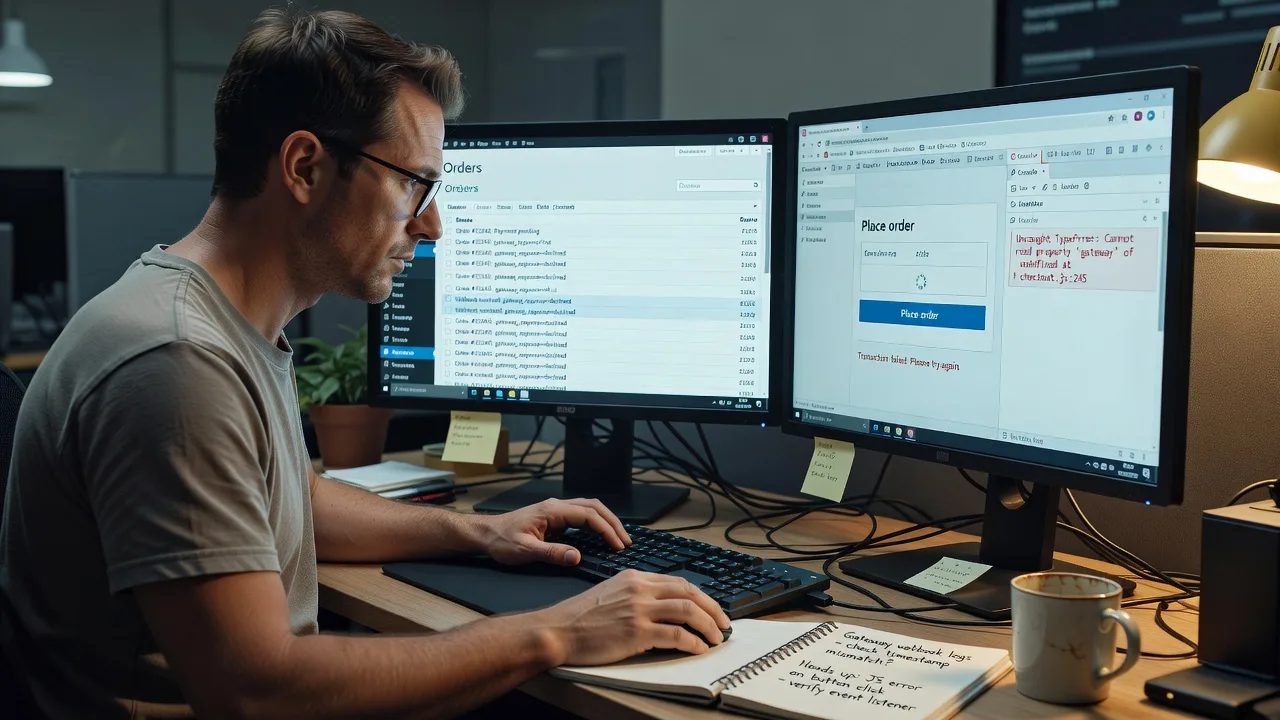
Place order button does nothing or spins forever
Usually a JavaScript conflict from a theme, optimise/minify plugin, or outdated checkout script—customers never reach the gateway.
- Step 1: Open the checkout in a private window with browser console open; note any red script errors on button click
- Step 2: Temporarily disable JS minification/combine on checkout pages only, or switch to a default theme briefly to confirm the source
- Step 3: Reload checkout, click Place order again; success means the conflict is isolated—re-enable items one by one to find the culprit
Payment succeeds but order stays Pending or never creates
Common when webhooks, callback URLs, or cron/action-scheduler queues fail—especially after domain, SSL, or plugin updates.
- Step 1: In your gateway dashboard, confirm the payment captured and note the transaction ID and webhook delivery status
- Step 2: In WooCommerce → Status → Logs and Scheduled Actions, look for failed payment webhooks or stuck order-status actions; resave permalinks and verify HTTPS site URL
- Step 3: Run a small live or sandbox test order; order should move to Processing/Completed with matching gateway ID
Totals jump or free shipping vanishes only on checkout
Tax classes, coupon restrictions, or shipping-zone postcode rules recalculate differently on the checkout step than on the cart.
- Step 1: Compare cart total vs checkout total with the same address; note tax lines, discounts, and shipping method selected
- Step 2: Check WooCommerce → Settings → Tax and Shipping zones for postcode/suburb coverage; disable overlapping flat-rate and free-shipping methods temporarily
- Step 3: Recalculate with a known postcode (e.g. inner-metro vs outer industrial); totals should match expected rules before you re-enable methods
When DIY is not enough (urgent, unsafe, recurring, or burning time), book Fixwebnode for direct professional support—no freelancers, bidding, or marketplace noise.
Expert Insights
On Melbourne multi-rate freight setups, the failure we see most is not a broken gateway—it is a shipping method that still appears while its underlying rate table returns empty for certain cart weights, so checkout blocks submit with a vague "no shipping methods" state after the customer already entered payment details. After five-plus years of these repairs, we always capture the chosen method ID and package weight from the session before touching plugins: if the method ID is present in cart fragments but missing in checkout packages, the fix is almost always zone table bounds or a class-only rate that excludes a newly added product category—not another payment plugin. Good looks like a test order where cart shipping label, checkout shipping label, and order meta shipping line are identical strings; bad looks like three different labels or a blank shipping line with a captured payment.
Why Choose Fixwebnode
You work directly with us—not a bid board. We blend deep WooCommerce checkout mechanics with clear explanations so owners and small teams in Melbourne know what changed and how to re-test after the next sale weekend.
- ✓ Direct provider repair with fixed scopes for tech work
- ✓ Experience across gateway webhooks, shipping zones, and checkout UX blockers
- ✓ Human, jargon-light handoff suited to busy retailers and support staff
Tools & Technologies
WooCommerce Checkout, Cart & Blocks vs classic shortcode flows; Stripe, PayPal, Afterpay/Clearpay; WP Cron & Action Scheduler; Query Monitor; browser DevTools; staging clones; shipping zone/table rate plugins; tax plugins; object-cache and optimise plugins (selective exclude rules).
Perfect For
Melbourne product retailers, café and venue merch shops, and warehouse-linked WooCommerce stores losing orders to checkout errors. Ideal when you need infrastructure-level fixes explained in plain language for staff who just need the buy button to work again.
Ready to unblock checkout? Call 0421498927 or continue at fixwebnode.com.au/contact-support.
Choose a package
Focused diagnosis of one checkout failure path with a written findings and fix plan.
Full remote repair of checkout blockers including gateway, rules, and conflict checks plus test order.
Comprehensive checkout recovery, related cart/payment hardening, and short post-fix watch window.
FAQ
Most WooCommerce checkout repairs for Melbourne stores are completed fully remote with secure access and optional screen-share. On-site is rarely needed unless your payment terminal hardware or local network truly blocks remote diagnostics. We confirm access needs up front so you know the plan before work starts.
Typically a WordPress admin account, hosting or SFTP if logs are required, and sandbox or low-value live test capability for your payment gateway. We only change what is required for the agreed scope and summarise every material setting update in the handoff.
If the cause is a clear script conflict or mis-saved checkout setting, Standard-scope repairs often land within a few business days after access is granted. Gateway webhook or multi-plugin freight issues can take longer; we scope that honestly after the initial triage so you are not guessing.
Yes. We include a plain-English re-test checklist—cart total, shipping label match, payment capture, and order status—so your team can spot regressions after sales or theme updates without needing developer jargon.



