






 Multi-Vendor & Complex SaaS Marketplaces
 Modern Headless & Jamstack Web Development
 High-End Corporate & Specialized Business Websites
 Advanced API, Checkout & Database Troubleshooting
Wi-Fi Mesh Setup & Signal Boosting for Melbourne Properties
Eliminate dead zones across Melbourne multi-storey homes and warehouses with professional mesh Wi‑Fi design and install.
We map coverage, place nodes for brick and concrete floors, and tune roaming so calls, POS, and cameras stay stable—from CBD offices to industrial sheds. Direct Fixwebnode service, not a freelance marketplace.
Power up support: dial 0421498927 or visit fixwebnode.com.au/contact-support.
- On-site survey & heat-map style checks
- Vendor-agnostic mesh install & secure handoff
- Clear fixed scopes for homes and sites
About this service
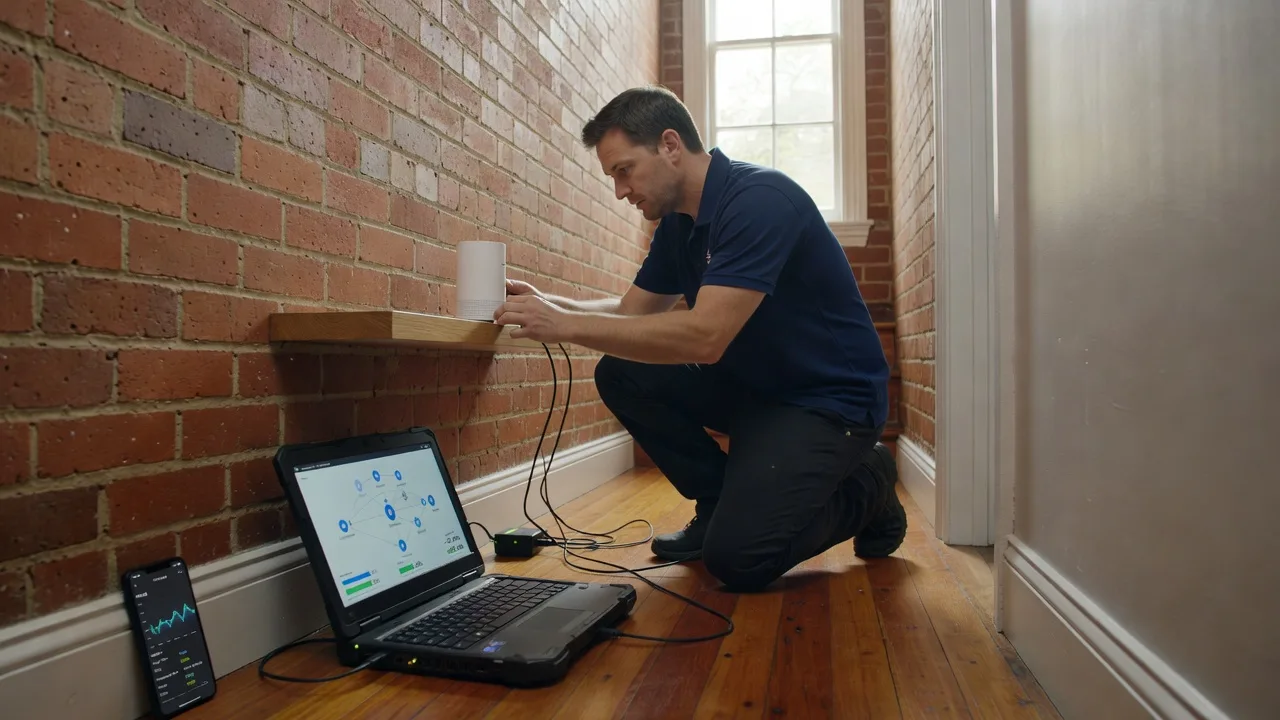
Get whole-property Wi‑Fi that actually holds—mesh networks planned and installed for Melbourne multi-storey homes, strata apartments, and expansive warehouses so dead zones stop killing video calls, scanners, and cameras. We deliver the work ourselves as a direct provider: technical setup with plain-English explanations for whoever manages the space day to day.
What You'll Get
- Coverage survey & node plan - Floor-by-floor assessment of walls, racking, and interference so nodes sit where signal really needs help.
- Mesh hardware install & backhaul tuning - Wired backhaul where possible; clean wireless mesh where cabling is not practical.
- SSID, roaming & band steering setup - Devices stick to the strongest node without constant drop-offs between floors.
- Secure guest / IoT segmentation - Separate networks for visitors, cameras, and staff gear when the site needs it.
- Speed & roam verification - Walk-test key rooms and aisles; document before/after so you can see the lift.
- Handoff notes for your team - Passwords, admin access, and simple recovery steps in plain language.
Serving Melbourne & surrounds
Melbourne properties fight thick brick, concrete slabs, metal racking, and dense apartment builds that single routers never conquer. We work metro-wide for homes stacked over garages, warehouse floors near freight corridors, and mixed-use sites where café-style retail downstairs shares walls with offices above—plus on-site visits across Greater Melbourne when remote tweaks are not enough. Nearby areas such as Melbourne warehouse conversions and Dandenong industrial units show the same multi-floor and steel-interference patterns we solve regularly.
- Multi-level terrace and apartment homes where bedrooms lose signal while the living room looks fine
- Warehouse and light-industrial floors with high ceilings, forklifts, and metal shelving killing 5 GHz
- On-site installs timed around business hours, loading docks, and building access rules common across Melbourne CBD and fringe industrial parks
How We Work
- Step 1: Reach Out - Tell us floors, construction type, dead-zone rooms, and whether this is home, clinic, warehouse, or small business—we listen before we quote gear.
- Step 2: Tailored Plan - Fixed-scope package: node count, cabling needs, and timeline; no bidding rounds or marketplace proposals.
- Step 3: We Deliver - On-site placement, firmware updates, mesh pairing, and network hygiene (admin password change, guest SSID if required).
- Step 4: Confirm & Follow-up - Walk-test with you, plain-English handoff, optional follow-up check after furniture or racking moves.
Common Issues & How to Fix Them
These are patterns we see constantly on Melbourne installs—try the safe checks below before you buy another random extender.
Strong living-room Wi‑Fi but zero bars upstairs or in the back bedroom
Single-router placement on a ground-floor media cabinet plus plaster, brick, and floor slabs eats signal before it reaches the top floor.
- Step 1: On a phone, note exact RSSI or bars in the dead room versus next to the router (same SSID, 2.4 and 5 GHz if separate).
- Step 2: Temporarily move the main router higher and more central (not on the floor, not behind a TV); disable cheap plug-in “extenders” that create a second SSID while testing.
- Step 3: Retest the same spots; if upstairs still collapses while the ground floor is excellent, you need a true mesh with a node mid-path—not another weak repeater.
Devices stay connected but video freezes and warehouse scanners time out in aisles
Often 5 GHz is overloaded near metal racking, or clients refuse to roam and cling to a distant node with a “full bar” mirage.
- Step 1: Identify whether the freeze is one aisle/zone only; note if 2.4 GHz works when 5 GHz fails (many scanners prefer 2.4).
- Step 2: In router/mesh app, ensure band steering is sensible, minimum RSSI / roam assist is on if available, and channels are not locked to a congested DFS or neighbour-heavy channel.
- Step 3: Walk the aisle with a continuous ping or speed test while forcing a roam (toggle Wi‑Fi); stable hop between nodes without a 10-second blackout means roaming is healthy.
Mesh “online” but one node keeps dropping or the network splits into two names
Weak wireless backhaul, power-saving wall warts on long leads, or mixed firmware after a partial update commonly cause flaky satellite nodes in multi-storey Melbourne builds.
- Step 1: Check the mesh app for backhaul type (Ethernet vs Wi‑Fi) and node distance—nodes should “see” a strong parent, not hide behind two concrete walls from the gateway.
- Step 2: Plug the unstable node into a known-good outlet with the vendor PSU; update all nodes to the same firmware; prefer Ethernet backhaul to a mid-floor switch if you have spare cabling.
- Step 3: Confirm one SSID only, all nodes listed as connected, and a 10-minute soak test with a continuous stream in the former dead zone.
When DIY is not enough (urgent, unsafe, recurring, or burning time), book Fixwebnode for direct professional support—no freelancers, bidding, or marketplace noise.
Expert Insights
In Melbourne warehouse and multi-storey home jobs, the mistake we still correct after five-plus years is treating mesh like “scatter nodes until the app turns green.” Green topology only means nodes can hear each other—not that your packing bench or upstairs office has usable airtime. Before we lock placement, we pick the primary traffic path (POS counter, meeting room, packing line) and force a continuous throughput test while walking the route. Good looks like a controlled handoff with brief dip then recovery; bad looks like full bars on a node two floors away while packet loss climbs past 5%. If wireless backhaul must cross a concrete stairwell, we budget an Ethernet drop or a dedicated mid-floor node—adding a fourth satellite on the far wall almost never beats fixing the backhaul hop first. That single discipline saves clients from buying extra hardware that only multiplies interference.
Why Choose Fixwebnode
We are a direct two-tier provider: enterprise-grade network work for businesses and warehouses, plus patient, jargon-free walkthroughs for households and small teams who just need reliable rooms. Local installs respect Melbourne access realities—strata rules, dock times, and mixed brick-and-glass builds—without handing your job to anonymous bidders.
- ✓ Hands-on mesh design for multi-storey and metal-heavy sites, not generic “booster” guesswork
- ✓ Fixed package scopes with clear deliverables and plain-English handoff
- ✓ On-site Melbourne capability plus remote follow-up when configuration tweaks are enough
Tools & Technologies
Vendor mesh platforms (e.g. UniFi, TP-Link Deco/Omada, ASUS AiMesh, eero-class systems where suitable), Ethernet backhaul and PoE switches, Wi‑Fi analyser and spectrum awareness for channel planning, VLAN/guest SSID segmentation, firmware hygiene, and walk-test verification with real client devices (laptops, phones, scanners, smart TVs).
Perfect For
Melbourne homeowners tired of upstairs blackspots, small businesses and clinics needing stable Telehealth or POS links, and warehouse or studio operators whose metal racking kills coverage. Ideal when you want one accountable provider to design, install, and explain the network—technical competence with human clarity, without marketplace noise.
Ready to lock in coverage? Call 0421498927 or use fixwebnode.com.au/contact-support and we will map your floors and quote a fixed scope.
Choose a package
Single-floor tune-up: survey guidance, main router/mesh primary optimisation, and dead-zone diagnosis with written next steps.
Full mesh install for a typical multi-storey Melbourne home or small office—up to three nodes, roaming setup, and walk-test.
Large home or warehouse-grade design: extended node count, Ethernet backhaul planning, segmentation, and verification across zones.
FAQ
Mesh placement needs real walls and floors, so Standard and Premium work is primarily on-site across Melbourne and nearby metro areas. We can handle pre-checks and some configuration remotely, then schedule install around your access windows—apartments, warehouses, and business hours included. Travel within typical metro range is part of how we deliver; unusual outer distances are confirmed when you enquire.
We happily assess kit you already own if it supports true mesh (same vendor family, current firmware). If extenders are creating duplicate SSIDs or nodes cannot backhaul cleanly, we will say so plainly and quote only what fixes coverage—sometimes that is re-placement and tuning, sometimes a proper mesh set. You are never pushed into a marketplace of random sellers.
Most home multi-storey jobs show a clear lift the same day once nodes are placed and roaming is set—we walk-test key rooms with you before we leave. Warehouses may need a short soak period after channel and power tweaks, plus a follow-up if racking or shift patterns change interference. You get notes so your team knows what “good” looks like on their devices.



