






 Multi-Vendor & Complex SaaS Marketplaces
 Modern Headless & Jamstack Web Development
 High-End Corporate & Specialized Business Websites
 Advanced API, Checkout & Database Troubleshooting
Website Migration Specialist: Host to Host | Melbourne
Move your site between hosts cleanly—built for Melbourne businesses that cannot afford weekend outages.
We handle full hosting-to-hosting migrations: files, databases, DNS cutover, SSL, and post-move checks so CBD offices, warehouse ops, and high-street retailers stay online. Direct Fixwebnode delivery—no freelancers or bidding.
Need a hand fast? Call 0421498927 or book at fixwebnode.com.au/contact-support.
- Zero-surprise cutover plans
- Email & DNS preserved
- Remote-first with Melbourne-aware timing
About this service
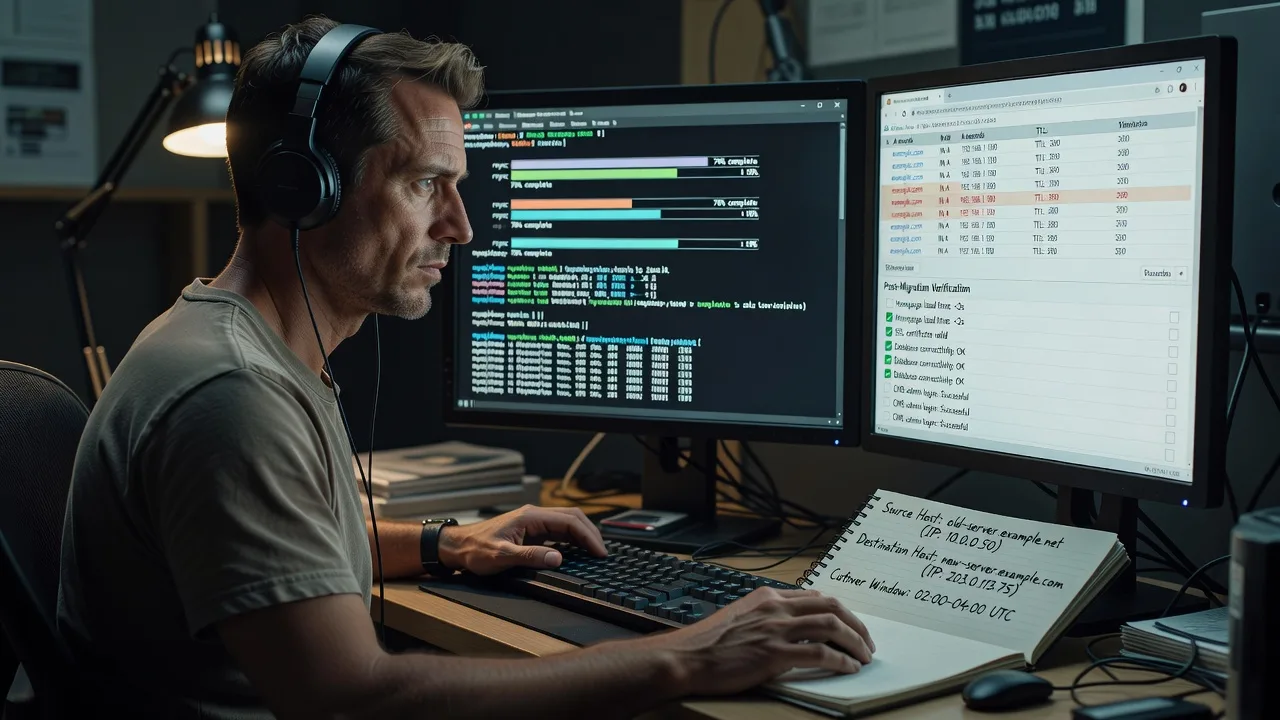
Switch hosts without the downtime lottery. Fixwebnode migrates Melbourne business websites end-to-end—files, databases, DNS, SSL, and verification—so your storefront, booking system, or client portal lands on the new provider intact.
What You'll Get
- Full site package transfer - Files, media, configs, and application code moved with integrity checks
- Database export & import - Clean dump, charset handling, and connection string updates on the destination
- DNS & cutover plan - TTL prep, A/CNAME/MX review, and a timed switch window that fits your trading hours
- SSL re-issue & force-HTTPS - Certificates live on the new host before public traffic arrives
- Post-migration QA - Form tests, admin login, checkout/paths, email send checks, and broken-link sweep
- Rollback notes - Clear revert path if anything unexpected appears in the first hours
Serving Melbourne & surrounds
Melbourne teams often migrate because a host is slow under peak lunch traffic, email is throttled, or a multi-site agency stack has outgrown shared plans. We time cutovers around CBD office hours, industrial freight windows, and café-strip weekend peaks so staff and customers barely notice the change. Remote-first work covers metro and outer clients; optional on-site coordination is available when a local machine or router change is involved.
- CBD and Melbourne professional services needing after-hours DNS flips without Monday login chaos
- Warehouse and logistics sites in outer industrial belts that must keep order portals up through dispatch peaks
- High-street retailers and Melbourne style strips where weekend tourism traffic makes Saturday cutovers risky—we plan mid-week low-traffic windows instead
How We Work
- Step 1: Reach Out - Tell us current host, destination host, CMS/stack, custom email, and any hard go-live date. We listen first and flag blockers early.
- Step 2: Tailored Plan - You get a fixed-scope quote: what moves, what stays (DNS registrar, mail), downtime window, and success checks.
- Step 3: We Deliver - Staging copy on the new host, database sync, config rewrites, SSL, then controlled DNS cutover with live monitoring.
- Step 4: Confirm & Follow-up - Plain-English handoff checklist, credential summary, and optional 7-day stabilisation support.
Common Issues & How to Fix Them
These are the migration failures we see repeatedly—and the safe checks you can run before calling us in.
Site loads on the new host but shows mixed old content or blank pages
Usually a partial file sync, wrong document root, or cached PHP/opcache still serving the previous build—common after rushed cPanel-to-cPanel copies.
- Step 1: Compare file counts and last-modified timestamps on wp-content (or public_html) between source and destination; note any zero-byte or missing plugin/theme folders.
- Step 2: Confirm the vhost document root points at the real web root (not an empty public/ or old release folder), then purge host cache / restart PHP-FPM if you control it.
- Step 3: Hard-refresh a few key URLs and view source for asset paths; if CSS/JS 404s disappear and the admin dashboard matches production data, the root is correct.
Database connected but login loops, broken permalinks, or old domain still in links
Serialized PHP data and hard-coded URLs were not rewritten for the new domain or HTTPS scheme—classic WordPress and custom PHP app trap.
- Step 1: In the destination DB, search options/settings tables for the old domain string (siteurl/home or app config equivalents) without editing serialized blobs by hand yet.
- Step 2: Run a proper search-replace tool that understands serialization (WP-CLI search-replace, or equivalent for your stack)—never naive SQL REPLACE on serialized rows.
- Step 3: Clear app cache, reset permalinks/routes once, then test login, a deep inner page, and one form submit; links and cookies should stay on the new host name.
Website is live on the new IP but email stopped or SPF fails after DNS change
MX stayed on the old host, or A records moved while SPF/DKIM still pointed at the previous mail infrastructure—painful for Melbourne clinics and agencies that live on email.
- Step 1: Before touching A records, export current MX, SPF, DKIM, and DMARC from the registrar/DNS panel and label which service actually sends mail.
- Step 2: Lower TTL 24–48 hours ahead; on cutover day change only web A/AAAA/CNAME first if mail is separate—or move MX deliberately if mail is changing hosts too.
- Step 3: Send test messages to Gmail/Outlook and check headers for SPF/DKIM pass; if web works but mail fails, roll MX/SPF back first—do not keep flipping A records blindly.
When DIY is not enough (urgent, unsafe, recurring, or burning time), book Fixwebnode for direct professional support—no freelancers, bidding, or marketplace noise.
Expert Insights
For Melbourne retailers and service firms, the silent killer is not the file copy—it is split-brain DNS during propagation. Good cutover: TTL reduced to 300s a day prior, destination proven via hosts-file override, mail path documented, then a single A-record change with monitoring on both IPs for 60–90 minutes. Bad cutover: change everything at once on a Friday before a long weekend, leave TTL at 24 hours, and discover Monday that half your staff still hit the old server while Stripe webhooks hit the new one. After five-plus years of host-to-host moves, we stage a final DB delta sync immediately before DNS so cart, booking, and CRM data do not fork—exactly the failure mode we see when someone “finished” the migration two days early and kept taking orders on the old box.
Why Choose Fixwebnode
We are a direct provider for infrastructure work: one specialist team owns the migration from audit to stabilisation. You get technical depth without marketplace hand-offs, plus plain-English updates suited to busy Melbourne operators who just need the site live on the new host.
- ✓ Hosting-to-hosting playbooks for cPanel, Plesk, Cloudways, VPS, and managed WordPress stacks
- ✓ Cutover windows planned around local trading patterns—not generic overnight templates
- ✓ Fixed-scope packages with clear inclusions; optional post-move hardening and monitoring
Tools & Technologies
SSH/SFTP, rsync, mysqldump/mariadb-dump, WP-CLI, phpMyAdmin, Let's Encrypt/AutoSSL, Cloudflare DNS, registrar panels (GoDaddy, Crazy Domains, Google Domains equivalents), nginx/Apache vhosts, Redis/object-cache flush, uptime monitors, and browser DevTools for post-cutover QA. Stacks commonly handled: WordPress, WooCommerce, static/HTML, Laravel public sites, and PHP custom apps.
Perfect For
Melbourne SMEs, clinics, agencies, and e-commerce operators leaving a slow or expensive host for a better plan—especially teams with live forms, bookings, or payments who cannot risk a DIY half-move. Ideal when you already chose the destination provider and need a clean, accountable cutover rather than a patchwork weekend experiment.
Ready to lock a migration window? Call 0421498927 or visit fixwebnode.com.au/contact-support and we will map source, destination, and go-live timing with you.
Choose a package
Single standard site migration to a new host with DNS guidance and core post-move checks.
Full production migration with DNS cutover plan, email-path review, and extended QA.
Zero-surprise multi-environment migration with staging, final DB delta, rollback plan, and priority support.
FAQ
Most hosting-to-hosting migrations are completed fully remote for Melbourne and surrounds—we work over secure access to both hosts and your DNS panel. If a local network change, office firewall, or on-premises device is involved, we can coordinate a timed on-site or hybrid session. Either way, we deliver the work ourselves as Fixwebnode, not through a bidder pool.
With TTL lowered in advance and the new host pre-tested, many brochure and brochure-plus-forms sites see only brief DNS propagation lag rather than a hard outage. E-commerce and booking systems get a maintenance window and a final database sync so orders are not split across two servers. We agree the window up front around your quieter trading hours.
Access (or coordinated access) to the current host, the destination host, and DNS/registrar controls, plus confirmation of whether email stays put or moves. A short list of critical pages and any third-party callbacks (payments, webhooks, CRM) helps us build the QA checklist. We then return a fixed-scope plan and go-live sequence before any production DNS change.
Yes. WordPress and WooCommerce are common, and we also move static sites, PHP applications, and many panel-based accounts between cPanel, Plesk, VPS, and managed hosts. If the stack is unusual, we assess fit during the planning step so scope and price stay honest.



