






 Multi-Vendor & Complex SaaS Marketplaces
 Modern Headless & Jamstack Web Development
 High-End Corporate & Specialized Business Websites
 Advanced API, Checkout & Database Troubleshooting
WCAG 2.1 AA Accessibility Remediation for Melbourne Sites
Fix WCAG 2.1 AA barriers on Melbourne websites so customers, patients, and staff can complete real tasks without friction.
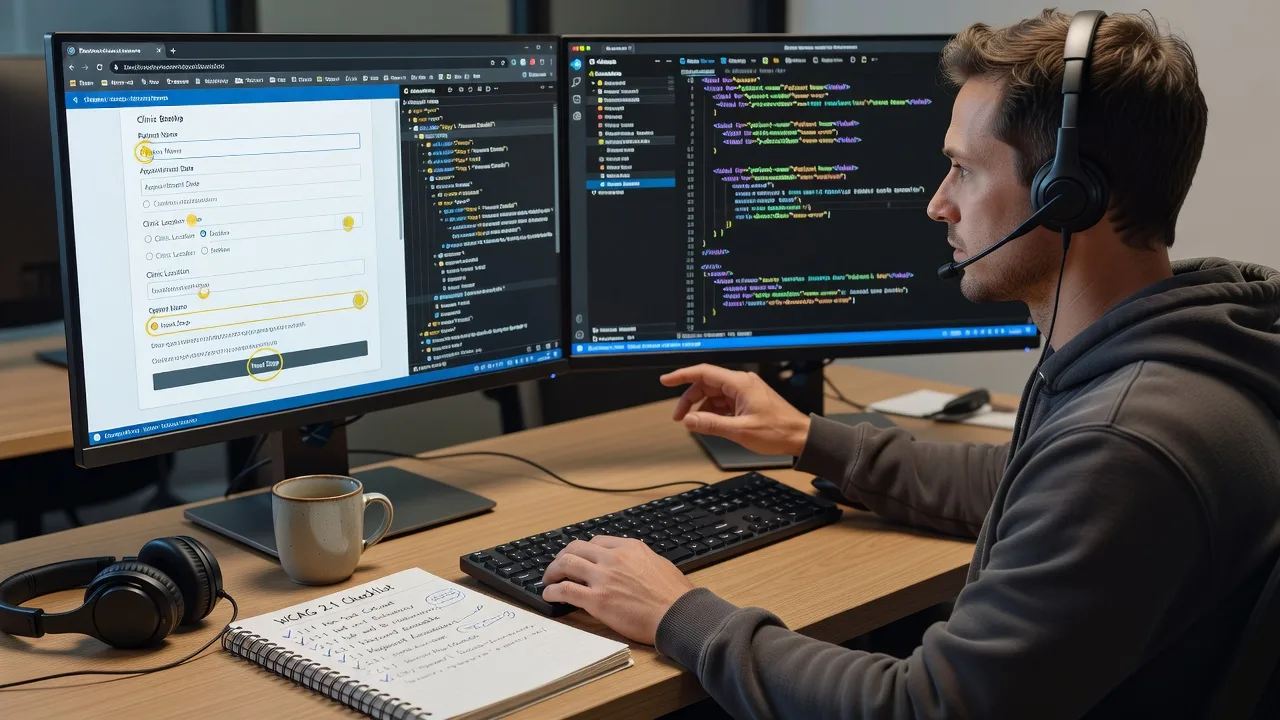
We remediate contrast, keyboard paths, forms, media, and ARIA on live stacks used by CBD offices, high-street retailers, and clinic booking flows—not a marketplace hand-off. You get a fixed-scope plan, clear before/after evidence, and plain-English notes your team can keep.
Power up support: dial 0421498927 or go to fixwebnode.com.au/contact-support.
- Audit-to-fix path mapped to WCAG 2.1 AA
- Remote delivery with Melbourne business context
- Direct provider—no bidding rounds
About this service
Get WCAG 2.1 AA accessibility remediation that removes real blockers on Melbourne websites—so visitors can book, pay, read, and navigate without assistive-tech dead ends. We work as your direct specialist on the code and content patterns that fail in production, with technical fixes explained in human language for owners, marketers, and care-sector teams.
What You'll Get
- Targeted WCAG 2.1 AA gap map - Prioritised findings against success criteria that matter for forms, navigation, media, and colour, not a dump of false positives.
- Code-level remediation - Semantic HTML, labels, focus order, ARIA only where needed, contrast, skip links, and media alternatives applied on your stack.
- Keyboard & screen-reader validation - Manual checks with keyboard-only paths and common AT patterns so automated green scores do not hide broken journeys.
- Before/after evidence pack - Screenshots, short notes, and criterion references your stakeholders or auditors can follow.
- Editor-friendly guidance - How your team should write alt text, headings, and link names so new pages do not reintroduce the same faults.
- Optional retest window - Confirm fixes hold after CMS publishes and theme updates.
Serving Melbourne & surrounds
Melbourne sites carry mixed pressure: dense CBD service businesses, café-strip menus with image-heavy specials, strata and apartment-dense operators running resident portals, and clinics that must keep telehealth and intake forms usable under NDIS and aged-care expectations. We shape remediation around those journeys—not a generic national template pasted with a city name.
- CBD and commercial-tower booking flows where keyboard users hit modal traps on multi-step forms
- High-street and warehouse-precinct retailers whose product grids fail contrast and focus visibility under brand palettes
- Fully remote remediation with scheduled walkthroughs; on-site pairing in metro Melbourne only when your security policy requires it
How We Work
- Step 1: Reach Out - Share your URL, CMS/theme, known complaints (e.g. screen-reader users stuck on checkout), and any policy deadline. We listen first.
- Step 2: Tailored Plan - Fixed-scope quote: which templates, components, and criteria we will remediate, plus delivery window—no open-ended freelancing bids.
- Step 3: We Deliver - Remote implementation and validation on staging or agreed branches; patient video walkthrough when your non-technical staff need the why behind each change.
- Step 4: Confirm & Follow-up - Plain-English handoff, residual risk list, and optional maintenance or next-session retest after content editors publish.
Common Issues & How to Fix Them
These are the faults we see repeatedly on Melbourne production sites—symptoms first, then safe DIY checks before you escalate.
Issue 1: Checkout or intake buttons look fine but fail keyboard activation
Users tab through the page and never reach Submit, or focus vanishes inside a sticky header—common on theme builders with custom div-buttons.
- Step 1: Unplug the mouse. From the address bar, press Tab repeatedly and watch whether a visible focus ring lands on every control in logical order.
- Step 2: Replace non-semantic clickable divs/spans with real button or a href elements; remove tabindex values greater than 0; ensure CSS:focus-visible is not set to outline:none without a replacement.
- Step 3: Complete the full booking or payment path using only keyboard. If you can submit and open/close any modal without a mouse, the primary path is clear.
Issue 2: Form errors announce nothing to screen readers
Red text appears beside fields, but VoiceOver/NVDA users hear silence after Submit—typical when errors are plain spans without programmatic association.
- Step 1: Submit an empty required field and inspect whether the error text has an id referenced by aria-describedby on the input, or whether the field uses aria-invalid=true.
- Step 2: Wire each message to its control, move focus to the first invalid field on failed submit, and keep labels permanently visible (not placeholder-only).
- Step 3: Retest with a screen reader: after Submit, you should hear the field name, invalid state, and error text without hunting the visual page.
Issue 3: Brand colours pass a quick contrast widget on white but fail on real cards and badges
Marketing hex codes sit on cream banners, photo overlays, or disabled states that automated homepage scans never sample—frequent on hospitality and clinic landing pages.
- Step 1: Sample text on every background it actually uses (hero image, chip, table stripe, footer), not only on a white artboard. Check normal text at 4.5:1 and large text at 3:1 for AA.
- Step 2: Darken text or lighten surfaces; avoid relying on colour alone for status—add icons or text. Fix link underlines or a second non-colour cue in body copy.
- Step 3: Re-check the same components in light and dark sections and confirm focus indicators still meet contrast on those backgrounds.
When DIY is not enough (urgent, unsafe, recurring, or burning time), book Fixwebnode for direct professional support—no freelancers, bidding, or marketplace noise.
Expert Insights
On Melbourne multi-location service sites, the failure that burns the most time is not a missing alt attribute—it is a dual navigation pattern where desktop mega-menus and the mobile drawer expose different link sets and heading orders. Automated crawlers often score the desktop DOM while real users on tram Wi-Fi hit the drawer first. After five-plus years of remediation, our rule is: treat the mobile drawer as the primary IA, force one shared menu data source, and only then tune ARIA expanded states. Good looks like a single source of truth for labels and order across breakpoints; bad looks like two hand-maintained menus where Skip to Content lands past a hidden desktop block that still sits in the tab order. Fix the information architecture once, and half the WCAG 2.1 keyboard and structure failures disappear with it.
Why Choose Fixwebnode
We are a direct provider blending enterprise-grade web remediation with patient explanation for teams who are not full-time developers. Melbourne context matters: we prioritise the journeys your customers actually finish under local business rhythms, not vanity audit scores.
- ✓ WCAG 2.1 AA remediation mapped to real templates and CMS constraints
- ✓ Fixed quotes and clear scopes—you know what ships before we start
- ✓ Technical authority plus jargon-free handoff for clinics, education, and small business staff
Tools & Technologies
Manual keyboard testing, NVDA/VoiceOver spot checks, axe DevTools and Lighthouse as assistants (never as the sole verdict), contrast analysers, browser devtools accessibility tree, semantic HTML5, ARIA authoring practices, focus-management patterns for dialogs, WordPress/Webflow/custom CSS stacks, Git-based change delivery, staging verification.
Perfect For
Melbourne SMEs, clinic and telehealth operators, education providers, NDIS-facing organisations, and CBD professional services that must meet WCAG 2.1 AA without a bloated agency process. Ideal when you need infrastructure-grade fixes plus human-clear guidance so editors do not undo the work next sprint.
Ready to clear the blockers? Call 0421498927 or visit fixwebnode.com.au/contact-support and we will map a fixed remediation path for your site.
Choose a package
WCAG 2.1 AA gap review of key templates plus a prioritised remediation brief for your Melbourne site.
Hands-on remediation of priority templates with keyboard validation and before/after evidence.
Broader site remediation, AT spot-checks, stakeholder walkthrough, and retest window after publish.
FAQ
Most WCAG remediation is delivered remotely across Melbourne and surrounds with staging access, browser testing, and scheduled video walkthroughs. That covers CBD offices, suburban clinics, and regional teams equally well. On-site pairing in metro Melbourne is available only when your security or governance policy requires a supervised session; otherwise remote is faster and usually sufficient.
No. Scanners help triage, but we validate real journeys with keyboard-only use and targeted assistive-tech checks. Many Melbourne booking and intake flows pass automated scores while still trapping focus in modals or announcing empty form errors—those require manual remediation.
A production URL, staging or safe edit access where possible, your CMS/theme details, any brand colour constraints, and known problem pages (checkout, referral forms, patient portals). Tell us if you have a policy deadline so we can scope Basic, Standard, or Premium honestly.
Yes. We hand over plain-English rules for headings, links, alt text, and form labels so content editors reduce regressions. Structural and ARIA work stays in code; day-to-day publishing habits are documented so your staff are not left guessing.



