






 Multi-Vendor & Complex SaaS Marketplaces
 Modern Headless & Jamstack Web Development
 High-End Corporate & Specialized Business Websites
 Advanced API, Checkout & Database Troubleshooting
VoIP Business Phone Installation Melbourne — Cloud Line Cutover
Move Melbourne landlines to cloud VoIP without weekend chaos or dropped client calls.
We plan number porting, handset or softphone setup, and hunt-group routing for CBD offices, warehouse desks, and high-street retailers—so your team answers the same numbers on day one. Direct provider support from Fixwebnode, not a bidding board.
Ready to cut over? Call 0421498927 or book at fixwebnode.com.au/contact-support.
- Porting checklist & DID mapping
- Desk phones, apps, and auto-attendants
- Plain-English training for your staff
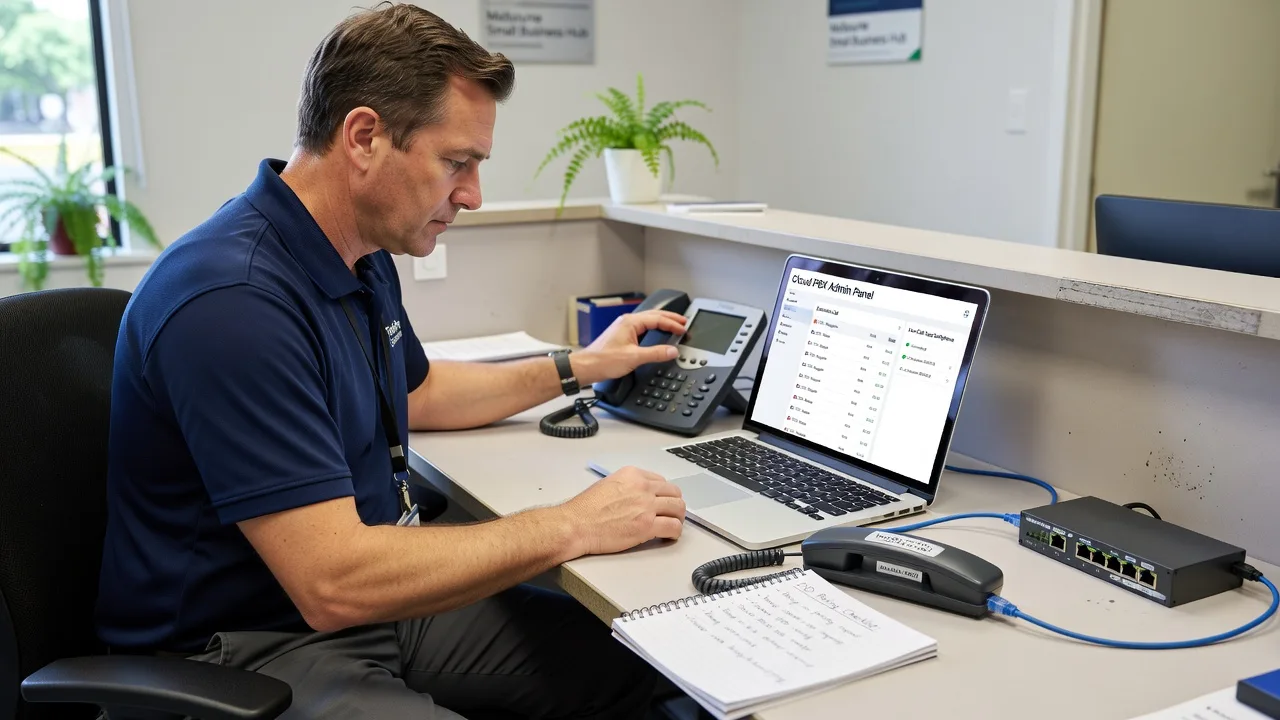
About this service
Cut Melbourne business landlines over to reliable cloud VoIP so every desk, warehouse radio, and mobile still rings the numbers customers already know. We handle assessment, porting, handset or softphone rollout, and go-live support as your direct technical provider.
What You'll Get
- Line audit & call-flow map - Document current PSTN/ISDN usage, peak concurrent calls, and who must keep which DID.
- Cloud PBX build - Extensions, ring groups, queues, voicemail-to-email, and after-hours schedules matched to how you trade.
- Number porting coordination - Carrier paperwork, cutover window planning, and temporary failover so the main number never goes dark.
- Handset & softphone provisioning - Desk phones, DECT, or app-based softphones with correct codecs and Wi-Fi/QoS notes.
- Staff walkthrough - Short, jargon-free session so reception and field staff can transfer, park, and retrieve messages confidently.
- Post-cutover health check - Call quality spot-checks, missed-call review, and a simple runbook for your team.
Serving Melbourne & surrounds
Melbourne businesses rarely run one quiet phone line anymore—CBD suites share lifts and noisy NBN paths, industrial estates still rely on fax-style workflows, and café-strip retailers need the shop number to follow staff onto mobiles at close. We design VoIP cutovers around those real access and trading patterns, including optional on-site handset placement in metro offices and Melbourne warehouse floors when remote setup is not enough.
- Multi-tenant CBD offices that need clean auto-attendants without slamming the shared uplink
- Warehouse and trade desks with high concurrent outbound quotes during freight peaks
- On-site or hybrid visits across metro Melbourne when physical handsets, PoE switches, or reception layouts need hands-on work
How We Work
- Step 1: Reach Out - Tell us how many handsets, which numbers must port, and whether you need reception queues, clinics-style privacy, or multi-site dial plans—we listen first.
- Step 2: Tailored Plan - Fixed-scope quote covering ports, cloud tenant build, devices, and training path; no open-ended bidding.
- Step 3: We Deliver - Configure the platform, stage devices, coordinate the port window, and coach staff on transfers and mobile apps.
- Step 4: Confirm & Follow-up - Verify inbound/outbound quality, hand over plain-English notes, and offer optional monitoring or a second tuning session.
Common Issues & How to Fix Them
Before you rip out the old handsets, run these specialist checks—most Melbourne cutovers fail on QoS, wrong SIP credentials, or half-ported DIDs rather than “the cloud being broken.”
One-way audio after the first outbound call
Staff hear the customer but the customer hears silence—classic NAT/firewall or incorrect media (RTP) path on a new SIP trunk.
- Step 1: From a quiet extension, place a test call to a mobile and note whether failure is inbound, outbound, or both.
- Step 2: On the router/firewall, allow SIP signalling (usually UDP/TCP 5060 or your provider’s port) and a wide RTP range; disable SIP ALG if it is enabled—ALG still breaks more Melbourne SMB routers than it helps.
- Step 3: Recreate the call; if two-way audio returns and a second simultaneous call still works, ALG/NAT was the culprit. If not, capture the SIP 200 OK SDP and check the advertised media IP matches your public WAN.
Chopped speech only at busy open and close times
Calls sound fine at 10am but garble when the retail floor and back-office laptops peak—upstream contention or missing DSCP/QoS on the NBN/business link.
- Step 1: Run a continuous ping and a simple MOS/jitter test to your VoIP provider during a quiet minute, then again at opening rush; note packet loss and jitter spikes.
- Step 2: Give voice traffic priority: mark SIP/RTP, reserve modest bandwidth for concurrent calls (rule of thumb ~100 kbps per G.711 call plus headroom), and pause large cloud backups during trading hours.
- Step 3: Repeat the rush-hour test call; clean MOS with stable jitter means QoS held. Persistent chop with clean LAN points to the WAN plan being undersized for concurrent calls.
Main number still rings the old Telstra/Optus box after “port complete”
Marketing says the number moved, but walk-ins still hear the analogue handset—incomplete port, wrong destination trunk, or a forgotten diversion left on the losing carrier.
- Step 1: Call the main DID from an outside mobile (not an internal extension) and record exactly which device rings and what CLI the far end sees.
- Step 2: Confirm port status with the gaining carrier, check the DID is assigned to the live SIP trunk/tenant, and remove residual carrier diversions or parallel ring on the old service.
- Step 3: Place three external test calls spaced a few minutes apart; consistent cloud ringing plus correct company CLI means the port truly landed. Keep the old service live only for the agreed soak period, then cancel deliberately.
When DIY is not enough (urgent, unsafe, recurring, or burning time), book Fixwebnode for direct professional support—no freelancers, bidding, or marketplace noise.
Why Choose Fixwebnode
We install and tune business VoIP as the provider doing the work—not a middle layer of competing bids. Melbourne offices get practical call-flow design, careful port windows, and human training so reception is not left guessing after go-live.
- ✓ Direct fixed-scope cutovers with clear port and device ownership
- ✓ Local awareness of CBD multi-tenant uplinks, warehouse concurrent-call spikes, and retail after-hours needs
- ✓ Blend of infrastructure competence and plain-English coaching for non-technical staff
Tools & Technologies
Cloud PBX platforms (3CX, FreePBX/Asterisk-based, Microsoft Teams Phone / Direct Routing where suitable, major AU SIP trunks), SIP handsets and DECT, softphone apps (iOS/Android/desktop), PoE switching basics, VLAN/QoS tagging, number porting workflows with Australian carriers, call recording retention policies, and simple network diagnostics (ping, traceroute, jitter/MOS checks, packet captures when needed).
Perfect For
Melbourne SMBs, clinics, education offices, and trade businesses leaving ageing landlines or messy multi-brand handset farms. Ideal when you need one accountable provider to map call flows, port numbers cleanly, place devices, and train the people who answer the phone every day—not a generic “post a project” marketplace experience.
Expert Insights
On Melbourne CBD multi-tenant floors we repeatedly see “perfect lab MOS” collapse after lunch because a single unmanaged Wi-Fi AP backhauls softphones onto the same congested uplink as OneDrive sync. Good looks like: wired priority handsets for reception, softphones limited to known SSIDs or Ethernet docks, and a hard cap on simultaneous HD video uploads during trading. Bad looks like: every staff mobile on default Wi-Fi calling with no DSCP trust and a single 100/40 NBN plan carrying fifteen G.711 legs plus cloud backup—expect one-way audio complaints you cannot fix inside the PBX alone. Always size concurrent call capacity against measured busy-hour CPS, not seat count, before you sign the port date.
Need a clean cutover window? Call 0421498927 or reach us via fixwebnode.com.au/contact-support and we will map your numbers, devices, and go-live plan.
Choose a package
Single-site cloud VoIP starter: audit summary, up to 5 extensions, and guided cutover checklist.
Full SMB cutover with handset/softphone provisioning, number port coordination, and staff walkthrough.
Multi-queue or multi-site VoIP rollout with QoS guidance, recording policies, and post-cutover tuning.
FAQ
Most cloud PBX builds, SIP trunking, and softphone rollouts are completed remotely across Melbourne. When desk phones, PoE switches, or reception layouts need hands-on work we arrange metro on-site visits; industrial and outer-metro sites are scoped in the quote so travel expectations are clear before you book.
Yes—when porting is planned correctly. We map every DID, schedule the carrier port window, keep a short dual-run or diversion safety net, and verify external test calls before the old service is cancelled. Rush ports without a soak plan are the main reason businesses think “the number disappeared.”
It depends on plan speed, other cloud traffic, and codec choice—not headcount alone. As a working guide, budget roughly 100 kbps per G.711 call plus headroom, prioritise RTP, and pause heavy backups during trading peaks. We measure busy-hour demand during discovery so the trunk and WAN are sized before cutover.
Yes. Training is plain-English: answer, transfer, park, voicemail-to-email, and mobile app basics. We avoid PBX jargon and leave a short runbook so new starters can follow the same steps without calling IT every time.



