






 Multi-Vendor & Complex SaaS Marketplaces
 Modern Headless & Jamstack Web Development
 High-End Corporate & Specialized Business Websites
 Advanced API, Checkout & Database Troubleshooting
Staging Environment Architect for Risk-Free Web Updates Melbourne
Risk-free staging builds for Melbourne sites that cannot afford a bad deploy.
We design isolated staging stacks so CBD portals, clinic booking systems, and warehouse storefronts can test themes, plugins, and content before production. Direct Fixwebnode delivery—call 0421498927 or book via fixwebnode.com.au/contact-support.
Clear fixed scopes, plain-English handoff, and environments that match how your live stack actually behaves.
About this service
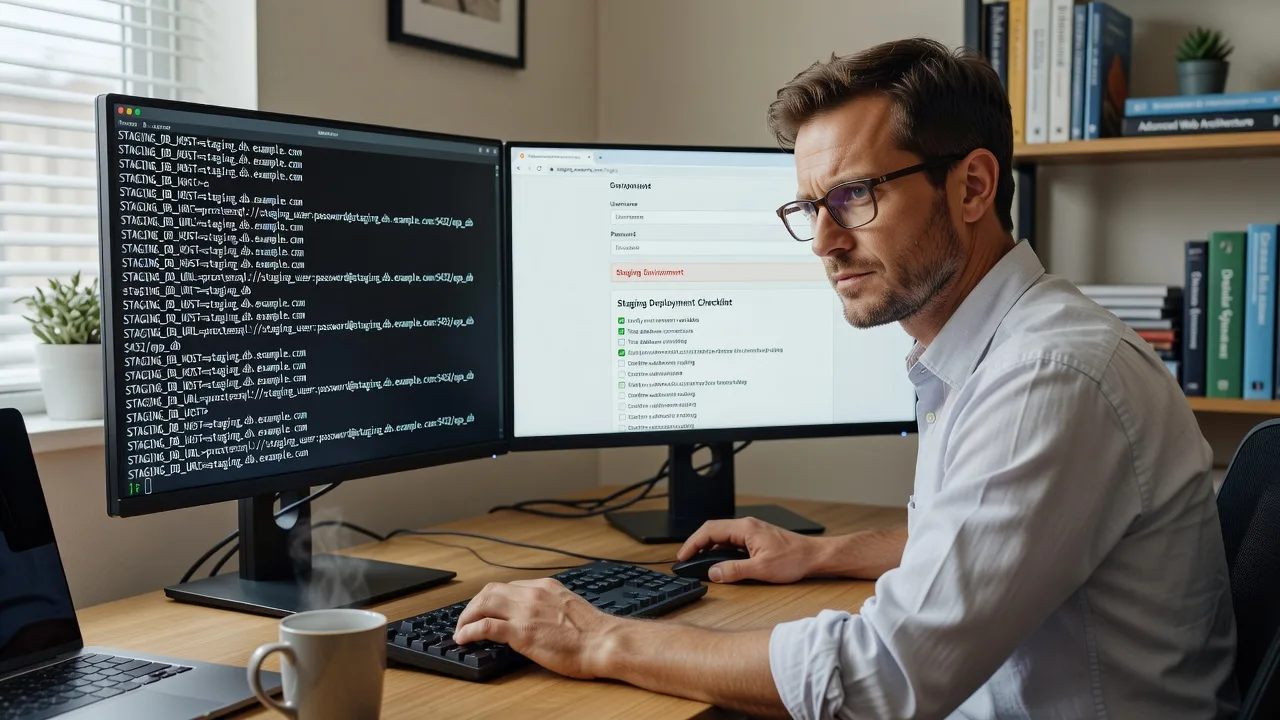
We architect staging environments so Melbourne teams can ship web updates without gambling on live traffic, checkout flows, or patient portals. You get a production-like sandbox, safe promotion paths, and a handoff your staff can actually follow.
What You'll Get
- Isolated staging blueprint - Separate app, database, and cache layers so experiments never touch live data.
- Config parity checklist - PHP/runtime, extensions, cron, queues, and feature flags aligned to production behaviour.
- Safe promotion path - Documented steps from staging → production with rollback notes your team can run.
- Access & secrets hygiene - Non-production credentials, scrubbed dumps, and restricted URLs so test data stays test data.
- Smoke-test pack - Short regression list for login, forms, payments, and critical templates after each push.
- Plain-English runbook - Who deploys, what to verify, and when to stop—written for ops and non-dev leads.
Serving Melbourne & surrounds
Melbourne web estates mix dense CBD multi-site brands, hospitality menus that change with events, and industrial operators who cannot take the storefront offline during freight peaks. We stage those updates remotely with the same care we give clinic and education portals that need calm, jargon-free explanations for the people who press publish.
- High-street and arcade retailers testing seasonal themes before weekend foot traffic hits
- Warehouse and logistics microsites near outer industrial corridors validating rate tables without risking live quotes
- Fully remote architecture with optional video walkthroughs for Melbourne stakeholders who need to see the environment before go-live
How We Work
- Step 1: Reach Out - Tell us your stack (CMS, framework, host), what breaks when deploys go wrong, and whether the goal is infrastructure hardening or patient staff coaching on the new workflow.
- Step 2: Tailored Plan - Fixed quote for the staging architecture scope, plus a clear support path if your team needs walk-through training after build.
- Step 3: We Deliver - We provision or restructure staging, wire parity, scrub data, and document promotion—remote-first, with calm screen-share sessions when humans need it.
- Step 4: Confirm & Follow-up - Joint smoke test, plain-English handoff, optional maintenance window or next session booked only if you want it.
Common Issues & How to Fix Them
These are the staging failures we see repeatedly on Melbourne business sites—and safe first checks you can run before booking us.
Staging looks fine but production still breaks after deploy
Usually config drift: different PHP version, missing cron, or a cache layer only present on live.
- Step 1: Export phpinfo (or runtime version) and extension lists from both environments and diff them side by side.
- Step 2: Align runtime, required extensions, and scheduled jobs so staging runs the same background work as production.
- Step 3: Redeploy the same artefact to staging and re-run the critical path (login, cart, form submit); only promote if behaviour matches.
Staging accidentally points at the live database or payment gateway
A shared.env, hard-coded DSN, or leftover production webhook will mutate real orders or patient records.
- Step 1: Search config and code for production hostnames, DB names, and gateway keys; treat any hit as urgent.
- Step 2: Force staging-only credentials, scrubbed database dump, and sandbox payment/API keys; block outbound webhooks to live endpoints.
- Step 3: Create a harmless test record on staging and confirm it never appears in production admin or bank statements.
Cookies, sessions, or HTTPS fail on the staging subdomain
Cookie domain, Secure/SameSite flags, or mixed-content assets break login only on staging.example.com while prod works.
- Step 1: In browser devtools, inspect Set-Cookie Domain and Secure attributes after login on staging.
- Step 2: Set cookie domain to the staging host (or parent you control), enable HTTPS end-to-end, and serve assets over the same scheme.
- Step 3: Clear site data, log in again, and confirm session persists across a hard refresh and a form post.
When DIY is not enough (urgent, unsafe, recurring, or burning time), book Fixwebnode for direct professional support—no freelancers, bidding, or marketplace noise.
Expert Insights
On Melbourne multi-brand estates we still catch a silent killer: object-cache keys and CDN purge tags namespaced the same on staging and production. After a staging content edit, a shared Redis prefix or identical purge tag can evict or overwrite live cache entries during business hours—especially painful for CBD retailers refreshing menus before Friday peak. Good looks like environment-prefixed cache keys (e.g. stg: vs prod:) plus a purge allow-list that never accepts staging tags on the live CDN. Bad looks like one Redis DB, identical key patterns, and "it worked on staging" followed by a lunchtime homepage miss. After five-plus years of deploys, we namespace first, then test a deliberate staging purge while watching production cache hit ratios—not the other way around.
Why Choose Fixwebnode
We are the direct provider: infrastructure depth for the stack, and human-clear runbooks for the people who approve go-live. Melbourne clients get environments shaped around real commercial pressure—event weekends, freight cut-offs, clinic booking spikes—not generic hosting checklists.
- ✓ Production-parity staging designed by practitioners who still debug failed deploys
- ✓ Fixed-scope packages with secrets hygiene and rollback notes included
- ✓ Remote delivery with optional patient walkthroughs for non-technical stakeholders
Tools & Technologies
Linux hosts and containers, Nginx/Apache, MySQL/PostgreSQL, Redis/object cache, WordPress/Laravel/custom PHP stacks, Git-based deploy pipelines, staging subdomains with TLS, scrubbed DB dumps, sandbox payment gateways, smoke-test scripts, and plain-English runbooks. We match tools to your host—not the other way around.
Perfect For
Melbourne SMEs, clinics, education teams, and ops leads who need a real staging lane before the next theme, plugin, or content release. Ideal when production downtime or a bad checkout is unacceptable, and when your team wants one accountable provider—not a chain of handoffs. Remote-first across metro and regional Victoria, with calm support for staff who are strong on the business and lighter on the server side.
Ready to stage the next update safely? Call 0421498927 or continue at fixwebnode.com.au/contact-support.
Choose a package
Single staging blueprint with config parity checklist and basic promotion notes for one site.
Full isolated staging environment setup with scrubbed data path, smoke tests, and plain-English runbook.
Multi-environment architecture with CI-friendly promotion, cache/CDN namespacing, and extended team coaching.
FAQ
Staging architecture is delivered remotely for Melbourne and wider Victoria so we can work against your host and repo without travel delay. When stakeholders need to see the environment, we run structured video walkthroughs; pure on-site rack work is rarely required for this service, but we will flag if a host-side constraint needs your local IT present.
We prefer a scrubbed dump with personal and payment data removed or anonymised, plus sandbox API and gateway keys. Shared live databases are treated as a hard no—your production orders and records stay untouched while you test.
A quick clone often still shares cache keys, crons, webhooks, or credentials with production. We separate app, data, secrets, and side effects, then document a promotion path so a green staging result means something when you go live.
Yes. Alongside the technical setup we provide a short plain-English runbook: what to click, what good looks like, and when to stop and call us. That human layer is part of how we deliver—not an afterthought.



