






 Multi-Vendor & Complex SaaS Marketplaces
 Modern Headless & Jamstack Web Development
 High-End Corporate & Specialized Business Websites
 Advanced API, Checkout & Database Troubleshooting
Smart Home & IoT Integration Melbourne — Cameras, Locks, Hubs
Secure smart-home and IoT setup across Melbourne homes and small sites—cameras, locks, and hubs on your local network the right way.
We segment devices, lock down remote access, and stop common Wi‑Fi/IoT misconfigurations that leave strata apartments and high-street shops exposed. Clear fixed scopes, plain-English handoff, and follow-up when something drops offline.
Ready to power up support? Call 0421498927 or book via fixwebnode.com.au/contact-support.
- Network-safe camera & lock pairing
- Hub & automation rules that actually stick
- Direct provider—no bids or freelancers
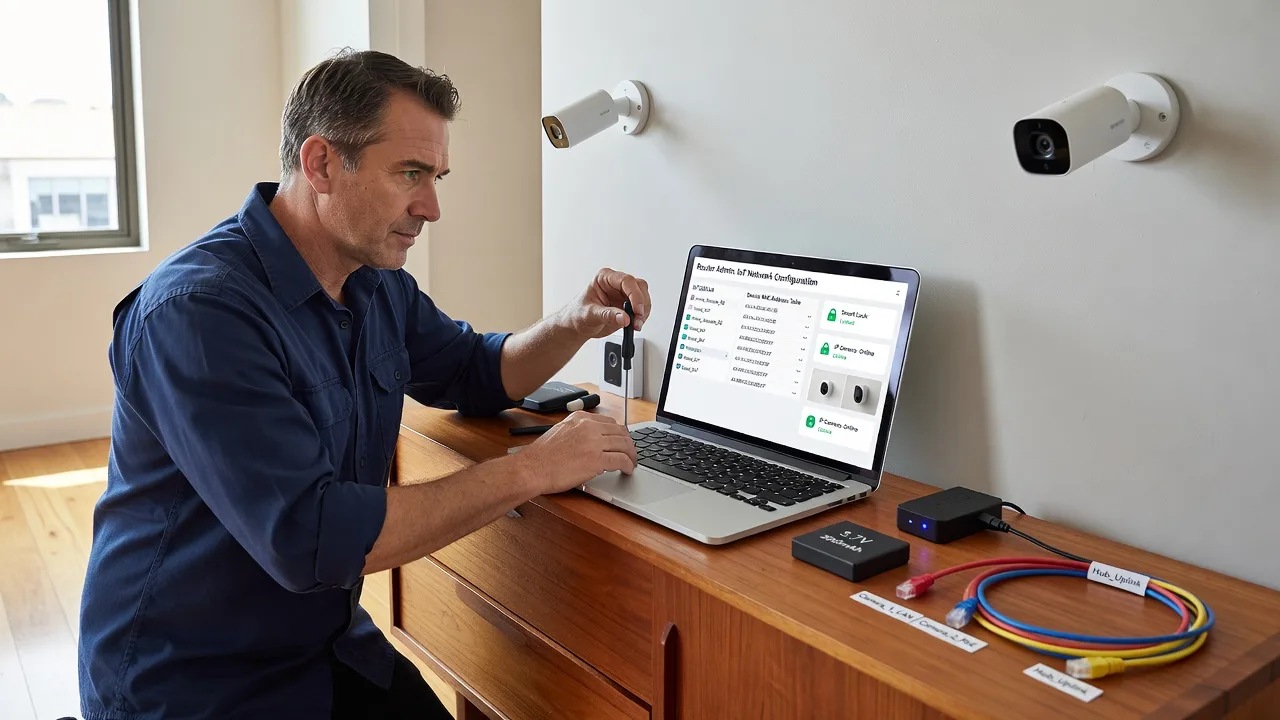
About this service
Get security cameras, smart locks, and automation hubs connected safely to your Melbourne local network—segmented, stable, and under your control. We deliver the integration ourselves so devices work together without opening the whole LAN to the internet.
What You'll Get
- Device inventory & network map - Cameras, locks, hubs, and bridges listed with VLAN/SSID placement recommendations.
- Secure local pairing - Onboarding that prefers local control, strong credentials, and least-privilege app access.
- Hub & automation baseline - Core scenes (away, night, visitor) wired so locks, lights, and cams behave predictably.
- Remote access done safely - VPN or vendor secure tunnel guidance instead of open ports and UPnP shortcuts.
- Plain-English runbook - How to add a guest device, reset a lock, and check camera health without calling us every time.
- Optional follow-up window - Stabilisation check after firmware updates or ISP modem swaps common in metro Melbourne.
Serving Melbourne & surrounds
Metro Melbourne mixes dense apartment buildings, café-strip retailers, and warehouse-style offices—each with different Wi‑Fi density, visitor traffic, and strata rules. We plan for shared walls, congested 2.4 GHz bands, and NBN gateway quirks rather than pasting a national template onto your suburb. Clients in places such as Melbourne often need guest Wi‑Fi isolation so cameras and locks never sit on the same flat network as customer devices.
- Strata apartments where multiple IoT brands fight for the same channel and one weak camera password risks the whole floor plan.
- High-street cafés and clinics that want door locks and entry cams on a staff SSID, separate from public free Wi‑Fi.
- On-site visits across metro Melbourne when physical lock batteries, PoE camera runs, or hub placement need hands-on checks; remote config when hardware is already in place.
How We Work
- Step 1: Reach Out - Tell us which cameras, locks, and hubs you own (or plan to buy), how the NBN modem/router is set up, and whether this is a home, clinic, or small retail site. We listen first.
- Step 2: Tailored Plan - Fixed-scope quote for discovery, secure join, hub rules, and documentation—clear inclusions, no bidding theatre.
- Step 3: We Deliver - Remote hardening where possible; on-site in Melbourne when cabling, lock install height, or RF dead zones require it. Patient walkthrough for whoever will day-to-day the system.
- Step 4: Confirm & Follow-up - Live test of lock, cam, and automation paths; plain-English handoff; optional maintenance if firmware or ISP changes break the chain.
Common Issues & How to Fix Them
These are the failure patterns we see repeatedly on Melbourne home and small-business networks—specific symptoms, then safe DIY checks before you escalate.
Cameras online in the app but freeze every evening
Usually channel congestion or the camera still on a crowded 2.4 GHz SSID shared with every IoT bulb and neighbour AP—common in apartment-dense Melbourne blocks after work when traffic spikes.
- Step 1: Note the time freezes start and whether other devices on the same SSID also slow; open the camera app and record bitrate or offline events if shown.
- Step 2: Move cameras to a dedicated IoT or 5 GHz SSID if the model supports it; on the router, set a fixed channel (avoid Auto thrash) and disable band steering only for that SSID if cameras drop when forced to 5 GHz they cannot hold.
- Step 3: Walk the camera path at peak evening hours—if the live view stays fluid for 10+ minutes and the NVR/cloud timeline shows continuous segments, the congestion fix held.
Smart lock pairs, then randomly rejects the hub after a power blip
Hub and lock lost thread/Zigbee/Z-Wave mesh memory or the lock rejoined the phone app’s cloud path instead of the local hub—classic after modem reboots or someone factory-reset the lock battery pack.
- Step 1: Confirm lock battery level and that the hub still has power and the same LAN IP/subnet as before the outage.
- Step 2: Remove the lock only from the hub (not a full cloud account wipe if avoidable), re-pair at close range with the door open, then rebuild one simple unlock/lock automation before adding schedules.
- Step 3: Power-cycle the hub once, wait for full mesh recovery, and test lock from hub UI and phone while Wi‑Fi is off on the phone—if lock still works, local control is restored.
Automation hub exposes cameras because UPnP opened ports on the NBN gateway
Default “easy remote view” toggles punch holes through consumer gateways; attackers then scan residential Melbourne IP ranges for those ports. You may notice unknown login attempts or the ISP gateway showing unexpected port mappings.
- Step 1: Log into the gateway admin page and list UPnP/port-forward entries; screenshot anything pointing at camera, NVR, or hub IPs.
- Step 2: Disable UPnP, delete those forwards, put cameras/hubs on an IoT VLAN or guest SSID with client isolation toward PCs, and use the vendor’s official secure remote method or a VPN into your LAN instead.
- Step 3: From a mobile network (not home Wi‑Fi), confirm you cannot reach camera web UIs by raw public IP; then confirm authorised app/VPN access still works. Change default device passwords if they were ever internet-reachable.
Expert insight (Melbourne scenario): On multi-dwelling NBN setups we often find the ISP gateway in bridge/router hybrid mode with CGNAT—port forwards “work” inconsistently and owners chase ghosts. Prefer a proper router behind the gateway, a dedicated IoT SSID with no lateral access to laptops, and never rely on UPnP for locks or cameras. Good looks like: cams and locks on isolated SSID, admin apps MFA’d, no open WAN ports. Bad looks like: one flat Wi‑Fi, default lock PIN still 1234, and “remote view” enabled with UPnP so a café’s door lock shares fate with the free customer hotspot.
When DIY is not enough (urgent, unsafe, recurring, or burning time), book Fixwebnode for direct professional support—no freelancers, bidding, or marketplace noise.
Why Choose Fixwebnode
We are a direct provider for both enterprise-grade network hygiene and patient, jargon-free walkthroughs—useful whether you run a small Melbourne clinic, a strata apartment, or a retail strip site. You deal with us, fixed scopes, and documentation you can actually use after we leave.
- ✓ Local understanding of NBN gateway quirks, dense-apartment RF, and strata access constraints
- ✓ Security-first IoT join (segmentation, credential hygiene, no lazy open ports)
- ✓ Human-clear handoff so non-technical staff or family can operate locks and cams day to day
Tools & Technologies
Consumer and prosumer hubs (Home Assistant where appropriate, vendor hubs such as SmartThings/Hue/Aqara-class where already owned), IP/PoE and Wi‑Fi cameras, smart locks (Bluetooth/Wi‑Fi/Thread/Zigbee as fitted), VLAN-capable routers and access points, secure remote access via VPN rather than raw port forwards, Wi‑Fi survey basics (channel, RSSI, band steering behaviour), and plain-English runbooks plus optional monitoring hooks for offline cams.
Perfect For
Melbourne homeowners, strata residents, café and clinic operators, and small teams who need cameras, locks, and automation hubs on the LAN without turning the whole network into an IoT free-for-all. Ideal when you want technical competence plus calm explanation—not a marketplace of bids. We also support NDIS/Aged Care households and small businesses that need patient digital guidance after the hardware is live.
Book direct support on 0421498927 or at fixwebnode.com.au/contact-support when you are ready to lock the setup down properly.
Choose a package
Single-site review and secure join for up to 3 IoT devices (cam, lock, or hub) on your existing network.
Full camera, lock, and hub baseline for a Melbourne home or small site including automation scenes and isolation guidance.
Comprehensive multi-zone smart-home/IoT integration with on-site option, documentation, and stabilisation follow-up.
FAQ
Both. If your cameras, locks, and hub are already installed and reachable, we often complete secure pairing and network isolation remotely. When lock hardware, PoE runs, dead RF zones, or gateway placement need hands-on work, we schedule on-site visits across metro Melbourne and plan access around building or strata rules.
We avoid open port forwards and UPnP for cameras and locks. Instead we harden local access, isolate IoT devices, and set up safer remote paths such as vendor secure tunnels or VPN into your network. That reduces the chance of random scans hitting your door lock or NVR from the public internet.
Yes. We start from your existing cameras, locks, and hubs, document what talks to what, and design a stable local setup. Where brands will not interoperate cleanly we say so upfront and recommend the smallest change that keeps security and reliability—rather than forcing a full rip-and-replace.
Absolutely. We regularly separate staff IoT (locks, entry cams) from guest Wi‑Fi on café strips and clinic suites so customer traffic cannot reach door controllers. Packages scale from a simple three-device fix to multi-zone Premium work with training for the people who open and close the site.



