







 Multi-Vendor & Complex SaaS Marketplaces
 Modern Headless & Jamstack Web Development
 High-End Corporate & Specialized Business Websites
 Advanced API, Checkout & Database Troubleshooting
Smart Home & IoT Integration Melbourne — Cameras & Locks
Secure smart-home and IoT integration across Melbourne homes and small premises—cameras, locks, and hubs joined cleanly to your local network.
We segment devices, lock down remote access, and stop the usual Wi-Fi drops that hit dense apartment blocks and busy CBD-edge households after hours. You get fixed-scope work from us directly, not a bidding board.
Ready to power up support? Call 0421498927 or book via fixwebnode.com.au/contact-support.
- Camera, lock & hub onboarding
- Local-network safety checks
- Plain-English handover
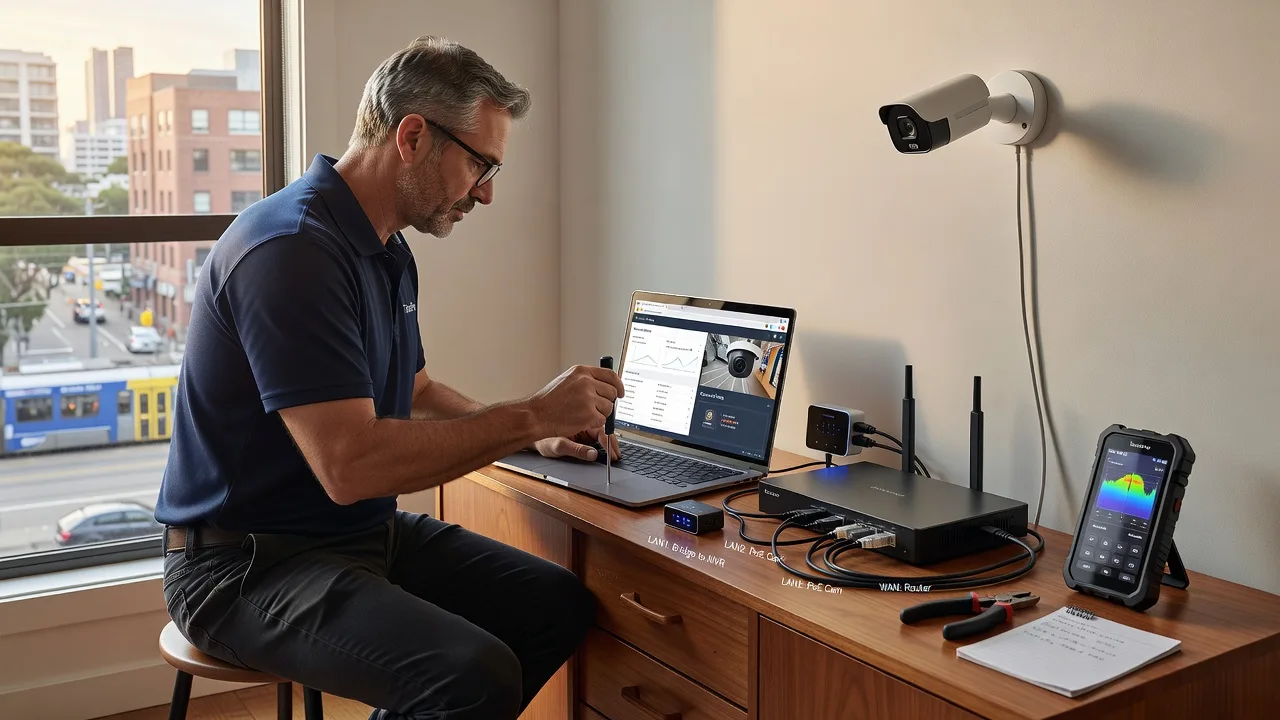
About this service
Get security cameras, smart locks, and automation hubs joined to Melbourne local networks the safe way—segmented, documented, and stable when the NBN evening rush hits. We deliver the integration ourselves so your footage, door access, and scenes stay private and reachable without risky default cloud shortcuts.
What You'll Get
- Device inventory & risk map - Every camera, lock, hub, bridge, and app account listed with firmware age and exposure notes.
- Secure local-network join - Correct SSID band, reserved addressing, and isolation so IoT gear cannot roam freely onto work laptops or clinic tablets.
- Camera path hardening - Local NVR or approved cloud path, strong credentials, and no unnecessary open ports from the street.
- Smart lock reliability pass - Bridge placement, 2.4 GHz stability, and offline fail-safe behaviour checked before you rely on it at night.
- Hub & automation tidy-up - Scenes that survive router reboots, with clear owner documentation instead of a tangle of trial apps.
- Handover pack - Passwords stored your way, labelled ports, and a short plain-English run sheet for household or staff.
Serving Melbourne & surrounds
Melbourne mixes strata apartments with thin walls and crowded 2.4 GHz spectrum, terrace conversions near café strips, and warehouse-style small offices where cameras share the same NBN gateway as POS gear. We plan for that mix—not a generic national checklist. Clients in Melbourne and similar inner-north denser streets often need careful AP placement; outer-metro detached homes more often need VLAN-style separation between family Wi-Fi and always-on cameras.
- Apartment and townhouse builds where neighbours’ mesh networks drown smart locks after 7 pm
- High-street retailers and clinic suites needing foyer cameras without opening the whole guest network
- On-site visits across metro Melbourne with remote follow-up for firmware and app walkthroughs when access is tight
How We Work
- Step 1: Reach Out - Tell us which cameras, locks, hubs, and NBN/router setup you have (or plan to buy). We listen first—security goals, renters vs owners, and who needs app access.
- Step 2: Tailored Plan - You receive a fixed-scope quote: Basic single-device secure join, Standard multi-device plus hub, or Premium full home/small-premise audit with network segmentation guidance.
- Step 3: We Deliver - On-site or hybrid session: we configure SSIDs, bridges, lock pairings, camera streams, and admin accounts. Technical work stays in our hands; explanations stay jargon-light.
- Step 4: Confirm & Follow-up - Live test door events, motion clips, and reboot recovery. Optional maintenance window for firmware and seasonal re-check after daylight-saving schedule changes.
Common Issues & How to Fix Them
These are the faults we see repeatedly on Melbourne premises—use the safe checks below before you expose ports or factory-reset everything.
Smart lock or lock bridge drops offline every night after the router’s quiet reboot
Many ISP gateways refresh leases overnight; locks stuck on 5 GHz, guest SSID, or random DHCP often vanish until someone reopens the app at 7 am.
- Step 1: Confirm the lock bridge sits on the same 2.4 GHz primary LAN SSID as other IoT gear—not guest Wi-Fi and not a band-steered combined name if your kit is fussy.
- Step 2: In the router admin, reserve a fixed DHCP address for the bridge MAC, disable client isolation for that primary SSID only if isolation was blocking hub talk, then power-cycle bridge then lock.
- Step 3: Reboot the gateway once on purpose and wait ten minutes; the lock should reappear without re-pairing. If it fails twice, stop DIY and book a segment-and-reserve pass—repeated pairing can soft-brick some bridges.
Security cameras show live view on-site but push notifications and remote clips die on mobile data
Double NAT (ISP modem-router plus your own mesh), CGNAT on some NBN plans, or UPnP half-open holes cause “works at home, dead on the tram” behaviour common around busy CBD-edge and apartment gateways.
- Step 1: From a phone on mobile data (Wi-Fi off), try the vendor app. Note exact error: timeout, auth fail, or “device offline.”
- Step 2: Prefer vendor cloud relay or a controlled VPN into your LAN over manual port forwards. If you must forward, use non-default ports, strong unique camera passwords, and forward only the NVR—not every lens.
- Step 3: Verify by watching a motion event arrive on mobile data within the app’s normal delay. If nothing arrives, check modem is true bridge mode so only one router handles NAT; still stuck means professional pathing is safer than punching more holes.
Automation hub floods Wi-Fi; laptops stutter while bulbs and sensors keep working
Chatty Zigbee/Wi-Fi hybrids, mis-set DNS, or hubs placed in metal AV cabinets create retry storms that punish thin apartment spectrum more than freestanding houses.
- Step 1: Walk the hub to a central timber shelf with line-of-sight toward sensors; avoid the NBN modem’s metal rack and microwave-adjacent benches.
- Step 2: Give the hub a reserved IP, set DNS to your LAN resolver or a stable public pair deliberately (not mixed per device), and turn off unused discovery protocols the vendor documents as optional.
- Step 3: Run a short video call or large download on a laptop while toggling two automations. Latency should stay usable. If airtime stays crushed, you need IoT SSID separation or wired backhaul—DIY channel hopping alone rarely fixes dense Melbourne blocks.
When DIY is not enough (urgent, unsafe, recurring, or burning time), book Fixwebnode for direct professional support—no freelancers, bidding, or marketplace noise.
Expert Insights
After years of Melbourne apartment and small-retail jobs, the pattern that still fools careful owners is “one flat Wi-Fi name for everything.” Cameras and locks then inherit the same broadcast domain as payroll laptops and kids’ tablets. Good looks like a dedicated IoT SSID (or VLAN if the gear allows), DHCP reservations for every always-on bridge, cloud access only through the vendor’s authenticated path or your VPN, and a labelled spare Ethernet drop to the NVR. Bad looks like UPnP left on “so the app just works,” default admin passwords still printed on the camera base, and a smart lock paired to a phone that left with a former housemate. In summer tourist-heavy stretches and school-holiday weeks we also see mesh nodes relocated for guests—always re-test lock and camera paths after furniture moves, not only after firmware nights.
Why Choose Fixwebnode
We are a direct provider: Tier-1 network discipline for cameras and hubs, Tier-2 human clarity so household members and small teams actually understand what changed. Local work respects Melbourne’s NBN gateway quirks, strata access windows, and mixed commercial-residential streets without turning your home into an enterprise science project.
- ✓ Hands-on IoT join experience with real lock/camera failure modes—not script-only advice
- ✓ Fixed package scopes and plain-English handover for owners, carers, and staff
- ✓ Metro Melbourne on-site options plus remote follow-up on 0421498927
Tools & Technologies
Consumer and prosumer camera platforms (local NVR and approved cloud), major smart-lock ecosystems and bridges, Zigbee/Z-Wave/Wi-Fi hubs, mesh Wi-Fi admin panels, DHCP reservation and basic VLAN/SSID segmentation, secure remote access patterns (vendor relay or VPN—not casual port sprays), firmware hygiene checklists, and simple network discovery to catch rogue IoT joins.
Perfect For
Melbourne homeowners, strata residents, café and boutique operators, and small clinics who want cameras and door access reliable without exposing the whole LAN. Ideal when you value a calm walkthrough as much as the technical join—especially multi-person households or teams who need shared app roles done properly the first time.
Book direct support on 0421498927 or at fixwebnode.com.au/contact-support when you are ready to lock the network side down.
Choose a package
Secure onboarding of one camera, lock, or hub onto your Melbourne local network with credential hygiene and a short handover.
Multi-device package: up to four cameras/locks plus one automation hub, SSID guidance, and reboot-survival testing.
Full-home or small-premise IoT security integration: inventory, segmentation plan, camera/lock/hub hardening, and documented owner runbook.
FAQ
We cover metro Melbourne on-site when physical placement, cabling to an NVR, lock bridge positioning, or strata access makes hands-on work necessary. For configuration-heavy follow-ups we can complete secure remote sessions after the local network path is proven. Travel and access notes are confirmed in the fixed quote before we start—no surprise marketplace handoffs.
We avoid casual port forwarding whenever a safer path exists. Preferred options are the vendor’s authenticated cloud relay or a controlled VPN into your LAN, with unique strong credentials and firmware current. If a forward is unavoidable, we limit it to the NVR, avoid default ports, and document exactly what was changed so you are not left with a silent exposure.
Yes. Many Melbourne rentals and strata units only allow your own mesh or the ISP gateway. We work within those limits: correct band choice, reserved addresses, careful hub placement, and isolation so IoT gear does not sit on the same open profile as work devices. If the building network blocks critical traffic we will say so plainly and offer workable alternatives rather than endless pairing loops.
Have router admin access, device apps installed on the owner phone, original lock/camera kits and bridges, and a list of who needs shared access. Note any prior housemate accounts still linked. If cameras already record locally, pause overwrites on critical clips until we finish path testing.



