







 Multi-Vendor & Complex SaaS Marketplaces
 Modern Headless & Jamstack Web Development
 High-End Corporate & Specialized Business Websites
 Advanced API, Checkout & Database Troubleshooting
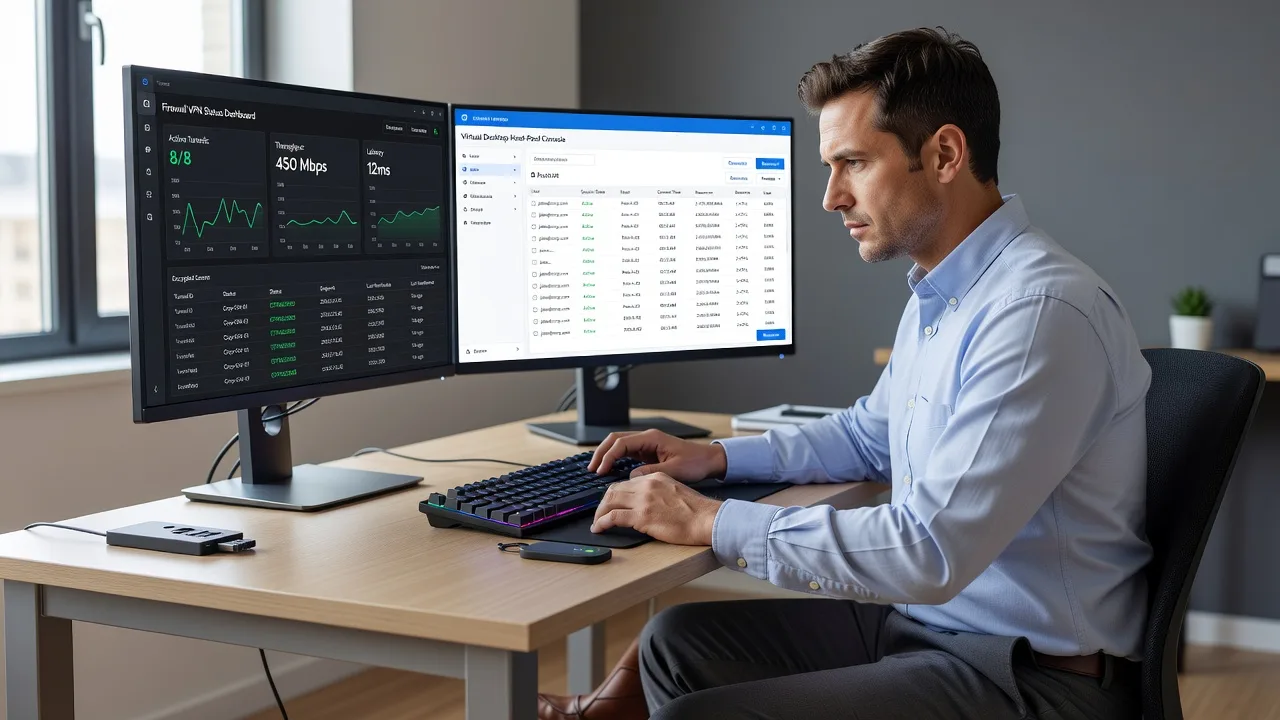
Secure VPN & Cloud Desktop Setup for Melbourne Hybrid Teams
Lock down hybrid work for Melbourne teams with enterprise-grade VPNs and cloud desktops—delivered direct by Fixwebnode.
We configure secure remote access so CBD offices, warehouse ops, and distributed staff stay productive without exposing company data.
Power up your support experience: dial 0421498927 or visit fixwebnode.com.au/contact-support for a fixed-scope plan.
- Site-to-site & client VPNs hardened for AU hybrid use
- Managed cloud desktop baselines with MFA
- Direct provider—no freelancers or bid noise
About this service
Give your Melbourne hybrid workforce rock-solid, auditable remote access—secure VPNs and cloud desktops configured by Fixwebnode so staff work from home, the office, or the road without leaking credentials or slowing the business.
What You'll Get
- Hardened VPN design - Client and/or site-to-site tunnels with modern protocols, split or full tunnel policy, and least-privilege routing matched to your apps.
- Cloud desktop baseline - Secure virtual desktop or remote workspace image with MFA, locked session policies, and controlled local-device redirection.
- Identity & access alignment - Directory join, conditional access hooks, and device posture checks so only trusted endpoints reach production systems.
- Australian latency-aware routing - Gateway placement and DNS choices tuned for metro Melbourne and interstate hybrid patterns.
- Runbook & plain-English handover - Admin steps, user onboarding checklist, and rollback notes your internal team can follow.
- Optional monitoring handoff - Health checks, certificate expiry alerts, and escalation path for ongoing stability.
Serving Melbourne & surrounds
Melbourne hybrid work is not one pattern: CBD professional services need quiet, always-on tunnels for SaaS and file shares; industrial and logistics pockets need reliable access for warehouse tablets and after-hours ops; strata-heavy residential staff often fight apartment Wi-Fi and CGNAT that break naive VPN setups. We design for those real constraints across Melbourne, Victoria, Australia—and nearby hubs such as Melbourne commercial floors and Dandenong South logistics corridors when your footprint spreads.
- CBD and inner-metro professional firms needing MFA-backed client VPN plus controlled printer/file access from home.
- Warehouse and light-industrial teams that must reach ERP or WMS systems over unstable last-mile links without full-tunnel bandwidth waste.
- Fully remote delivery for most builds; on-site or assisted cutover available when firewall hardware or office edge devices must be touched in metro Melbourne.
How We Work
- Step 1: Reach Out - Tell us your hybrid mix (home, office, multi-site), apps that must stay private, and any compliance or insurer requirements—we listen first.
- Step 2: Tailored Plan - Fixed-scope quote for infrastructure work: topology, identity, desktop image, and cutover window—no open-ended marketplace bids.
- Step 3: We Deliver - We build and test the VPN and cloud desktop stack remotely, harden policies, and walk key users through first login.
- Step 4: Confirm & Follow-up - Plain-English handover, verification checklist, and optional maintenance or expansion path.
Common Issues & How to Fix Them
AUTHORITY_HOWTO_V1 — unique hybrid issues we see repeatedly on Melbourne remote-work builds, with safe DIY checks before you escalate:
VPN connects but internal apps time out (split-tunnel routes missing or wrong)
Staff show a green VPN icon yet cannot reach file servers, intranet, or line-of-business URLs—common when only default routes were pushed or when cloud DNS still resolves public IPs.
- Step 1: From a connected laptop, run a route print (Windows) or netstat -rn / route get (macOS) and confirm the private subnet for your office or cloud VNet appears with the VPN gateway as next hop.
- Step 2: Add or correct the pushed routes for RFC1918 ranges you actually use; disable conflicting local static routes; set internal DNS servers only for those domains via NRPT or equivalent.
- Step 3: Reconnect, ping a known internal host by IP then by name, and open the app—success means both routing and name resolution now follow the tunnel.
Cloud desktop login loops or black screen after MFA
Users pass MFA then hang on a blank session—often profile corruption, GPU/redirect policy clash, or FSLogix/profile disk mount failure on the host pool.
- Step 1: Have the user try a private/incognito browser or the native client; note exact hang point (pre-desktop vs after wallpaper).
- Step 2: As admin, check host pool capacity, profile storage health, and whether Offline files or USB redirection policies are forcing a bad path; reset the user profile container only after backing up known-good data.
- Step 3: Re-test with a clean test account on the same pool—if the test user succeeds and the original fails only after profile reset verification, the issue was profile-side, not gateway-side.
Home users on CGNAT or double-NAT cannot keep site-to-site or always-on VPN stable
Apartment and many NBN setups in dense Melbourne suburbs share public IPs; UDP-based VPN flaps or fails handshake while café Wi-Fi works inconsistently.
- Step 1: Confirm whether the home connection has a true public IPv4 (check WAN IP on the router vs whatismyip from a device)—if they differ, you are behind CGNAT.
- Step 2: Prefer TLS/443 or TCP fallback profiles, avoid relying on inbound port forwards to homes, and terminate client VPN on a cloud edge rather than a residential modem.
- Step 3: Run a 15-minute continuous ping and a short file copy over the tunnel at peak evening hours; stable RTT and no reconnect storms confirm the profile is CGNAT-safe.
When DIY is not enough (urgent, unsafe, recurring, or burning time), book Fixwebnode for direct professional support—no freelancers, bidding, or marketplace noise.
Why Choose Fixwebnode
We are a direct infrastructure provider for Australian hybrid teams—not a freelance board. You get Tier-1 remote IT depth with human handoff so directors and ops leads understand what changed. Smart Solutions. Human Support.
- ✓ Melbourne-aware hybrid patterns: CBD SaaS stacks, industrial always-on access, and apartment last-mile limits
- ✓ Fixed-scope packages with clear deliverables and verification—not hourly guesswork
- ✓ Security-first defaults: MFA, least privilege, certificate hygiene, and documented rollback
Expert Insights
After hundreds of hybrid cutovers, the failure we still see in Melbourne professional firms is full-tunnel VPN forced onto every home user the week before EOFY or a board reporting cycle. Bandwidth collapses on shared NBN plans, SaaS traffic hairpins through the office, and helpdesks drown in slowness tickets that look like application outages. Good looks like intentional split-tunnel with explicit routes only to private subnets and sensitive internal apps, plus DNS policies that send only corporate zones through the tunnel—paired with cloud desktop for the minority of workloads that truly need a locked corporate image. Bad looks like one flat VPN profile for executives, warehouse scanners, and contractors alike, with no device posture check and no separate break-glass local admin path when the identity provider hiccups. Tip we apply on metro builds: stage a pilot group that includes at least one strata-apartment worker and one warehouse tablet user before company-wide push; if both stay stable at 7–9 pm local time, your profile will survive real Melbourne hybrid load.
Tools & Technologies
WireGuard and enterprise IPsec/IKEv2 profiles; OpenVPN TCP/443 fallbacks; Microsoft Entra ID / Azure Virtual Desktop and comparable cloud desktop stacks; firewall edge rules on common SMB/UTM platforms; MFA (authenticator/FIDO patterns); conditional access and device compliance hooks; DNS filtering and private DNS zones; certificate lifecycle basics; secure RDP/HTML5 gateways; monitoring via uptime checks and tunnel health metrics; documented PowerShell/CLI verification scripts for route and name-resolution tests.
Perfect For
Melbourne SMEs and multi-site operators moving to hybrid or fully remote models who need secure VPN and cloud desktop infrastructure without building an internal SRE team overnight. Ideal when you have mixed home/office staff, compliance pressure on data in transit, or a failed DIY VPN that still drops at peak hour. We deliver the stack directly and explain it in language your operations lead can own.
Choose a package
Single-site client VPN hardening and user profile pack for a small Melbourne hybrid team.
VPN plus cloud desktop baseline for hybrid staff with identity alignment and cutover support.
Multi-profile hybrid infrastructure: site-to-site options, hardened VDI/cloud desktops, monitoring handoff.
FAQ
Most VPN and cloud desktop builds are completed remotely across Melbourne, Victoria, with secure admin sessions and staged cutovers. If your edge firewall or office appliance must be touched in person, we arrange metro-friendly windows and still keep the bulk of configuration remote so downtime stays minimal.
Yes. We align client or site-to-site VPN profiles with your current edge device and connect cloud desktops to your existing identity tenant where appropriate. We document every policy change so your internal admin is never locked out of the design.
No. Fixwebnode is the direct provider. Packages are fixed-scope deliverables for the infrastructure we build. If your environment needs a wider multi-site design, we quote that clearly up front rather than running open-ended marketplace bids.
We specifically design client profiles with TLS/TCP fallbacks and cloud-edge termination so home users behind CGNAT stay stable. Standard full-tunnel-only office VPN recipes often fail in dense Melbourne residential settings; our pilot step catches that before company-wide rollout.



