






 Multi-Vendor & Complex SaaS Marketplaces
 Modern Headless & Jamstack Web Development
 High-End Corporate & Specialized Business Websites
 Advanced API, Checkout & Database Troubleshooting
Remote Laptop Damage Assessment Reports for Melbourne Insurers
Clear, insurer-ready laptop damage assessment reports for Melbourne claims teams and policyholders.
We inspect symptoms remotely, document cause and extent in plain Australian claim language, and flag repair vs replace decisions that hold up under review—ideal when CBD brokers, suburban SMEs, or warehouse staff need evidence without shipping the device first.
Power up your claim support: call 0421498927 or visit fixwebnode.com.au/contact-support for a fixed-scope remote assessment.
- Photo and log-based damage mapping
- Insurer-friendly findings summary
- Direct provider—no bidding or marketplace delay
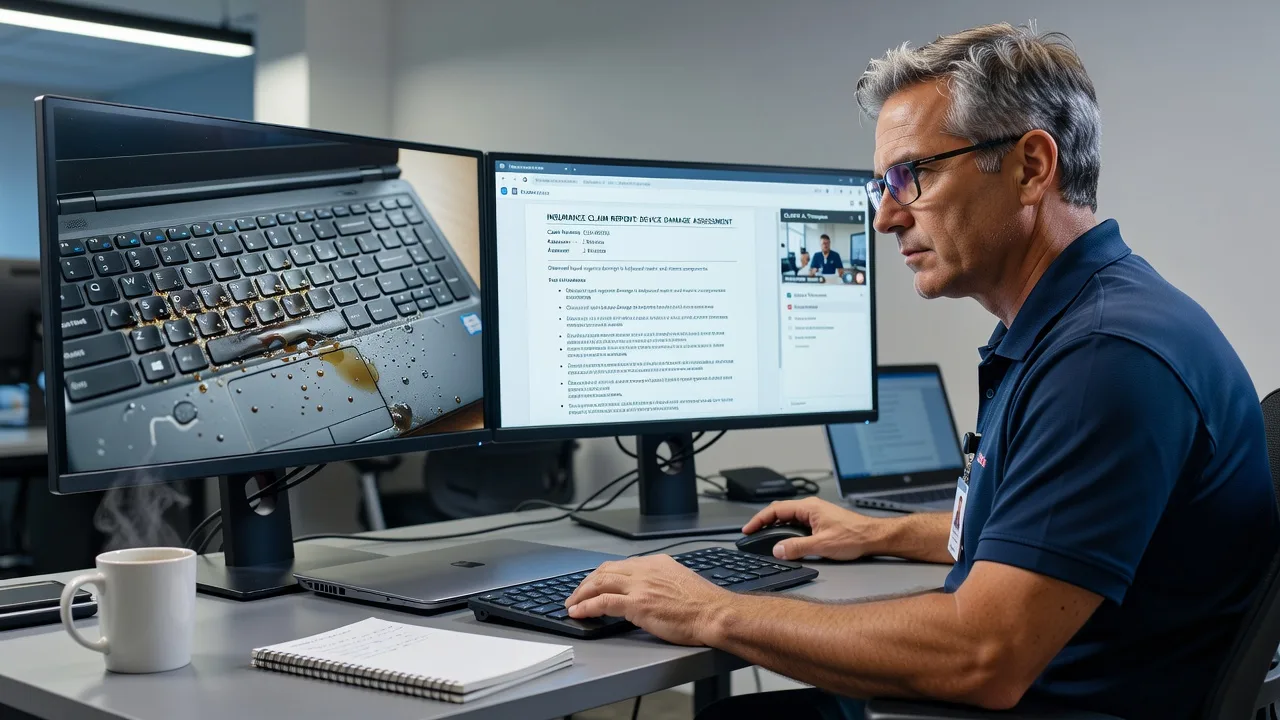
About this service
Get a precise remote laptop damage assessment and written report tailored for Australian insurers, built for Melbourne claimants who need fast, defensible documentation. We translate hardware symptoms into clear cause, extent, and repair-or-replace guidance your assessor can use.
What You'll Get
- Structured damage findings report - Cause hypothesis, affected components, and severity written in claim-ready language.
- Evidence checklist pack - What photos, serials, event timeline, and logs strengthen the file before lodgement.
- Repair vs replace recommendation - Practical cost and risk view so the insurer is not guessing from vague screenshots.
- Symptom-to-component mapping - Links freezes, no-post, keyboard failure, or liquid residue to likely parts.
- Plain-English summary for the insured - Separate short brief so staff or clients understand next steps without jargon.
- Follow-up clarification notes - One round of wording tweaks if the broker or claims officer asks for more detail.
Serving Melbourne & surrounds
Melbourne claims rarely look the same: a liquid spill on a café counter laptop is documented differently from a drop in a Melbourne open-plan office or a crushed chassis after freight handling in an industrial pocket. We shape remote assessments around how local businesses actually work—strata apartments with limited desk space, high-street retailers rushing end-of-day backups, and office teams lodging claims under tight broker SLAs.
- CBD and Melbourne desk workers needing same-day photo-guided evidence packs before the device is wiped or returned to IT.
- Warehouse and logistics sites where transit shock and pallet incidents create intermittent faults that photos alone miss.
- Fully remote delivery across metro Melbourne with optional scheduled video walk-through when on-desk access is limited after hours.
How We Work
- Step 1: Reach Out - You share the incident story, policy context, current symptoms, and any photos or serial labels—we listen first and confirm remote suitability.
- Step 2: Tailored Plan - Fixed-scope quote for a Basic single-unit report, Standard multi-angle evidence package, or Premium insurer-grade file with repair/replace economics.
- Step 3: We Deliver - Guided remote inspection, structured findings, and a clean PDF/Word-style report your claims contact can attach.
- Step 4: Confirm & Follow-up - Plain-English handoff, optional clarification for the assessor, and notes on what not to do before physical inspection.
Common Issues & How to Fix Them
These are the patterns we see repeatedly on Melbourne laptop claims before a formal assessment locks the file.
Dried liquid spill: machine powers on but keyboard ghosts or trackpad stutters
Sugary drinks leave conductive residue under the deck long after the laptop looks dry, so early photos show little damage while behaviour keeps worsening.
- Step 1: Power off, unplug, and remove any external battery if the model allows—do not keep testing keys while wet residue may still be active.
- Step 2: Photograph the spill zone, palm rest, ports, and underside under good light; note the liquid type and exact time of the event for the claim timeline.
- Step 3: Boot once only to capture whether keys repeat, the trackpad drifts, or USB ports drop—then shut down and stop DIY cleaning with alcohol on the board.
Drop damage: works on the desk, fails in a bag or on battery
Impact often cracks solder joints or loosens display cables so faults appear only when the chassis flexes—insurers need that intermittency documented, not a single perfect photo.
- Step 1: Record a short video opening/closing the lid and gently tilting the unit while noting freezes, black flashes, or sudden shutdowns.
- Step 2: Compare AC vs battery behaviour and note any bent corners, separated bezel gaps, or uneven base feet that prove impact geometry.
- Step 3: Export a simple event timeline (when it fell, surface type, height) and keep the device off travel until the assessment photos are complete.
Claim file rejected: photos do not match serial, model, or stated cause
Many first lodgements fail because labels are unreadable, the date stamp is missing, or the described cause cannot be reconciled with visible damage.
- Step 1: Shoot the service tag/serial, model sticker, and full device in one continuous set under consistent lighting—no cropped mystery close-ups only.
- Step 2: Match each photo to a written line: what failed, when, and which component the image is meant to prove.
- Step 3: Recheck that the policy number, insured name, and device identity appear the same across forms before resubmitting to the insurer.
When DIY is not enough (urgent, unsafe, recurring, or burning time), book Fixwebnode for direct professional support—no freelancers, bidding, or marketplace noise.
Why Choose Fixwebnode
We deliver the assessment ourselves as a direct technical provider, blending hardware diagnostic discipline with claim wording that brokers and staff can follow. Melbourne files move faster when evidence is complete the first time, not after three photo requests.
- ✓ Remote-first process tuned to Australian insurer evidence expectations
- ✓ Clear repair-versus-replace language instead of vague tech notes
- ✓ Local awareness of CBD desk, retail spill, and logistics impact patterns across Melbourne
Expert Insights
After hundreds of claim-support reviews, the pattern that still costs Melbourne businesses the most is the “it still boots” trap. Insurers and internal IT often treat a power-on laptop as minor damage, yet a single coffee spill that wicked under a keyboard membrane can corrode the board for weeks. Good evidence is not a pretty exterior shot—it is a dated set showing residue paths, port corrosion colour, and a one-boot symptom log. Bad evidence is twenty artistic angles of the lid with no serial, no timeline, and a device that was “tested all weekend” until a secondary short appeared. For a typical CBD open-plan claim, we insist on one cold-boot video, one underside photo set, and a written stop-testing instruction before anyone books a courier; that single discipline regularly prevents total-loss arguments that were never necessary.
Tools & Technologies
Guided video inspection, structured photo protocols, Windows Event Viewer and macOS Console symptom capture, SMART/disk health readouts where safe, battery health reports, manufacturer service-tag validation, PDF/DOCX claim report templates, secure file transfer for evidence packs, and plain-language component maps (mainboard, keyboard deck, display cable, hinges, charging circuit).
Perfect For
Melbourne insurers’ panel contacts, brokers, SME owners, clinic and education staff, and small IT teams who need a defensible remote laptop damage report without waiting on a physical bench slot. Ideal when the device must stay on site, the claim clock is running, and you want one direct specialist accountable for the wording—not a chain of handoffs.
Ready to lock the evidence pack? Call 0421498927 or use https://fixwebnode.com.au/contact-support and we will scope the remote assessment the same day where possible.
Choose a package
Remote review of one laptop with a concise insurer-oriented damage findings summary.
Full evidence-mapped assessment report with timeline, component mapping, and broker-ready wording.
Comprehensive multi-angle remote assessment with economics, multi-stakeholder notes, and priority turnaround.
FAQ
Most Melbourne laptop damage assessments are completed fully remotely using guided photos, short video checks, and system logs. If a physical bench inspection is later required by the insurer, our report still gives you a clean evidence baseline so the on-site visit is faster and better scoped. We work across metro Melbourne without requiring you to courier the device first.
Yes. We write cause, extent, and recommendations in plain claim language—what failed, what supports the stated incident, and whether repair or replace is the sensible path. We do not guarantee any insurer’s outcome, but we structure evidence so assessors spend less time chasing missing serials, timelines, and symptom proof.
Incident date and description, device model and serial photos, clear images of damage areas, current symptoms, and whether the unit still powers on. If available, share any broker reference or policy constraints. We confirm remote suitability and send a fixed-scope plan before work begins.
Often yes. Tell us exactly what was attempted—that history matters for integrity of the file. We document residual risk, advise stopping further self-repair that could worsen corrosion or void remaining options, and still produce a clear findings report from the evidence you can still capture.



