






 Multi-Vendor & Complex SaaS Marketplaces
 Modern Headless & Jamstack Web Development
 High-End Corporate & Specialized Business Websites
 Advanced API, Checkout & Database Troubleshooting
Remote Employee IT Offboarding & Secure Data Wipe Melbourne
Secure remote-employee IT offboarding and certified-style data wiping for Melbourne small businesses.
We revoke access, recover company devices, and wipe residual data so departing staff do not leave open cloud logins, shared drives, or unreturned laptops in CBD offices, warehouse teams, or hybrid retail crews. Fixed scopes, plain-English reports, and direct specialist delivery—no bidding boards.
Power up support when you need it: dial 0421498927 or go to fixwebnode.com.au/contact-support.
- Access revoke + mailbox handoff
- Disk wipe verification notes
- Same-week remote start for most SMEs
About this service
Protect customer data and stop lingering access when staff leave—Fixwebnode delivers remote employee IT offboarding and secure data wiping for Melbourne small businesses that need clean exits without drama. We handle SaaS revokes, device wipe, and handover notes so your next hire starts on a trusted baseline.
What You'll Get
- Access revocation checklist - Email, SSO, VPN, shared drives, and admin roles closed in a documented order so nothing stays open overnight.
- Device recovery & secure wipe plan - Remote or staged wipe guidance for laptops, phones, and USB media with verification steps you can file for audits.
- Data ownership handoff - Mailbox, OneDrive/Google Drive, and project folders transferred to a manager with a plain-English summary.
- Credential & secret rotation list - Shared passwords, API keys, and payment logins that the leaver knew get rotated or flagged.
- Offboarding report - Timestamped actions, residual risks, and next steps your bookkeeper or accountant can understand.
- Optional policy template - Lightweight remote-staff exit process you can reuse for the next departure.
Serving Melbourne & surrounds
Melbourne SMEs often mix CBD head-office SaaS with warehouse or high-street staff who keep laptops at home. Freight peaks, café-strip roster changes, and strata-office hot-desking make rushed exits common—and leftover Microsoft 365 or Xero sessions are a real leak path. We work remote-first across metro Melbourne and can coordinate courier or drop-off device handling when a machine must leave a Melbourne apartment or an outer industrial unit.
- Hybrid retailers and hospitality groups rotating casual managers between strip shops and a small office
- Professional services firms near the CBD with contractors on personal laptops touching client folders
- Remote-first delivery for most steps; on-site device collection notes when building access or courier timing matters in metro Melbourne
How We Work
- Step 1: Reach Out - Tell us roles leaving, systems in use (Microsoft 365, Google Workspace, Xero, VPN, POS), and whether devices are company-owned or BYOD. We listen first and flag urgent revoke items.
- Step 2: Tailored Plan - You receive a fixed-scope quote: single leaver Basic wipe path, multi-account Standard offboard, or Premium multi-device process with rotation and policy pack.
- Step 3: We Deliver - We execute remote revokes, guide or perform wipes, transfer ownership, and document every material step in specialist language you can show ownership or compliance partners.
- Step 4: Confirm & Follow-up - You get a plain-English completion pack, residual risk list, and optional follow-up check after the next billing cycle or staff start date.
Common Issues & How to Fix Them
These are the exit problems we see repeatedly on Melbourne SME estates—symptoms first, then safe DIY checks before you escalate.
Leaver still receives client email after their last day
Aliases, shared mailboxes, and phone mail apps often keep syncing even after the primary account looks disabled.
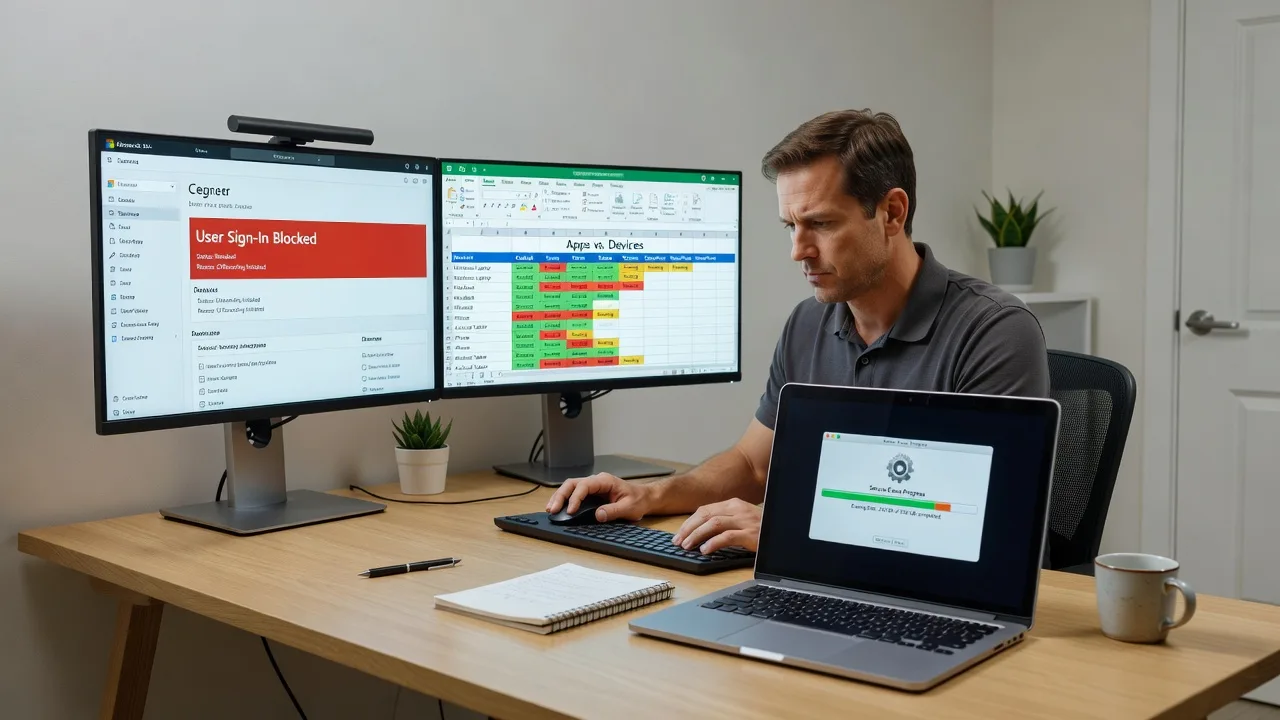
- Step 1: In your admin centre, confirm the user is blocked sign-in and list every group mailbox and distribution list they belonged to.
- Step 2: Remove them from shared mailboxes, convert or forward the primary mailbox to a manager, and revoke mobile device/app passwords or ActiveSync partnerships.
- Step 3: Send a test message to their old address and to a shared inbox; verify only the manager path receives mail and the leaver phone shows auth errors.
Company laptop returned but customer folders still openable offline
Cached OneDrive/Google Drive files and local Outlook PSTs survive a casual delete and travel home with the machine.
- Step 1: Boot the device offline if possible and note whether Files On-Demand or Backup and Sync folders still open without cloud login.
- Step 2: Sign out all cloud accounts, disconnect work profiles, then run a full-disk secure erase or OS reset appropriate to the drive type (SSD crypto-erase / manufacturer tool when available; multi-pass only where policy still requires it on older HDDs).
- Step 3: After wipe, attempt login with the old work account and open former folder paths; success should be impossible and the disk should show a clean OS or blank state only.
Shared SaaS admin still lists the leaver and two-factor codes keep working
Password managers, authenticator apps, and root logins on Xero, Shopify, or hosting panels are frequently missed in a Friday handover.
- Step 1: Export or screenshot user lists from every business-critical app and tick anyone with admin, billing, or owner roles.
- Step 2: Remove or demote the leaver, rotate shared passwords they knew, and re-enrol MFA on a manager-owned phone or hardware key—not a personal device you cannot recover.
- Step 3: Attempt login with the old credentials and old MFA; both must fail. Confirm audit logs show the role change and a successful manager login.
When DIY is not enough (urgent, unsafe, recurring, or burning time), book Fixwebnode for direct professional support—no freelancers, bidding, or marketplace noise.
Expert Insights
After hundreds of SME exits, the failure mode we still catch in Melbourne hybrid teams is ownership lag on shared drives paired with silent mobile tokens. A staff member leaves a Melbourne or outer-metro home office; Microsoft 365 sign-in is blocked, yet an iPhone Mail profile and a desktop OneDrive cache keep serving client PDFs for days. Our analysis method is simple and data-driven: (1) pull sign-in and audit logs for the 14 days pre-exit and 7 days post-exit, (2) map every successful resource access to device ID and client app, (3) visualise a mini matrix—User × App × Device—with colour for still-active tokens, (4) wipe or revoke only the red cells, then (5) re-run the matrix 24 hours later as proof. That second pass is the step most DIY checklists skip, and it is where residual risk shows up. Cost-effective move for growth-focused owners: treat offboarding as a fixed checklist with a verification screenshot pack, not an ad-hoc chat on the last Friday—flexible enough for one casual, strict enough when you scale to a dozen remote roles.
Why Choose Fixwebnode
We are a direct provider: one specialist path for infrastructure-grade remote IT and clear human explanations your managers can follow. Melbourne SMEs get fixed quotes, remote-first execution, and reports written for owners—not ticket jargon.
- ✓ Direct delivery of revoke, wipe, and handoff—no multi-vendor bidding chain
- ✓ Local awareness of hybrid CBD-plus-home and warehouse-plus-SaaS setups common across Melbourne
- ✓ Verification-minded process: logs, device matrix, and plain-English residual risk notes
Tools & Technologies
Microsoft 365 / Entra admin centres, Google Workspace admin, BitLocker and FileVault recovery flows, manufacturer SSD secure-erase utilities, DBAN-style workflows only where appropriate for legacy HDD, VPN and RMM agent removal checklists, password manager vault rotation, Xero and common Australian SME SaaS role audits, mobile device management revoke (Company Portal / Apple ID work profiles), audit log export and simple access matrices in spreadsheets for owner sign-off.
Perfect For
Melbourne small businesses, clinics, and professional services teams offboarding remote or hybrid employees who touched email, cloud drives, or company laptops. Ideal when you need a clean, auditable exit without standing up a full internal IT desk—and when a manager wants a fixed path rather than improvising on the last day.
Ready to close access properly? Call 0421498927 or visit fixwebnode.com.au/contact-support to book your offboarding scope.
Choose a package
Single remote employee access revoke plus guided secure wipe checklist for one primary company device.
Full offboarding for one leaver across email, drives, and up to three apps or devices with a written completion report.
Multi-device or multi-leaver process with access matrix verification, secret rotation support, and reusable exit policy pack.
FAQ
Most Melbourne SME offboarding is fully remote: we work through your admin portals, walk managers through device wipes on a call, and deliver a written report. If a laptop must be collected from a metro office, apartment, or warehouse, we give clear courier or drop-off instructions and can align timing with building access—travel is arranged only when the device itself requires physical handling.
A list of systems the person used (email, accounting, VPN, POS, project tools), whether devices are company-owned, who should inherit mailboxes and folders, and an admin contact who can approve revokes. If you already disabled the account, tell us—what remains is often mobile tokens, shared drives, and SaaS owner roles.
A reset helps, but it is not always enough proof for customer data risk. We confirm cloud caches are gone, work profiles are removed, and—where policy or drive type requires it—use appropriate secure-erase or cryptographic erase steps, then attempt old logins to verify failure. You receive notes you can keep with HR or ownership records.
Yes. Standard and Premium scopes explicitly cover shared SaaS admin removal and credential rotation lists. We guide the living admin through role changes and MFA re-enrolment on recoverable devices so billing and DNS control stay inside the business.



