






 Multi-Vendor & Complex SaaS Marketplaces
 Modern Headless & Jamstack Web Development
 High-End Corporate & Specialized Business Websites
 Advanced API, Checkout & Database Troubleshooting
Real Estate CRM & Email Migration Remote Admin Melbourne
Keep Melbourne agency listings, buyer pipelines, and staff inboxes moving during CRM and email cutovers.
We handle remote CRM admin, mailbox migration, permission mapping, and post-go-live checks so open homes, vendor updates, and contract chains do not stall across metro desks and high-street offices. Fixed scopes, plain-English handoffs, and direct support—not marketplace bidding.
Power up your support: dial 0421498927 or book via fixwebnode.com.au/contact-support.
- CRM field, stage & user cleanup
- Secure email / calendar migration
- Remote admin with follow-up checks
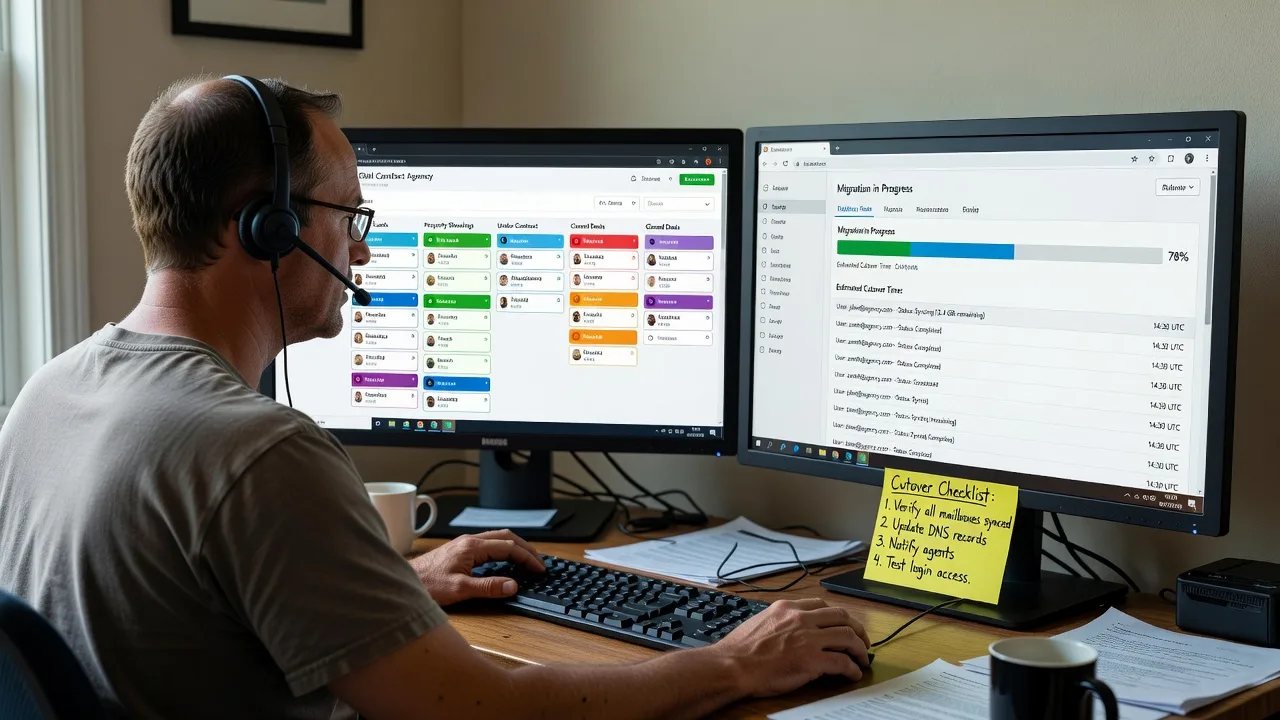
About this service
We migrate and administer real estate CRM and email stacks for Melbourne agencies so listings, buyer follow-ups, and team mail stay intact through platform changes. Remote admin with clear scopes—technical depth plus plain-language guidance for principals and office managers.
What You'll Get
- CRM audit & cleanup - User roles, pipelines, custom fields, duplicate contacts, and listing status rules reviewed before any cutover.
- Email & calendar migration - Mailboxes, shared inboxes, signatures, and calendar permissions moved with staged testing.
- Permission & access mapping - Agents, PAs, and property managers get the right CRM and mailbox access without leftover orphan accounts.
- Integration checks - Listing portals, diallers, document e-sign, and website lead forms verified after DNS or app changes.
- Go-live runbook - Cutover window, rollback notes, and a short staff checklist in plain English.
- Post-migration support window - Follow-up fixes for missing folders, broken rules, or CRM views that agents actually use.
Serving Melbourne & surrounds
Melbourne agencies juggle CBD tower desks, strip-shop storefronts, and warehouse-adjacent property teams that still need the same CRM truth and shared mail during open-home weekends. We centre remote admin on how metro sales and property-management workflows actually run—not a generic national template. Nearby offices in areas such as Melbourne or Melbourne often share the same multi-brand inbox and listing-stage pain points.
- High-street and strip retail agencies needing weekend-safe cutovers so Saturday opens still receive enquiries
- CBD and commercial-pocket teams consolidating brands after mergers without losing shared listing mailboxes
- Fully remote delivery with optional scheduled video walkthroughs for office managers; no on-site travel required for standard migrations
How We Work
- Step 1: Reach Out - You describe the CRM (e.g. Rex, Agentbox, VaultRE, Salesforce-style stacks), current email host, user count, and pain points. We listen first and flag risk areas.
- Step 2: Tailored Plan - Fixed-quote Basic/Standard/Premium scope: what migrates, what is cleaned, test accounts, and cutover window options.
- Step 3: We Deliver - Remote admin: exports/imports, DNS and MX changes when needed, mailbox batches, CRM field mapping, and staged verification.
- Step 4: Confirm & Follow-up - Plain-English handoff, staff micro-checklist, and optional maintenance or a second support session if issues surface after the first open-home cycle.
Common Issues & How to Fix Them
These are the failure patterns we see repeatedly on real estate cutovers—symptoms first, then safe checks you can try before booking us.
Shared listing or enquiries mailbox still delivering to the old host after MX change
Agents see new mail in the wrong place or dual delivery; weekend open-home leads look “missing” even though DNS “propagated.”
- Step 1: From an external account, send a unique subject test to the shared address and note the exact arrival time and folder.
- Step 2: Confirm only one active MX preference set points to the new host; remove stale secondary MX records that still accept mail at the old provider.
- Step 3: Re-send the test and check message headers for the receiving server name; if it still shows the old host, freeze cutover marketing until MX is clean.
CRM contacts duplicated after CSV import with mismatched mobile formats
Australian mobiles stored as 04…, +61 4…, and spaced variants create twin vendor/buyer cards and broken activity history.
- Step 1: Export a small sample and normalise mobiles to a single E.164-style pattern (e.g. +614…) in a working sheet before full import.
- Step 2: Run a duplicate merge on email + normalised mobile keys only; do not merge on surname alone (common family-name collisions in strata blocks).
- Step 3: Spot-check ten known active listings: one contact card, continuous notes/tasks, and correct assigned agent.
Agent calendar invites and property inspection holds vanish after mailbox move
Delegates and resource calendars were never included in the migration scope, so inspection bookings disappear from the new profile.
- Step 1: List every shared/resource calendar and delegate relationship before cutover (PA, sales lead, boardroom, inspection van if used).
- Step 2: Migrate primary mailboxes first, then re-create or re-attach shared calendars and re-apply delegate rights—do not assume the tool copies permissions automatically.
- Step 3: Create a test inspection hold from a secondary account and confirm it appears for the agent and the PA within five minutes.
When DIY is not enough (urgent, unsafe, recurring, or burning time), book Fixwebnode for direct professional support—no freelancers, bidding, or marketplace noise.
Expert Insights
On Melbourne agency stacks we repeatedly see “successful” migrations fail the first Saturday open-home cycle because lead forms still POST to a webhook tied to the old CRM API key while MX already points at the new mail host. Good looks like: a pre-cutover matrix that pairs each lead source (portal, website form, Facebook lead ad, walk-in PA inbox) with a live test payload and a named owner who confirms the CRM activity row within fifteen minutes. Bad looks like: trusting a green tick on mailbox count alone while the website still writes enquiries into a retired pipeline stage labelled “Legacy – do not use,” so agents never see Saturday traffic. Practical tip: schedule the DNS/MX flip mid-week, run synthetic lead tests Thursday, and keep the old host in receive-only quarantine until Monday morning after the first full open-home weekend—not the other way around.
Why Choose Fixwebnode
We deliver CRM and email migration as a direct remote admin service—fixed quotes, one specialist path, and handovers office managers can actually follow. Local rhythm matters: metro listing velocity, multi-brand inboxes, and weekend enquiry spikes shape how we stage cutovers.
- ✓ Direct provider remote admin for agency CRM and mail—no bid boards or handoff chains
- ✓ Cutover plans built around open-home and vendor-update calendars, not generic IT windows
- ✓ Plain-English staff checklists plus optional follow-up so technical changes stick with the team
Tools & Technologies
Common real estate CRMs and office stacks (Rex, Agentbox, VaultRE, PropertyMe-adjacent workflows, HubSpot/Salesforce-style pipelines where used), Microsoft 365 and Google Workspace migrations, IMAP/Exchange moves, DNS/MX/SPF/DKIM/DMARC checks, CSV field mapping, shared mailbox and delegate setup, basic webhook/lead-form verification, secure remote admin sessions, and staged rollback notes.
Perfect For
Melbourne sales and property-management agencies changing CRM, consolidating brands, or moving email hosts without freezing listings. Ideal when principals want a fixed remote scope, office managers need jargon-free steps, and agents cannot afford lost enquiries across CBD desks and suburban high-street offices. We balance infrastructure correctness with human-clear guidance so the team can work the day after go-live.
Ready to plan your cutover? Call 0421498927 or use fixwebnode.com.au/contact-support for a scoped remote admin plan.
Choose a package
Single-mailbox or light CRM cleanup with a short remote admin session and written checklist.
Multi-user CRM prep plus staged email migration for a typical small Melbourne agency team.
Full agency CRM and email cutover with integrations review, staff walkthrough, and extended support.
FAQ
Standard CRM and email migration is delivered fully remote across Melbourne and surrounds, which suits CBD towers and strip offices equally. We schedule video walkthroughs for principals and office managers in local business hours. On-site is rarely required for this work; if a rare hardware handoff is needed we discuss it up front in the fixed quote.
We stage migrations so shared enquiry mailboxes and lead forms are tested before the final MX or CRM switch. Mid-week technical flips with weekend verification are preferred so Saturday open homes are not the first live test. You get a simple checklist for PAs and agents on where new leads will appear.
We regularly handle common Australian agency CRMs and Microsoft 365 or Google Workspace mail moves, plus IMAP/Exchange-style migrations from older hosts. Tell us your exact stack, user count, and any portal or website forms in the first message so we can scope Basic, Standard, or Premium accurately.
Packages are fixed quotes for defined scope. If we discover orphan shared mailboxes, broken webhooks, or undocumented custom fields, we pause, explain the impact in plain English, and only expand scope with your approval—no surprise marketplace-style change orders.



