






 Multi-Vendor & Complex SaaS Marketplaces
 Modern Headless & Jamstack Web Development
 High-End Corporate & Specialized Business Websites
 Advanced API, Checkout & Database Troubleshooting
Patient Data Encrypted Email System Administrator — Melbourne
Encrypted patient-email systems administered for Melbourne clinics and care teams.
We design, harden, and run S/MIME and gateway encryption so GPs, specialists, and telehealth practices keep PHI off plain-text mail—especially across CBD suites and multi-site suburban clinics. Clear staff handoffs, audit-ready logs, and fixed-scope work from us directly.
Need support now? Dial 0421498927 or book at fixwebnode.com.au/contact-support.
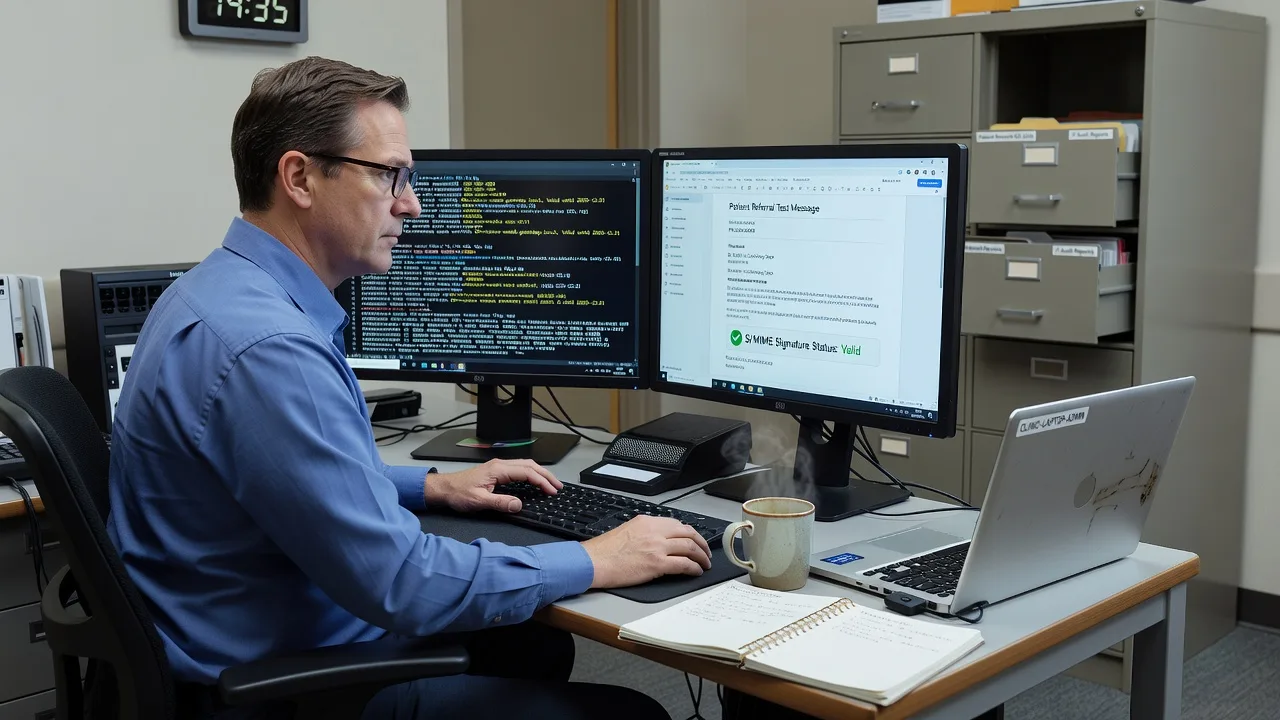
About this service
We administer encrypted email systems that keep Melbourne patient data private, auditable, and usable for busy clinical teams—not locked behind unusable crypto. From specialist rooms to multi-site GP groups, you get a direct Fixwebnode engineer who owns keys, gateways, policies, and plain-English staff support.
What You'll Get
- Encryption architecture review - Map current mail flow, identify PHI exposure points, and choose S/MIME, gateway TLS, or hybrid controls that match how your clinicians actually work.
- Key and certificate lifecycle setup - Issue, renew, revoke, and store certificates with dual-control habits so locums and part-time staff never inherit orphaned private keys.
- Secure gateway and MTA hardening - Enforce TLS, MTA-STS, DANE where useful, and block cleartext fallbacks that still leak attachments overnight.
- Staff-ready send/receive playbooks - Short checklists for encrypting referrals, pathology PDFs, and discharge summaries without IT jargon.
- Audit logging and retention baseline - Who decrypted what, when, and from which device—aligned to Australian Privacy Principles expectations.
- Incident response path for misdirected mail - Containment steps, recipient contact script, and evidence pack if PHI leaves the intended inbox.
Serving Melbourne & surrounds
Melbourne’s health mix is dense and uneven: CBD specialist towers with shared reception printers, bulk-billed suburban GP rooms, private day-procedure centres, and aged-care admin offices that still forward scans by default. We build encryption around those real workflows—not a textbook lab setup. Practices near major hospital corridors and inner-east consulting strips often need the same pattern: secure external referrals without breaking existing practice-management mail rules.
- Multi-provider medical suites where shared front-desk PCs must never hold long-lived private keys
- Telehealth-heavy clinics that email imaging summaries after peak winter respiratory demand
- On-site or remote handover options across metro Melbourne, with after-hours change windows when clinics close
How We Work
- Step 1: Reach Out - Tell us your mail platform, how patient documents leave the clinic, and whether staff already struggle with certificates or password portals—we listen before prescribing tools.
- Step 2: Tailored Plan - Fixed-scope quote for infrastructure work plus a clear training path for reception and clinical staff who need human, jargon-free guidance.
- Step 3: We Deliver - Remote hardening of gateways, clients, and policies; optional on-site checks in Melbourne when devices or printers sit on the critical path.
- Step 4: Confirm & Follow-up - Plain-English handoff, test sends with real document types, and optional maintenance for renewals before certificates expire mid-week.
Common Issues & How to Fix Them
These are the failures we see repeatedly in clinical mail environments—each with safe first checks you can run before escalating.
Outbound referral PDFs still leave in clear text after “encryption” was enabled
Usually the client encrypts only when a recipient certificate is cached; new specialists and hospitals never trigger encryption, so pathology packs go plain.
- Step 1: Send a test message with a dummy PDF to a known external address and inspect headers/logs for a TLS-only hop versus true message-level encryption (S/MIME or portal wrap).
- Step 2: Force a policy that blocks or warns on unprotected PHI keywords/attachments when no valid recipient cert or secure portal session exists—do not rely on optional buttons alone.
- Step 3: Re-send the test and confirm the recipient must decrypt or open via authenticated portal; save the log snippet as your baseline proof.
Clinicians report “invalid signature / cannot decrypt” only on shared nursing-station PCs
Private keys were imported to one profile or a roaming profile never synced; afternoon staff log into a different Windows profile without the cert store.
- Step 1: On the failing PC, open the user certificate store (not the computer store) and verify the personal certificate and private-key icon are present for the logged-in account.
- Step 2: Re-import or re-enroll the certificate into that Windows profile, mark the key as non-exportable where policy allows, and remove duplicate expired certs that confuse the client.
- Step 3: Decrypt a known test message on that same login, then lock/switch users and confirm other clinical logins still work or are intentionally keyless.
Secure gateway works Monday but mass-bounces after a weekend certificate renewal
Auto-renew replaced the public cert while intermediate chain or MTA-STS policy still pointed at the old thumbprint; external hospitals reject the handshake.
- Step 1: Capture the bounce code and run an external TLS check against your mail hostname; note missing chain, name mismatch, or stapling failures.
- Step 2: Install the full chain on the gateway, update MTA-STS/DANE records if you publish them, and reload only after a staged internal send test.
- Step 3: Confirm external TLS grade and a live encrypted send to a partner domain; calendar the next renewal 14 days earlier with a dual-person checklist.
When DIY is not enough (urgent, unsafe, recurring, or burning time), book Fixwebnode for direct professional support—no freelancers, bidding, or marketplace noise.
Expert Insights
In Melbourne multi-site practices we repeatedly see the same quiet failure mode during flu-season roster spikes: locums receive a shared “secure” mailbox password on day one, while the actual S/MIME private key remains on a single desktop that only permanent staff use. The result is a false sense of encryption—outbound looks professional, inbound encrypted referrals pile up unread, and someone eventually forwards the PDF through personal webmail to “just open it.” After five-plus years hardening clinical mail, our non-Googleable rule is simple: separate transport trust from identity trust. Give locums a time-boxed secure portal role or a hardware-token session that never exports a long-lived private key, and require a two-person sign-off before any practice-wide key is copied to a second machine. Pair that with a weekly “orphaned ciphertext” report—messages that arrived encrypted but were never successfully decrypted inside seven days. That single metric catches broken profiles faster than any vendor dashboard, especially when reception PCs are wiped and re-imaged between accreditation visits.
Why Choose Fixwebnode
We are the direct provider: enterprise-grade mail and Linux/server discipline on one side, patient explanations for clinic managers and aged-care coordinators on the other. Melbourne clinics get fixed scopes, plain English, and someone who has already untangled the same certificate mess across real consulting rooms—not a bid board.
- ✓ Hands-on administration of S/MIME, secure gateways, and mail-flow policy—not generic “IT help”
- ✓ Local understanding of Privacy Act / APP pressures on health providers and how front-desk workflows actually break encryption
- ✓ Dual-tier delivery: deep infrastructure work plus calm, jargon-free staff coaching when humans are the risk surface
Tools & Technologies
Microsoft 365 / Exchange Online message encryption patterns, on-prem Exchange and Postfix/OpenSSL gateways, S/MIME certificate lifecycle, Let’s Encrypt and commercial CA chains, MTA-STS and TLS-RPT monitoring, DANE/DNSSEC where appropriate, secure patient document portals, audit log pipelines, MDM-backed cert deployment for clinic endpoints, and practice-management mail connector reviews (without disturbing clinical charting systems).
Perfect For
Melbourne GPs, specialist groups, telehealth providers, day-procedure centres, and small clinic networks that email referrals, results, and care plans and need encryption that staff will actually use. Ideal when you want one accountable administrator for the system—and patient digital support for the people who send the mail—without juggling freelancers or vague marketplace proposals.
Ready to lock down patient email the practical way? Call 0421498927 or start at fixwebnode.com.au/contact-support.
Choose a package
Remote review of your patient-email flow plus a written hardening plan and one guided fix session.
Full encrypted-email configuration for one clinic domain with staff playbook and certificate lifecycle setup.
Multi-site Melbourne clinic rollout: gateway hardening, dual-control keys, audit baseline, on-site option, and incident playbook.
FAQ
Both. Most encrypted-email administration is completed remotely with secure access, which suits CBD suites and suburban practices equally well. When shared reception PCs, printers, or local gateways sit on the critical path, we schedule an on-site visit across metro Melbourne at agreed clinic-closed windows so live patient days stay undisturbed.
Our standard approach is non-destructive: we map how referrals and results already leave the clinic, then add encryption controls around that path. Templates stay intact; we change transport and message protection, document the exceptions, and run test packs with real PDF types before go-live.
Yes. We deliberately pair infrastructure work with plain-English playbooks and short coaching. Locums get time-boxed secure access patterns that avoid copying long-lived private keys onto every workstation, which is the failure mode we see most during busy Melbourne roster spikes.
We help you contain and document: identify recipients, assess exposure, rotate credentials if needed, and install controls so the same path cannot repeat. That work can sit inside Standard or Premium scopes depending on urgency and how many systems are involved.



