







 Multi-Vendor & Complex SaaS Marketplaces
 Modern Headless & Jamstack Web Development
 High-End Corporate & Specialized Business Websites
 Advanced API, Checkout & Database Troubleshooting
NBN Troubleshooting & FTTP Speed Optimisation in Melbourne
Stabilise dropouts and unlock real FTTP speeds across Melbourne homes and offices.
We diagnose NBN link faults, retune router placement for dense apartment and high-street setups, and document plain-English fixes so your connection holds through peak evening load. Direct Fixwebnode support—no marketplace middle steps.
Power up your support: call 0421498927 or book at fixwebnode.com.au/contact-support.
- Dropout & sync diagnostics
- Router position & Wi‑Fi layout
- FTTP throughput verification
About this service
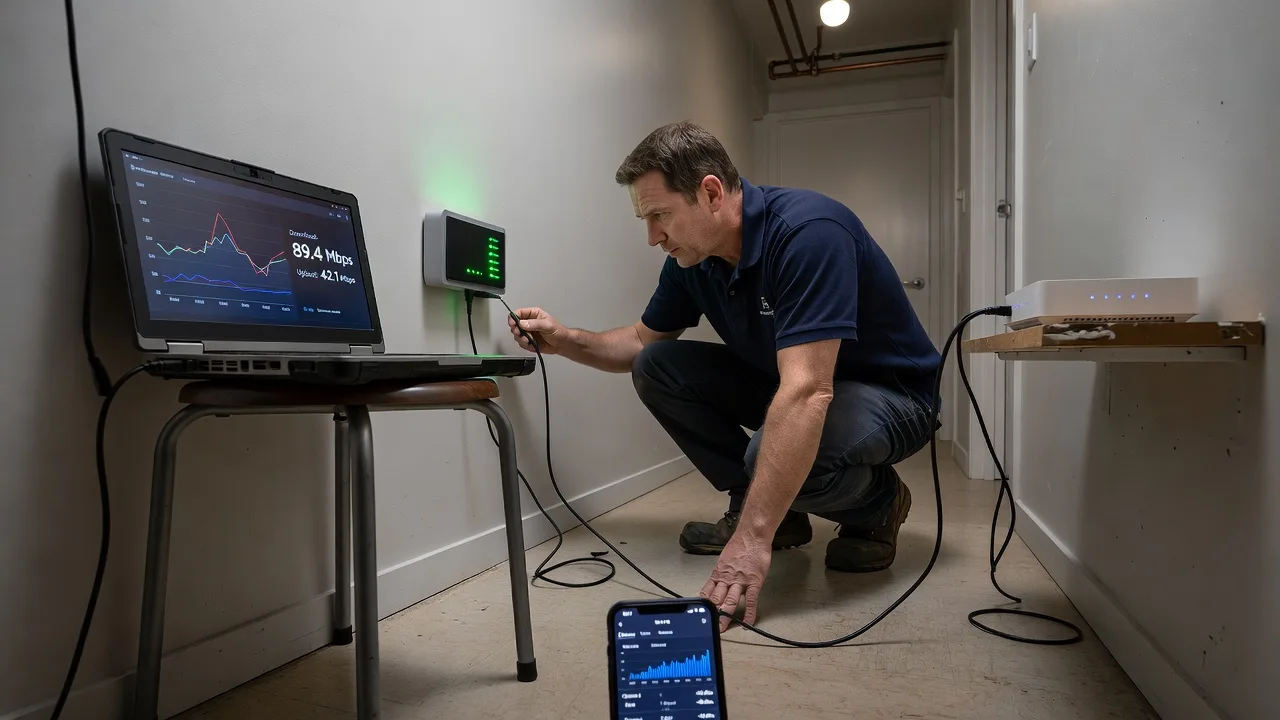
Get reliable NBN performance in Melbourne with clear diagnostics, smarter router placement, and measured FTTP speed gains—not guesswork reboots. We stabilise dropouts for home offices, clinics, and small teams who need the link to stay up during business hours and evening peaks.
What You'll Get
- Full NBN path health check - NTD status, optical/link lights, authentication state, and ISP-side cues explained in plain language.
- Dropout root-cause report - Timed failure patterns, Wi‑Fi vs WAN separation, and whether the fault is premises, modem, or upstream.
- Router placement plan - Practical repositioning for brick walls, multi-level terraces, and crowded CBD-style apartment RF noise.
- FTTP speed maximisation - Wired baseline tests, channel/width tuning, QoS for video calls, and device priority guidance.
- Before/after speed evidence - Documented results so you know what improved and what still needs ISP escalation.
- Handoff notes for your household or team - Simple steps anyone can follow when the next glitch appears.
Serving Melbourne & surrounds
Melbourne NBN issues rarely look the same in a glass CBD tower, a warehouse-converted studio, or a brick terrace with thick internal walls. We work metro clients where strata risers, shared plant rooms, and café-strip density create interference and messy cabling paths—plus nearby inner-north and south-east pockets when on-site router work is needed.
- Apartment and strata offices where the NTD is in a utility cupboard far from desks
- Retail and café-front premises fighting lunch-rush congestion and neighbouring Wi‑Fi
- Hybrid remote-first: guided video diagnostics first, then on-site Melbourne visits when physical placement or cabling must change
How We Work
- Step 1: Reach Out - Tell us the symptoms (dropouts, slow evenings, poor upstairs Wi‑Fi, FTTP not matching plan). We listen before touching settings.
- Step 2: Tailored Plan - Fixed-scope quote for remote diagnostics, router optimisation, or combined on-site Melbourne configuration.
- Step 3: We Deliver - Live troubleshooting, placement changes, firmware/channel checks, and FTTP throughput validation on your gear.
- Step 4: Confirm & Follow-up - Plain-English summary, optional retest window, and clear next steps if the carrier must act.
Common Issues & How to Fix Them
These are the Melbourne patterns we see weekly—try the safe DIY path first, then book us if it keeps failing.
Evening-only dropouts while daytime feels fine
Usually congestion on Wi‑Fi, overloaded mesh nodes, or a modem overheating after hours of streaming—not always an NBN outage.
- Step 1: At 7–9 pm, connect one laptop by Ethernet to the router LAN and run a speed/ping test; note if the wired path stays stable while phones drop.
- Step 2: If wired is stable, move the main router off the TV cabinet, away from microwave/cordless base, elevate 1–1.5 m, and temporarily disable guest networks and unused 2.4 GHz IoT SSIDs.
- Step 3: Retest phones in the same rooms for 15 minutes of continuous video; if wired still fails, photograph NTD lights during the dropout for ISP escalation.
FTTP plan speed looks fine on the modem page but devices never reach it
Common when Wi‑Fi is the bottleneck, duplex/cable faults exist on a cheap switch, or a single 100 Mbps Fast Ethernet port is hiding in the chain.
- Step 1: Bypass every switch/powerline adapter; Ethernet from router LAN straight to a known Gigabit laptop NIC and run three consecutive speed tests.
- Step 2: Replace any Cat5 patch under 1 m suspicion with Cat5e/Cat6, lock the laptop NIC to auto-negotiate, and pause VPN/cloud backup during the test.
- Step 3: Compare wired results to plan rate (±10–15% is normal overhead). If wired hits plan but Wi‑Fi does not, retune 5 GHz channel width and client band steering next—not the NBN port.
NTD online but router WAN light flaps or PPPoE/IPoE keeps renegotiating
Often a marginal UNI-D port mapping, tired WAN cable, double-NAT after an ISP modem swap, or incorrect VLAN/authentication left from a previous provider.
- Step 1: Power-cycle NTD first, wait until optical/status is solid, then power the router; confirm you are on the correct UNI-D port labelled by your RSP.
- Step 2: Swap the NTD-to-router Ethernet lead, set WAN to the RSP’s required mode (DHCP vs PPPoE), and disable any second router’s WAN if you only need AP mode.
- Step 3: Check WAN uptime stays above 30 minutes with continuous ping to a stable public IP; recurring flaps after cable/port checks mean book professional isolation before another full hardware refresh.
When DIY is not enough (urgent, unsafe, recurring, or burning time), book Fixwebnode for direct professional support—no freelancers, bidding, or marketplace noise.
Expert Insights
In Melbourne terrace and apartment stock we repeatedly see "slow NBN" tickets that are actually a single mesh node parked beside a metal fridge on the ground floor while the NTD sits in a second-floor cupboard. Good looks like a short, clean Ethernet run from NTD to a primary router in a central elevated position, with mesh nodes daisy-fed by cable where possible and 5 GHz used for laptops/TVs. Bad looks like daisy-chaining three wireless hops through brick, leaving the ISP gateway in gateway mode behind another gateway (double NAT), and trusting a single phone speed test on 2.4 GHz at the far bedroom. After five-plus years of these jobs, our first measurement is always a wired baseline at the primary router before we touch Wi‑Fi—because optimising the wrong layer wastes everyone’s afternoon.
Why Choose Fixwebnode
We deliver the work ourselves as a direct provider: technical depth for NBN path isolation plus patient, jargon-free explanations for households, clinics, and small Melbourne teams. You get fixed scopes, clear evidence, and practical placement changes—not a bid thread.
- ✓ Direct diagnostics from NTD lights through Wi‑Fi edge, not generic reboot scripts
- ✓ Local awareness of apartment RF density, strata cupboard NTDs, and peak-hour patterns
- ✓ Plain-English handoff so staff or family can maintain the gains
Tools & Technologies
NBN NTD status checks, Ethernet wired baselines, Wi‑Fi analyser channel surveys, router admin (DHCP/PPPoE, AP mode, QoS), mesh placement mapping, iperf/speedtest controlled runs, ping/traceroute isolation, firmware hygiene, and structured notes for RSP fault tickets.
Perfect For
Melbourne home offices, telehealth and clinic front desks, NDIS/aged-care households needing calmer tech help, students in share houses, and small retailers whose card terminals and cloud POS cannot drop at lunch. Ideal when you want one accountable specialist to separate true FTTP limits from Wi‑Fi and cabling problems.
Ready to lock in a stable link? Call 0421498927 or continue at fixwebnode.com.au/contact-support.
Choose a package
Remote NBN dropout triage with wired-vs-Wi‑Fi isolation and a plain-English findings note.
Full remote optimisation: router config review, channel/placement guidance, and FTTP baseline verification.
Comprehensive Melbourne hybrid support including extended optimisation, mesh/cabling advice, and follow-up retest.
FAQ
We start remote wherever possible so we can isolate WAN vs Wi‑Fi quickly. For Melbourne premises where the NTD location, cabling, or router placement must change in person, we schedule a direct on-site visit across metro areas and discuss access for apartments or strata cupboards beforehand.
Yes. We first prove a clean wired baseline at the primary router, then remove bottlenecks such as Fast Ethernet links, double NAT, and congested Wi‑Fi. If the wired path still falls short of plan after correct UNI-D and authentication checks, we prepare clear evidence you can take to your RSP.
Have your RSP account details handy, know where the NBN NTD is, and keep an Ethernet cable plus a laptop available. Note when dropouts happen (time of day, which rooms, wired or wireless). That context lets us skip generic reboots and target the real layer.
No. Fixwebnode is the direct provider. We scope the work, quote clearly, and deliver the troubleshooting and configuration ourselves.



