







 Multi-Vendor & Complex SaaS Marketplaces
 Modern Headless & Jamstack Web Development
 High-End Corporate & Specialized Business Websites
 Advanced API, Checkout & Database Troubleshooting
Laptop Screen & Battery Replacement Melbourne | Acer Mac Dell HP
Cracked laptop screen or a dead battery in Melbourne? We replace screens and batteries on Mac, Dell, Acer and HP—direct, fixed-scope repair.
Whether your machine took a café-table knock in the CBD or the battery will not last a single commute, we diagnose the panel and pack, source the right part, and restore a reliable machine without marketplace bidding.
Power up support when you are ready: dial 0421498927 or visit fixwebnode.com.au/contact-support.
- Shattered LCD / digitizer work
- Swollen or zero-charge battery swaps
- Clear quote before parts go in
About this service
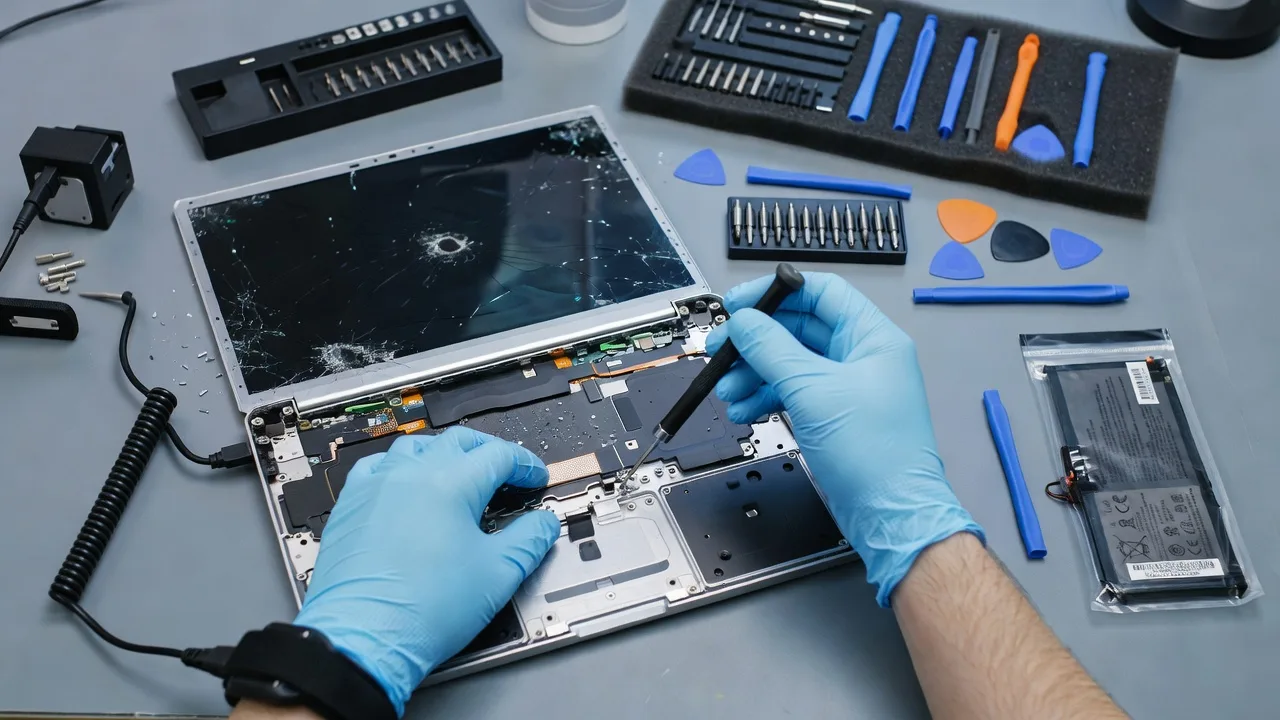
Get your Mac, Dell, Acer or HP back to a sharp screen and a battery that lasts the Melbourne workday—direct physical repair from Fixwebnode, not a bid board. We handle shattered glass, dead cells, and the mixed damage that shows up after drops, bag crushes and heat-soaked desks across metro offices.
What You'll Get
- Model-matched screen replacement - Correct panel type for Apple Mac, Dell, Acer and HP so brightness, colour and bezels sit right.
- Safe battery swap - Removal of swollen or failed packs, fit of a compatible cell, and basic charge verification before hand-back.
- Pre-repair diagnostics - We separate fused-glass damage from full LCD failure, hinge flex issues and board-side faults so you are not paying for the wrong part.
- Data-conscious handling - Drive stays in the machine unless you request otherwise; no casual wipe as part of a simple panel job.
- Fixed-scope packages - Basic through Premium quotes for battery-only, screen-only, or combined work with clearer turnaround expectations.
- Plain-English handoff - What failed, what we replaced, and simple care tips so the next crack or drain is less likely.
Serving Melbourne & surrounds
Melbourne’s mix of CBD hot-desks, warehouse admin corners and dense apartment living means laptops take constant bag travel, tram bumps and café-table risk. We focus on practical repair for people who cannot wait weeks while a machine sits in a queue—students, small teams, clinics and sole traders who need the screen readable and the battery through a full day. Optional pickup discussion for metro clients when workshop work is safer than kitchen-table DIY.
- CBD and inner-metro professionals whose Ultrabooks crack after a desk edge slip or crowded train bag crush
- Campus and studio users around areas such as Melbourne who need a readable panel before assessment week or client pitches
- On-site assessment notes for strata apartments and small offices when access, parking and fragile swollen batteries make transport risky—we plan the safer path with you
How We Work
- Step 1: Reach Out - Tell us the brand/model, what you see (black lines, white blotches, zero charge, swollen base) and whether the machine still boots. We listen first.
- Step 2: Tailored Plan - Fixed quote path for screen, battery or both; we flag if the fault looks board-side or hinge-related before parts are ordered.
- Step 3: We Deliver - Physical strip-down, part fit, cable seating and power-on checks. Patient updates if a part lead time shifts the schedule.
- Step 4: Confirm & Follow-up - You verify image quality and charge behaviour; we note optional calibration tips and when to return if symptoms recur.
Common Issues & How to Fix Them
These are the faults we see constantly on major brands. Safe checks first—stop if the case is hot, the battery is domed, or liquid was involved.
Spider-web glass with bleeding colours or black ink blotches
Impact cracks the outer layer and often the LCD stack underneath; colour bleed means liquid crystal damage, not just cosmetic glass.
- Step 1: Power on briefly. If the image is still sharp under hairline cracks only, note that; if there are pink/purple pools, black blobs or vertical lines, treat it as full panel failure.
- Step 2: Do not press tape hard into the crack or rinse with cleaner—pressure spreads delamination. Photograph the model label under the battery bay or in About This Mac / system info for the exact panel family.
- Step 3: Verify by connecting an external monitor if the laptop has a working HDMI/USB-C out. Clear external image with a broken lid almost always means the internal panel (or its cable), not the motherboard—book a matched screen replacement.
Battery drops from 40% to shutdown, or the base feels puffy
Aged cells lose capacity; heat and constant 100% charge accelerate swelling that can lift the trackpad or bottom case—common after years of desk docking.
- Step 1: Shut down. Check the underside and palm rest for a raised trackpad, rattling, or a case that no longer sits flat. If swollen, do not puncture or flex the pack.
- Step 2: On a non-swollen machine only, run the vendor battery report (Windows powercfg energy/battery report, or macOS System Settings battery health) and note cycle count versus design capacity.
- Step 3: Verify after any DIY calibration attempt by charging to full, unplugging, and timing real work until 20%. If runtime is still under about an hour on light use, or health shows failed/service, schedule a professional pack swap—especially before travel.
Flicker when you open the lid, or the image cuts out at certain angles
On thin MacBook, Dell XPS-style and many HP/Acer hinges, the display flex cable fatigues; Melbourne bag-commute open/close cycles wear it faster than desk-only machines.
- Step 1: Open and close slowly while watching for flash, pink wash or total blackout at a repeatable angle—that pattern points to cable/hinge stress more than random GPU failure.
- Step 2: Avoid forcing the lid past its stop and stop using the machine if the cable crackles; continued flex can tear the replacement cable you will need anyway.
- Step 3: Confirm with an external display again. Stable external video plus angle-based internal dropout is classic lid-cable territory—we reseat or replace the cable/panel path rather than guessing a logic-board swap.
When DIY is not enough (urgent, unsafe, recurring, or burning time), book Fixwebnode for direct professional support—no freelancers, bidding, or marketplace noise.
Expert Insights
After hundreds of Melbourne fleet and consumer jobs, the pattern that still saves clients money is this: on many Dell Latitude and HP EliteBook panels, a cracked outer layer with a perfectly sharp image underneath is not the same job as a MacBook-class fused display. Consumer fused glass+LCD units almost always need the full assembly; some business panels still separate. We always ask for a lit photo plus the service tag before quoting “glass only,” because ordering the wrong stack wastes a week and doubles freight risk. Second tip locals miss: after a battery swap, leave the machine on AC until it reports 100%, then do one full discharge to ~20% under real apps—not a synthetic benchmark—so the gauge learns the new pack. Skipping that step is why people swear a brand-new cell is “still broken” on day two.
Why Choose Fixwebnode
We are a direct provider: technical strip-down skill on major brands paired with clear, jargon-light updates so you know whether you need a panel, a pack, or neither. Melbourne turnaround planning respects commute reality and swollen-battery safety rather than one-size national templates.
- ✓ Hands-on experience across Apple Mac, Dell, Acer and HP consumer and small-business lines
- ✓ Honest fault isolation before parts—external-display checks and hinge/cable logic built into the quote path
- ✓ Human-readable status and care notes; call 0421498927 or use fixwebnode.com.au/contact-support when you need the next step
Tools & Technologies
ESD-safe teardown tools, plastic picks and torque-appropriate drivers for modern thin chassis; OEM-style and quality-compatible LCD assemblies and battery packs matched by model/FRU where available; external display verification; vendor battery health reports (Windows battery report, macOS battery health); basic multimeter checks on power rails when no-power follows a swollen pack; thermal pads and adhesive replacements specified per chassis, not generic double-sided tape guesswork.
Perfect For
Melbourne small businesses, students, clinicians and home users who need a readable screen and a trustworthy battery without navigating freelance bids. Ideal when a cracked lid is blocking invoices, telehealth notes or coursework, or a swollen pack is warping a machine you still rely on daily. We keep the path fixed-scope and direct so you can plan the week around a real repair window.
Choose a package
Battery health check and single compatible battery replacement on one major-brand laptop with power-on verification.
Full LCD/digitizer assembly replacement for shattered or failing screens on Mac, Dell, Acer or HP, including external-display confirm.
Combined screen and battery service plus hinge/cable inspection and extended post-repair support window for one laptop.
FAQ
We primarily complete screen and battery work in a controlled bench setup so fragile panels and swollen packs are handled safely. For Melbourne metro clients we discuss drop-off, pickup options and when a short on-site assessment makes sense—especially if the battery is domed and you should not commute with it. Reach out with your suburb and model and we will map the safest path.
Yes. We regularly service MacBook panels and batteries alongside Dell, Acer and HP consumer and small-business lines. Exact parts depend on year and board identifier, so we confirm the model label or serial before locking the quote. Fused glass assemblies are quoted as full display units when that is what the chassis requires.
Standard screen and battery jobs do not require wiping your drive. We avoid unnecessary storage work. You should still keep your own backup before any hardware service—especially if the machine is already unstable—so a rare deeper fault does not put data at risk.
Angle-dependent flicker or cut-out with a stable external monitor often points to the lid flex cable or connector. Static cracks with colour bleed usually mean the panel stack itself. We use those checks in the plan step so you are not sold a full assembly when a cable path is the real fault—or the reverse.



