






 Multi-Vendor & Complex SaaS Marketplaces
 Modern Headless & Jamstack Web Development
 High-End Corporate & Specialized Business Websites
 Advanced API, Checkout & Database Troubleshooting
HIPAA & APP Compliant Cloud Storage Setup Melbourne
Secure, privacy-first cloud storage for Melbourne clinics, practices, and teams that must meet HIPAA and Australian Privacy Principles.
We configure encrypted storage, access controls, audit trails, and retention rules suited to metro consulting rooms, telehealth workflows, and multi-site offices—so patient and client data stays protected without guesswork.
Power up your support: dial 0421498927 or go to fixwebnode.com.au/contact-support for a fixed-scope plan.
- APP & HIPAA-aligned folder and share design
- Remote setup with plain-English handoff
- Direct provider—no bidding or marketplace noise
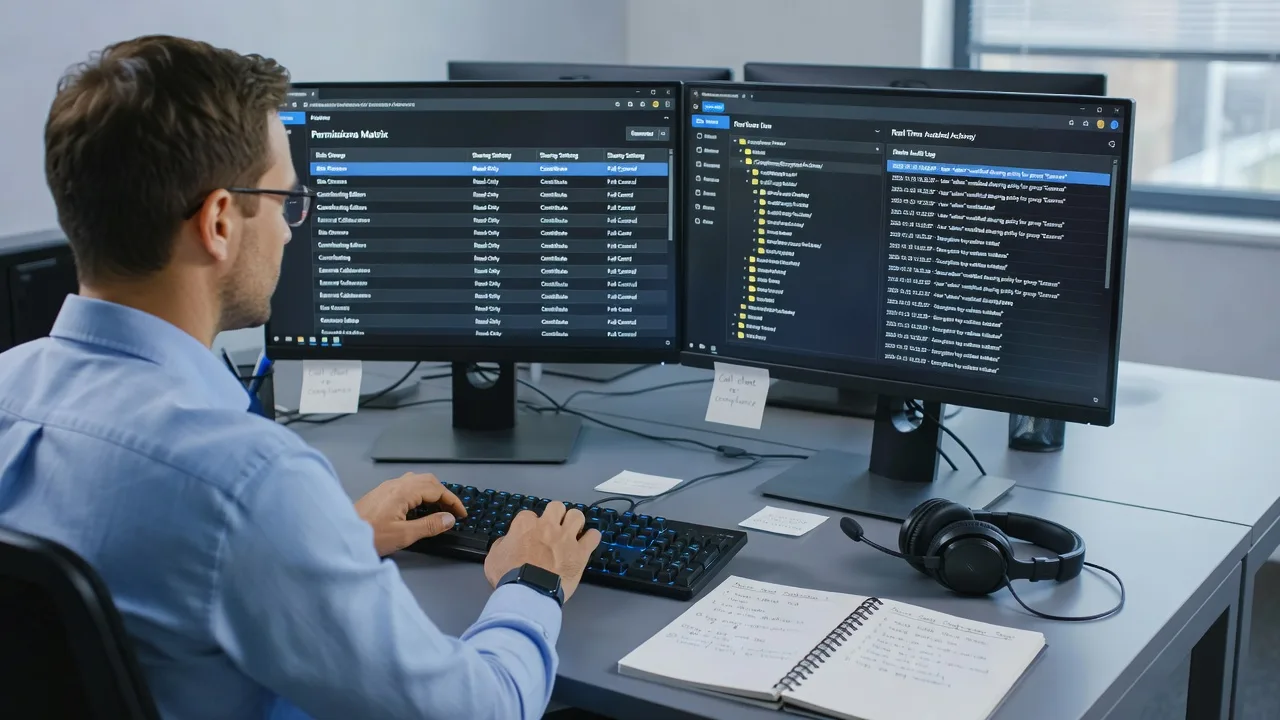
About this service
Get cloud storage that actually respects HIPAA expectations and Australian Privacy Principles—configured for Melbourne practices, clinics, and small teams who cannot risk loose sharing links or unclear retention. We design the structure, permissions, encryption posture, and staff workflow so sensitive files stay controlled from day one.
What You'll Get
- Privacy-aligned storage architecture - Folder hierarchy, share boundaries, and least-privilege access mapped to your roles (clinician, admin, finance, external partners).
- Encryption & identity controls - MFA guidance, device trust checks, and provider settings that reduce casual exposure of health or personal information.
- Audit-ready logging baseline - Activity visibility, admin alerts, and retention notes you can explain to auditors or compliance reviewers.
- Secure external sharing patterns - Expiring links, password gates, and guest access rules so referrals and reports do not leak via perpetual URLs.
- Staff handoff pack - Plain-English how-to for day-to-day save/share habits, plus a short checklist for new starters.
- Optional migration assist - Move from messy shared drives or consumer folders into a structured, permissioned workspace without losing critical files.
Serving Melbourne & surrounds
Melbourne’s mix of CBD consulting suites, suburban medical centres, and warehouse-edge allied-health rooms means one generic cloud template rarely fits. High-street practices share waiting-room Wi-Fi risks; multi-site groups need consistent permissions across locations; telehealth-heavy teams need clean upload paths for video notes and forms. We tailor storage design to how your people actually work—not a national cookie-cutter drive.
- CBD and inner-metro clinics juggling shared reception PCs and rotating locums who need tight, role-based folders
- Strip-shopping and industrial-fringe practices moving paper scans into cloud storage before peak appointment seasons
- Remote-first setup for metro and greater Melbourne teams, with optional guided screen-share sessions when on-site access is limited
How We Work
- Step 1: Reach Out - Tell us what data you hold (health records, client files, HR packs), who needs access, and which tools you already use. We listen before we prescribe.
- Step 2: Tailored Plan - You receive a fixed-scope quote covering storage layout, compliance controls, migration bounds, and training depth—clear tech path, no open-ended bidding.
- Step 3: We Deliver - We configure the environment remotely, apply permissions and sharing rules, and walk key staff through safe daily use in plain language.
- Step 4: Confirm & Follow-up - Handoff checklist, verification of access tests, and optional follow-up session or light maintenance if your team needs a second pass.
Common Issues & How to Fix Them
These are patterns we see repeatedly when Melbourne practices “just switched on cloud storage” without a privacy design.
Anyone-with-the-link can open clinical or client folders
It often starts when a busy admin pastes a default share link into email or Teams so a locum can “just grab the file.”
- Step 1: Open your cloud admin or sharing report and list every link marked Anyone / Public / External without expiry.
- Step 2: Disable public links on sensitive libraries; switch remaining shares to named users or expiring, password-protected guest access only.
- Step 3: Re-test from a private browser window—if you can open the file without signing in, the link is still too open.
Staff save the same patient pack in three places with different permissions
Duplicate “Client Files,” “Scans,” and desktop folders create APP access-control gaps and make deletion or correction requests nearly impossible.
- Step 1: Pick one system of record folder tree (e.g. Active / Archive / Templates) and freeze new saves elsewhere for a week.
- Step 2: Move unique files into the master tree; leave a short redirect note in old folders so people stop dumping there.
- Step 3: Search for a known client surname across drives—if it only appears under the master path with consistent role permissions, the cleanup worked.
MFA is “on,” yet shared reception logins still unlock the whole drive
Shared passwords defeat identity controls; common on front-desk PCs in busy Melbourne medical centres after hours handovers.
- Step 1: List every account that can open clinical storage and note which are personal vs shared.
- Step 2: Create named accounts (or kiosk-limited roles) for reception; remove the shared inbox identity from sensitive libraries; enforce MFA on admin and clinical roles.
- Step 3: Sign out fully, attempt access with the old shared credentials—if clinical folders still open, permissions were not cut cleanly.
When DIY is not enough (urgent, unsafe, recurring, or burning time), book Fixwebnode for direct professional support—no freelancers, bidding, or marketplace noise.
Why Choose Fixwebnode
We deliver this ourselves as a direct technical provider: infrastructure-grade cloud and identity work paired with patient explanations your non-IT staff will actually follow. For Melbourne teams, that means designs that survive locum turnover, multi-site access, and telehealth upload habits—not a slide deck of buzzwords.
- ✓ Practical HIPAA-oriented and APP-minded storage design (purpose limitation, access control, retention clarity)
- ✓ Fixed-scope remote delivery with plain-English staff coaching
- ✓ Local understanding of clinic, consulting, and small-business file chaos across metro Melbourne workflows
Expert insight (Melbourne scenario): When a two-room allied-health practice near a busy high-street strip “migrates to the cloud” the week before school-holiday booking surges, the failure mode is almost never encryption—it is reception staff creating a second “Quick Shares” library with public links to dodge slow permission requests. Build a sanctioned Fast Referral folder with 72-hour expiring guest access and a one-click request path to the clinical library instead; that single pattern prevents most holiday-season oversharing we still clean up years later.
Tools & Technologies
Microsoft 365 / SharePoint / OneDrive for Business, Google Workspace shared drives (where appropriate), Box or similar enterprise cloud where already licensed, MFA and conditional-access baselines, BitLocker/FileVault device encryption checks, sensitivity labels or equivalent tagging where available, secure link policies, audit log exports, backup/versioning settings, and structured migration via mapped sync clients or staged copy with checksum spot-checks.
Perfect For
Melbourne clinics, telehealth providers, allied-health rooms, professional services holding client PII, and small multi-site teams that need cloud storage they can defend under Australian Privacy Principles—and, where US health data is in scope, HIPAA-minded controls. Ideal if you want a direct technician who configures the system and calmly trains your people, not a pile of marketplace proposals.
Ready to lock down storage the right way? Call 0421498927 or visit fixwebnode.com.au/contact-support to start your fixed-scope plan.
Choose a package
Single-library privacy baseline: folder layout, share lockdown, and MFA/access checklist for one small Melbourne team.
Full compliant workspace setup with role permissions, external sharing rules, audit baseline, and live staff walkthrough.
Multi-site or multi-library build with migration assist, retention guidance, admin runbook, and extended coaching.
FAQ
Most HIPAA/APP cloud storage setups for Melbourne clients are completed fully remotely via secure screen share, which keeps delivery fast across CBD suites and suburban clinics. If a specific workstation or reception PC must be checked in person, we discuss access and timing up front—still delivered by our team directly, not a pool of freelancers.
No. We implement practical technical controls and workflows aligned with common HIPAA security expectations and Australian Privacy Principle themes (access control, purpose limitation, retention clarity, breach-aware logging). Your lawyer or compliance adviser remains responsible for formal legal sign-off; we make the storage environment defensible and usable day to day.
We most often harden Microsoft 365 (SharePoint/OneDrive), Google Workspace shared drives, and comparable business cloud suites you already license. We will not force a rip-and-replace if your stack is workable—we design permissions, sharing, and staff process on what you have, or recommend a clear upgrade path when consumer-grade tools cannot meet the risk.
Basic lockdowns often land within several business days after access is granted. Standard and Premium scopes include permission mapping, sharing rules, and training, typically spanning one to two weeks depending on migration volume and how many roles need walkthroughs.



