






 Multi-Vendor & Complex SaaS Marketplaces
 Modern Headless & Jamstack Web Development
 High-End Corporate & Specialized Business Websites
 Advanced API, Checkout & Database Troubleshooting
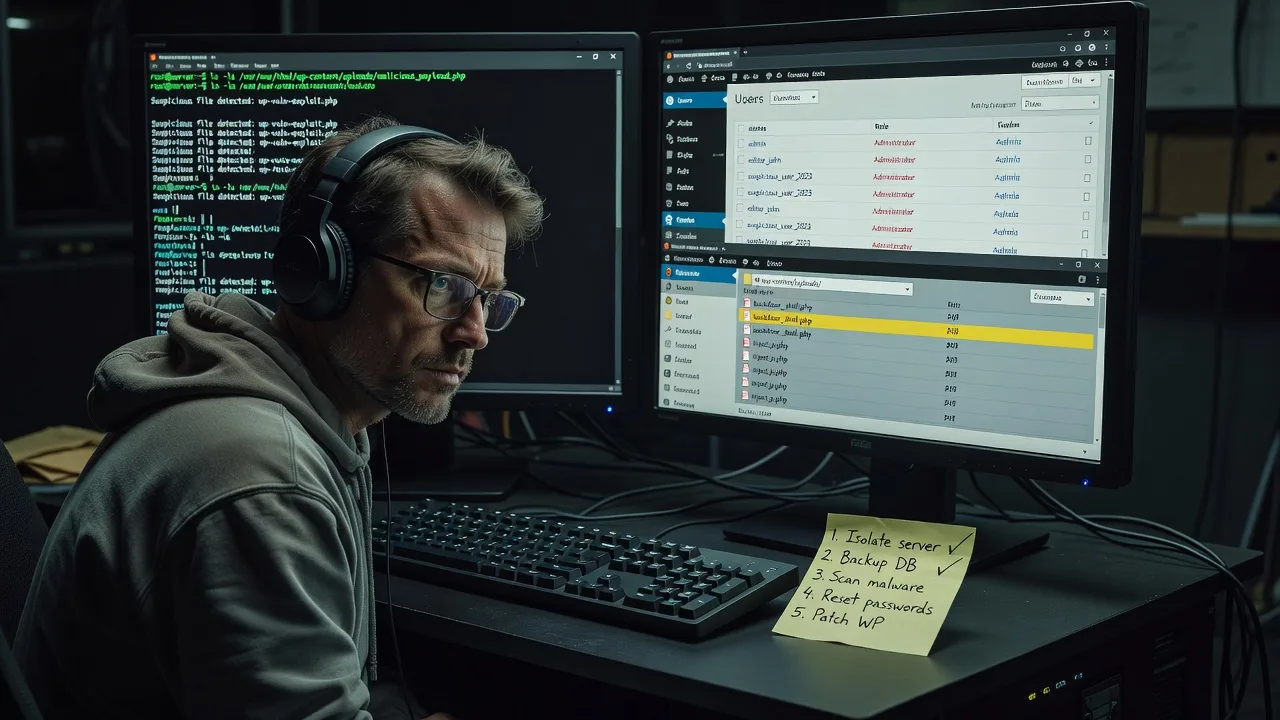
Hacked WordPress Disaster Recovery Melbourne Emergency Response
Hacked WordPress site down in Melbourne? We restore access, purge malware, and lock the door—fast.
When a CBD retailer, clinic portal, or high-street booking site is defaced or locked out, we run emergency triage, clean core/plugins, reset compromised accounts, and harden hosting so the attack does not bounce back overnight.
Power up your recovery: call 0421498927 or go to fixwebnode.com.au/contact-support for direct Fixwebnode response—no bidding queues.
- Live incident triage & containment
- Malware purge + admin recovery
- Post-incident hardening handoff
About this service
When your Melbourne WordPress site is hacked, every hour offline costs bookings, trust, and search ranking—we take emergency ownership of disaster recovery from first contact to a verified clean launch.
What You'll Get
- Emergency containment - Isolate the breach, freeze bad admin sessions, and stop further file drops while we assess damage.
- Full malware & backdoor purge - Scan core, themes, plugins, uploads, and database for webshells, injected scripts, and rogue users.
- Clean restore path - Rebuild from known-good backups where available, or surgically repair live files so the site can trade again.
- Credential & access reset - Rotate admin passwords, API keys, FTP/SFTP, database users, and hosting panel secrets the attacker may hold.
- Hardening baseline - File permissions, disabled file editors, security plugin baseline, update hygiene, and outbound spam checks.
- Plain-English incident summary - What happened, what we fixed, and what you must change next so the same vector does not reopen.
Serving Melbourne & surrounds
Melbourne operators feel WordPress breaches differently by pocket: CBD and Melbourne service firms lose lead forms and client portals mid-day; warehouse and logistics sites around the west lose order tracking during freight peaks; café-strip and high-street retailers lose phone-to-web bookings on weekend trade. We respond remotely-first for metro and regional Victoria, with clear handoff notes for your host or agency if they stay in the loop.
- CBD professional services and clinics whose patient or client booking WordPress sites suddenly redirect or show spam injections
- Industrial and freight-side operators needing order/status pages restored before Monday dispatch windows
- Fully remote emergency work for Melbourne hosting stacks—no on-site travel required unless you request a supervised screen-share with your local IT contact
How We Work
- Step 1: Reach Out - Tell us symptoms (defacement, lockout, Google Safe Browsing flag, spam mail from the domain). We listen first and capture host access paths securely.
- Step 2: Tailored Plan - Fixed-scope quote for triage-only, full clean + restore, or clean + harden + follow-up—clear deliverables, no marketplace bidding.
- Step 3: We Deliver - Remote infrastructure recovery: contain, clean, restore, rotate secrets, and verify pages and forms load without injected junk.
- Step 4: Confirm & Follow-up - You walk the site with us in plain English; optional short monitoring window or maintenance path if you want ongoing protection.
Common Issues & How to Fix Them
These are the WordPress disaster patterns we see repeatedly on Melbourne business sites—and safe first moves before a full professional clean:
Homepage or checkout injects unknown scripts / redirects to scam domains
Often a compromised plugin, nulled theme, or stolen admin session wrote malicious JavaScript into theme files, options table, or mu-plugins—visitors get flagged and ads stop overnight.
- Step 1: From hosting, put the site in maintenance mode or disable public caching so you stop serving the bad payload while you work.
- Step 2: Via SFTP or file manager, compare wp-content/themes and wp-content/plugins timestamps; open header.php, footer.php, and functions.php for base64_decode, eval, or unfamiliar <script> blocks and restore those files from a pre-incident backup if you have one.
- Step 3: Hard-refresh the homepage and a product/booking page in a private browser window; view page source and confirm the foreign domains are gone, then re-check Google Search Console security issues.
All admins locked out / unexpected super-admin users appear
Attackers often create a hidden administrator or change your email so password resets bounce—common after phished credentials or an old unused admin account left open.
- Step 1: Log into hosting phpMyAdmin (or the host’s DB tool), open the wp_users and wp_usermeta tables, and list every user with administrator capabilities.
- Step 2: Delete or demote unknown admins; reset your own user_pass with a strong hash via the host’s password tool or a one-time WP-CLI reset if available—then force logout of all sessions if your host supports it.
- Step 3: Log in, install nothing yet—first change every remaining admin password, enable two-factor if you use a trusted plugin already present, and confirm only expected emails receive recovery mail.
Site sends bulk spam or host suspends the account for mail abuse
A webshell or trojaned contact form often relays spam through your domain; hosts suspend mail or the whole account, and Melbourne clients stop receiving booking confirmations.
- Step 1: Check hosting mail logs and the wp-content/uploads folder for recently modified.php files that do not belong (especially inside image directories).
- Step 2: Quarantine or remove unexpected PHP under uploads; disable contact/form plugins temporarily; rotate SMTP/API keys used by the site and switch mail to authenticated SMTP if it was using bare PHP mail.
- Step 3: Send a test message to yourself, confirm the host clears the abuse flag, and scan again for new PHP drops 24 hours later before re-enabling forms.
When DIY is not enough (urgent, unsafe, recurring, or burning time), book Fixwebnode for direct professional support—no freelancers, bidding, or marketplace noise.
Why Choose Fixwebnode
We are a direct technical provider for WordPress incident response—not a bid board. You work with specialists who treat the stack like production infrastructure: contain first, clean thoroughly, then harden so Melbourne trading sites do not re-infect the next night.
- ✓ Crisis-first remote response with fixed package scopes you can approve quickly
- ✓ Experience cleaning real business WordPress stacks under Safe Browsing flags, host suspensions, and booking outages
- ✓ Clear handoff notes your host, agency, or internal staff can follow without jargon overload
Expert Insights
After hundreds of cleanups, the pattern that still surprises owners is this: a “successful” file scan that only deletes obvious malware often leaves a single mu-plugin or a one-line options-table loader that rewrites core files again within hours. On Melbourne retail sites we see this most after weekend peak traffic when owners restore a backup that already contained the loader. Good recovery means verifying three layers before you celebrate—files (including mu-plugins and drop-ins), database options/postmeta for encoded payloads, and outbound mail/cron authenticity—then rotating every secret the attacker could have scraped from wp-config. Bad recovery is deleting random “infected” plugins, reinstalling WordPress over the top, and leaving the same admin password and the same writable uploads PHP execution path. If your host offers immutable backups, label a known-good snapshot before the incident window and refuse to restore anything newer until those three layers pass; that single habit cuts re-infection rates more than any security plugin banner.
Tools & Technologies
WordPress core repair paths, WP-CLI where available, SFTP/SSH file audit, database inspection (phpMyAdmin / adminer), malware pattern review, security baselines (permissions, disabled editors, update discipline), hosting panel recovery, SMTP/auth mail checks, Google Search Console / Safe Browsing review support, and post-clean hardening checklists tailored to shared, VPS, and managed WordPress hosts.
Perfect For
Melbourne small businesses, clinics, professional services, and retailers whose WordPress site is defaced, blacklisted, locked, or suspended and who need a direct emergency responder—not a long RFP. Ideal when bookings, lead forms, or catalogue pages must return today and you want a fixed technical recovery path with plain-English confirmation afterward.
Need the site trading again? Call 0421498927 or contact us via fixwebnode.com.au/contact-support and we will start triage.
Choose a package
Emergency triage and targeted malware containment for a single WordPress site with incident summary.
Full hacked-site clean, admin recovery, secret rotation, and verified restore for one WordPress business site.
Complete disaster recovery with deep hardening, spam/mail abuse cleanup, and short post-incident watch window.
FAQ
WordPress disaster recovery is delivered remotely for Melbourne and wider Victoria in almost all cases—we work through secure hosting, SFTP/SSH, and screen-share so CBD, suburban, and regional operators get the same speed. On-site is rarely required for this work; if your internal IT must supervise, we can run a guided session on your schedule.
After you send symptoms and hosting access details, we prioritise containment first—stop the bleeding, then clean. Basic triage packages are scoped for rapid turnaround; Standard and Premium cover full purge, restore, and hardening so you are not stuck half-clean overnight.
Ideally hosting panel login plus SFTP or SSH and database access. With those we can reset admin users, inspect files, and clean the database even if the wp-admin login is broken. We never ask you to post credentials in public tickets—use the secure contact path on our site or phone handover.
A thorough clean plus secret rotation and hardening greatly reduces re-infection, but leaving old passwords, abandoned admin accounts, or writable PHP in uploads invites a repeat. Premium includes a deeper harden and recheck window; we also tell you exactly what must change on your side.



