






 Multi-Vendor & Complex SaaS Marketplaces
 Modern Headless & Jamstack Web Development
 High-End Corporate & Specialized Business Websites
 Advanced API, Checkout & Database Troubleshooting
Apache/Nginx Performance Tuning & TTFB Optimizer Melbourne
Cut TTFB and stabilise Apache or Nginx for Melbourne sites under real traffic.
We tune workers, TLS, caching, and upstreams so CBD storefronts, warehouse portals, and high-street retailers load faster without guesswork. Direct Fixwebnode engineering—not a bid board.
Ready to lock in measurable gains? Call 0421498927 or book via fixwebnode.com.au/contact-support.
- Baseline TTFB and bottleneck report
- Safe config changes with rollback notes
- Remote delivery across metro Melbourne
About this service
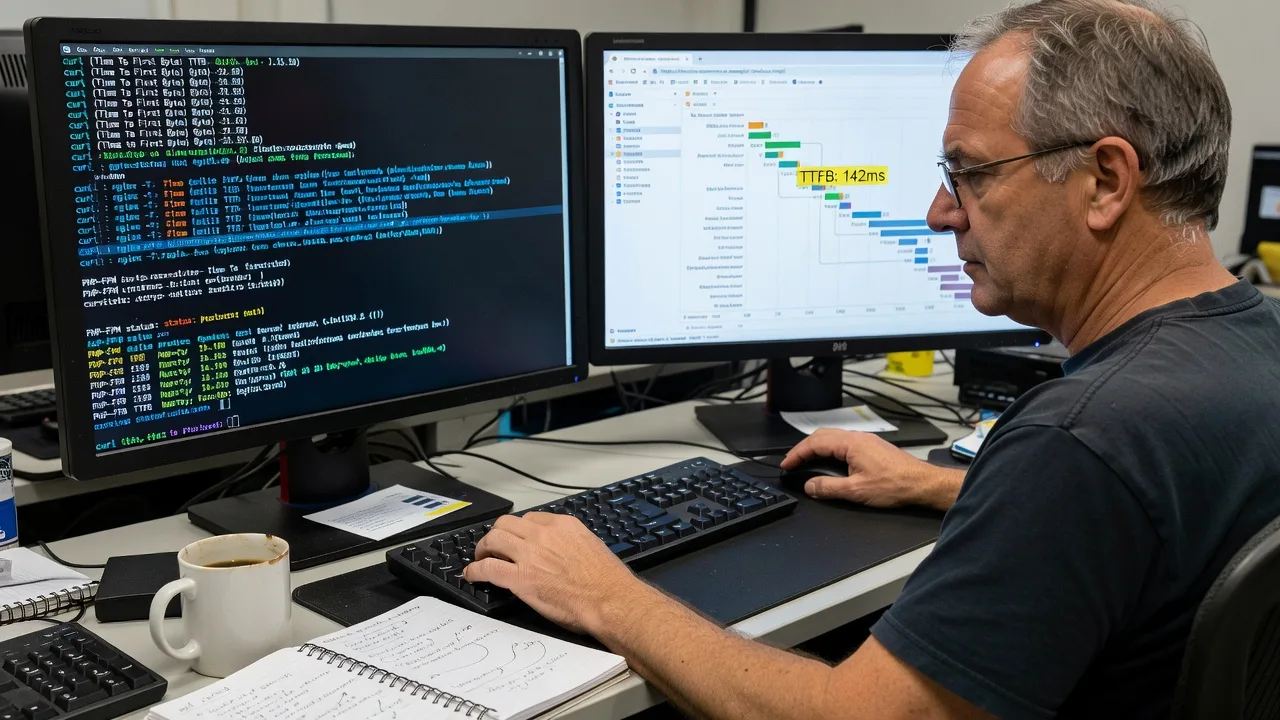
We reduce Time to First Byte and smooth Apache or Nginx under load for Melbourne businesses that cannot afford slow checkouts, laggy booking pages, or stalled staff portals. You get fixed-scope tuning from the engineers who apply the changes—clear metrics before and after, no marketplace middle layer.
What You'll Get
- TTFB baseline & bottleneck map - Measured from realistic paths so we fix origin delay, not vanity homepage scores alone.
- Worker, keepalive & connection tuning - Apache MPM or Nginx worker/connection limits matched to CPU, RAM, and concurrent sessions.
- TLS, HTTP/2 & compression pass - Handshake waste trimmed; Brotli/Gzip applied where safe without double-compressing already-minified assets.
- Upstream & FastCGI/PHP-FPM alignment - Queue depth, timeouts, and socket vs TCP choices that stop silent backlog under peak.
- Cache & header strategy - FastCGI/proxy cache, microcaching options, and Cache-Control rules that protect dynamic pages.
- Before/after report with rollback notes - What changed, why, and how to reverse if a plugin or deploy fights the stack.
Serving Melbourne & surrounds
Melbourne traffic is spiky: CBD lunch-hour commerce, industrial order portals opening with freight windows, and café-strip sites that spike on market weekends. We tune for those patterns—not generic US blog defaults—and support remote cutovers timed around your quiet hours. Teams in Melbourne towers and warehouse operators toward the west often share the same root causes: undersized workers plus chatty origin apps.
- CBD and Melbourne multi-tenant stacks where one noisy vhost starves neighbours on shared CPU
- High-street and market-weekend retailers needing stable TTFB when campaigns land Friday night
- Fully remote delivery with change windows that respect Melbourne business hours and after-hours deploys when you prefer zero daytime risk
How We Work
- Step 1: Reach Out - Tell us stack (Apache, Nginx, or both), hosting type, and what feels slow—checkout, admin, API, or whole site. We listen first.
- Step 2: Tailored Plan - Fixed quote against a clear scope: single-site tune, dual-stack, or multi-vhost with monitoring hooks. No open-ended hourly surprises.
- Step 3: We Deliver - Remote diagnostics, staged config, controlled reload/restart, and verification against your critical URLs.
- Step 4: Confirm & Follow-up - Plain-English handoff, optional watch window, and notes your developers can keep in runbooks.
Common Issues & How to Fix Them
These are patterns we see repeatedly on Melbourne production hosts—symptoms first, then safe checks you can run before escalating.
TTFB stuck at 800ms–2s while HTML is tiny
Often the origin is waiting on PHP-FPM/upstream backlog or DNS inside the app, not “slow Wi‑Fi.” Marketing tools and heavy plugins amplify it on product and booking routes.
- Step 1: From a shell near the server, time a raw origin hit: curl -o /dev/null -s -w 'ttfb:%{time_starttransfer}\n' https://yoursite/critical-path and compare homepage vs a dynamic page.
- Step 2: Check PHP-FPM or upstream listen queue and slow-log; if max children are saturated, raise carefully or fix the slow queries—not only the web server banner.
- Step 3: Re-run the same curl three times after a reload; stable sub-200–400ms origin TTFB on a warm path (app-dependent) means you moved the needle at the right layer.
Nginx or Apache “feels fine” until concurrent checkouts spike
Default worker_connections, ServerLimit, or KeepAliveTimeout values that looked fine on a quiet Sunday collapse when CBD lunch traffic and bots arrive together.
- Step 1: Capture peak concurrency: Nginx stub_status / Apache server-status (restricted), plus ss -s or connection counts during a real busy window—not a synthetic 2-user test.
- Step 2: Align workers × connections with RAM headroom; shorten KeepAliveTimeout if you are connection-bound; enable keepalive to upstreams so every request is not a fresh TCP tax.
- Step 3: Load-test only the critical path with modest concurrency and watch error rate and p95 TTFB—not average alone. Errors or climbing p95 means roll back and retune.
Compression or HTTP/2 “enabled” but transfer still chubby and slow
Double compression, missing Brotli on text types, or TLS session issues waste bytes and round trips—common after panel defaults and CDN overlap.
- Step 1: Inspect response headers on HTML/CSS/JS for Content-Encoding and confirm you are not re-gzipping pre-compressed assets.
- Step 2: Enable Brotli or Gzip only on text types with sensible minimum length; turn off compression at one layer if CDN and origin both rewrite the same body.
- Step 3: Re-check Content-Length/transfer size and TTFB; HTML should shrink materially and time_starttransfer should not rise after the change.
Expert Insights
On Melbourne retail and booking stacks we often see teams chase CDN POP latency while origin TTFB sits above 1s because FastCGI cache is bypassed on every request that carries a session cookie—including anonymous catalogue pages polluted by marketing pixels setting cookies site-wide. A practical fix we apply after five-plus years of these cutovers: strip or ignore non-essential cookies on cacheable GETs at Nginx (fastcgi_cache_bypass / proxy_cache_bypass rules tied to a short allowlist), microcache HTML for 1–5 seconds on anonymous traffic during flash sales, and keep admin/cart routes strictly uncached. Good looks like anonymous product TTFB dropping into low hundreds of milliseconds with cache HIT headers; bad looks like HIT rate near zero while you keep buying larger instances. Measure cache HIT ratio and p95 on the cart path separately—never average them into one vanity number.
When DIY is not enough (urgent, unsafe, recurring, or burning time), book Fixwebnode for direct professional support—no freelancers, bidding, or marketplace noise.
Why Choose Fixwebnode
We are a direct technical provider: the same specialists who scope your Apache/Nginx work implement and verify it. Melbourne-aware change windows, infrastructure-grade care, and plain handoffs your team can live with.
- ✓ Hands-on Linux/web performance experience across Apache and Nginx production hosts
- ✓ Fixed scopes with rollback notes—not open marketplace experiments on live checkouts
- ✓ Remote delivery tuned to Melbourne peak patterns (CBD daytime, campaign evenings, freight-driven portals)
Tools & Technologies
Nginx (incl. open-source modules), Apache httpd (event/worker MPM), OpenSSL/TLS config, HTTP/2, Brotli/Gzip, FastCGI Cache, proxy_cache, PHP-FPM, curl/httpie timing, ab/wrk/k6 light verification, ss/netstat, server-status/stub_status, fail2ban-aware reload practices, Let's Encrypt/cert pipelines, Cloudflare or other CDN header coordination, Linux (Ubuntu/Debian/RHEL-class) sysctl awareness where relevant.
Perfect For
Melbourne ecommerce, clinics with online booking, education portals, and small-to-mid business stacks on VPS or dedicated hosts where TTFB and concurrency pain show up in real revenue or staff time. Ideal when you want one accountable provider to harden Apache/Nginx properly—not a revolving set of one-off config pastes.
Power up your stack when you are ready—dial 0421498927 or reach us at fixwebnode.com.au/contact-support.
Choose a package
Single-site Apache or Nginx TTFB audit plus safe core tuning with before/after metrics.
Full performance pass including TLS/compression, upstream/PHP-FPM alignment, and cache header strategy.
Multi-vhost or dual-stack hardening with microcache options, peak-window verification, and extended watch support.
FAQ
Performance tuning for Apache and Nginx is delivered remotely with secure access you control. That suits Melbourne CBD, Melbourne, and wider metro teams who need after-hours reloads without an engineer on the premises. If a rare on-site constraint appears (for example locked-down internal networks), we plan the remote path first and flag anything that truly needs local hands.
No. We baseline TTFB and behaviour first, stage changes, and keep clear rollback notes so a reload can be reversed if a plugin or deploy conflicts. Critical paths (checkout, booking, login) are verified before we call the job done.
Yes. Many stacks use Nginx at the edge and Apache or PHP-FPM behind it. The Standard and Premium scopes explicitly cover upstream alignment so we do not optimise one layer while leaving queue delays in the other.
We focus on origin TTFB, p95 on agreed URLs, error rate under modest concurrency, and cache HIT behaviour where caching is in scope. Vanity lab scores can improve as a side effect; revenue paths and admin portals are the acceptance bar.



