







 Multi-Vendor & Complex SaaS Marketplaces
 Modern Headless & Jamstack Web Development
 High-End Corporate & Specialized Business Websites
 Advanced API, Checkout & Database Troubleshooting
Fully Operational Shopify Dropshipping Store Built Remote
Get a live, sales-ready Shopify dropshipping store built end-to-end—delivered remotely worldwide.
We handle theme, catalogues, payments, shipping logic, and app stack so niche founders (seasonal home, fitness, and eco lines) skip the half-finished template trap. One direct specialist team—not scattered setup jobs.
Questions mid-build? Power up support at fixwebnode.com.au/contact-support or chat with us for plain-English help.
- Store configured to take real orders
- Supplier-ready product structure
- Remote delivery with clear handoff
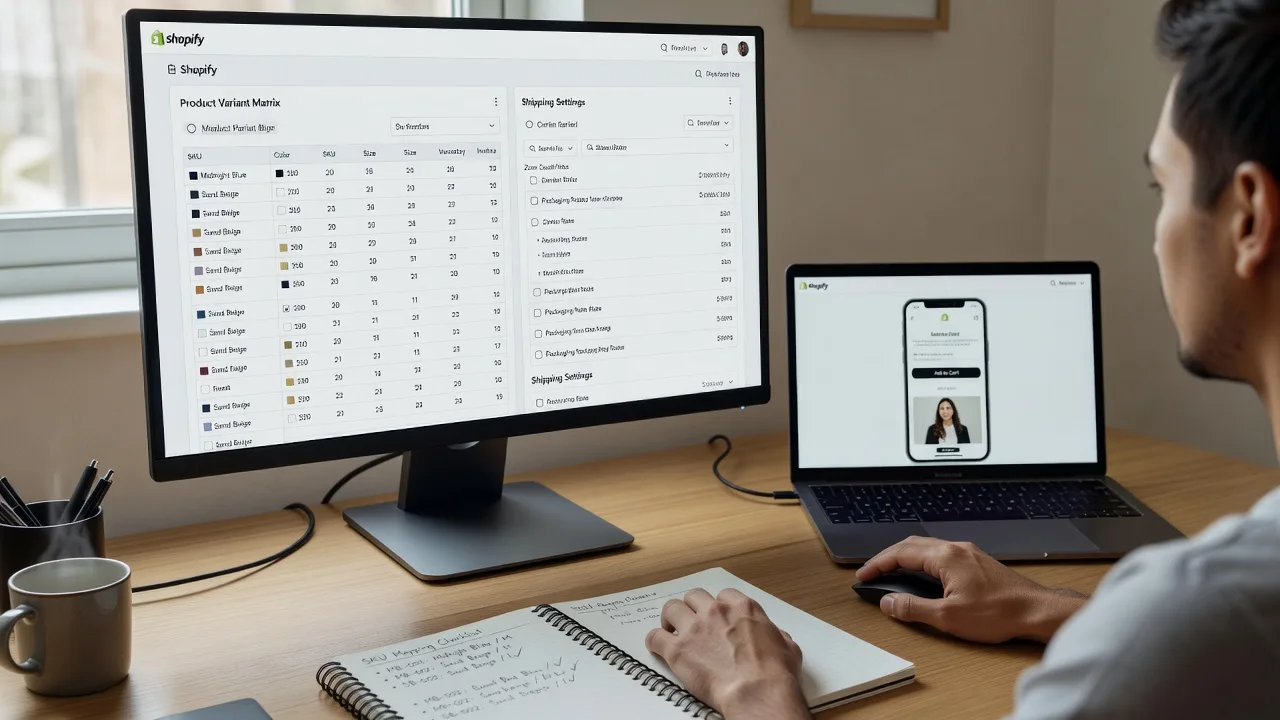
About this service
We build fully operational Shopify dropshipping stores from scratch for remote founders who need a store that can actually take orders—not another demo theme. Available worldwide, with on-site where practical.
What You'll Get
- Complete Shopify store foundation - Domain connect, theme install, navigation, legal pages, and brand basics set so the shop looks intentional on day one.
- Dropshipping-ready catalogue structure - Collections, variants, supplier-friendly SKUs, and product templates that scale when you add lines.
- Payments, taxes & shipping rules - Checkout paths configured for your target markets so customers can pay without friction.
- Apps stack for fulfilment & tracking - Core apps for supplier sync, order routing, and basic analytics—chosen for stability, not app-store noise.
- Mobile-first polish & speed pass - Layout and image rules that protect ad ROAS on phone traffic.
- Owner handoff guide - Plain steps for adding products, processing a test order, and knowing what to change safely.
Serving Remote & surrounds
This offer exists for remote and cross-border sellers—especially Australian and NZ founders launching niche dropshipping brands into AU peak seasons, US gift cycles, and EU lifestyle demand—without needing a local retail fit-out. Work is delivered online with screen-share sessions; on-site setup is available where practical for nearby businesses.
- Home-based operators prepping for Black Friday / Boxing Day catalogue spikes
- Side-hustle fitness and outdoor-gear brands testing paid traffic before holding inventory
- Fully remote build with optional on-site device setup when you are within practical travel range
How We Work
- Step 1: Reach Out - Tell us your niche, supplier plan, target countries, and whether you already own a Shopify account or domain. We listen first.
- Step 2: Tailored Plan - Fixed-scope quote for Basic, Standard, or Premium build—no open-ended bidding. You see deliverables and timeline up front.
- Step 3: We Deliver - Remote configuration of theme, products, checkout, shipping, and apps; patient walkthroughs if you want human digital support alongside the tech build.
- Step 4: Confirm & Follow-up - Joint test order, plain-English handoff notes, and optional follow-up session for catalogue expansion or ad-pixel checks.
Common Issues & How to Fix Them
These are problems we see repeatedly on half-launched dropshipping shops—symptoms first, then safe DIY checks before you burn ad spend.
Checkout shows the wrong currency or payment methods vanish at the last step
Usually a markets/payments mismatch: store currency, Shopify Payments / third-party gateway country, and customer market settings do not align.
- Step 1: In Shopify admin, open Settings → Markets and confirm your primary market currency matches the currency customers expect on product pages.
- Step 2: Open Settings → Payments; ensure the gateway is active for that currency and that test mode is off for live trials (or fully on for sandbox only—never mixed).
- Step 3: Place a real low-value test order from an incognito window using a customer address in your primary market; verify the currency symbol, available methods, and successful thank-you page.
Product pages look fine on desktop but images crop, buttons overlap, or load crawls on mobile
Dropshipping themes often ship with oversized hero images and unused app scripts; mobile is where paid traffic dies.
- Step 1: On your phone, open a product URL and note above-the-fold issues: cut-off titles, sticky bars covering Add to Cart, or 3+ second blank screens.
- Step 2: Compress main product images to sensible web sizes (often under ~200–300 KB each), remove unused theme sections on the product template, and disable one non-critical app at a time.
- Step 3: Re-test on mobile data (not only Wi‑Fi). Confirm Add to Cart is tappable without zoom and the page feels usable within a few seconds.
Orders sit unpaid or unfulfilled because supplier SKUs and Shopify variants do not match
Classic dropshipping break: pretty storefront, broken fulfilment map—variant names in Shopify do not equal supplier codes.
- Step 1: Export one collection’s variants and compare option names (size/colour) and SKUs side-by-side with your supplier sheet—flag any free-text mismatches.
- Step 2: Standardise variant option order and SKU format in Shopify to mirror the supplier exactly; reconnect or re-map the fulfilment app for those products only.
- Step 3: Run a single end-to-end test order through to the supplier draft/PO view and confirm the line items, quantities, and destination address appear correctly before scaling ads.
When DIY is not enough (urgent, unsafe, recurring, or burning time), book Fixwebnode for direct professional support—no freelancers, bidding, or marketplace noise.
Why Choose Fixwebnode
We are a direct provider: infrastructure-grade Shopify build work paired with clear, patient handoff so non-technical owners can run the store. Remote delivery means fast start; practical on-site help is available when it genuinely helps.
- ✓ Fixed package scopes—you know what goes live before we start
- ✓ Dual focus: technical store integrity plus jargon-free owner training
- ✓ Built for real order flow (payments, shipping, fulfilment map), not demo screenshots
Tools & Technologies
Shopify admin & Online Store 2.0 themes, Shopify Markets, Shopify Payments and major gateways, fulfilment/supplier sync apps, Google Analytics / Meta pixel basics, image compression workflows, collection & navigation IA, and browser/device testing for checkout paths.
Perfect For
Remote founders, small brands, and side-hustle operators who need a complete dropshipping storefront without holding warehouse stock on day one. Ideal if you sell into seasonal AU/NZ demand or overseas gift cycles and want one specialist team to stand the shop up, test a real order path, and leave you confident to add products. For support during or after the build, go to fixwebnode.com.au/contact-support or chat with us.
Choose a package
Core Shopify dropshipping foundation: theme, navigation, sample products, and checkout basics ready for your branding.
Sales-ready store with expanded catalogue structure, apps stack, mobile polish, and guided test-order handoff.
Full operational launch build: deeper markets/shipping logic, pixel readiness, owner training session, and post-launch tune-up.
FAQ
Delivery is remote worldwide. We build and train over secure screen-share sessions on your Shopify account. On-site device or network help is offered only where practical for nearby clients—most dropshipping launches complete fully online.
A Shopify trial or paid plan is required so we can build in your store. Suppliers can be finalised during the project, but Standard and Premium run smoother when you already have a shortlist and sample product data. We structure the catalogue so supplier SKUs map cleanly.
This service builds and operationalises the store—theme, catalogue structure, checkout, shipping rules, and fulfilment wiring. Product sourcing strategy and ongoing ad management are separate; we can align the store so those activities plug in cleanly after handoff.



